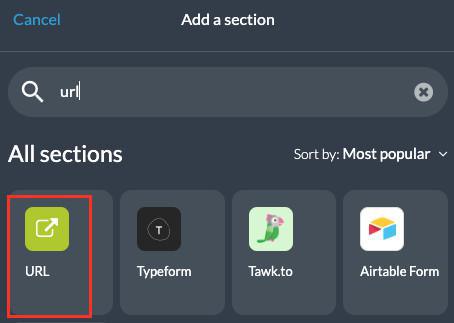
1. Add a URL section
A URL section enables you to display a webview of a web URL in your app.
1. In the left swipe menu go to My App > Structure
2. Click the green button "Add a section " from the right column
3. Select "URL" in the content items
4. Give it a title
1. In the left swipe menu go to My App > Structure
2. Click the green button "Add a section " from the right column
3. Select "URL" in the content items
4. Give it a title
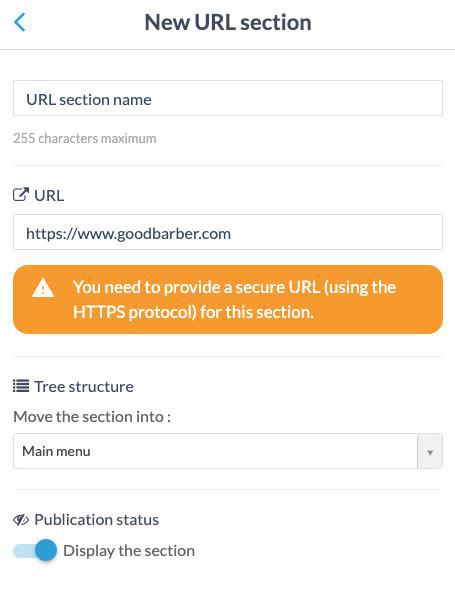
2. URL section settings
1. Paste the URL in the field
2. Click the "Add" button.
Note: You need to provide a secure URL (using the HTTPS protocol) for this section.
This page will open in GoodBarber custom browser in the native app and in the PWA it will open a page in a new tab.
2. Click the "Add" button.
Note: You need to provide a secure URL (using the HTTPS protocol) for this section.
This page will open in GoodBarber custom browser in the native app and in the PWA it will open a page in a new tab.