GBTC: Publish your app with easeDiscover GoodBarber Takes Care and simplify the app publication process for both the App Store and Google Play. Let us handle the technical details for you.Learn more about GBTC
No matter if you already have your online shop for some time or if you are just starting your ecommerce adventure with your GoodBarber Shopping App– you won’t succeed unless you can attract clients to your app. The way you present your products is crucial, because if it’s not appealing clients will simply click away.
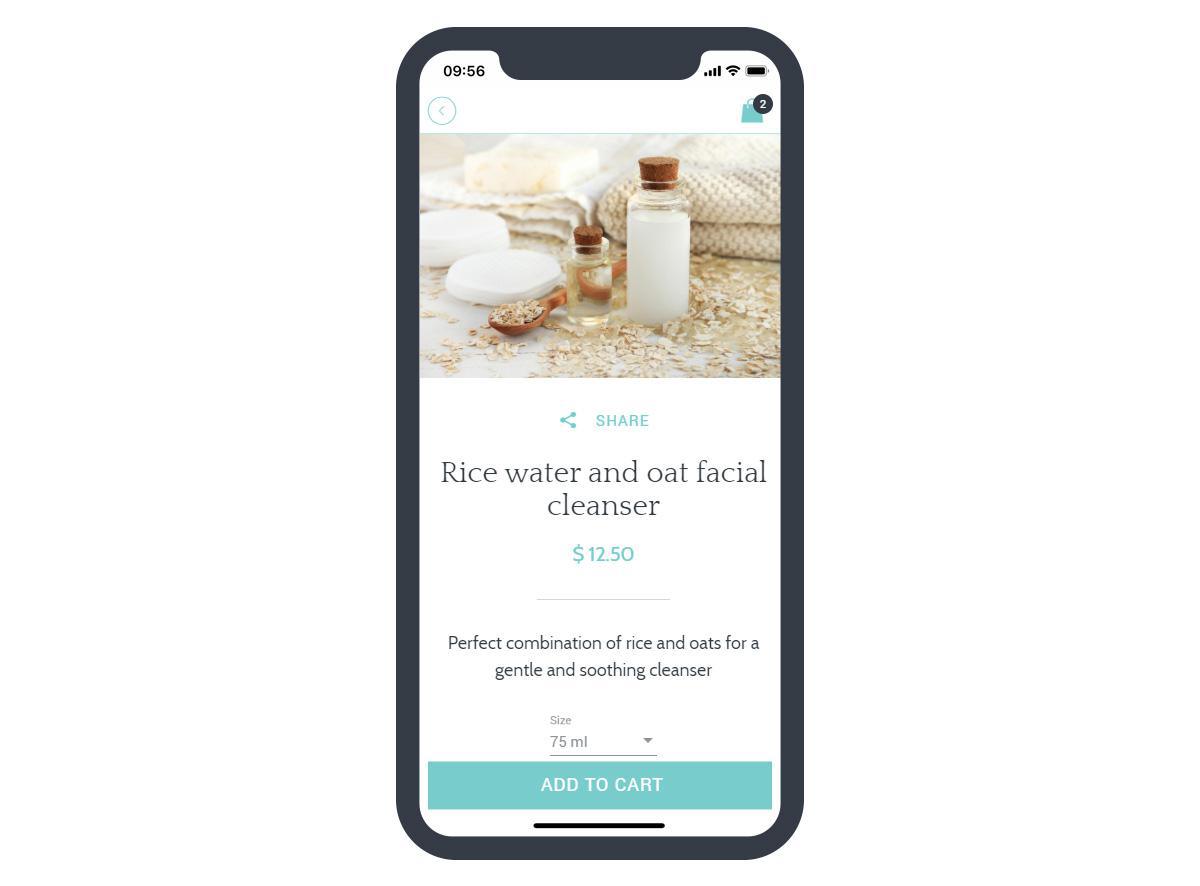
You want to spend time to create high converting product pages. With GoodBarber Shopping App you will benefit from all the tools necessary to optimize your product page.
1. A Beautiful shop
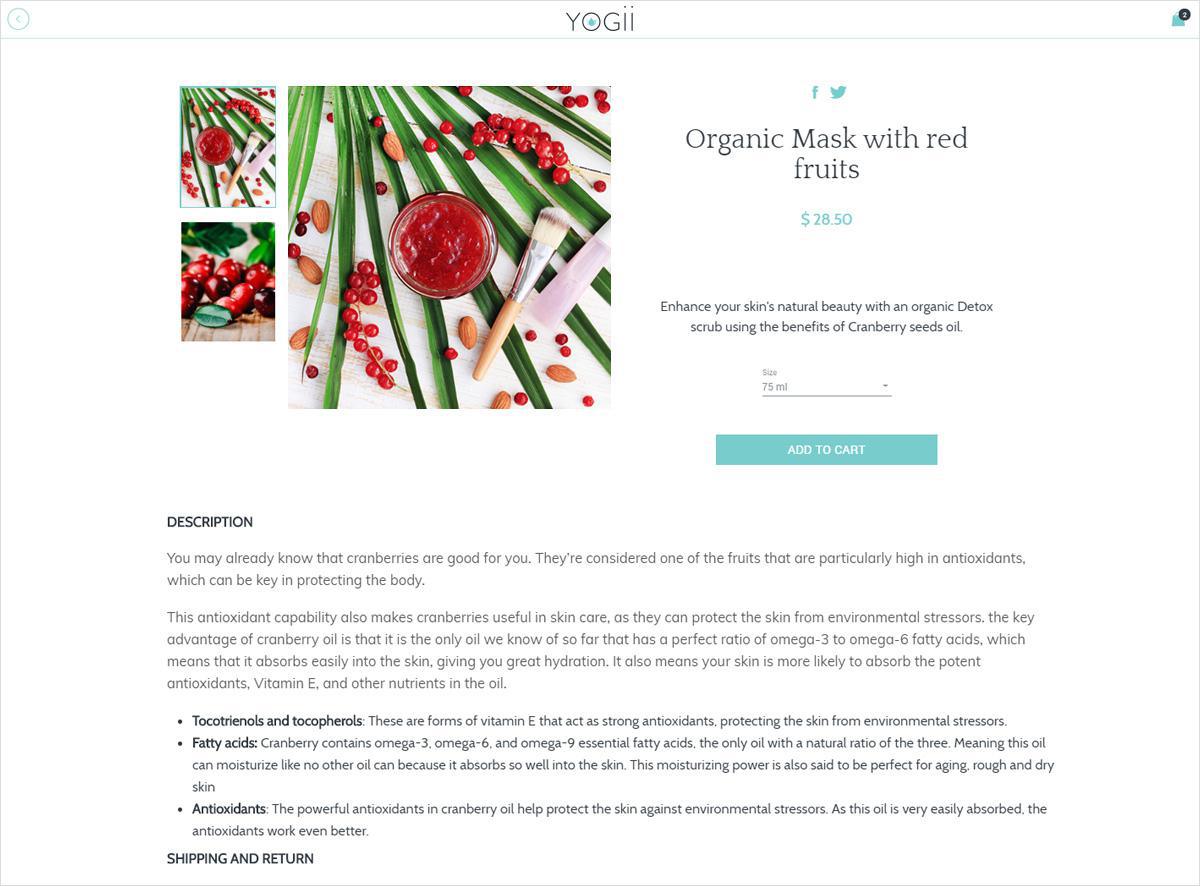
The look and feel of your product pages is very important to attract your clients. It’s their first impression of your products. When creating your products with GoodBarber, you will be able to choose between:
Fonts and font colors
Background colors and images
Shape and color of action buttons
How thumbnails, images and slideshows will be displayed etc...
All our templates are designed to create the best showcase for your products.
2. A good product description
Once on your product page, you will enter the name and description of your product. This is your opportunity to be creative but stay honest: 50% of the online shoppers have returned the products they purchased stating the reason that the goods did not match the descriptions . Your product description should address your target audience directly and include relevant keywords. The short description should be clear and catchy. The majority of users will scan a product first and your description should catch their attention. With the “More info block”, you can create a comprehensive list of features and their benefits. Potential clients want to know everything about their potential purchase and how this product would improve their everyday life. Use short sentences and bullet points. Your clients want to find out what your product can do for them quickly. Keep in mind the user will be looking at your product on a small screen, don’t make them squint their eyes. What you’re writing needs to be clear and easy to read. Typography is important. Make sure the font color is easily readable on the background. With GoodBarber you have access to all Google fonts plus a choice of background and font colors.
3. Quality images
Include beautiful product images to attract the attention of potential clients. Quality photos will show the users all of the key features about your product. They will also allow the potential client to imagine having this product. Your images need to compensate for the fact that your clients are not able to physically touch and see the product.
All images should be of uniform size and style, reflect your brand and emphasize your product. Use original images as much as possible.
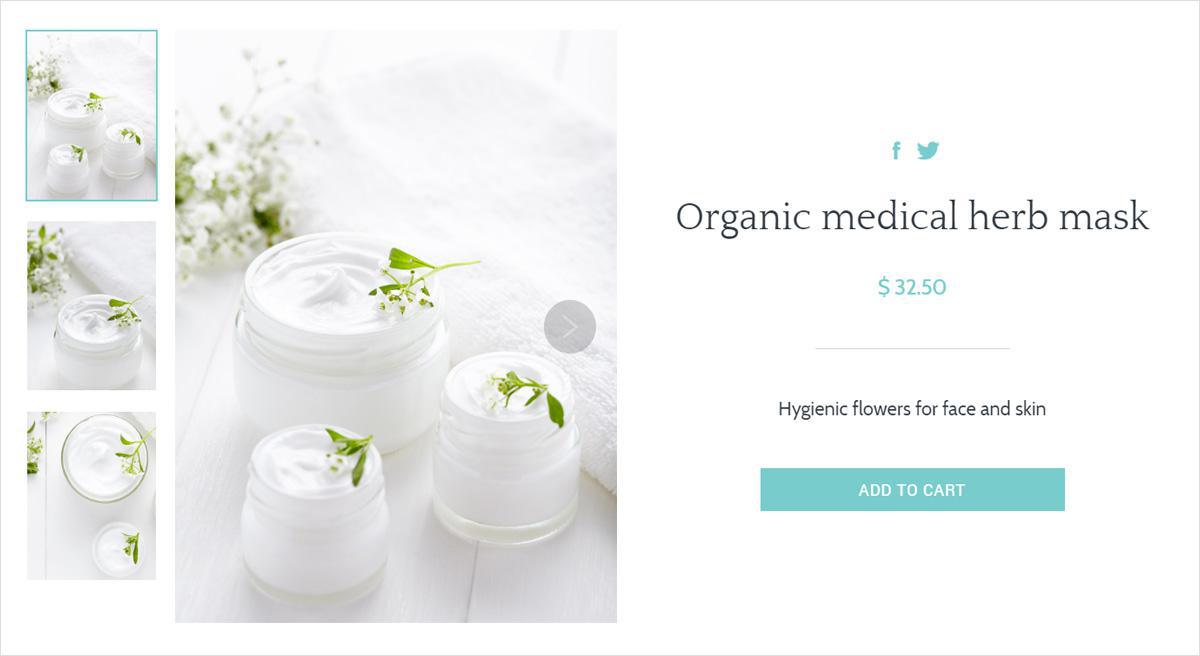
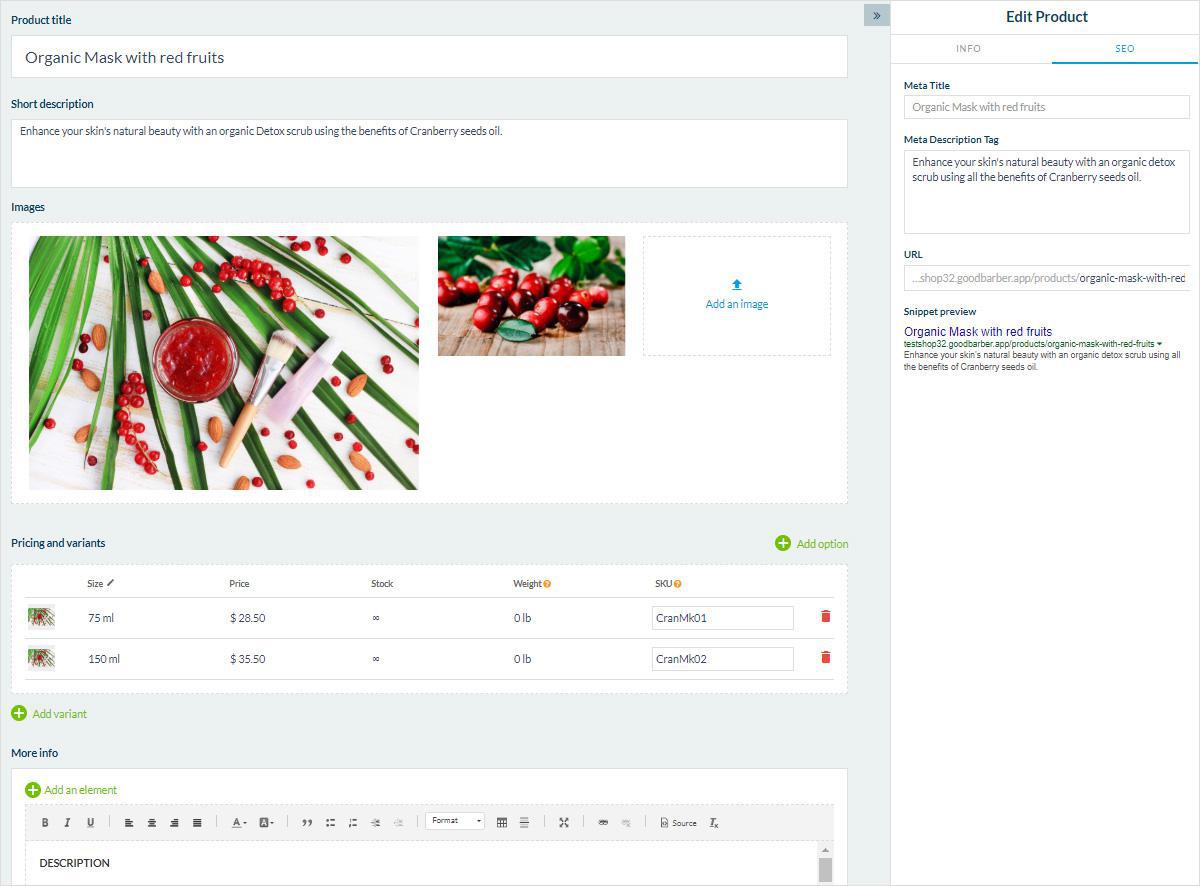
Offer multiple images. According to a study by Shopify 33% of users prefer seeing multiple images. From your GoodBarber Shop back office, you can add up to 9 images to your product and arrange them depending on the variant you want to highlight. Make sure to show your product under different angles.
Showing good viewable thumbnails in the search results page – this will help users find the desired product in one click and get a better idea of what you are offering. From your GoodBarber back office, you can set the focal point of your thumbnail and set the visible part of the image once cropped. The focal point sets the focus of an image, giving you control over where the image is centered.
Add an image for each variant: if you are offering with several variants, for exemple a dress in different colors, make sure you add a picture for each variant. Nothing more frustrating for a potential client than having to guess how the product will look like.
4. Similar products
The Similar Product feature is a great tool to encourage your clients to view more products that might interest them and therefore increase your cart average. Good suggested products not only improve the customer experience but also promote product exploration. You can activate this option for each product. It is possible to display up to 4 similar products. Automatic suggestions are based on the Collections and Tags applied to your products. You can also manually select which products you want to appear.
5. Easy searchability
When creating your product page, you will have the possibility to add Product tags. They allow for easy access to your products. They will be used in:
Your back office to search all products
For your clients in the Search section of your app
They also allow you to organise the Home of your Shop by filtering your widgets Products list by tags.
6. Built-in SEO
Your product description can work wonders for Search Engine Optimization or SEO. Since you can let your creativity flow when it comes to writing product descriptions, you can play around with inviting terms, a refreshed vocabulary and of course, keywords. When potential clients search for your products online, you want your shop to be at the top results for that search, especially since the majority of searchers will go to the first organic result on Google.
With your GoodBarber Shopping App each product is indexable. Thanks to Google BERT update released on October 25th, the unique details on product pages could now drive more organic search traffic with high purchase intent.
Rich snippets: this feature allows you to preview how your meta description will appear on Google search.
7. Simple and straightforward “Add to cart” action
This is the most important part of the page. The area around the button should be uncluttered. The button should be immediately visible when the client lands on the page. In your GoodBarber product page, you will be able to choose the color of the button as well as the color of the text of the button. Keep the wording simple, this is not the time to be creative. Wording like “Buy now” or “order” are suffisant.
It takes a lot of time and effort to drive targeted traffic to your Shopping App. But all of that will be a waste if you don’t optimize your product pages to boost conversions. You should focus on these best practice to provide a better shopping experience for your clients. This can help you increase conversions and build loyalty.
The short version. Meta catalog, map and Meta catalog, listings are two extensions of GoodBarber, the no-code app builder, that read an agency's "Home listings" catalog, the XML feed it gives Meta for its real estate ads. Meta catalog, map fills a Map section: each property with a known position becomes a pin with its own page, sorted by distance when the app knows where the user is. Meta catalog, listings fills an Article section with the same properties, newest first. You connect them with the link to your catalog feed. Both are free for Content apps.Agencies build this catalog to reach buyers and tenants where they spend their time. Meta's apps were used by 3.60 billion people a day on average in June 2026, up 3% in a year, according to Meta's second quarter 2026 results published on July 29, 2026. Here is how the two extensions play out for an agency in Hamburg.
The short version. Givebutter Events and Givebutter Campaigns are two extensions of GoodBarber, the no-code app builder, that read a nonprofit's campaigns on Givebutter. Givebutter Events fills a Calendar section with upcoming events, at their time in the event's time zone, with their location unless you share it with attendees only. Givebutter Campaigns fills an Article section with active forms and fundraising pages, with their cover image and description. You connect them with a Givebutter API key. Both are free for Content apps: each section counts as one of the extensions included in your plan.A lot of giving already goes through Givebutter. On Giving Tuesday 2025, supporters gave $20 million on the platform, up from $16.4 million in 2024, from more than 93,000 donors across 16,000 active campaigns, according to Givebutter's recap published on December 8, 2025. Here is how the two extensions play out for an animal rescue.
 eCommerce
 Memberships
 Chatbot
 Online Courses
 Bookings
 Travel guide
 Events
 Content Creators
 Pickup & Delivery
 Newspaper
 Radio
Radio Schools
 Faith
Faith Organizations
 Restaurant
 Grocery
 Custom apps
 Employee Communication

 NO CODE APP BUILDER
 TECHNOLOGY
 WHY GOODBARBER?
 Design
 PRODUCT RESOURCES
 TOPICS
 MOBILE APPS RESELLERS
 DISCOVER