GBTC: Publish your app with easeDiscover GoodBarber Takes Care and simplify the app publication process for both the App Store and Google Play. Let us handle the technical details for you.Learn more about GBTC
Some time ago, Lesia, our Product Design Manager, set herself the goal of enhancing the fonts in the Builder. Today, we're letting you in on the series of improvements that have been made in regards to this task. These enrichments are a good example of what I appreciate the most at GoodBarber: the attention to detail and perfection.
Clarity and precision–these are the two words that guided the team in rethinking the way you apply a font to the text in your application.
Flat Panel
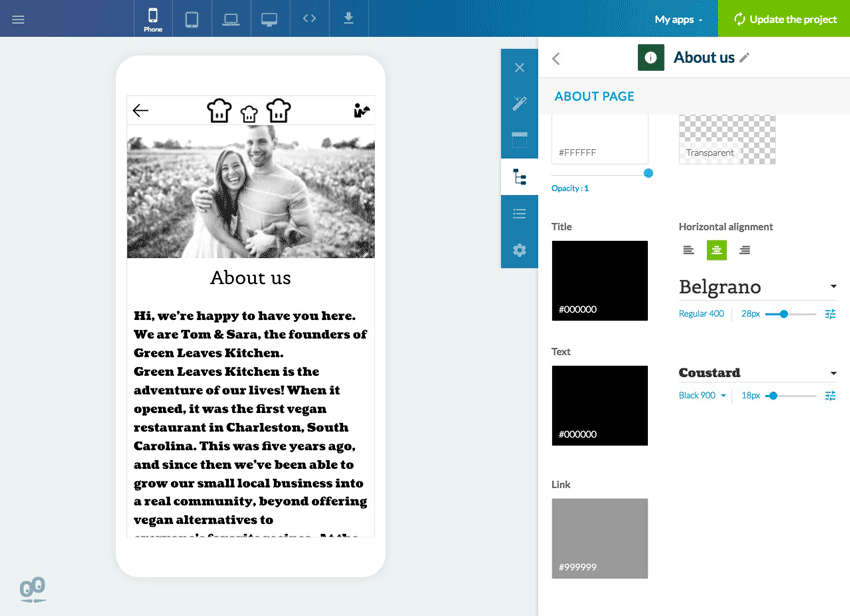
To implement these improvements (and also to allow for other updates to come), we changed the organization of the panel. From now on, everything is in plain sight, which means no more searching through dropdown menus just to find the feature you need. If you want to change the font of your article titles, the tool to do that is right in front of you and immediately accessible.
Font preview
Now, each text is displayed with the same font in both the application and the Builder. The display in the preview and setup panel is the same. Managing fonts becomes more clear.
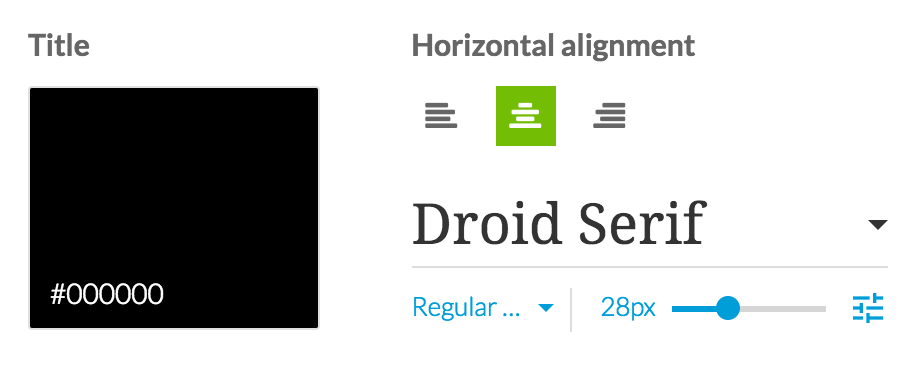
Likewise, once you display a dropdown menu to modify a font, each name is displayed with the font it corresponds to. You no longer need to apply the font in order to see what it looks like in the preview. You'll be able to know which font is right for the design of your app just by looking at them in the dropdown menu.
Font weight & style depending on the device (mobile, tablet, desktop)
You have the choice between over 150 fonts from the Google Font catalogue. Certain fonts in the catalogue are offered in different weights (bold, light...) and styles (italic). When they're available, you can apply these different variations to the text in your app.
A cursor allows you to easily adjust the size of you font. The previewer is updated in real time in order to immediately show you your results and allow you to quickly find the right size.
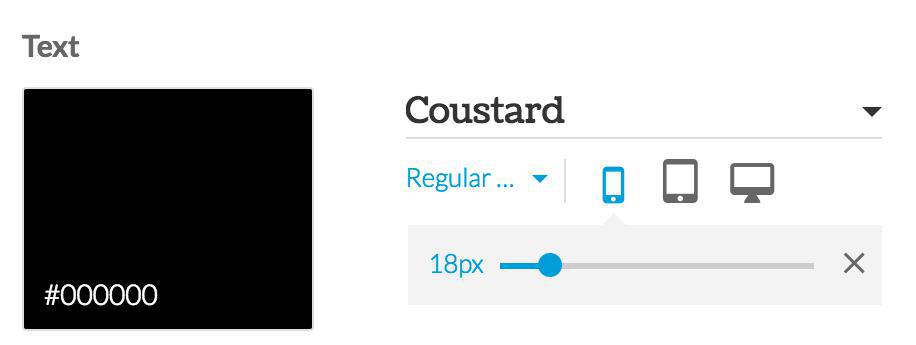
It's also possible to choose different sizes and display styles depending on where your content is being displayed. For example, you can apply a larger size for tablets and PC's, and a smaller one for mobile devices. Use the advanced settings selector to access this option. (It's not available for most text in the application, with the exception of a select few).
This new panel organization for managing fonts will serve as a huge time saver and bring a new level of convenience and ease to the app creating process.
Take a local radio station with live programmes, a schedule and interviews available on demand in its app. Every recording has a title and a description. Those help listeners browse, but an interview often contains useful details that never make it into the summary.In our example, the episode is called “The city we share”. Its description introduces a conversation about everyday life in the city. During the recording, an urban planner explains the city's approach to summer heat: planting trees along school routes, adding shade to playgrounds and replacing some paved surfaces with planted areas.None of those measures appears in the title or description. A listener remembers the subject and asks:Which episode explained how the city plans to reduce summer heat?We have added audio podcasts as knowledge sources for GoodBarber Chatbot so questions like this can lead back to your programmes. There are two levels: the written information you publish about each episode, and the spoken content you choose to have transcribed.
The short version. Twitch is an extension of GoodBarber, the no-code app builder, that adds a Twitch channel as the source of a Video section. When the channel is live, the stream sits at the top of the section; the rest of the time, the section lists the channel's videos. You connect it once, with a Client ID and a Client Secret from Twitch's developer console. It is free for Content apps: each section counts as one of the extensions included in your plan.The audience is on Twitch. In September 2026, viewers watched 1.51 billion hours of live streams there, with 2.1 million people watching at any given moment on average, according to TwitchTracker. Here is how the extension plays out for a creator who goes live every Tuesday at 8 pm.
In any app, publishing a useful document is only part of the job. People also need to find the right information when they are about to act. A clearly named file helps someone browsing a library, but a reader may arrive with a more immediate question.Employee communication is only one possible application. The same approach can support learning resources, member guides, technical references or any other useful documents shared through an app. For our example, consider a colleague trying to book a client trip who needs to know:Which travel expenses need prior approval?We have added document sources to GoodBarber Chatbot so that the files you already maintain can support these conversations. You select the documents. Users ask in their own words. The assistant looks for relevant passages and uses them to build a response.The question becomes a way into the policy. Employees can start with the decision in front of them, even when they do not know the title of the document that explains it.
 eCommerce
 Memberships
 Chatbot
 Online Courses
 Bookings
 Travel guide
 Events
 Content Creators
 Pickup & Delivery
 Newspaper
 Radio
Radio Schools
 Faith
Faith Organizations
 Restaurant
 Grocery
 Custom apps
 Employee Communication

 NO CODE APP BUILDER
 TECHNOLOGY
 WHY GOODBARBER?
 Design
 PRODUCT RESOURCES
 TOPICS
 MOBILE APPS RESELLERS
 DISCOVER