GBTC: Publish your app with easeDiscover GoodBarber Takes Care and simplify the app publication process for both the App Store and Google Play. Let us handle the technical details for you.Learn more about GBTC
Hello GoodBarbers, today I am in a solving problem mood, good news right? ;)
I am surfing on Internet a lot, checking blogs, websites, news, social networks and everything I am interested on. I noticed that many blogs have lots of content giving a lot of information with more than 5 menus and subcategories. So, I thought it would be a good idea to write an article about it and let you know that it is not a problem for GoodBarber. You can have all this content in your app ;)
The little story before was just a story to start the article, and because I am speaking writing a lot ;)
More seriously, in this article we'll give you all tips and information you need to easily create categories and subcategories but also keep your application clear.
How to choose my navigation?
It's pretty simple, you have 2 choices: tabBar and swipe.
- Select tabBar, if you have less than 5 sections - Select swipe, if you have more than 5 sections
How can I integrate a menu and a subcategory in my app?
For example: You have a menu in your website named "Address" and in this menu you have 5 more subcategories like: Paris, New York, San Francisco, Berlin and Roma. To add all those elements in your app, follow the steps below.
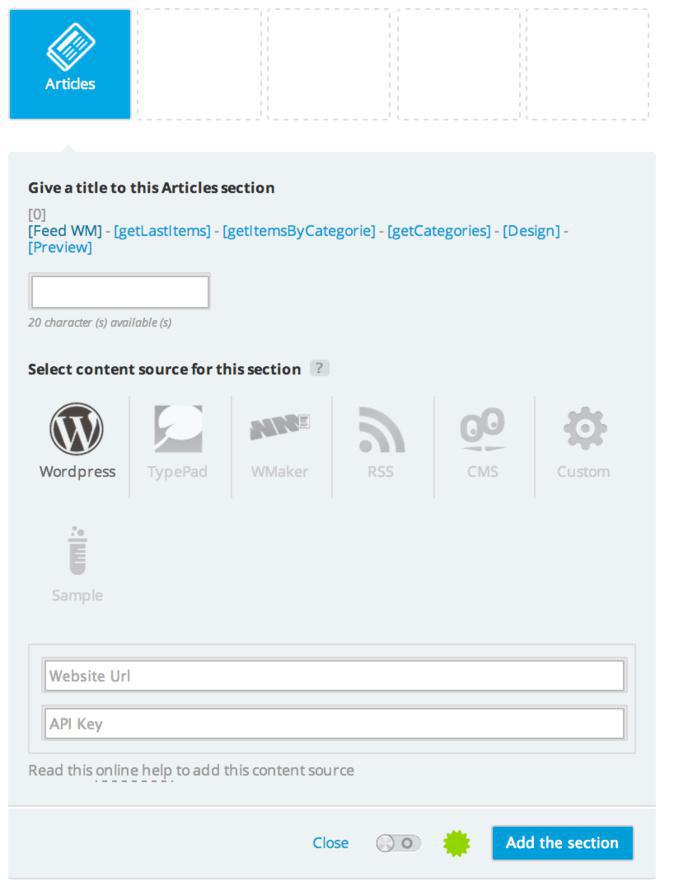
- First of all, go to the section Content in your back office and add an article section from either your WordPress or WMaker blog. Tap all the informations needed (Website URL and API Key).
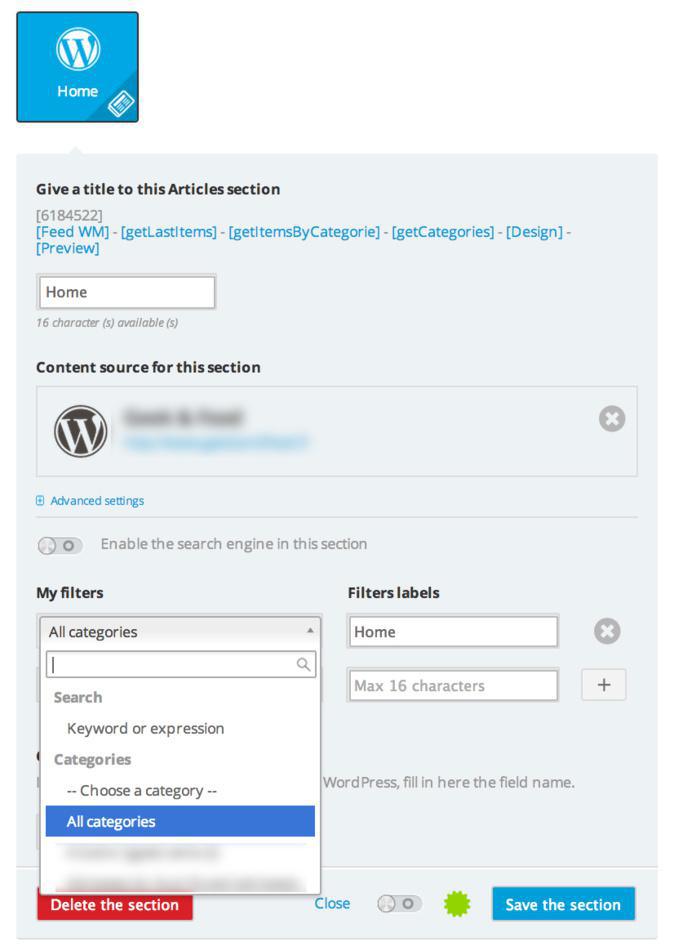
- Once it's done, go back to your article section and click on the link "Advanced settings".
In this menu, you can : . integrate just one category. In this case, you only have to name your section "Blog" for example and select "All categories" in the drop-down menu. . select in the drop-down menu the subcategories you want to use. Add more than one with the button +.
Choose the good navigation mode for your subcategories
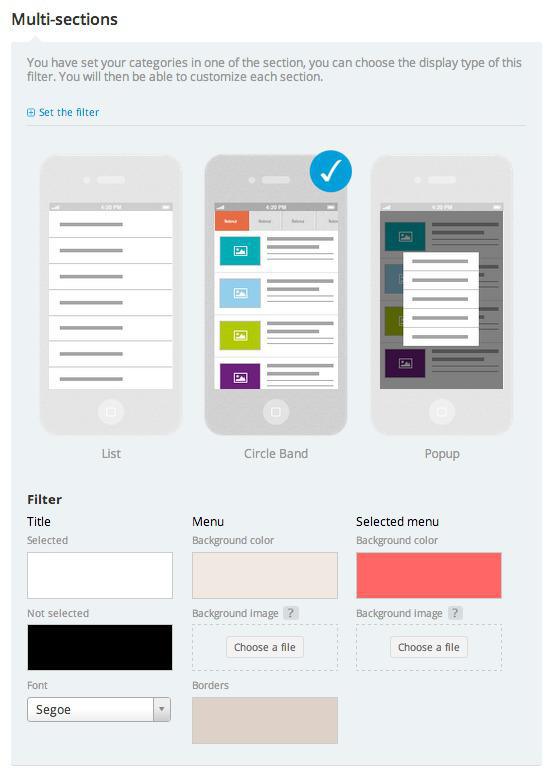
- Go to the menu Design > Global > Overall design - Multi-sections and select one of the 3 templates proposed.
If you have : . less than 5 subcategories, select the mode Circle band (even if you can add more). . more than 5 subcategories, we advise the mode list. . the pop-up mode can be selected if you have more or less 5 categories, not too much.
- Don't forget to match the colour of the menu with the other pages of your application.
Now it's done :) It was pretty easy right?
The only thing you have to keep in mind is to be clear for your readers. So do not hesitate, test your app and check if it's clear and simple enough!
On iPhone Duo, an app switches displays every time the phone opens or closes: the outer display, narrow and tall, then the inner display, as wide as a small tablet. Apple asks apps to treat that switch as a simple change of size, like a window being resized, and draws a rule from it: when the device opens or closes, people find what they left.A GoodBarber app follows that rule to the letter. When iPhone Duo opens or closes, it keeps its screens and lays them out again at their new size: the same screen, the same place, what's playing, what was typed into a form. The gesture changes the shape of the screen, never what you were doing.
 eCommerce
 Memberships
 Chatbot
 Online Courses
 Bookings
 Travel guide
 Events
 Content Creators
 Pickup & Delivery
 Newspaper
 Radio
 Schools
 Faith
 Organizations
 Restaurant
 Grocery
 Custom apps
 Employee Communication


 NO CODE APP BUILDER
 TECHNOLOGY
 WHY GOODBARBER?
 Design
 PRODUCT RESOURCES
 TOPICS

 MOBILE APPS RESELLERS
 DISCOVER