 eCommerce
 Memberships
 Chatbot
 Online Courses
 Bookings
 Travel guide
 Events
 Content Creators
 Pickup & Delivery
 Newspaper
 Radio
Radio Schools
 Faith
Faith Organizations
 Restaurant
 Grocery
 Custom apps
 Employee Communication

 NO CODE APP BUILDER
 TECHNOLOGY
 WHY GOODBARBER?
 Design
 PRODUCT RESOURCES
 TOPICS
 MOBILE APPS RESELLERS
 DISCOVER
New mockups to preview your Splash screens

During the crucial time it takes your app to open you could lose the attention of your users. Even though your GoodBarber app or PWA is build to launch quickly, you shouldn't overlook the importance of this General Design section : the Splashscreen.
It allows you to display an image, message or logo while your app is launching therefore catching the eye of your users and improving your chances to keep them interested until your content is displayed.
As you can see it is essential to take the time to perfect your Splash screen, its content as much as its design. If the content falls onto your creativity, we are putting our best features forward to help you with the design. Nowadays with so many different devices on the market, it is difficult to imagine and picture how your Splash screen will adapt to various screen sizes. We are now proposing different options to preview your splashscreen.
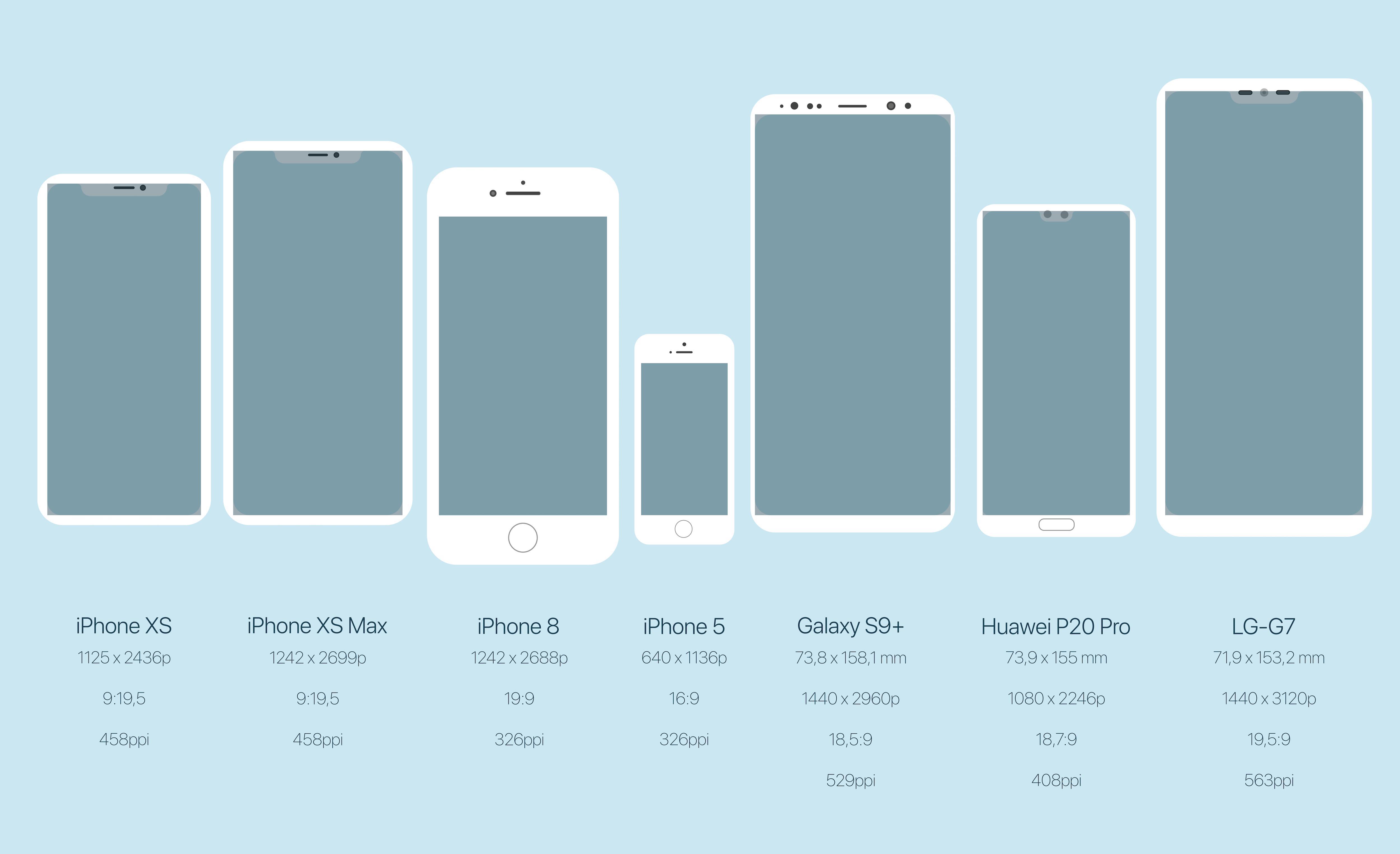
7 new mockups are available :
- iPhone XS
- iPhone XS Max
- iPhone 8
- iPhone 5
- Galaxy S9+
- Huawei P20 Pro
- LG-G7
Below is the list of all screens with their characteristics
To allow you to display a perfect screen, you will have to provide on your backend two formats of your Splashscreen (for the mobile part):
- one format for iOS 1308 x 2688 pixels
- one format for Android 1440 x 2960 pixels
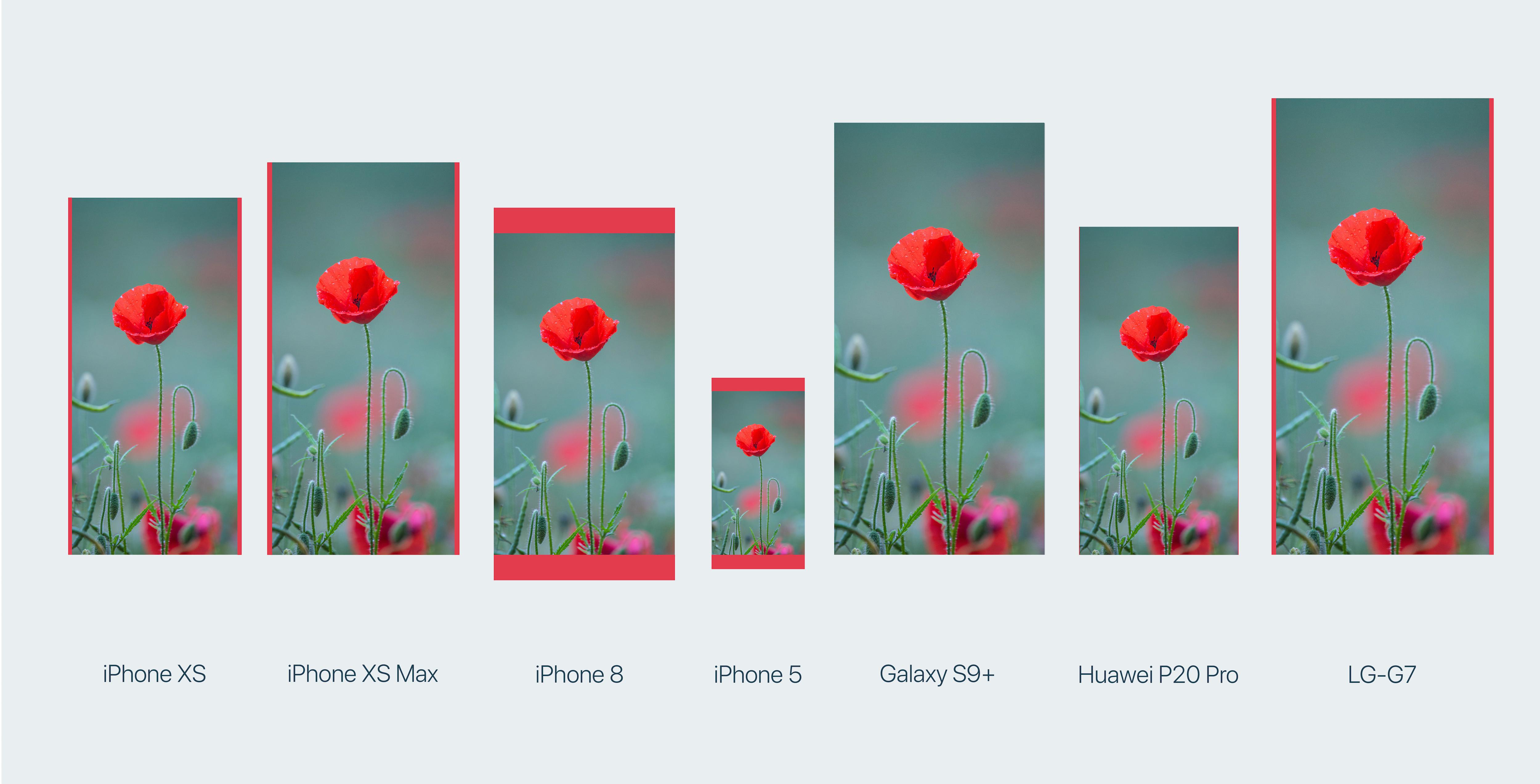
In order to adapt to all the different models, those two versions will be cropped and truncated if necessary to perfectly match the screen without deforming the image.
The demo below shows the same image on all the different mockups. The red bands indicate where the image has been truncated.
How to preview your Splash screen?
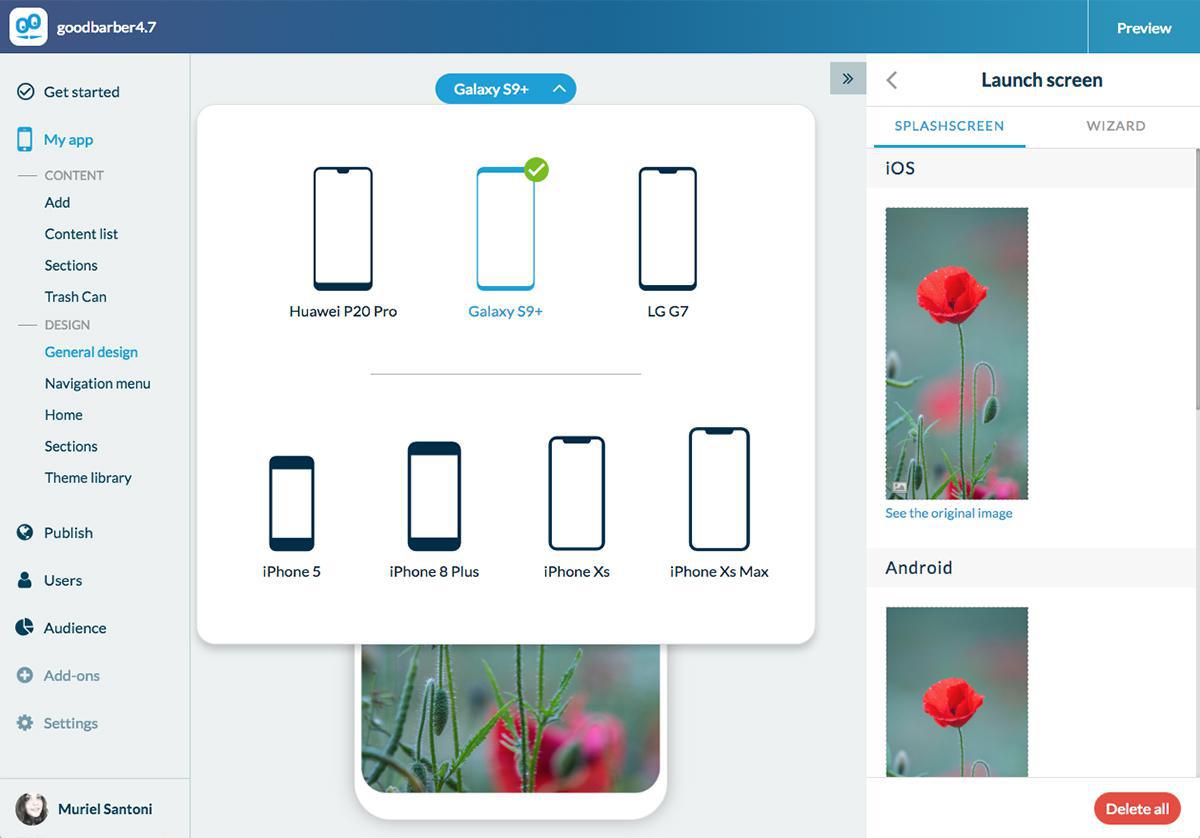
Easy: in your backend menu My app > design > general design > launch screen.
You can then choose the splash screen preview mode at the top of your screen.


