GBTC: Publish your app with easeDiscover GoodBarber Takes Care and simplify the app publication process for both the App Store and Google Play. Let us handle the technical details for you.Learn more about GBTC
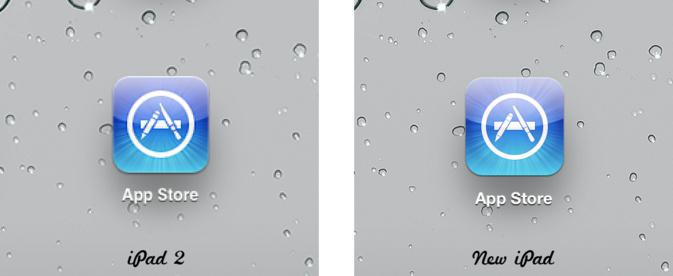
We had announced it last Thursday in our blog. Since Friday, your GoodBarber apps have an optimized display for every version of the iPad, even the new iPad with Retina display.
In the design of your application, you must provide visuals twice as large to support the new resolution: - “Home Page,” the title banner of your application must now be uploaded in 732x74 pixels - “Tool Bar”, the default thumbnail requires 188x150 pixels - “Other Information,” the splashscreens require 2048x1536 pixels (landscape) and 1536x2048 pixels (portrait)
If you’re still looking for a reason to enter the GoodBarber user community, there it is! As for our loyal users, don’t forget that the iOS update is available.
On iPhone Duo, an app switches displays every time the phone opens or closes: the outer display, narrow and tall, then the inner display, as wide as a small tablet. Apple asks apps to treat that switch as a simple change of size, like a window being resized, and draws a rule from it: when the device opens or closes, people find what they left.A GoodBarber app follows that rule to the letter. When iPhone Duo opens or closes, it keeps its screens and lays them out again at their new size: the same screen, the same place, what's playing, what was typed into a form. The gesture changes the shape of the screen, never what you were doing.
 eCommerce
 Memberships
 Chatbot
 Online Courses
 Bookings
 Travel guide
 Events
 Content Creators
 Pickup & Delivery
 Newspaper
 Radio
 Schools
 Faith
 Organizations
 Restaurant
 Grocery
 Custom apps
 Employee Communication


 NO CODE APP BUILDER
 TECHNOLOGY
 WHY GOODBARBER?
 Design
 PRODUCT RESOURCES
 TOPICS

 MOBILE APPS RESELLERS
 DISCOVER