GBTC: Publish your app with easeDiscover GoodBarber Takes Care and simplify the app publication process for both the App Store and Google Play. Let us handle the technical details for you.Learn more about GBTC
As a Reseller Agency, you have the possibility to give your clients access to the back-office of the apps you have created for them. Whether it's about design, content updates, or for example sending push notifications, there are many advantages to give access to the tool to your clients (costs, speed of integration,...).
1. How to proceed
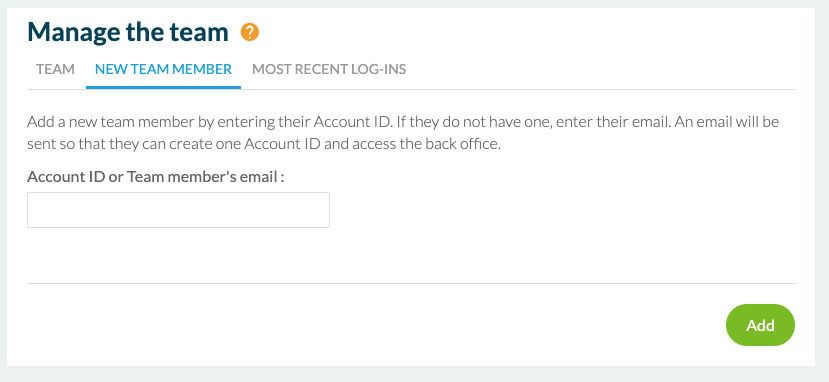
First, you have to go to the Back-Office of the corresponding app by following this path: Settings => Other Settings => Team => New Contributor.
CAUTION: Do not mistake access to an app's back office with access to the Reseller Dashboard back office. If you give a person access to the Dashboard, that person will be able to access all the back-office of the apps in your account.
Once you have added your client's email address in the dedicated field, they will receive a message inviting them to create their password. They will then be able to access their app's back-office.
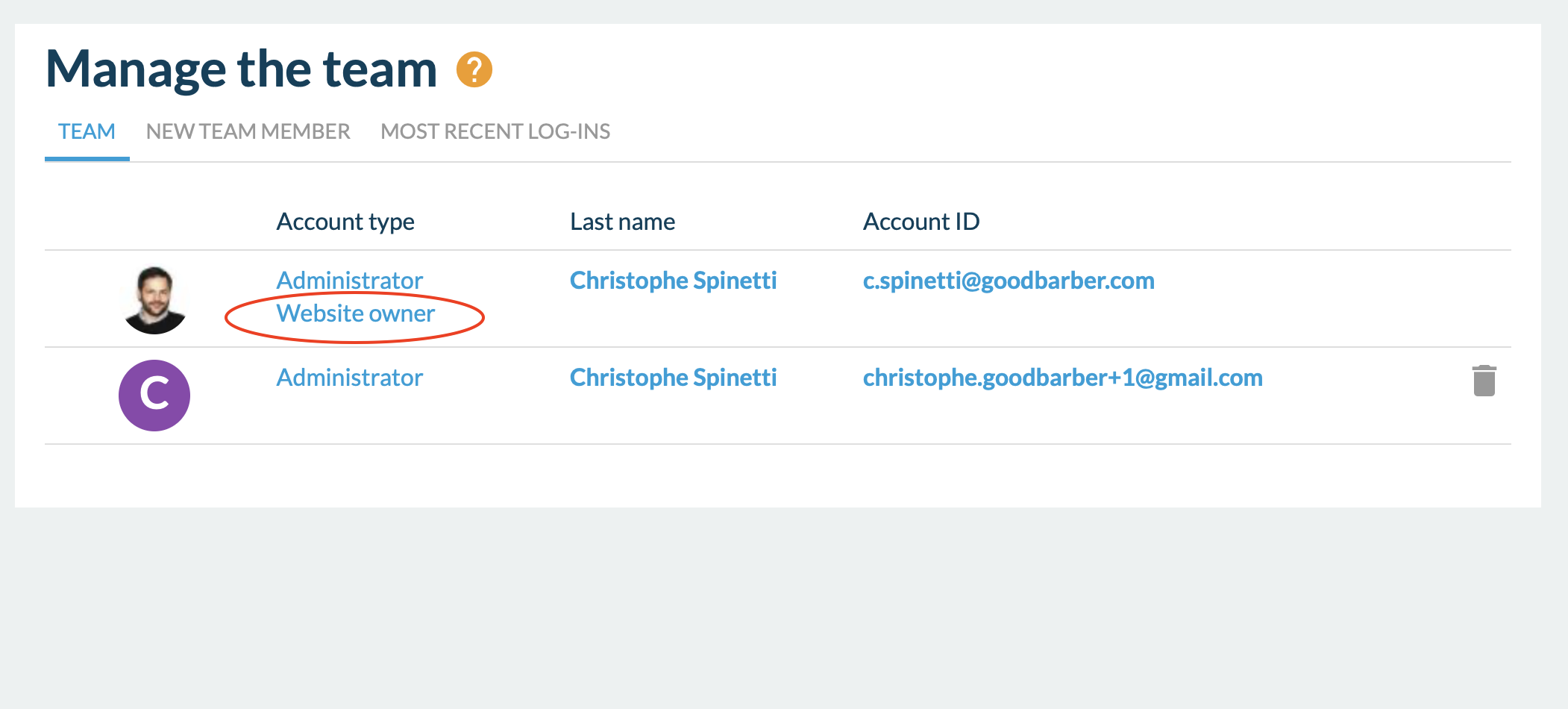
IMPORTANT: As the administrator of the Reseller account, you remain the owner of the app in the back office. Even if you do not restrict any access to your client, they will never be able to access billing, purchase add-ons or delete you from the account.
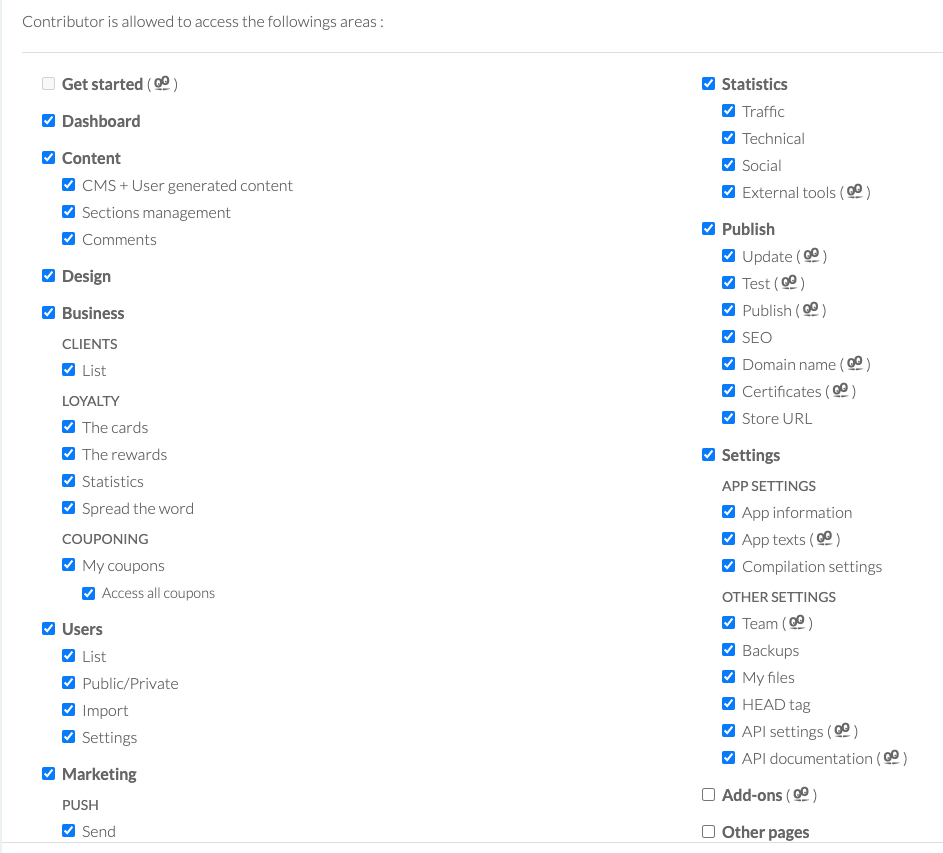
What rights should you give your client? There is no limit to the number of people you can give access to, so if your client wants to involve their team, anyone can participate. Access rights can be fine-tuned for each user, the graphic part can be reserved for a user from the design team, while the marketing team can only have access to push notifications or statistics, and so on. This is easily configurable in each user's form with checkboxes.
If you absolutely want to keep the privilege of making design modifications for example, nothing prevents you from blocking access to the design section for your clients, simply by unchecking the dedicated box.
2. White Label
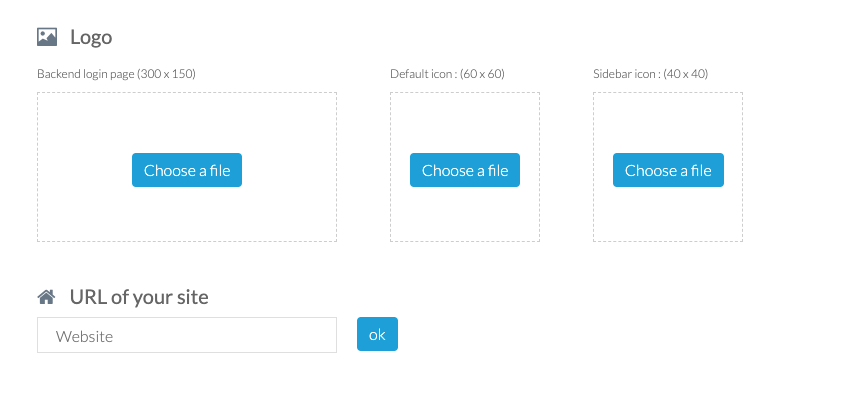
You might think that if you create a back-office access to your client, you'll have to disclose that you use an App-Builder . Don't worry, thanks to the "White Label" option integrated in your Reseller subscription, you won't have to reveal that you use GoodBarber. First, you can customize all the back-office logos (Login Page, back-office icon, and favicon) so that your client does not see our logo. This can be configured from your Reseller Dashboard.
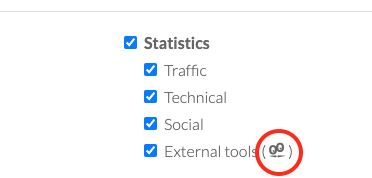
Nevertheless, some sections of the back-office like the add-on page or the online help contain logos or mentions of GoodBarber in some places. These logos cannot be removed or hidden. To prevent your client from seeing our brand, you need to restrict access to these sections when you set up client access rights. We've made it easy for you by adding a small GoodBarber logo next to each section that is not fully white-labeled. Just uncheck these boxes to be fully white-labeled.
3. An asset in your client relationship
If you decide to give your client access to the back-office, no matter what strategy you choose, you must use this as a commercial argument.
A professional image When your clients access GoodBarber for the first time, they will immediately realize that they are in a quality space with a professional user interface. This will show that you are doing serious work with a leading tool in the App-Builders market. Your credibility will be enhanced.
Valued clients By giving them access to the back-office of their app, you give importance to the relationship you have with your clients. Indeed, they will already feel valued to have access to the "engine" of their app. It will show that you trust them. They can also take pride in being able to perform certain actions by themselves. Even if they didn't build their app, if they send pushes or create events in their app's calendar, they won't mind letting you know. And that will necessarily serve your interest.
Saving time If you don't give your clients access to their back office, it means you'll have to manage everything for them. Of course, this can be part of your business strategy. But you need to measure the impact of this strategy. If you perform too many time-consuming or low-value-added tasks, your profitability can be affected. For example, a client who owns a restaurant will have to make regular changes to menus or prices. If they have to contact you for each modification, you can quickly find yourself overloaded with requests of this type during the peak tourist season, for example. Giving even a limited access to the Back-Office to this restaurant owner will save you time to take care of more profitable tasks for you.
A better business strategy As we have just seen, if you don't give your client access to the back office at all, he can waste your time. On the other hand, if you give your client full access and they start to master the platform, they may not need you anymore. And you know that you must remain the app expert in the eyes of your client. The goal is to continue to sell them services continuously. So you can choose to voluntarily restrict certain sections in order to charge for additional services. For example, the design section could be blocked, and you could sell a design service every year or two to your client.
The short version. Givebutter Events and Givebutter Campaigns are two extensions of GoodBarber, the no-code app builder, that read a nonprofit's campaigns on Givebutter. Givebutter Events fills a Calendar section with upcoming events, at their time in the event's time zone, with their location unless you share it with attendees only. Givebutter Campaigns fills an Article section with active forms and fundraising pages, with their cover image and description. You connect them with a Givebutter API key. Both are free for Content apps: each section counts as one of the extensions included in your plan.A lot of giving already goes through Givebutter. On Giving Tuesday 2025, supporters gave $20 million on the platform, up from $16.4 million in 2024, from more than 93,000 donors across 16,000 active campaigns, according to Givebutter's recap published on December 8, 2025. Here is how the two extensions play out for an animal rescue.
In Structure, the "Add a section" button opens a window that starts with a question: "What do you want to add?". Below it, the list gathers everything GoodBarber can add to an app, grouped by what each entry does to it: what adds a section, what fills a section from a service you already use, what works in the background without adding a screen, and what enriches a section already in place. Ideas to build with the AI Extension Builder have a group of their own.
The short version. Zeffy Events and Zeffy Campaigns are two extensions of GoodBarber, the no-code app builder, that read a nonprofit's campaigns on Zeffy. Zeffy Events fills a Calendar section with upcoming events, one entry per date when an event runs on several dates, each with a button that opens its Zeffy ticketing page in the app. Zeffy Campaigns fills an Article section with donation forms, peer-to-peer fundraisers and memberships: memberships open in the app, donations open in the phone's browser. You connect them with your Zeffy API key. Both are free for Content apps: each section counts as one of the extensions included in your plan.Zeffy says more than 100,000 nonprofits have raised over $2 billion through its platform, in an article published on June 16, 2026. Here is how the two extensions play out for a youth theater company that sells its show and raises funds on Zeffy.
 eCommerce
 Memberships
 Chatbot
 Online Courses
 Bookings
 Travel guide
 Events
 Content Creators
 Pickup & Delivery
 Newspaper
 Radio
Radio Schools
 Faith
Faith Organizations
 Restaurant
 Grocery
 Custom apps
 Employee Communication

 NO CODE APP BUILDER
 TECHNOLOGY
 WHY GOODBARBER?
 Design
 PRODUCT RESOURCES
 TOPICS
 MOBILE APPS RESELLERS
 DISCOVER