GBTC: Publish your app with easeDiscover GoodBarber Takes Care and simplify the app publication process for both the App Store and Google Play. Let us handle the technical details for you.Learn more about GBTC
An All-New Design for Your Events; Cleaner and More Elegant!
Today I want to show you all another great update that came with GoodBarber 3!
katrina bertacci
·Updated · 4 min read
Are you organizing the event of the year? An important art exhibit, a concert or an opening ceremony for your business? If so then keep reading because this is the right article for you!
An event of any kind gives you the great opportunity to have direct and personal contact with your audience. To ensure that your event will be a success you have to plan it very accurately down to the last detail, from the promotional aspects all the way to the logistical ones.
An app can be a great tool to promote an event
One of the main advantages of an app is that it allows you to interact with your public on a more personal level. You can notify them in real time of anything new that comes up regarding the event, and this creates an atmosphere of expectation. With an app you can also keep them involved during and after the event. We already wrote an article about how to create the perfect app for an event, where we mentioned that the section that will contain the program of the event will be the most visited, it is therefore very important that this section has an impeccable design that makes it clear and easy to understand.
Remember that the program is like a sort of "business card" that will give your audience a first impression of your event.
This is why we decided to take the design of the event sections a bit further. In this article I will show you the main updates we made in the backoffice to make it easier for you to create spectacular event sections, and to make the app much more inviting for your users.
Here's what's new for you:
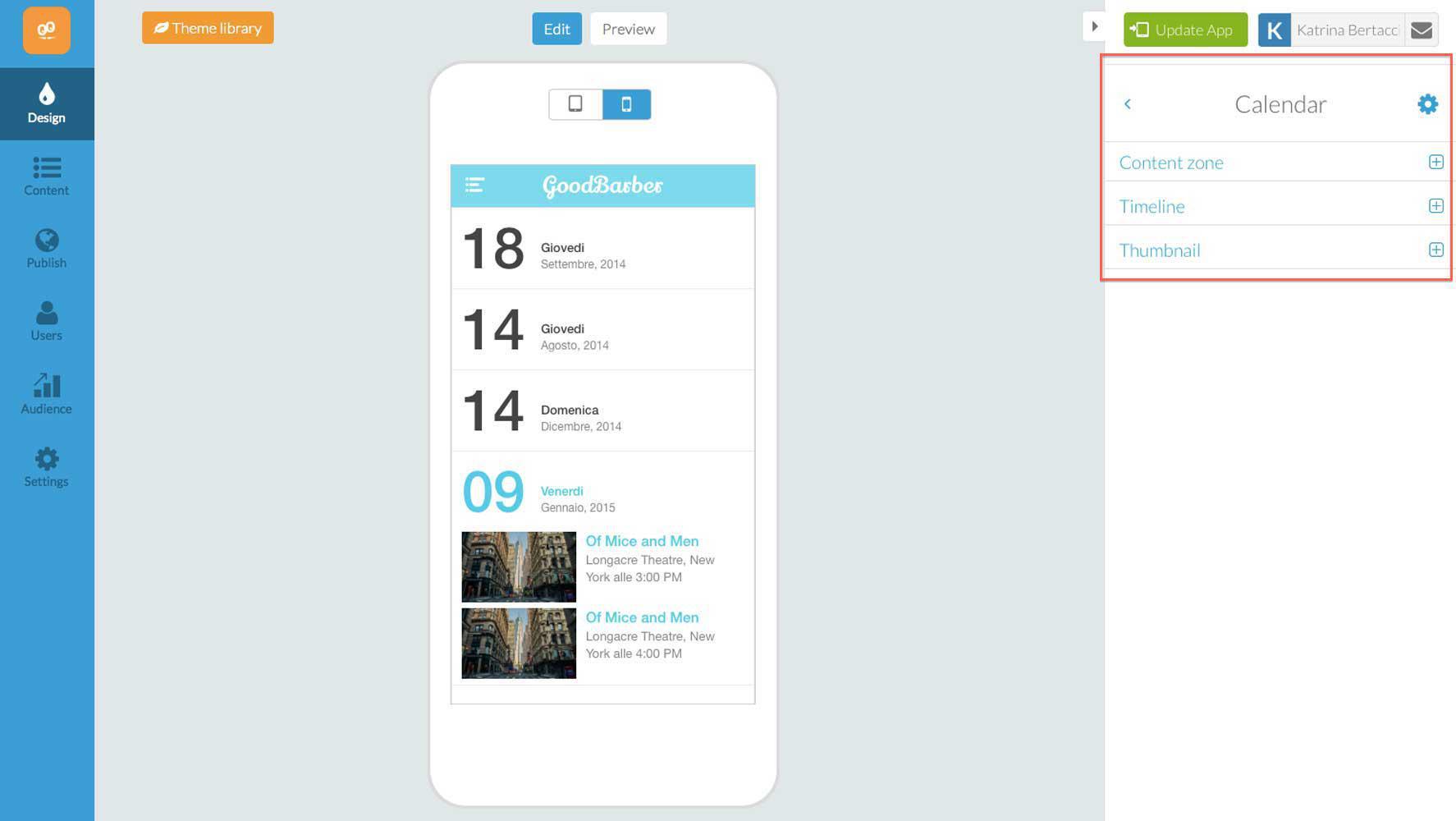
1. First of all we completely redesigned your workplace in the backend, making it much simpler and more intuitive! We categorized all the various personalization possibilities in different categories so you can work on this section step by step, without getting confused.
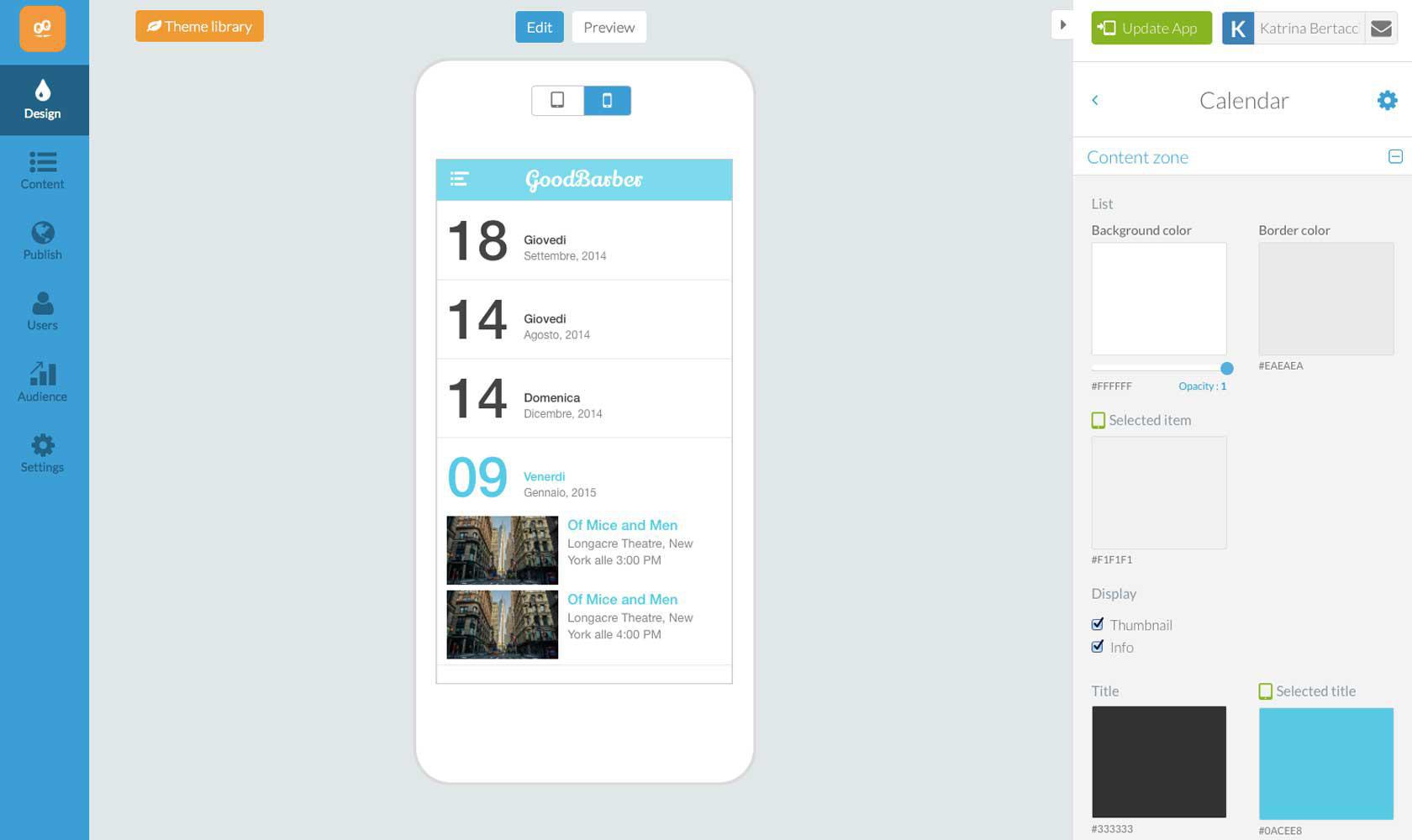
2. As always, every detail of the design can be customized. You can modify each graphic aspect, like the background colors, the text, the font, the icons etc... We offer a default design according to the template you have chosen, but of course you can change everything to meet your specific needs.
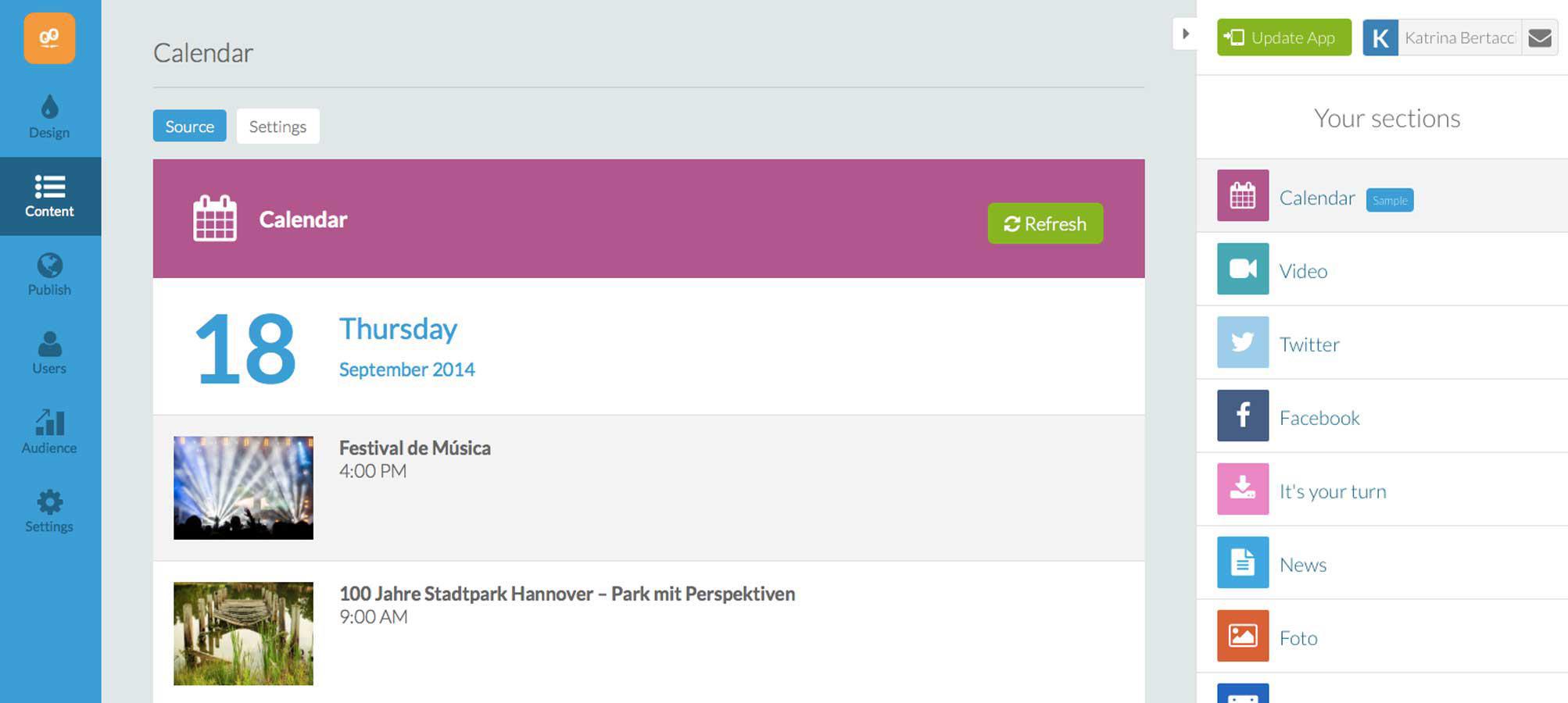
3. In addition to seeing the events in the preview, you can now also see the whole list in the Content section of your back office, this way you have more control over your content. You can also manually update the synchronization with your external source.
The best part of all: here's what's changed for your users:
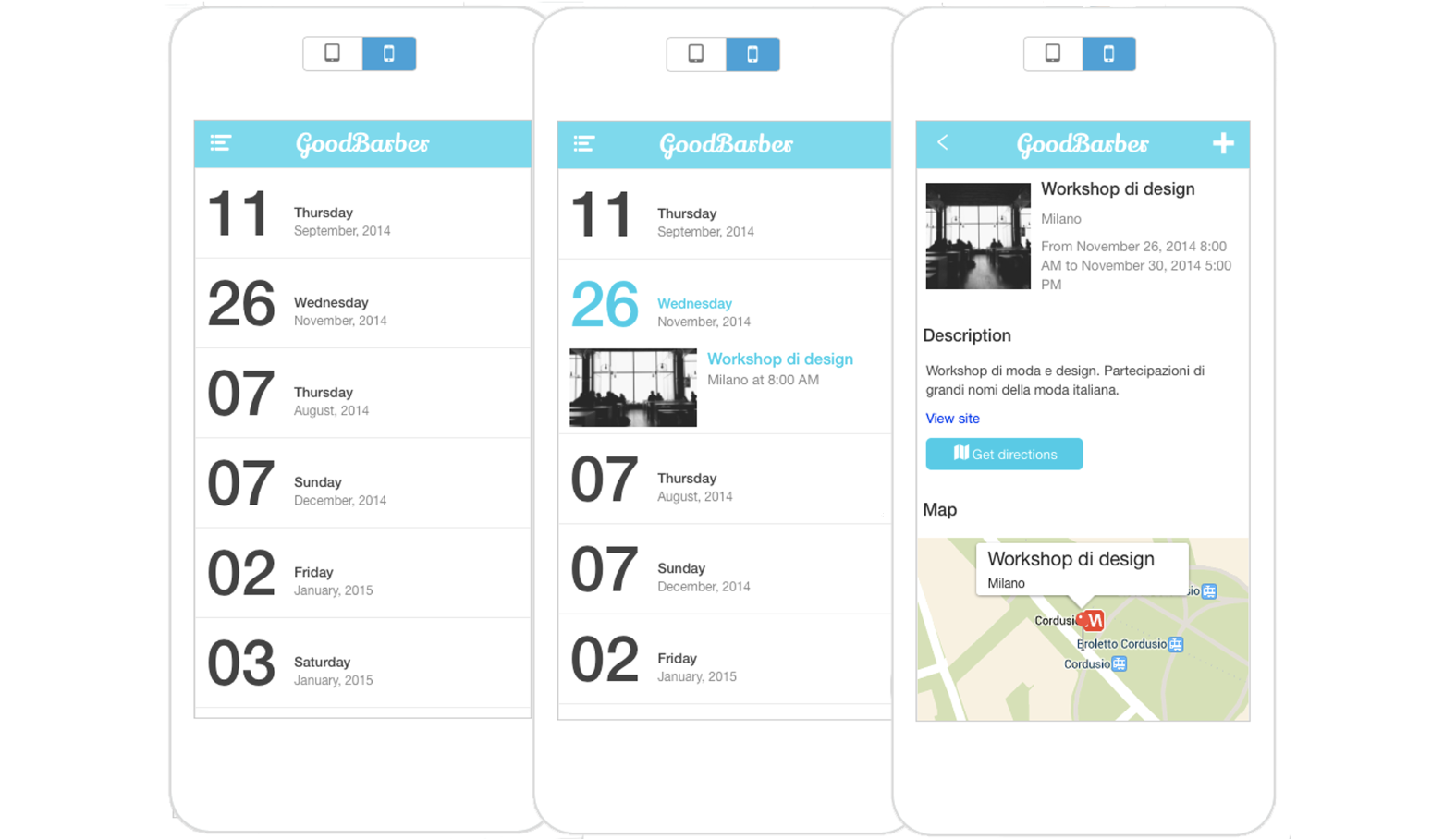
1. As we already mentioned, we've improved the design following the same logic that we used for the backend, everything is cleaner and more elegant. Instead of cramming too much information onto the main page of this section, we just put a list of the dates of the events. This way users can browse through them and directly choose a certain day, and with just one touch they can then access all the details of that specific event.
2. You've found a fantastic photo that describes your event perfectly? Great! We draw attention to it by giving more space to the images, we all know a picture is worth a thousand words and they will captivate your audience far more than any other aspect of the design.
3. Now, the section is also more responsive. Just by touching the photo of the event with a finger, the user can access the details of the event, such as the description and the map. The app is connected with the integrated navigator app of the device, this way the user can find where the event takes place without problems!
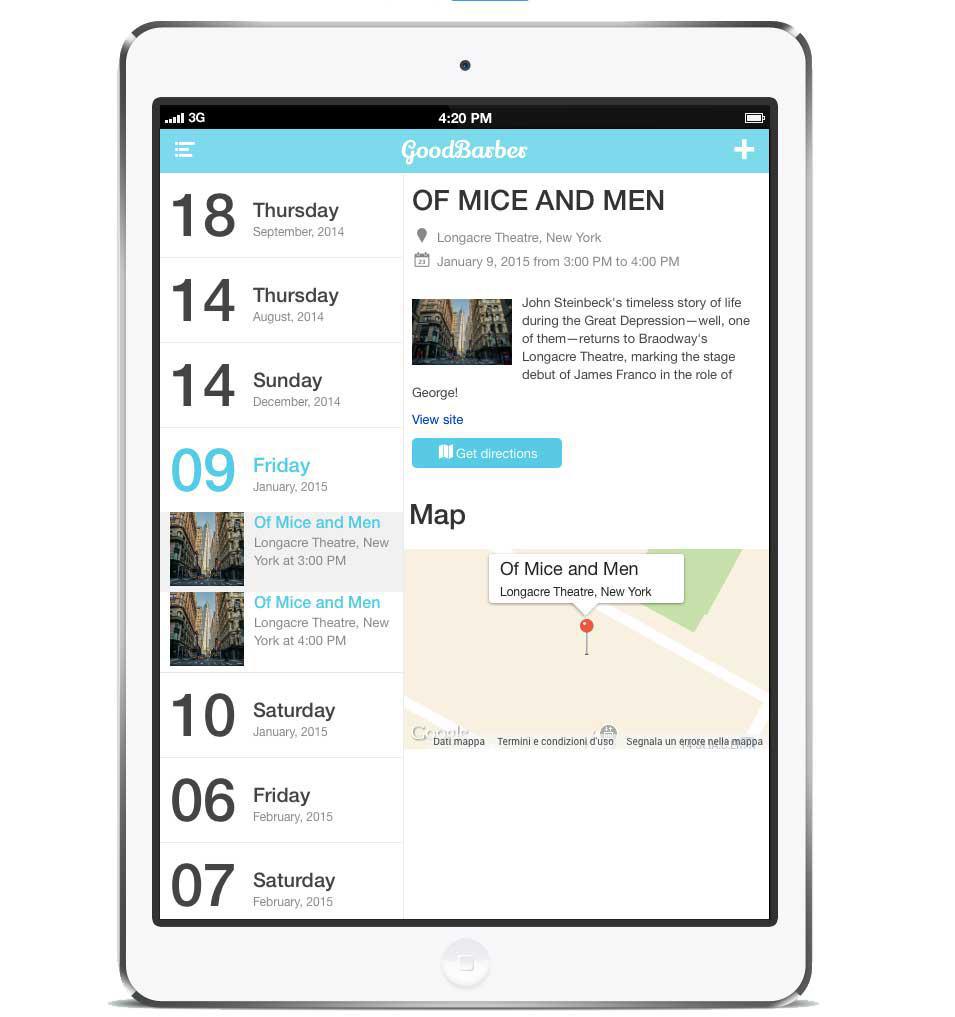
4. The design is also optimized for every kind of device! The iPad version uses the bigger screen to display more information, both in the landscape or portrait mode you can see the list of dates and the details of a chosen event.
It's completely up to you to make the most of all the possibilities this section offers. As an inspiration, you can check out this unique app created for the International Exposition of Creative Arts of Santander:
The short version. Zeffy Events and Zeffy Campaigns are two extensions of GoodBarber, the no-code app builder, that read a nonprofit's campaigns on Zeffy. Zeffy Events fills a Calendar section with upcoming events, one entry per date when an event runs on several dates, each with a button that opens its Zeffy ticketing page in the app. Zeffy Campaigns fills an Article section with donation forms, peer-to-peer fundraisers and memberships: memberships open in the app, donations open in the phone's browser. You connect them with your Zeffy API key. Both are free for Content apps: each section counts as one of the extensions included in your plan.Zeffy says more than 100,000 nonprofits have raised over $2 billion through its platform, in an article published on June 16, 2026. Here is how the two extensions play out for a youth theater company that sells its show and raises funds on Zeffy.
In GoodBarber, each color of your theme plays a role. On one of our apps, changing a single color repainted 95 settings at once, without opening a screen.
The short version. Planning Center is an extension of GoodBarber, the no-code app builder, that fills a Calendar section with the events a church publishes on Church Center over the next six months. Recurring events appear once per date, at their public times, in the church's time zone, with their image, location and description. When an event has a sign-up, a button opens the form in the app. You connect it by signing in with a Planning Center Calendar administrator account: there is no key to copy. It is free for Content apps: each section counts as one of the extensions included in your plan.Many churches already run their calendar in Planning Center: it counts 78,000 active churches and 4 million active users, according to its About page, consulted in October 2026. Here is how the extension plays out for a church with a weekly service and a youth retreat.
 eCommerce
 Memberships
 Chatbot
 Online Courses
 Bookings
 Travel guide
 Events
 Content Creators
 Pickup & Delivery
 Newspaper
 Radio
Radio Schools
 Faith
Faith Organizations
 Restaurant
 Grocery
 Custom apps
 Employee Communication

 NO CODE APP BUILDER
 TECHNOLOGY
 WHY GOODBARBER?
 Design
 PRODUCT RESOURCES
 TOPICS
 MOBILE APPS RESELLERS
 DISCOVER