 eCommerce
 Memberships
 Online Courses
 Bookings
 Travel guide
 Events
 Employee Communication
 Content Creators
 Pickup & Delivery
 Newspaper
 Radio
Radio Schools
 Faith
Faith Organizations
 Restaurant
 Grocery
 Custom apps

 NO CODE APP BUILDER
 TECHNOLOGY
 WHY GOODBARBER?
 Design
 PRODUCT RESOURCES
 TOPICS
 MOBILE APPS RESELLERS
 DISCOVER
GoodBarber says "Marhaba"! مرحبا بكل القراء العرب
Written by Safa Amari on
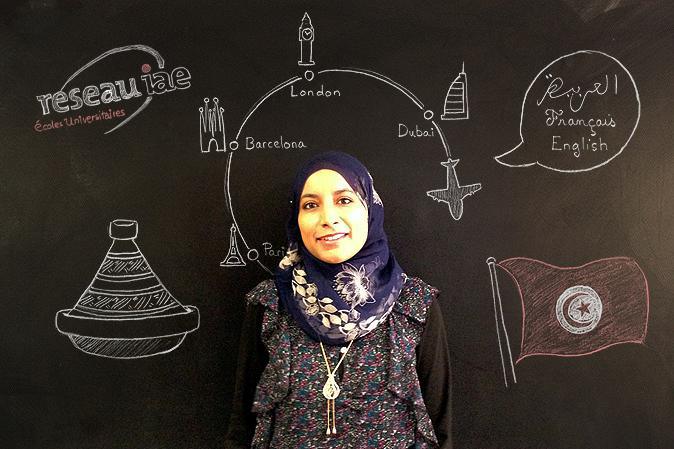
Hello Everyone,
My name is Safa Amari and I am from Tunisia.
I speak three languages: Arabic (my native language), French and English.
I like music, traveling, sports, reading, cooking….
I am very interested in information technology, marketing, management and human resources.
I hold a Master's degree in Computer Science with a specialization in Information and Internet Systems from the University of Corsica.
At the moment I am studying at the IAE (business school) of Corsica to obtain a master's in Management, with a specialization in International Business in the southern Mediterranean. So, when I found out that GoodBarber was looking for someone to work on the Arab market, I applied immediately for this job as it really interests me, and here I am!
I will be working with the GoodBarber team as an intern for 6 months, in order to help Arabic customers create their Beautiful Apps - and of course I'll do my very best to serve the Arabic market!
See you,
Safa
My name is Safa Amari and I am from Tunisia.
I speak three languages: Arabic (my native language), French and English.
I like music, traveling, sports, reading, cooking….
I am very interested in information technology, marketing, management and human resources.
I hold a Master's degree in Computer Science with a specialization in Information and Internet Systems from the University of Corsica.
At the moment I am studying at the IAE (business school) of Corsica to obtain a master's in Management, with a specialization in International Business in the southern Mediterranean. So, when I found out that GoodBarber was looking for someone to work on the Arab market, I applied immediately for this job as it really interests me, and here I am!
I will be working with the GoodBarber team as an intern for 6 months, in order to help Arabic customers create their Beautiful Apps - and of course I'll do my very best to serve the Arabic market!
See you,
Safa