 eCommerce
 Memberships
 RAG Chatbot
 Online Courses
 Bookings
 Travel guide
 Events
 Content Creators
 Pickup & Delivery
 Newspaper
 Radio
Radio Schools
 Faith
Faith Organizations
 Restaurant
 Grocery
 Custom apps
 Employee Communication

 NO CODE APP BUILDER
 TECHNOLOGY
 WHY GOODBARBER?
 Design
 PRODUCT RESOURCES
 TOPICS
 MOBILE APPS RESELLERS
 DISCOVER
Slideshow: a new dynamic layout for your Articles widgets
Written by Muriel Santoni on
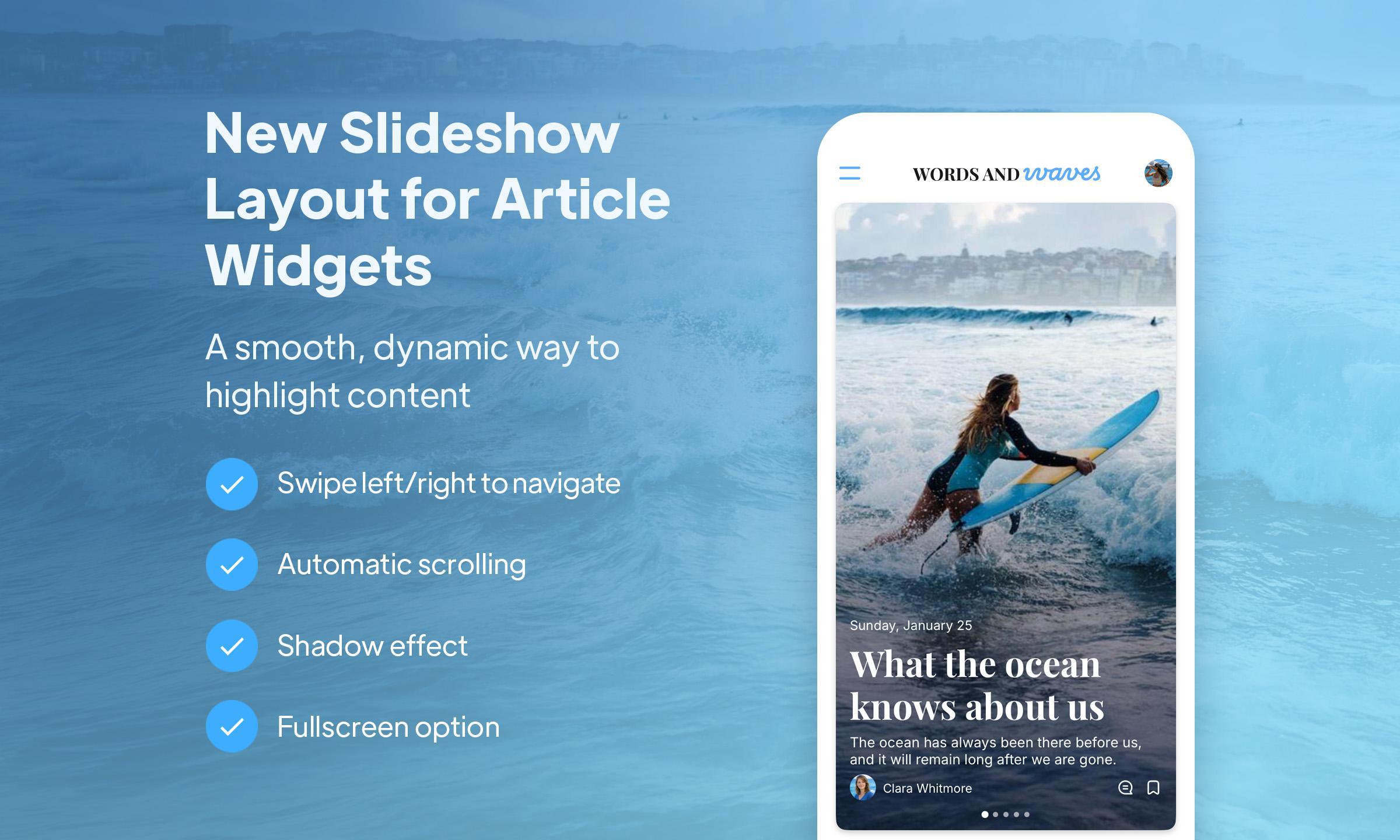
GoodBarber once again enhances the design possibilities of its Articles widgets with Slideshow, a new layout designed to showcase your content in a more visual, rhythmic and immersive way.
With Slideshow, your articles are displayed in a large visual format that immediately attracts attention and gives your content greater prominence on the Home page.
An attention-grabbing format
Slideshow offers a highly editorial approach to article display. Each piece of content is presented as an immersive map, with the image taking center stage and supporting the reading experience from the very first glance.
This layout is ideal for apps that regularly publish content and want to give their articles a stronger presence in the interface. It creates a livelier, more embodied rendering, with a logic akin to that of an editorial carousel.
A smoother experience thanks to auto-scroll
One of Slideshow's strong points is its automatic scrolling.
Content flows naturally, without user action, adding rhythm to navigation and reinforcing the widget's visual impact. This movement gives the Home a more dynamic dimension, bringing your content to life in a more modern way.
It's also a good way of showcasing several items in a limited space, while maintaining a clear, elegant presentation. This layout has been designed to integrate easily into your app's graphic universe, with GoodBarber's usual customization options. As a result, you can adapt the look and feel to suit your corporate identity, and maintain a consistent experience across your entire interface, without unnecessary effort or lengthy settings.
For which apps?
Slideshow is particularly useful for :
editorial apps
media and news sites
magazines
brand blogs
all apps that want to enhance their content with a more premium presentation
If you publish articles on a regular basis, this layout allows you to give them greater visibility and boost their appeal on the Home page.
How do I activate it?
To use Slideshow in your app :
Go to My app > Structure
Select your Home
Open an Articles widget
Choose the Slideshow layout
Save your changes
With Slideshow, your Articles widgets gain in presence, fluidity and visual impact.
This new layout lets you transform a simple block of content into a real space for editorial expression, more lively, more modern, and more engaging for your users.