Blog

The immersive experience of the iPhone Xs

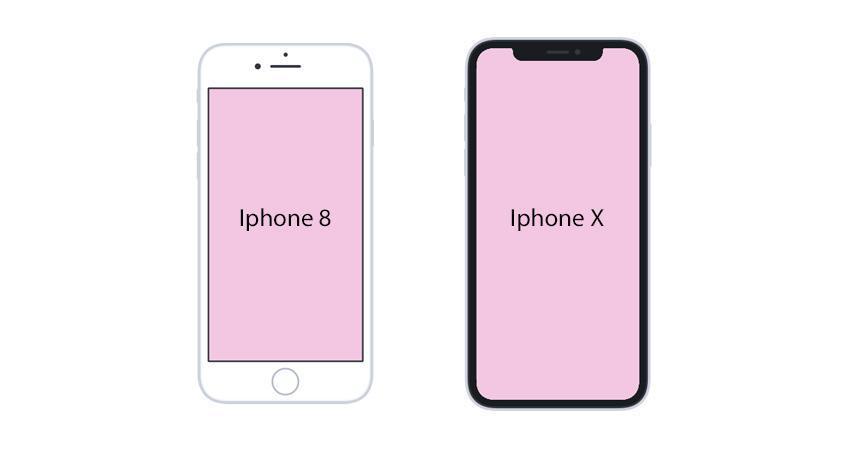
Apple devices are constantly evolving and pushing the limits of extraordinary user experience. The end of 2017 marked a turning point in Apple smartphone design with the release of the iPhone X, because apart from incredible resolution, this new iPhone boasts an ultra-immersive screen, covering almost the entire surface of the smartphone. 

As we announced this past March, our iOS team made the necessary updates in order to allow you to offer your users apps that are totally adapted to the iPhone X screen. Giving you the option to take advantage of the latest model's Super Retina screen wasn't an option, which is why the user interface of our iOS apps has been reviewed and corrected, conforming to the documentation published by Apple . 

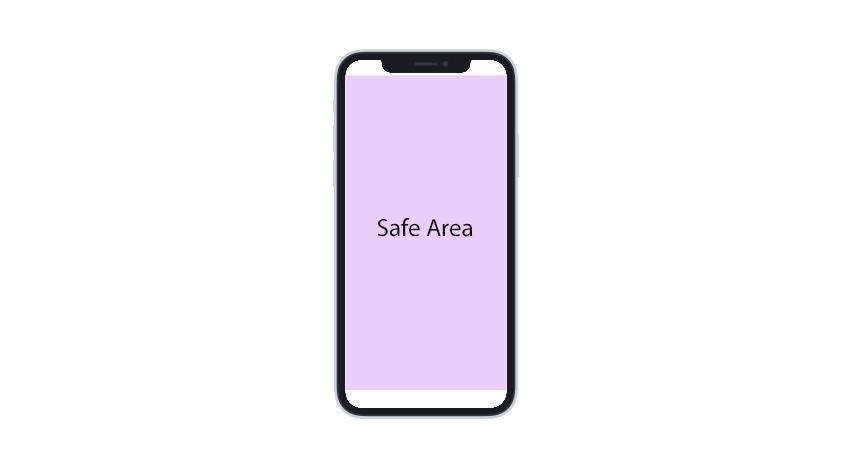
The real challenge lied in respecting the Safe Areas which allow for an optimal render and to manage particular aspects of the form and commands of the new Apple screen. 
Growing the header
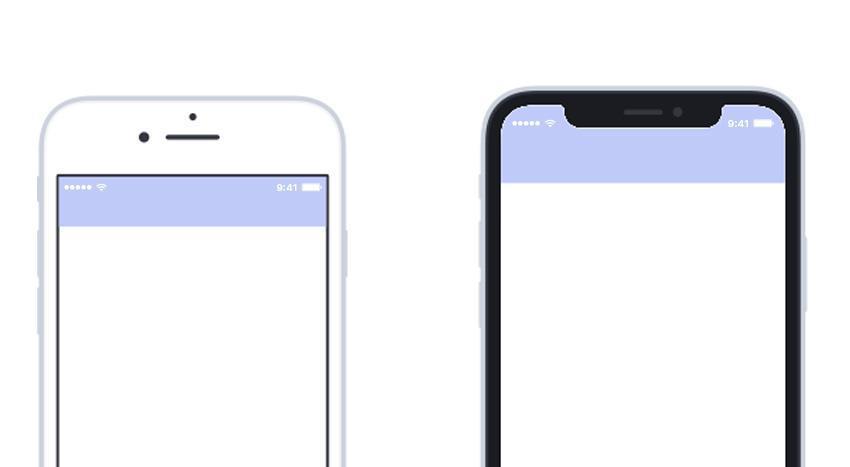
The header has been enlarged, and the content moved towards the bottom in order to leave space for the Notch (or Sensor Housing, the notch at the top of the screen containing the facial recognition, speaker phone, proximity sensors, and light). This way your app can fill up the entirety of the screen without being cut off. 

Element positioning at the bottom of the screen
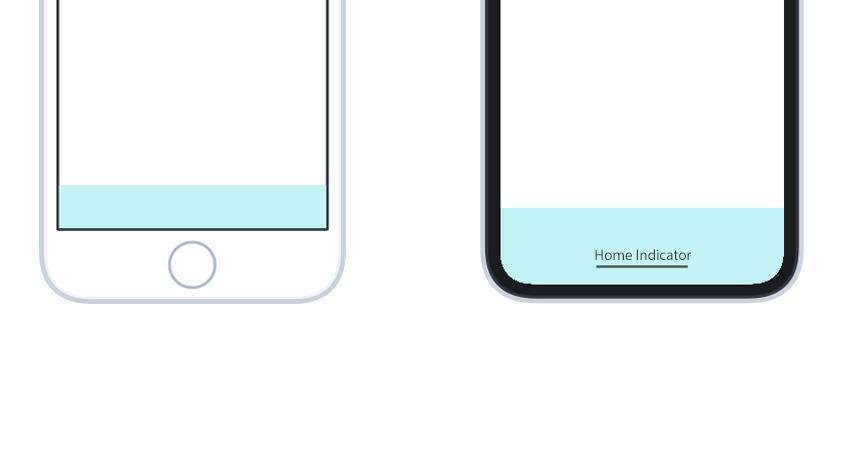
The elements at the bottom of the app have been repositioned so that the app doesn't interfere with the Home Indicator (the old Home button, now integrated into the screen), and so that each command of the app or iPhone stay clearly visible and accessible. 
The NavBar disappearance animation has also been modified. It now totally disappears to allow the application to propagate until each end of the screen, offering a totally immersive experience. 

Here are the major modifications allowing your apps to adapt to the iPhone X that you can already take advantage of. Don't hesitate to test your application on this type of device in order to explore the all the changes and adjustments done by our developers. 

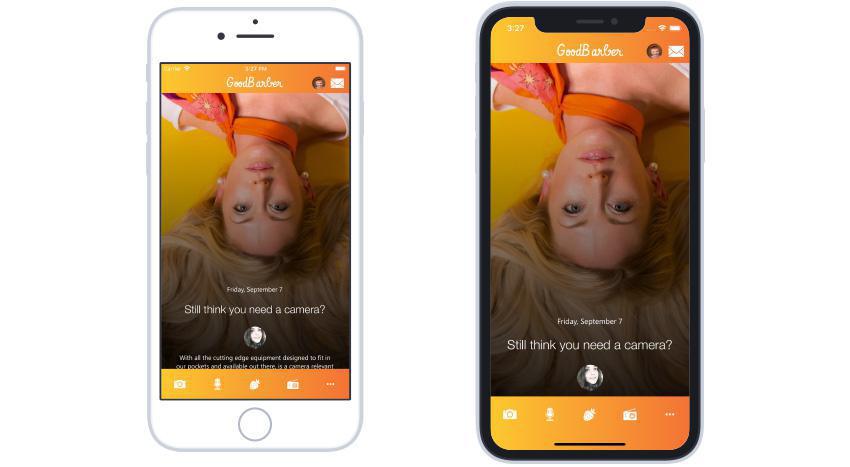
To finish, a little glimpse of the modifications with this GoodBarber app on iPhone 8 and iPhone X:

Keep reading

  4 min read

Your Twitch live streams and videos, now in your app

The short version. Twitch is an extension of GoodBarber, the no-code app builder, that adds a Twitch channel as the source of a Video section. When the channel is live, the stream sits at the top of the section; the rest of the time, the section lists the channel's videos. You connect it once, with a Client ID and a Client Secret from Twitch's developer console. It is free for Content apps: each section counts as one of the extensions included in your plan.The audience is on Twitch. In September 2026, viewers watched 1.51 billion hours of live streams there, with 2.1 million people watching at any given moment on average, according to TwitchTracker. Here is how the extension plays out for a creator who goes live every Tuesday at 8 pm.

  4 min read

Turn documents into answers with GoodBarber Chatbot

In any app, publishing a useful document is only part of the job. People also need to find the right information when they are about to act. A clearly named file helps someone browsing a library, but a reader may arrive with a more immediate question.Employee communication is only one possible application. The same approach can support learning resources, member guides, technical references or any other useful documents shared through an app. For our example, consider a colleague trying to book a client trip who needs to know:Which travel expenses need prior approval?We have added document sources to GoodBarber Chatbot so that the files you already maintain can support these conversations. You select the documents. Users ask in their own words. The assistant looks for relevant passages and uses them to build a response.The question becomes a way into the policy. Employees can start with the decision in front of them, even when they do not know the title of the document that explains it.

  5 min read

Siri Actions: ask your GoodBarber iOS app for its latest article or video

Siri Actions now answers two new questions: the latest article and the latest video in a section of a GoodBarber iOS app. Siri names the item and offers to open it by voice. They reach every app with its next store update. Siri Actions is the set of questions a GoodBarber iOS app answers out loud, for newspapers, radio stations, schools, organizations and any app that publishes content. Its first question, "What's new", gives an overview of your home screen. When we launched it in September 2026, we said the next one would be the latest article in a section. Here it is, and the latest video comes with it. Each goes straight to one item and offers to open it. Your audience goes from a question to the article in a single conversation, without searching for it.