 eCommerce
 Memberships
 Chatbot
 Online Courses
 Bookings
 Travel guide
 Events
 Content Creators
 Pickup & Delivery
 Newspaper
 Radio
 Schools
 Faith
 Organizations
 Restaurant
 Grocery
 Custom apps
 Employee Communication


 NO CODE APP BUILDER
 TECHNOLOGY
 WHY GOODBARBER?
 Design
 PRODUCT RESOURCES
 TOPICS

 MOBILE APPS RESELLERS
 DISCOVER
Communication leads to community. Start building your own into your App.
The Community Add-On is the third big release of the User project we started last spring.
Don’t wait too long to activate it and start creating connections between your users!
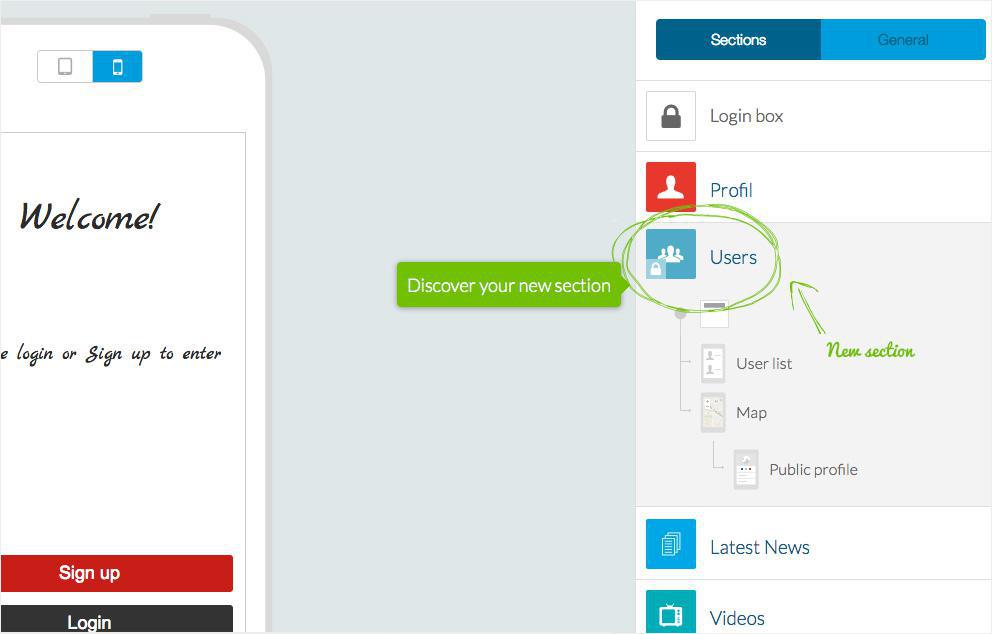
This Add-On is the daughter of User Authentication, so to activate it you need to have previously activated the “Father” ;)
Once you've added it, you will see a new section appearing in your menu. It’s called User and it will be the storage zone for your community.
The Users section is made up of 3 components :
- The User list
- The Map. An optional display (can be deactivated) that will show the location of your user on a map
- The User's Public Profile

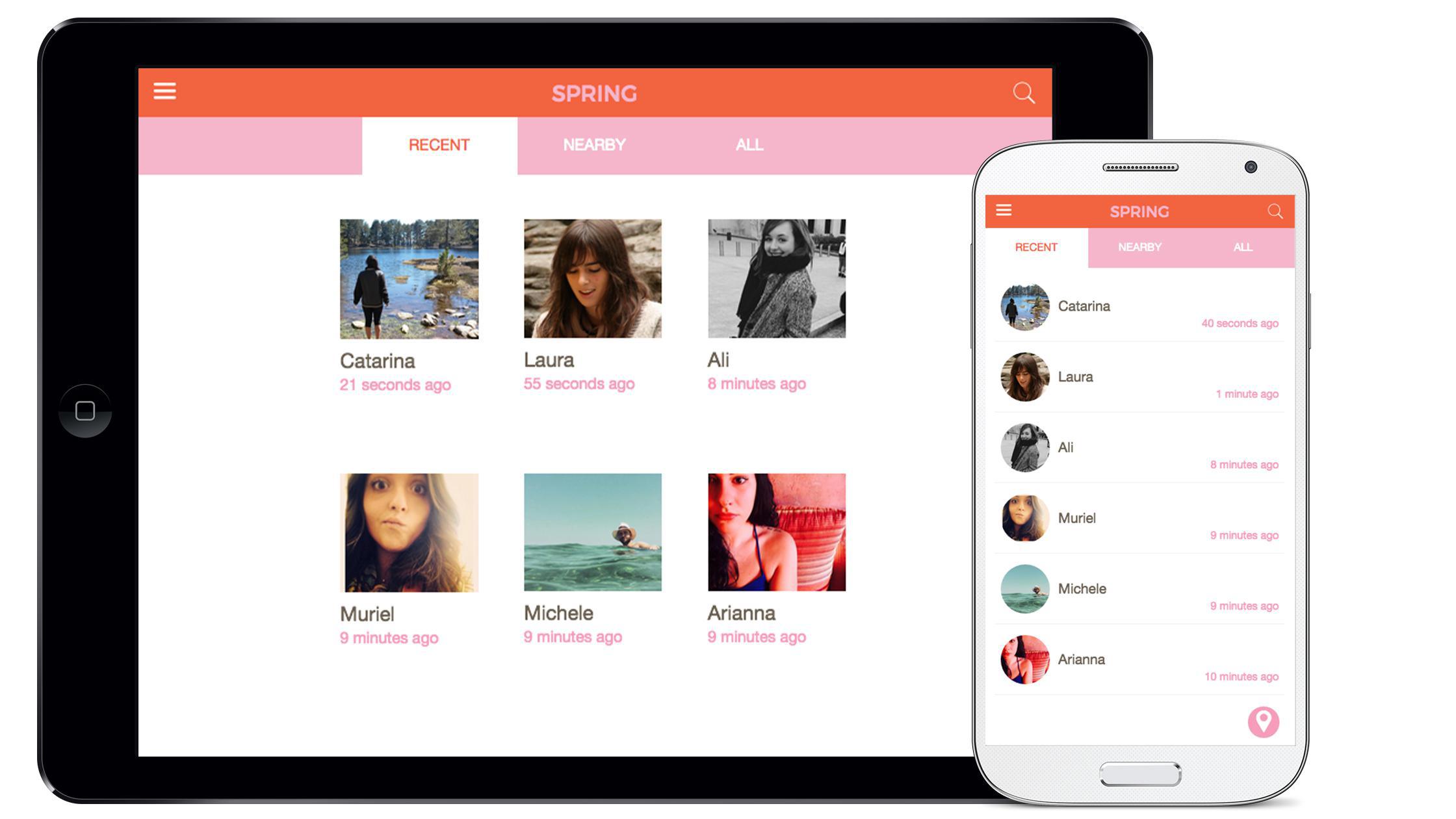
The User list is mainly characterized by the tab style of the List option menu.
In fact, if you decide to activate theClassification tabs, you will be able to automatically organize your users into 3 groups:
- Recent : The most recently logged in users
- Nearby : The users closest to you
- All : All the users in alphabetical order
You can decide to choose just one segment, two, or all of them.
Keep in mind that if you choose to show just the nearby users, for example, and you only select this box, the other tabs will not appear in the app in order to keep the user experience more fluid and clear.
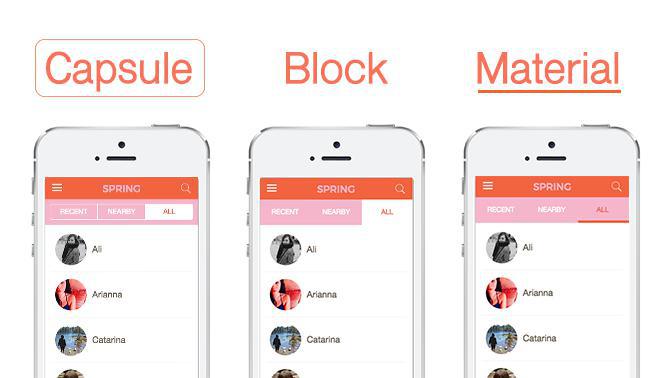
3 designs are offered for the classification tabs:
- Capsule : The Segments are organized into cells
- Block : This is a more flat design
- Material Design : Typical of the Google Design
Under the wood
Besides the design of the section, we also need to take a look at its features and what makes it useful and fun to use.
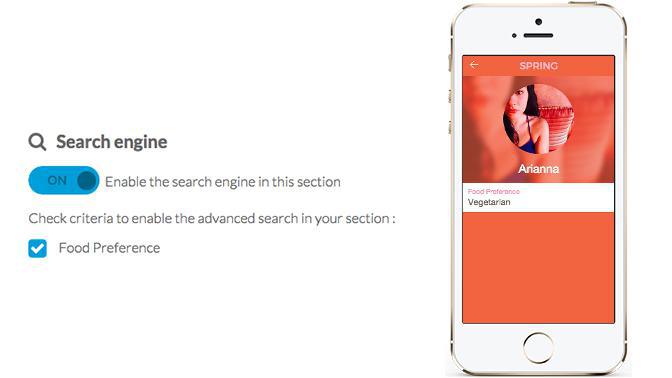
The first feature I want to showcase is the advanced search.
If you have tested the User Authentication Add-On you have probably seen the option to add Dropdown fields into the User Profile.
For example, if your app is about food, you may have added a field in which the user can add his preference.
Ex:
- Vegetarian
- Gluten Free
- Milk free
- etc
Now you can set the option for the final user to do a search inside one or more dropdown fields and find other users with the same food preferences.
To do so, you will have to go into the Settings tab of the Users section, enable the Search engine and check the the dropdown field in which you want to enable the search.
What happens when 2 Add-Ons play together?
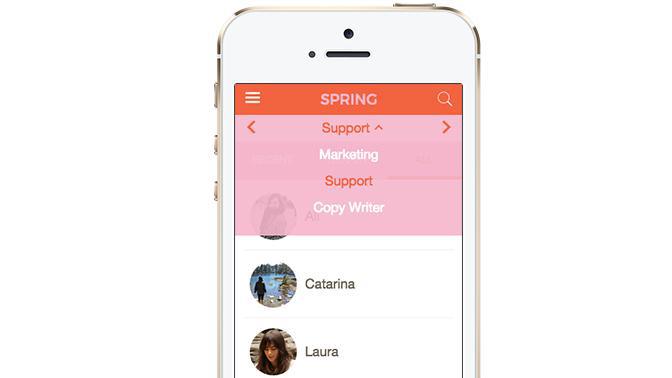
If you are using the User Group Add-On you will be able to add a second tab and advanced search between the groups.
To add the search between the groups, you will have to add them into the Filters menu inside the Settings tab of the Users section.
Once saved, you will see them in a new tab between the Header of the App and the classification tab of the Community Add-On.
Now it’s possible to search the nearby user of Group A, or the Recent users of Group B, etc...
At the moment, only the Dropdown template is available for this tab, but we may add more in the future. You can always check them inside the Category folder next to the section header icon.
The explanation is done for the moment. Now it’s your turn to test it and give us your feedback ;)


