 eCommerce
 Memberships
 Chatbot
 Online Courses
 Bookings
 Travel guide
 Events
 Content Creators
 Pickup & Delivery
 Newspaper
 Radio
Radio Schools
 Faith
Faith Organizations
 Restaurant
 Grocery
 Custom apps
 Employee Communication

 NO CODE APP BUILDER
 TECHNOLOGY
 WHY GOODBARBER?
 Design
 PRODUCT RESOURCES
 TOPICS
 MOBILE APPS RESELLERS
 DISCOVER
The GoodBarber MCP server goes further: create push notifications with AI
Since its launch, the GoodBarber MCP server has opened up a new way to manage an app. Instead of navigating through every back-office menu, you can ask an AI assistant to perform certain actions for you, using natural language.

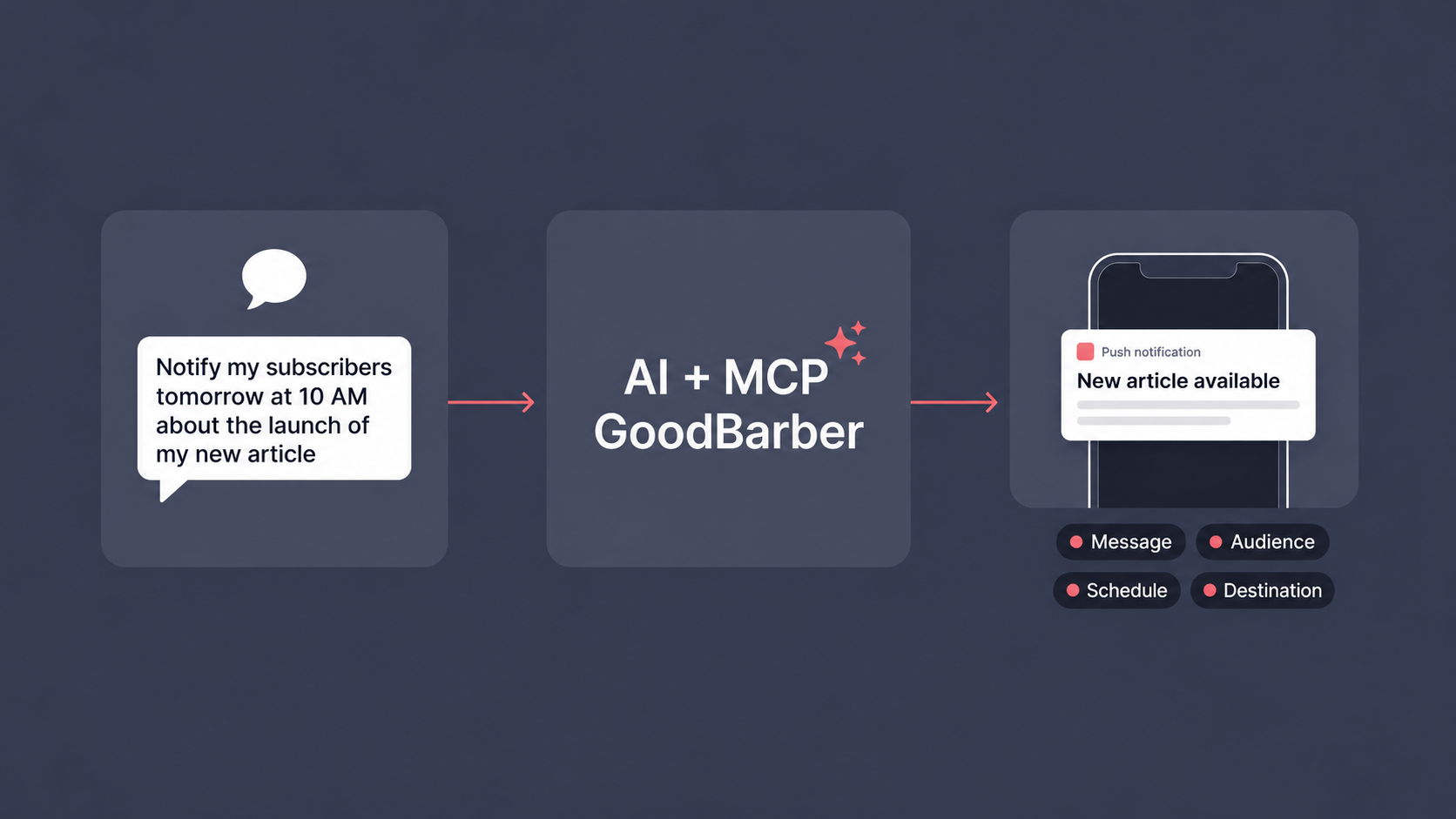
1. Push notifications that are easier to create
Creating a push notification can seem simple at first: write a message, choose an audience, send it.
But in real use, requests are often more precise:
- send the notification tomorrow morning;
- target only iOS and Android users;
- open a specific app section;
- redirect to an article, product, or URL;
- target a user group;
- send a message to a specific user;
- schedule the send according to each user's local time.
Until now, this kind of setup required going through several settings manually. With the enriched MCP server, users can express their need in a natural sentence.
For example:
"Send a push notification Friday at 10 a.m. to iOS and PWA users to announce the release of my new show, and open the Web TV section when they tap it."
The assistant then needs to understand three essential elements:
- the message to send;
- the audience concerned;
- the action to trigger on tap.
This is exactly what makes the update useful: AI does not just write text. It interprets a complete communication intent.
2. Schedule the right message at the right time
Timing is central to a push notification strategy.
An immediate notification can be useful for urgent information: breaking news, a limited offer, a schedule change.
But many cases require scheduling: a content launch, an event reminder, a commercial announcement, or a subscriber reactivation.
The new version can handle several types of planning:
- immediate send;
- send at a specific date and time;
- schedule for tomorrow;
- schedule on a given day of the week;
- take the users' local time into account.
This last point is especially useful for apps with audiences spread across several time zones.
You can request a send at 10 a.m. "users' local time", so a relevant notification does not arrive at the wrong hour in some regions.
Example:
"Schedule a notification for Tuesday, June 2 at 10 a.m., users' local time, to announce the new feature, and open the related article when the notification is opened."
The assistant can help move from an editorial intention to an operational notification.
3. Target your audiences more precisely
A good push notification depends as much on its audience as on its message.
Sending the same notification to every user can make sense in some cases: an important announcement, general information, or a major launch.
But in many situations, it is better to segment.
The new MCP version covers much more precise targeting scenarios.
You can target by:
- platform: iOS, Android, PWA, or a combination of platforms;
- user groups;
- number of app launches over the last 30 days;
- users who have never received a push notification;
- device language;
- geographic location;
- an identified user;
- prospects or customers;
- subscription status in apps with membership.
This opens up use cases that are closer to the everyday needs of publishers, merchants, and app creators.
A media app can re-engage less active readers.
A community can contact a specific group.
A premium content app can speak differently to active, expired, or non-subscribers.
A store can target customers or prospects around a product.
This level of precision helps avoid overly generic notifications.
The message can become more useful, more contextual, and more respectful of the user's attention.
4. Open the right destination on tap
A push notification should not only inform.
It should also guide the user toward the right action.
This is often where configuration becomes more delicate. The tap can open:
- the app;
- an external URL;
- an app section;
- an article;
- a map point;
- a product page;
- specific content.
The MCP server update makes it easier to manage these destinations.
Users can ask the assistant directly to open a section or specific content when the notification is tapped.
Example for a content app:
"Send a notification to PWA users to announce our new article, and open that article directly when they tap it."
Example for an eCommerce app:
"Schedule a notification to announce a promotion on this product, and open the product page when the notification is opened."
This logic matters: it reduces the number of steps between the user's interest and the expected action.
A reader lands on the right article. A customer lands on the right product. A subscriber lands on the content that concerns them.
5. Scenarios for content apps, communities, and eCommerce
The value of this update is that it does not apply to only one type of app.
For a content app, MCP can help announce a new article, video, show, event, or point of interest.
The assistant can understand that the notification should open a CMS section or a specific piece of content.
For a community app, it becomes possible to express targeting requests more naturally: send a message to a group, to certain users, or to an audience defined by behavior.
For an app with subscriptions, notifications can be used to speak to active subscribers, expired subscribers, or users without a subscription.
This is especially useful for announcing new premium content, encouraging reactivation, or maintaining engagement.
For an eCommerce app, the scenarios focus on highlighting products, collections, store-related articles, or commercial information.
A notification can announce a promotion and open the relevant product page directly.
This versatility matters for GoodBarber: the MCP server is not just used to "perform a technical action". It adapts to the real uses of apps built with the platform.
Conclusion: MCP becomes a real communication assistant
With this new version, the GoodBarber MCP server takes an important step forward.
After making it possible to manage the app and CMS content, it can now support the creation of more precise push notifications. Users can express complete requests: message, timing, audience, platform, and destination.
This is a natural evolution for GoodBarber.
An app is not only a publishing space. It is also a direct relationship channel with its users.
Push notifications play a central role in that relationship, as long as they are well prepared.
Thanks to MCP, that preparation becomes smoother. You can move from a simple intention — "notify my subscribers", "announce a product", "re-engage a group", "open this article" — to a structured notification ready to be used in your app.
If you already use the GoodBarber MCP server, this update opens new communication scenarios to test.
If you are still discovering MCP, it is a good opportunity to see how AI can help you manage your app in a more direct, natural, and efficient way.


