This online help describes in detail the steps to add GoodBarber to your Apple Developer Account. Once added to your account, GoodBarber can help you build and publish your iOS app.
1. Before you begin
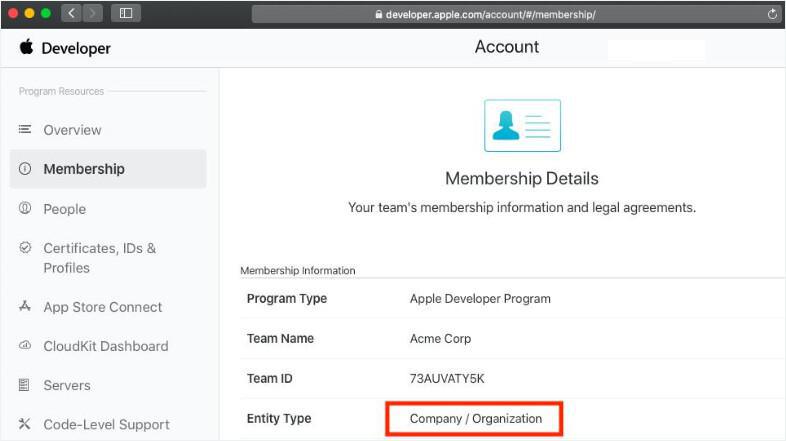
Please check that you answer yes to the following:
1. Your Apple Developer Program registration is valid.
2. Your Apple Developer Program registration is of Company / Organization type
To check, go to: https://developer.apple.com/account/#/membership/
If one of the 2 points above is not valid, please contact the support
1. Your Apple Developer Program registration is valid.
2. Your Apple Developer Program registration is of Company / Organization type
To check, go to: https://developer.apple.com/account/#/membership/
If one of the 2 points above is not valid, please contact the support
2. Team Name and Team ID
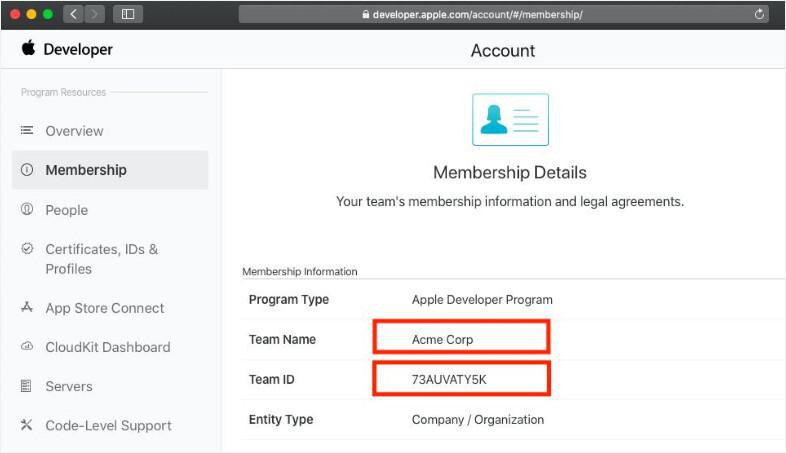
From https://developer.apple.com/account/#/membership/, get the following 2 informations:
- Team Name
- Team ID
Forward this information to the support .
Theoretically, there is already an ongoing conversation about publishing your iOS app. Indicate your Team ID and Team Name in this conversation.
If there is no conversation yet about publishing your iOS app, open a new support ticket to indicate your Team ID and Team Name.
- Team Name
- Team ID
Forward this information to the support .
Theoretically, there is already an ongoing conversation about publishing your iOS app. Indicate your Team ID and Team Name in this conversation.
If there is no conversation yet about publishing your iOS app, open a new support ticket to indicate your Team ID and Team Name.
3. Add a new user to your team
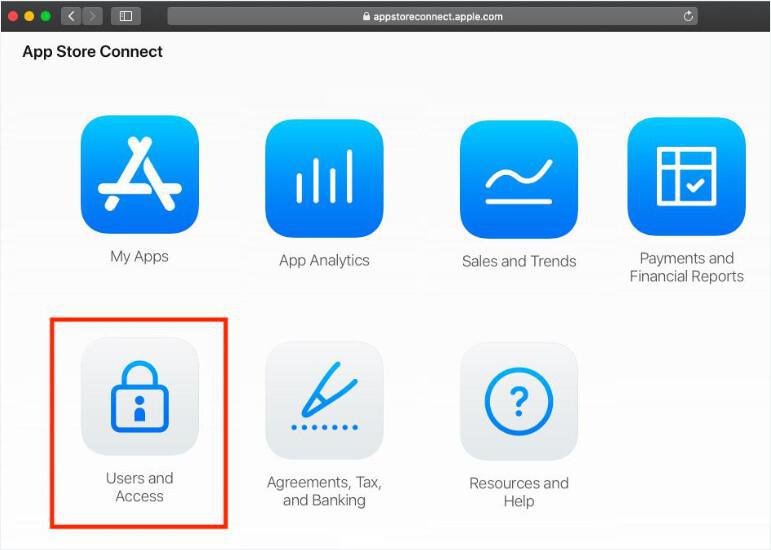
1. Go to App Store Connect
2. Click on the menu "Users and Access" (https://appstoreconnect.apple.com/access/users )
2. Click on the menu "Users and Access" (https://appstoreconnect.apple.com/access/users )
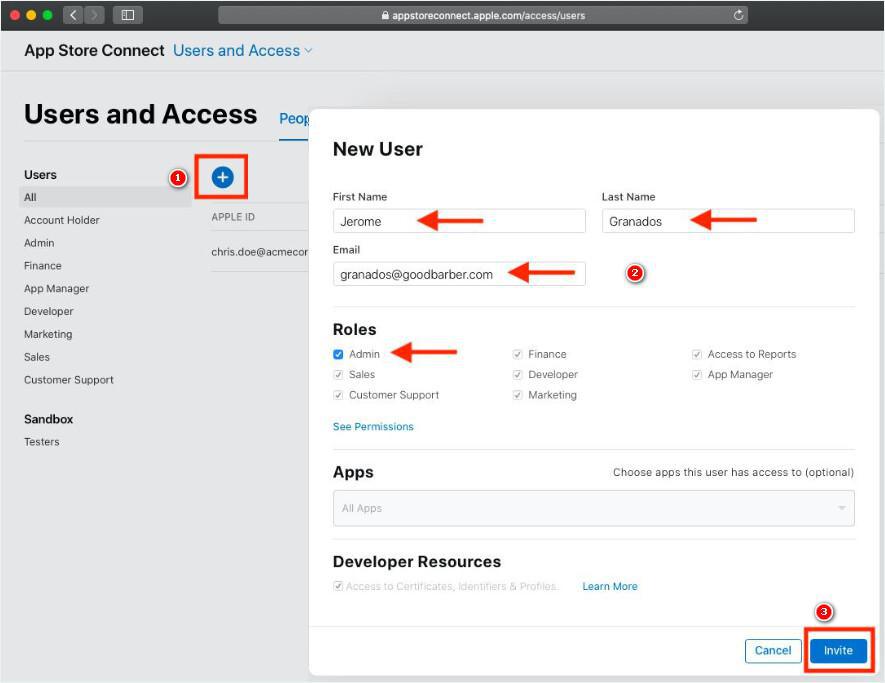
From the Users and Access page:
1. Click the + sign to add a user.
2. Add the following user:
First Name: Mehdi
Last Name: Lakhdar
Email: lakhdar10@goodbarber.com
Roles: Admin
3. Click "Invite"
1. Click the + sign to add a user.
2. Add the following user:
First Name: Mehdi
Last Name: Lakhdar
Email: lakhdar10@goodbarber.com
Roles: Admin
3. Click "Invite"
The newly added user can now connect to your developer team to build and submit your iOS app.