 eCommerce
 Memberships
 Chatbot
 Online Courses
 Bookings
 Travel guide
 Events
 Content Creators
 Pickup & Delivery
 Newspaper
 Radio
Radio Schools
 Faith
Faith Organizations
 Restaurant
 Grocery
 Custom apps
 Employee Communication

 NO CODE APP BUILDER
 TECHNOLOGY
 WHY GOODBARBER?
 Design
 PRODUCT RESOURCES
 TOPICS
 MOBILE APPS RESELLERS
 DISCOVER
Can a no-code app builder make Flappy Bird? I tried.
Short answer: yes — with one honest caveat. We handed GoodBarber's AI Extension Builder a deliberately unfair brief — build Flappy Bird, full-screen, with a leaderboard shared across every player — and it delivered, from a single prompt, no code. Here's the result, the exact prompt behind it, and what this proof of concept really says about no-code.

A proof of concept: how far can the builder go?
A video game isn't what you'd expect from an app builder.
That's exactly what makes it a good test. To find out what the AI Extension Builder is really capable of, you're better off asking it for the improbable than for one more section. So we described a full arcade game — finger-tappable, full-screen, a leaderboard shared across every player — and watched to see how far it would hold up.
It held up. The lesson isn't “go publish games,” it's “the ceiling is far higher than you think”: what's true for a Flappy Bird is true for the sharp, specific feature your app actually needs. Everything was described in plain language, in a few paragraphs. Here's the result.
What we built: "Flappy Rush"
A game section, embedded in an app, across three screens that flow into one another:
- The home screen. A title, a tagline, a username field, a “Play” button. Nothing else.
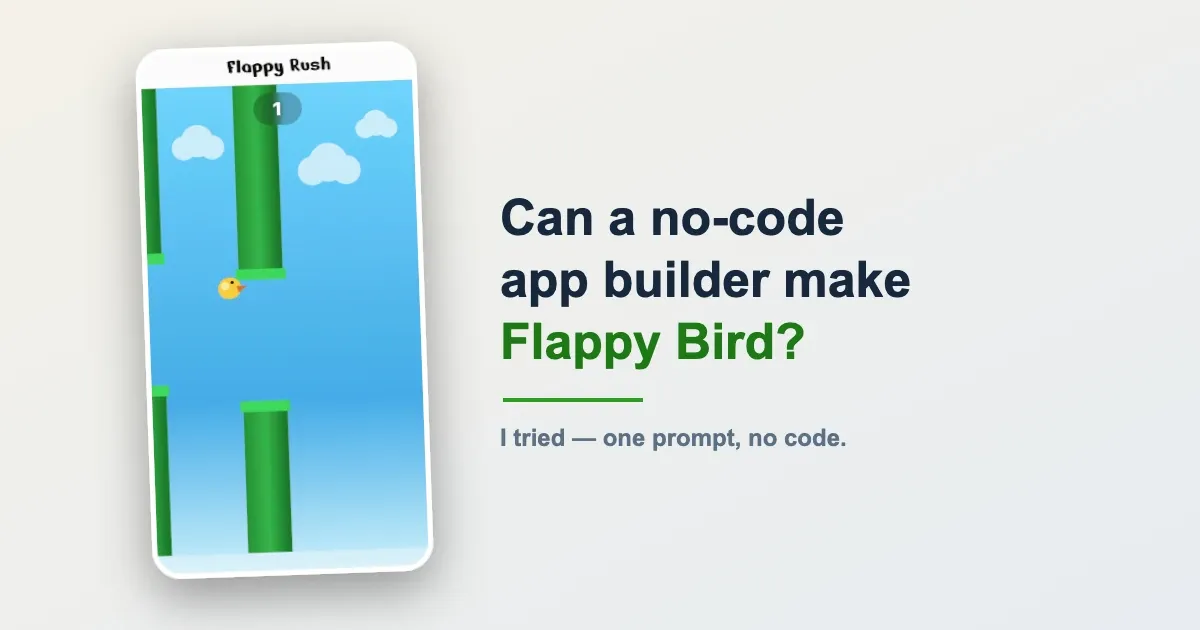
- The game. Full-screen, edge to edge. A yellow bird falls under gravity; each tap gives it a lift. Green pipes scroll past, and the score climbs with every one you clear. Hit a pipe, the floor, or the ceiling: the round ends.
- The results. The final score writ large, the top 10 from best to worst, your own line highlighted in the ranking, and a “Play again” button that restarts on the spot.
All of it in an unapologetically retro arcade look: blue sky, yellow bird, green pipes, difficulty kept deliberately gentle so it stays fun rather than frustrating. Finger-tappable, smooth.
But the detail that changes everything isn't on screen. It's that the leaderboard is shared and persistent. Your score doesn't stay on your phone: it joins a table that every other player can see, and it stays there after you close the app. Without that, Flappy Rush would be a solitary toy. With it, it's a competition across your whole community.
We'll come back to that below — because it's the most interesting part. First, the prompt.
Anatomy of the prompt
Here, in broad strokes, is what we typed into the builder. Not a line of code: a description, structured the way you'd describe the game to someone.
The prompt looks long, but it never says how to code anything. It describes an experience. And four instincts are all you need to grasp it — those are what to remember, far more than this particular game.
1. Describe screens, not code. The heart of the prompt is a state machine: three screens, only one visible at a time. There's no mention of variables or loops — you describe what the user sees at each step, and in what order. The builder translates that into code.
2. Tune the feel in human language. The difficulty isn't given in numbers but in intentions: “wide gap,” “slow scrolling,” “low gravity,” “enjoyable, not frustrating.” You direct the game-feel with words. That's what separates a game people keep from one they close after ten seconds.
3. Ask for the level of finish you expect. “Full-screen, edge to edge,” “touch-friendly,” “polished.” The builder needs a clear direction on perceived quality, not just on features. One sentence does it.
4. Name the shared data — and let the builder handle it. A single line does all the invisible work: “a shared, persistent leaderboard that ALL players can see.” That's the line that turns a solo game into a collective competition. And it's the line that triggers the most technical part — the one we'll talk about now.
The leaderboard is where it gets serious
A score only you can see isn't a leaderboard. If it disappears when you close the app, or starts over from zero on someone else's phone, there's no competition left — just a private counter.
For a leaderboard to truly exist, you need somewhere to store everyone's scores, rules for who can read and write, and a permanent connection between the app and that data. This layer — a backend — is precisely the hard part, the one that, until recently, called for a developer.
The AI Extension Builder sets it up itself, thanks to its new integration with Supabase. When the prompt asks for “a shared, persistent leaderboard,” the builder understands that this data has to survive and be visible to everyone, creates the matching storage, secures it with per-row access rules (Row-Level Security), manages the connection keys, and wires the whole thing into the section. You describe the leaderboard; it builds what's behind it.
This is exactly the “leaderboards and scoreboards” use case the builder can now cover — right alongside a poll, a guestbook, or a booking list. The game is just a spectacular way to show it.
What it changes for your app — beyond the game
The game was only a pretext. What Flappy Rush really demonstrates is that an advanced, interactive section with genuine shared data is now just a prompt away — where before, it took a spec and a developer.
And if the mood strikes, a mini-game can absolutely find a home in a corner of your app: in your brand colors during an event, as a “play to win” that rewards the top scores, or as a community leaderboard that gives people a reason to reopen the app. But the real point is elsewhere — in the fact that you no longer have to give up on a feature just because it falls outside the catalog.
This section isn't a stray piece of code to host off on its own, either. It integrates into your app like any other: GoodBarber hosting included, Smart Design system respected, and embedded in your iOS, Android, and web apps, distributed on the stores like the 190+ extensions in the catalog. It's a living section inside a real app, not a demo to plug in.
Which answers a fair objection: why build a mini-game inside a platform at all, instead of coding one from scratch? Because the either/or is a trap. Most of what any app needs — hosting, content management, user accounts, push, payments, store publishing — is the same in every app, and it's already built and maintained for you. The part that's genuinely specific to your idea is a thin slice on top. A platform lets you take that commodity 80% for granted and spend your energy only on the 20% that's yours — and now you can generate that 20% by prompt too. Not “the platform does everything,” not “build it all yourself”: the platform carries the commodity, you author the part that's actually yours.
It's the direct continuation of what GoodBarber has done since 2011: professional apps without writing a line of code, in 152 countries. When a feature is missing from the catalog, you no longer set it aside: you describe it, and it's added to your app.
Go further
- New to this? Start with how the AI Extension Builder works — the prompt-to-section basics this piece builds on.
- The integration behind the leaderboard:add a Supabase database to your app — how the shared, persistent data layer is set up and secured.
Try it on your next idea
Open the AI Extension Builder in your GoodBarber back office (or start a free trial) and describe a section you'd filed under “too complicated” — a game, a leaderboard, a poll, a guestbook. The first time it needs to remember or share data, connect Supabase in two clicks, and watch it come to life. Then tell us what you built: that's what shapes the next version.
In short (FAQ)
Can you really build a game with GoodBarber?
Not a standalone game, no: GoodBarber isn't a game engine, and your app doesn't turn into a game. What the AI Extension Builder makes possible is including a mini-game inside a page of your app — an interactive section, here a Flappy Bird with a shared leaderboard, described in plain language and built without coding. The game lives in the app, alongside your other content; it isn't the main product.
Do you need to know how to code?
No. You describe the game in natural language — the screens, the rules, the feel — and the builder generates the code and displays it live. You can then refine the prompt, or edit the code directly if you want to.
How is the leaderboard shared across all players?
Through the AI Extension Builder's Supabase connector. When the prompt asks for a shared, persistent leaderboard, the builder creates the database that stores the scores, secures it with access rules, and wires it into the section — so every player sees the same table, updated as rounds are played.
Where does the game “live” once it's created?
Inside your published apps — iOS, Android, and web. The section inherits GoodBarber hosting, follows your app's Smart Design system, and ships to the stores through the same deployment pipeline as every other extension.
Do you need a Supabase account?
Yes. The first time a section needs to store data, the builder asks you to connect Supabase — an open-source backend platform with a generous free tier. You sign in once, and every later section reuses that connection in a single click.
Can you apply this to something other than a game?
Yes. The grammar of the prompt is reusable: describe screens, tune the feel in words, name the data to share. The same reasoning produces a quiz, a prize draw, a wall of votes, or any engagement mechanic with a leaderboard.


