GBTC: Publish your app with easeDiscover GoodBarber Takes Care and simplify the app publication process for both the App Store and Google Play. Let us handle the technical details for you.Learn more about GBTC
You're well aware of all the advantages and potential Progressive Web Apps have to offer. If you've already created your PWA or you're planning to do so, this article is for you.
GoodBarber allows you to access statistics concerning traffic generated by your PWA that will allow you to better understand your users' behavior and to adapt accordingly.
Two types of stats are available to you: internal statistics, accessible in your back office once your PWA is published, and external statistics.
Let's take a deeper look.
Internal statistics
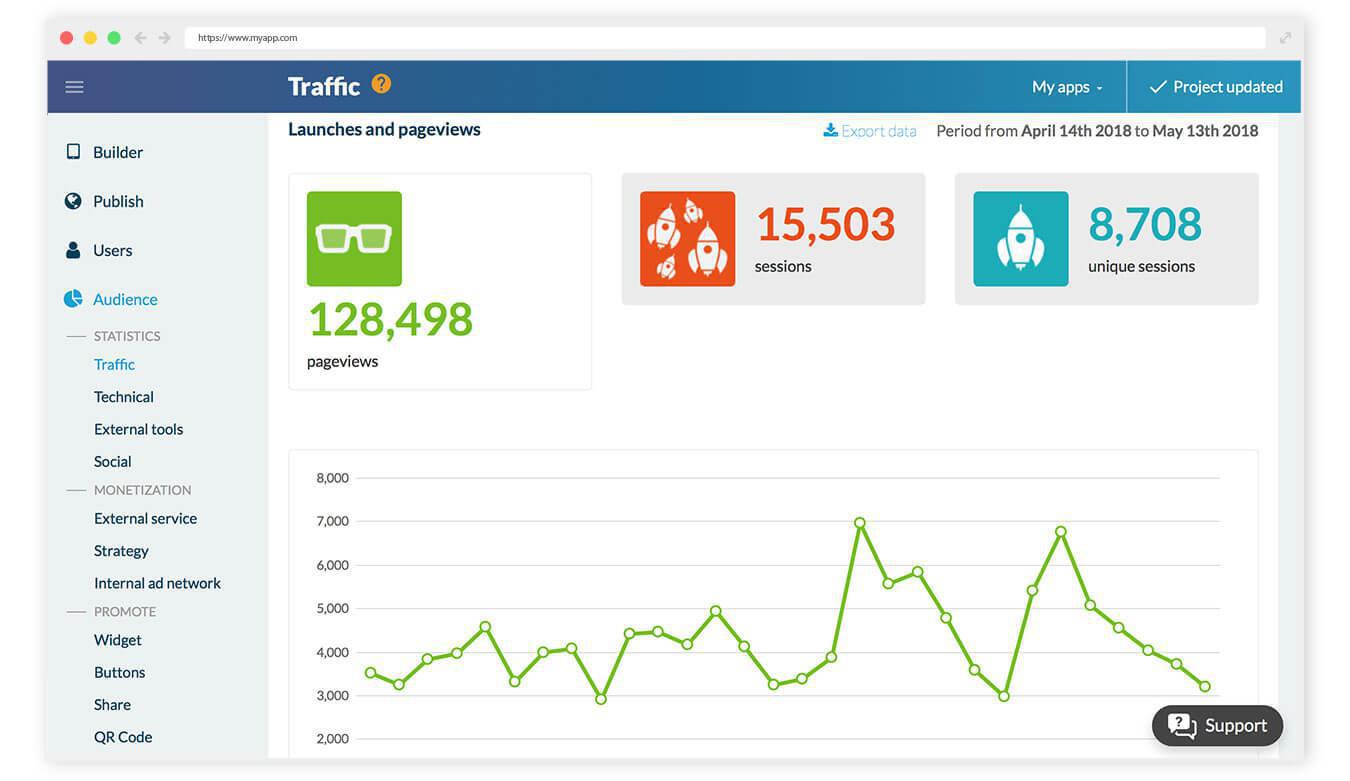
These stats are available directly in your app's back office. They are calculated and updated every 24 hours for the previous day. Here you will find:
- Launches and page views - Time spent in your PWA - The Top Day (based on the number of page views)
To access these statistics, you just have to publish and display your PWA. After 24 hours, go to the menu Audience > Statistics > Traffic. If you also have a native version of your app, click on the Progressive Web App tab.
You have the option to export this data in .csv format by clicking on the Export data button at the top of the screen.
External statistics: Google Analytics
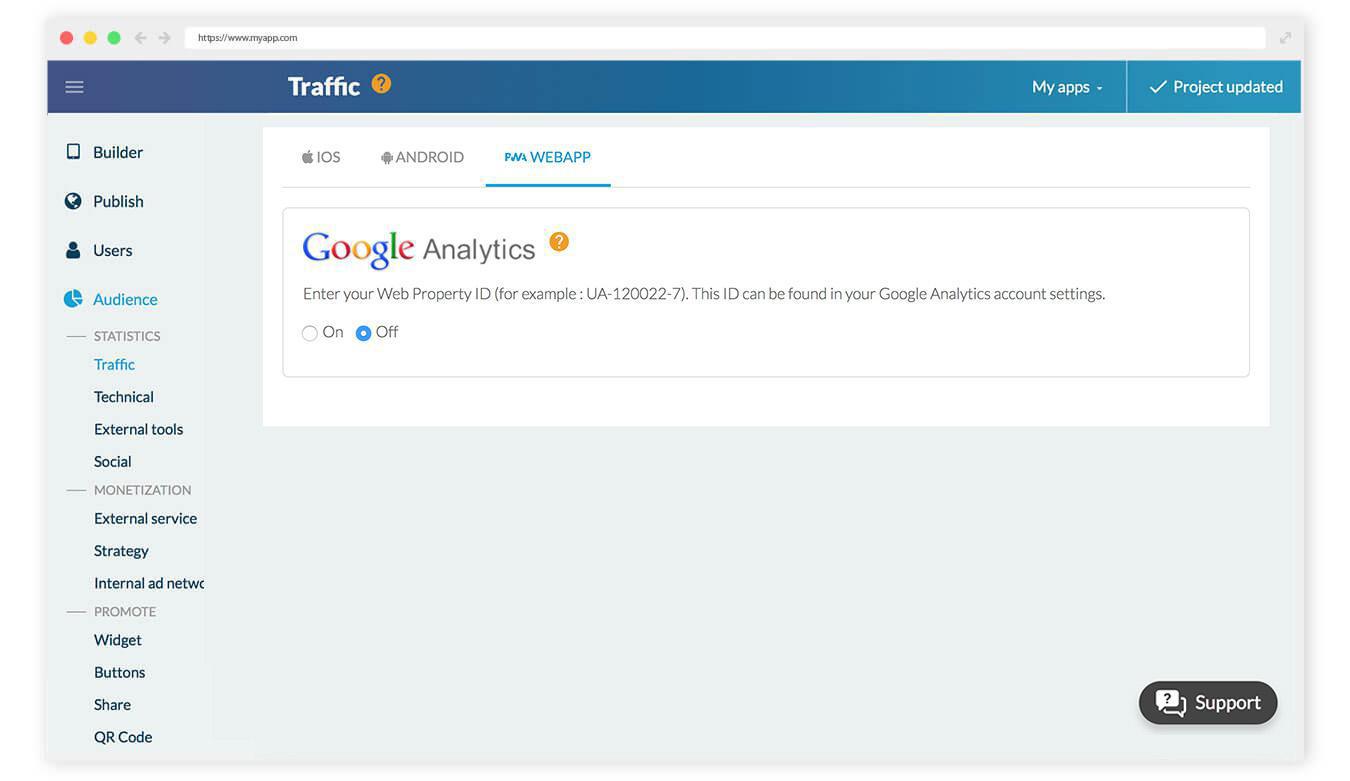
GoodBarber allows you to connect your Google Analytics account to your back office in order to obtain stats on the usage of your app. A detailed online help is waiting for you in your back office to guide you through the account set up.
Once your account is set up, go to your GoodBarber back office and activate the "External Statistics" add-on from the menu Add-ons > Catalogue > Monetization, then enter your tracking ID in the section Statistics > External tools > Google Analytics.
Easy, right?
Now you just have to analyze your stats and watch your PWA take off!
Five ways lead to a fitness app for your business, and each is priced its own way: a flat plan, an add-on to gym software, per client, per subscriber or quoted. The table below compares what each one costs and the job it is built for.
OpenAI released GPT-6 Sol and GPT-6 Luna on September 22, 2026, after GPT-6 Astra, the flagship of the family, earlier the same month. Luna is the smallest of the three. OpenAI describes it as its most efficient model for focused, high-volume tasks, and sells it at half the price of GPT-5.6 Luna, the model it replaces in OpenAI's own line-up.The next morning, we moved the AI Extension Builder to GPT-6 Luna, for every app, on the four moments where a model is at work: understanding your request, writing the code of the section, rewriting it when you ask for a change, and answering the questions you ask about what it built.
 eCommerce
 Memberships
 RAG Chatbot
 Online Courses
 Bookings
 Travel guide
 Events
 Content Creators
 Pickup & Delivery
 Newspaper
 Radio
Radio Schools
 Faith
Faith Organizations
 Restaurant
 Grocery
 Custom apps
 Employee Communication

 NO CODE APP BUILDER
 TECHNOLOGY
 WHY GOODBARBER?
 Design
 PRODUCT RESOURCES
 TOPICS
 MOBILE APPS RESELLERS
 DISCOVER