 eCommerce
 Memberships
 RAG Chatbot
 Online Courses
 Bookings
 Travel guide
 Events
 Content Creators
 Pickup & Delivery
 Newspaper
 Radio
Radio Schools
 Faith
Faith Organizations
 Restaurant
 Grocery
 Custom apps
 Employee Communication

 NO CODE APP BUILDER
 TECHNOLOGY
 WHY GOODBARBER?
 Design
 PRODUCT RESOURCES
 TOPICS
 MOBILE APPS RESELLERS
 DISCOVER
Map Widget: Discover the Immersive Card Banner template for optimized display

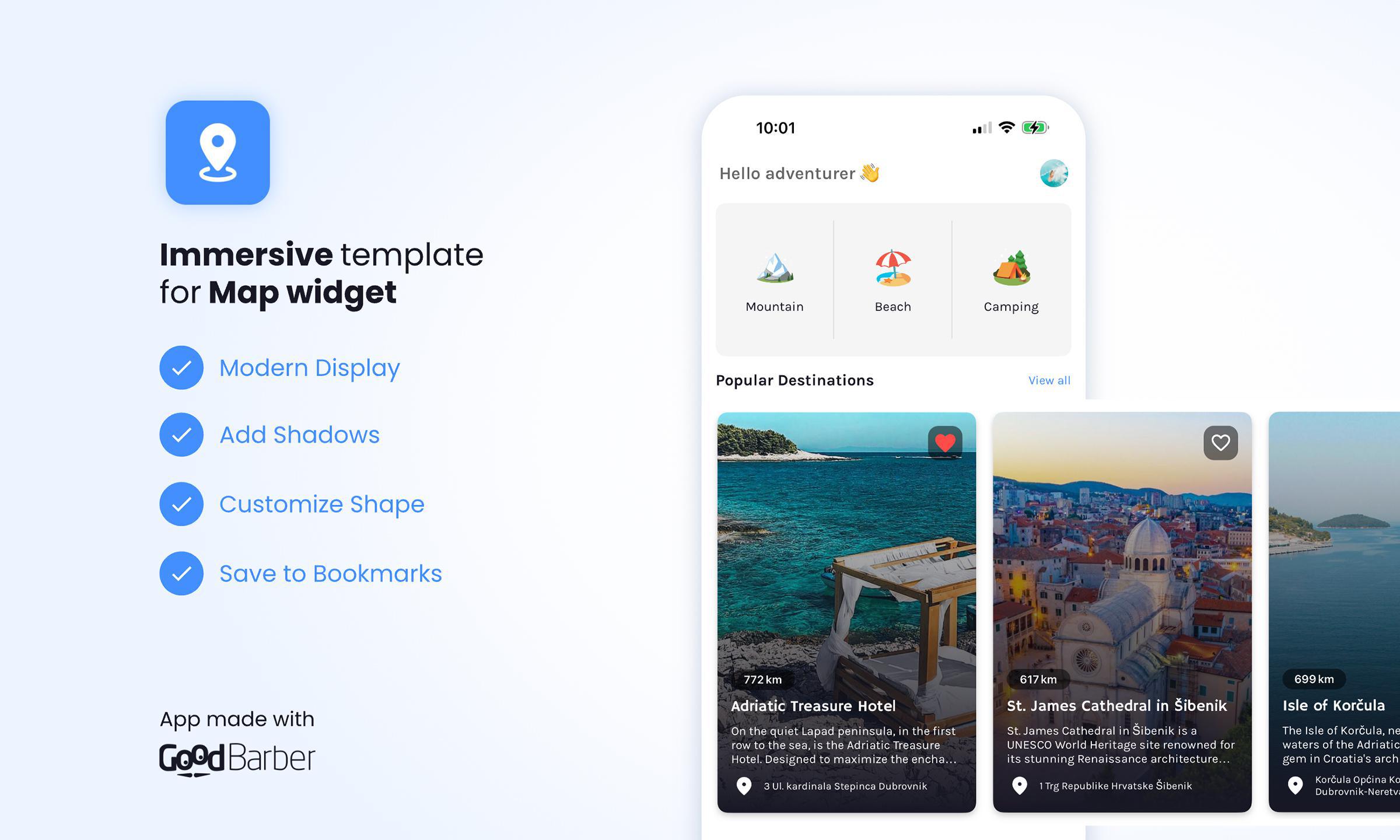
At GoodBarber, we're always looking for innovative ways to enhance the user experience and let your content shine at its best. Today, we're delighted to introduce a new feature: the Immersive Card Banner template for the Map widget.
If you already use interactive maps in your app, you'll know how valuable this section can be for providing fluid, visual navigation. Maps are vital in guiding your users, whether you're highlighting physical locations such as stores, events, or tourist sites. With the Immersive Card Banner template, we're taking the next step by offering an even more dynamic and visually appealing experience.
What is the Immersive Card Banner template?
The Immersive Card Banner template is a new layout option for your Map widgets, designed to offer an elegant, modern display of your points of interest. This template allows you to display key information in an immersive way, thanks to an eye-catching visual and associated text, all in a layout optimized to capture users' attention.
- Large-format images: Your maps now benefit from large images, which offer immediate visual impact and better promote the places or events you want to highlight.
- Text overlay: Descriptive text is cleverly integrated into the image so your users can quickly understand what it's all about without taking their eyes off the main visual.
- Smooth navigation: Users can easily navigate between points by scrolling horizontally, creating an immersive experience that encourages them to explore further.
Adopting this new template means giving your users access to a fluid, interactive experience with a striking visual that makes navigating your map even more enjoyable. By optimizing the presentation of your locations or events, you not only improve the aesthetics of your app or website but also facilitate user engagement.
Thanks to the intelligent layering of images and text, you can offer a professional presentation that encourages exploration while remaining intuitive.
How to integrate the Immersive Card Banner template into your Map widgets?
Integrating the Immersive Card Banner template is very easy. You can add it directly from the back office of your GoodBarber app by following these steps:
- Go to the My App> Structure menu in your back office.
- Then select the Home section and the Map widget you wish to customize.
- Choose the Immersive Card Banner template from the available layout options.
- Customize the visuals and descriptions of the various points of interest to suit your needs.
- Save, publish, and enjoy!
With just a few clicks, you can transform your map display into an immersive, modern visual experience that engages your users while showcasing your content.


