 eCommerce
 Memberships
 RAG Chatbot
 Online Courses
 Bookings
 Travel guide
 Events
 Content Creators
 Pickup & Delivery
 Newspaper
 Radio
Radio Schools
 Faith
Faith Organizations
 Restaurant
 Grocery
 Custom apps
 Employee Communication

 NO CODE APP BUILDER
 TECHNOLOGY
 WHY GOODBARBER?
 Design
 PRODUCT RESOURCES
 TOPICS
 MOBILE APPS RESELLERS
 DISCOVER

Currency converter
 Built by GoodBarber
Today's rate, inside your app
Your user types an amount, picks two currencies, and the result appears. It recalculates as they type, with no button to confirm, and a tap on the arrow swaps the two currencies. Below the result, the rate applied is spelled out, with the time of its last update: your user sees the figure and knows where it comes from.
The rate comes from a public exchange service, queried when the section opens. You have no key to provide and no account to open. And if the service does not answer, the section says so and offers to try again, rather than showing a wrong amount.
A travel agency, a shop that sells abroad, a business outlet, an international trade show: as soon as your users think in two currencies, they open another app or a search engine to convert. It may as well be yours that answers. Five currencies ship with it, US dollar, euro, pound sterling, yen and Canadian dollar; adding others is a change to ask the agent for.
 Nothing to configure, no API key to provide
- The rate on screen is dated, your user knows how fresh it is
- One round trip to a search engine saved
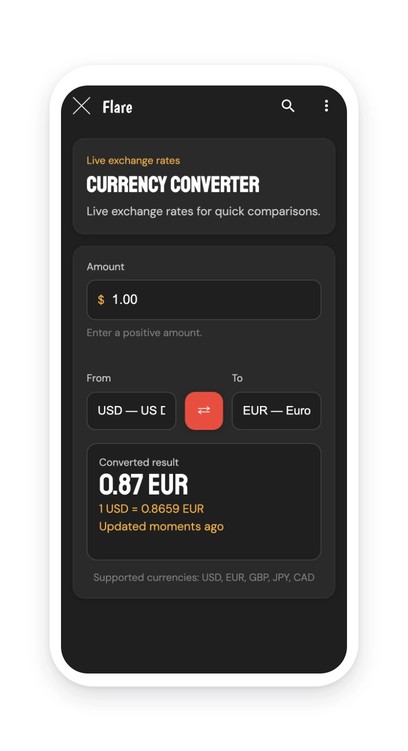
Your section lives in your app
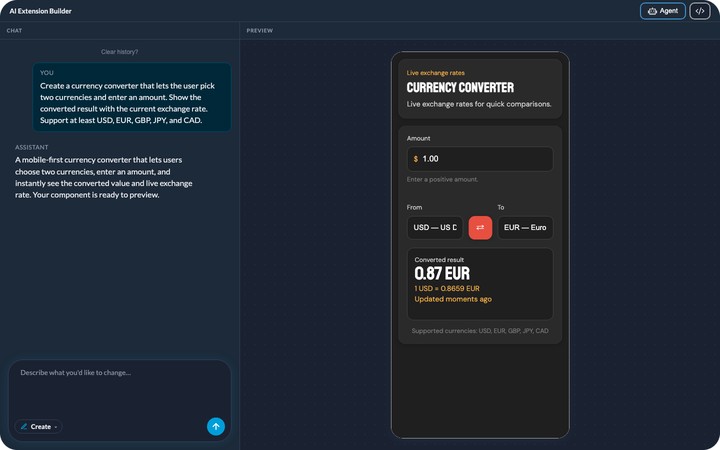
You describe it, the agent builds it, and it shows up in your app's menu. It picks up your app's colors with nothing to set, like any other section. You can rename it, move it in the menu, change its design.
And it keeps evolving with you: ask for a change in plain language, or edit the generated code directly.


