GBTC: Publish your app with easeDiscover GoodBarber Takes Care and simplify the app publication process for both the App Store and Google Play. Let us handle the technical details for you.Learn more about GBTC
"If you can’t measure it, you can’t improve it!. This famous quote is often attributed to Peter Drucker considered as the founder of modern business management. If you are keen on data collection and analysis, our integration of Google Tag Manager into your Progressive Web App will open up endless possibilities. Via GTM, you can now use any web service to measure what's going on in your PWA, and thus make the right decisions to improve it.
What is Google Tag Manager?
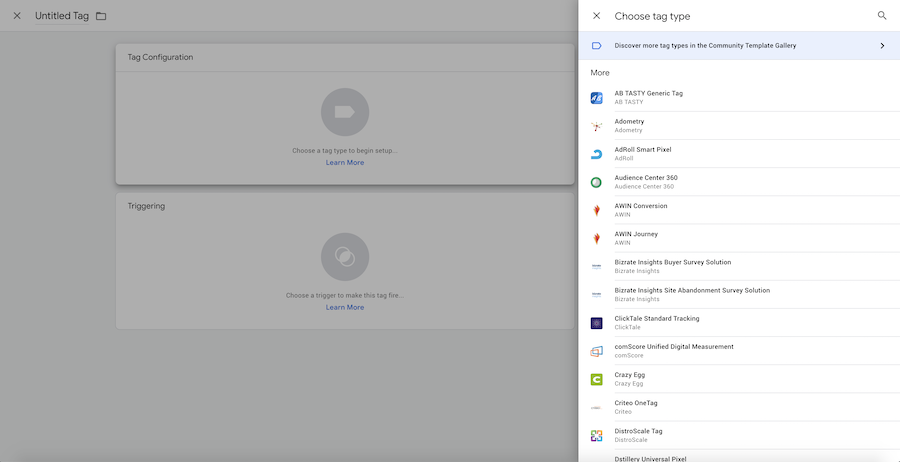
Preview of tags available by default in Google Tag Manager
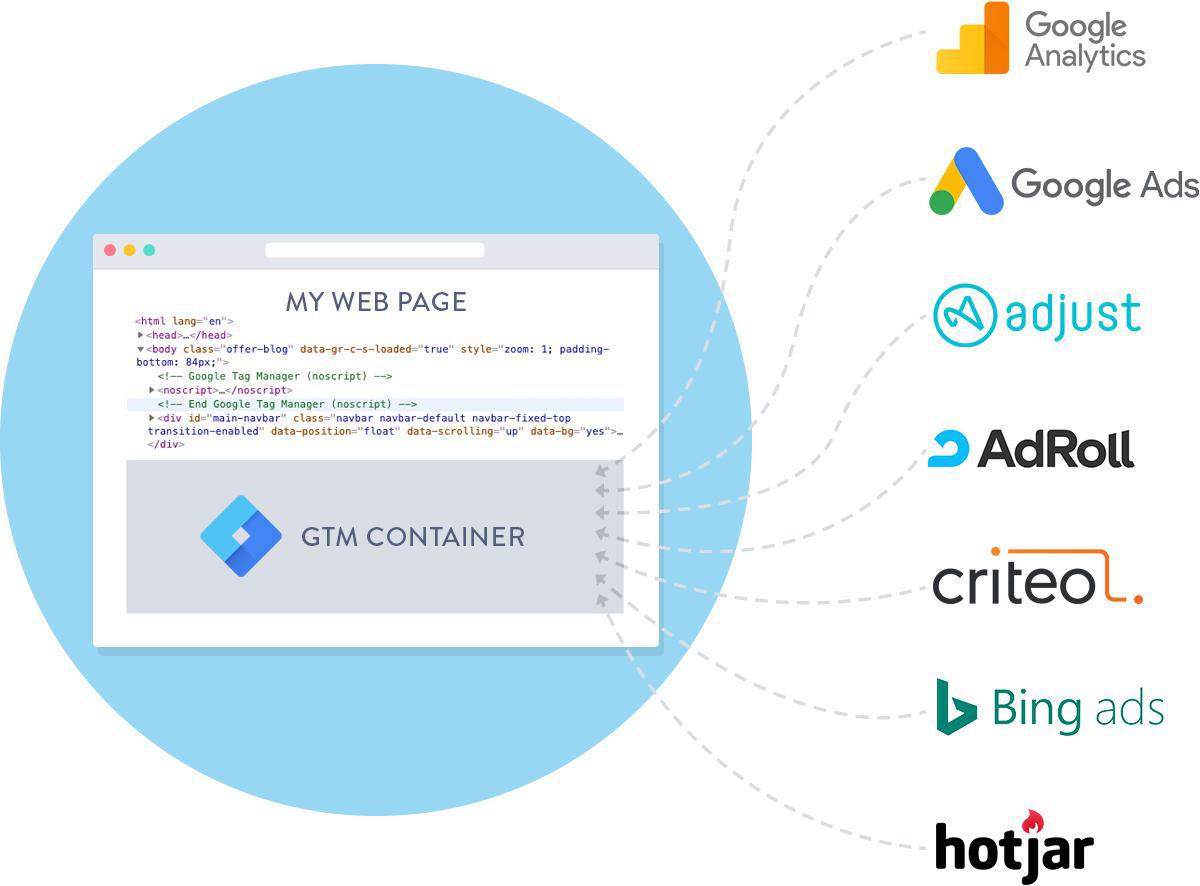
Google Tag Manager is a “Tag Management System”. It is a service allowing you to use a small piece of javascript code on a web page to call other pieces of javascript codes. To simplify, it is an empty box (called a container) in which you can display what you want (a tag) when you want.
The main interest of TMS is that you perform a technical intervention on your site only once. Once the TMS javascript is added, there is no need to worry about it. The rest of the configuration is done in the TMS management interface.
Google Tag Manager is a service offered by Google. From the GTM management interface, you add tags and define triggers. Tags are the different javascript codes that you want to execute in the container on your site. Triggers are rules that you define to trigger the display of tags.
GTM offers a large number of tags and triggers by default, which makes its configuration quite simple, despite an interface that may seem complex at first.
For example, if you use AdRoll to carry out re-targeting campaigns, simply add the AdRoll tag in GTM and associate the trigger which triggers a display on all the pages of your PWA, and voila!
How to use Google Tag Manager with my GoodBarber PWA ?
First, you need to go to the Google Tag Manager interface. If you have not already done so, you must first create a container. It is possible to create several containers in GTM, but in practice, one is enough. Once the container is created, retrieve its ID. It is of the form of GTM-XXXXXXX.
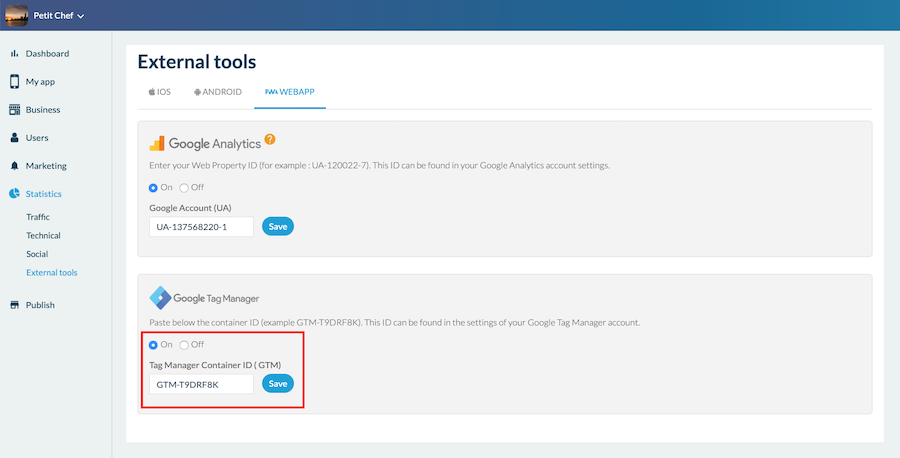
Then go to the back office of your PWA. Open the Statistics menu> External Tools> PWA Tab In the Google Tag Manager block, click ON, enter the ID of your container and click on Save. Then go to Publish> PWA> Update and update your app.
Note: Remember, regarding the update of the app, check first if the latest version which you have compiled supports the Google Tag Manager feature. If not, recompile your PWA. If this is already the case, a simple update of the PWA settings is enough to apply your Google Tag Manager configuration.
Once you have entered the ID of your GTM container in your PWA (and updated it), all you have to do is go to the GTM management interface to configure your tags and triggers in your container. Google's online help is very detailed and explains step by step how to do it.
Shopping App, special option AMP / GTM
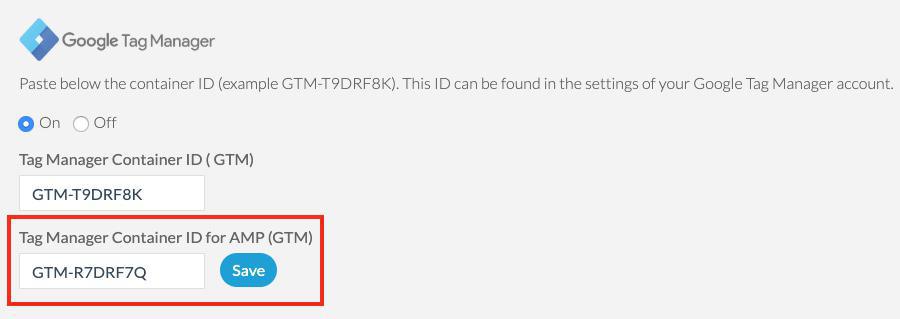
Add ID of GMT container dedicated to AMP
Since the end of December 2019, it is possible to activate AMP (Accelerated Mobile Pages) for the GoodBarber Shopping Apps product page. If you have activated AMP in your Shopping app and want to add a GTM container to the AMP version of your product page, you can!
To do this, simply create a container reserved for AMP in your Google Tag Manager account. Get the ID of this container and enter it in the back office of your Shopping App. To do this, go to the Statistics menu> External Tools> PWA Tab. A GTM input field dedicated to AMP is provided.
There is a multitude of possible uses for Google Tag Manager, which can go far beyond collecting statistics. If you wish to deepen your knowledge on the subject, I advise you to read the blog of Simo Ahava . There are many exciting use cases for Google Tag Manager.
Five ways lead to a fitness app for your business, and each is priced its own way: a flat plan, an add-on to gym software, per client, per subscriber or quoted. The table below compares what each one costs and the job it is built for.
OpenAI released GPT-6 Sol and GPT-6 Luna on September 22, 2026, after GPT-6 Astra, the flagship of the family, earlier the same month. Luna is the smallest of the three. OpenAI describes it as its most efficient model for focused, high-volume tasks, and sells it at half the price of GPT-5.6 Luna, the model it replaces in OpenAI's own line-up.The next morning, we moved the AI Extension Builder to GPT-6 Luna, for every app, on the four moments where a model is at work: understanding your request, writing the code of the section, rewriting it when you ask for a change, and answering the questions you ask about what it built.
 eCommerce
 Memberships
 RAG Chatbot
 Online Courses
 Bookings
 Travel guide
 Events
 Content Creators
 Pickup & Delivery
 Newspaper
 Radio
Radio Schools
 Faith
Faith Organizations
 Restaurant
 Grocery
 Custom apps
 Employee Communication

 NO CODE APP BUILDER
 TECHNOLOGY
 WHY GOODBARBER?
 Design
 PRODUCT RESOURCES
 TOPICS
 MOBILE APPS RESELLERS
 DISCOVER