GBTC: Publish your app with easeDiscover GoodBarber Takes Care and simplify the app publication process for both the App Store and Google Play. Let us handle the technical details for you.Learn more about GBTC
RAG Chatbot is a new AI-powered extension that lets you add an intelligent assistant to your app. Unlike traditional chatbots that rely on generic responses, RAG Chatbot uses your own published content to deliver accurate and relevant answers to your users' questions.
What is RAG (Retrieval-Augmented Generation)?
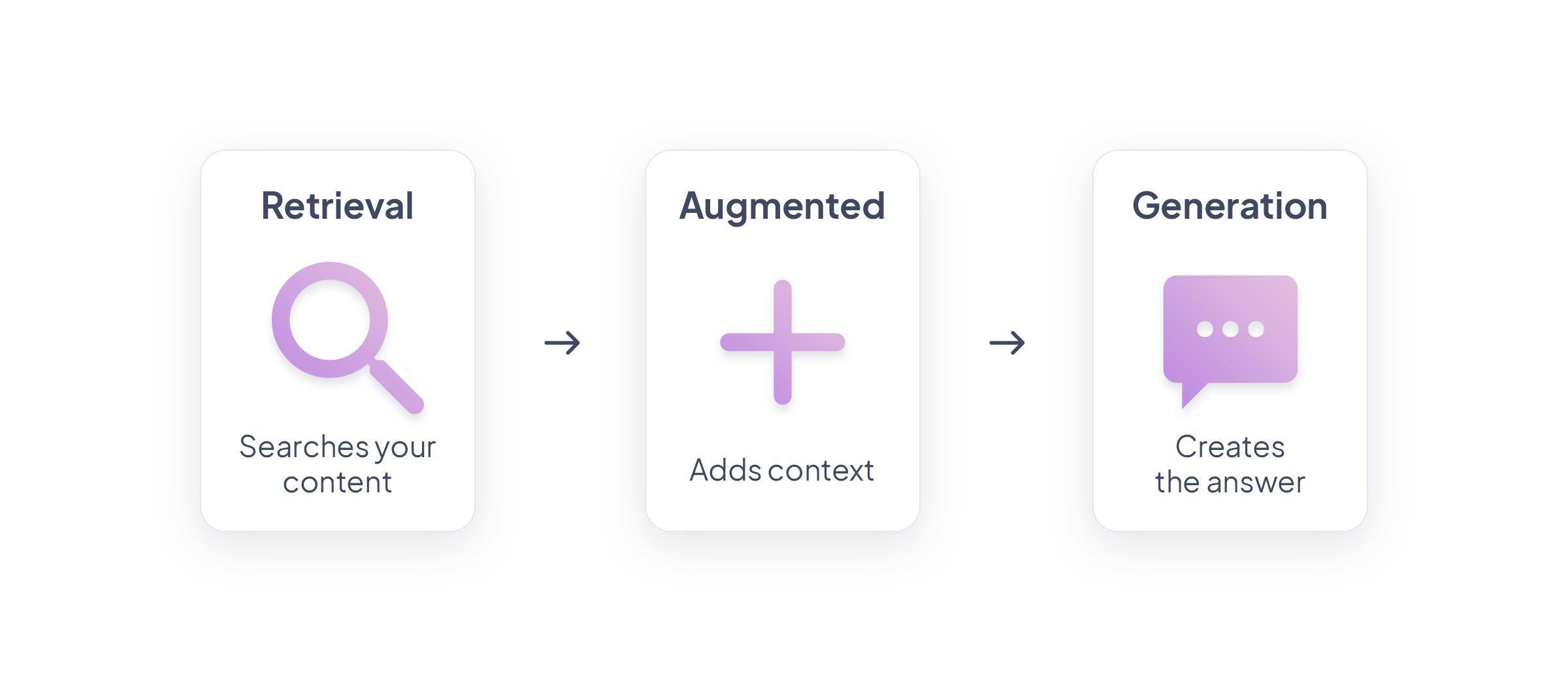
RAG, which stands for Retrieval-Augmented Generation, is an AI technique that allows a chatbot to answer questions by relying directly on existing content, rather than on a general-purpose memory. In the case of RAG Chatbot, this content comes from what you’ve already published in your app.
The process starts by converting your content into "embeddings"—mathematical vector representations that capture meaning and context. These embeddings are generated using a language model trained to understand natural language. When a user asks a question, the same model is used to convert the question into an embedding as well. This allows both the content and the question to be expressed in the same language: a shared mathematical space where semantic similarities can be measured.
The system then compares the user’s question with your indexed content and identifies the most relevant sections. At that point, a Large Language Model (LLM) takes over: it reads the selected content and generates a clear, coherent answer in natural language.
By combining semantic search and text generation, RAG offers precise, content-based answers. This approach makes RAG Chatbot a smart, reliable assistant—fully grounded in your own app content.
How it works with GoodBarber
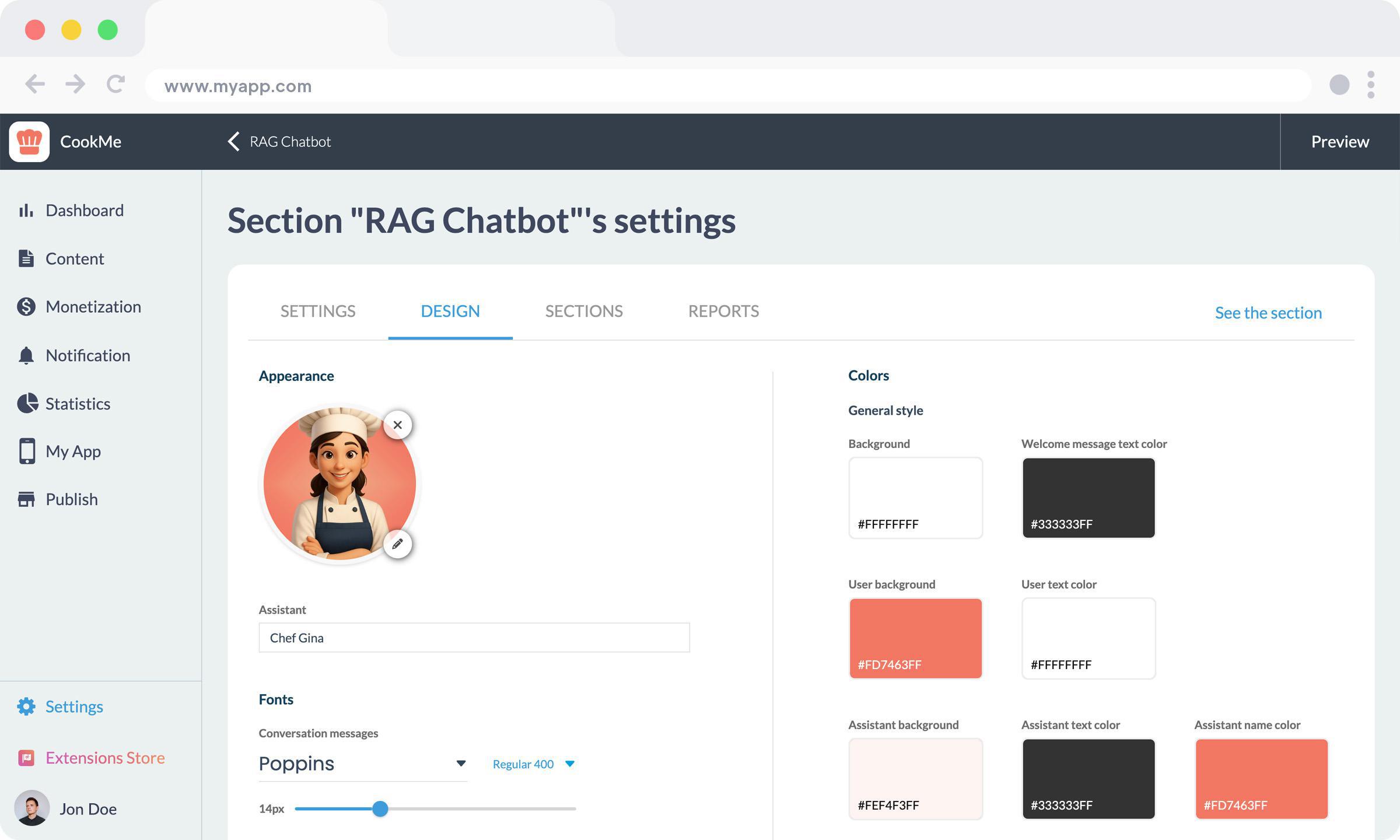
Setting up RAG Chatbot in your GoodBarber app is simple. You just activate the extension from your back office. You then select the AI model you want to use and customize the chatbot’s appearance to match your app's design—colors, icon, and more.
Next comes the key step: choosing which content to index. RAG Chatbot can draw from your published articles, events, or map points. It works with content from GoodBarber’s built-in CMS, as well as external sources synced with your app, like WordPress, RSS feeds, or custom connectors. Once your selection is made, indexing begins automatically. Your content is analyzed, split into sections, and transformed into vector embeddings, ready to be used by the AI.
From that point on, there’s nothing else to do. Indexing is continuous: every time you publish or update content, RAG Chatbot refreshes its knowledge base to ensure it always provides accurate and up-to-date answers.
In the app, RAG Chatbot appears as a standalone section. You can even add multiple chatbot sections to the same app. This allows you to create specialized assistants for different types of content—for example, one for upcoming events, another for local news, or one dedicated to cultural resources. It’s a simple way to guide users and structure how information is accessed.
A new way to explore your app
RAG Chatbot is especially useful in apps where fast, easy access to information is essential. A tourism app can help users by answering questions like “What’s happening this weekend in Barcelona?” using events pulled directly from the app. A university app can help students find enrollment details or course schedules. A health information app can answer “What are the symptoms of dengue?” by referencing trusted published content. A local government app in Montreal can guide citizens on where to renew a passport. Even a coworking network in Berlin can use RAG Chatbot to centralize internal documentation and give members quick access to guides, rules, or policies.
Whatever the use case, the idea is the same: users ask a question in natural language, and receive a reliable answer based on the actual content of the app. It’s a faster, more intuitive, and more engaging way to access information.
Compatible with premium content
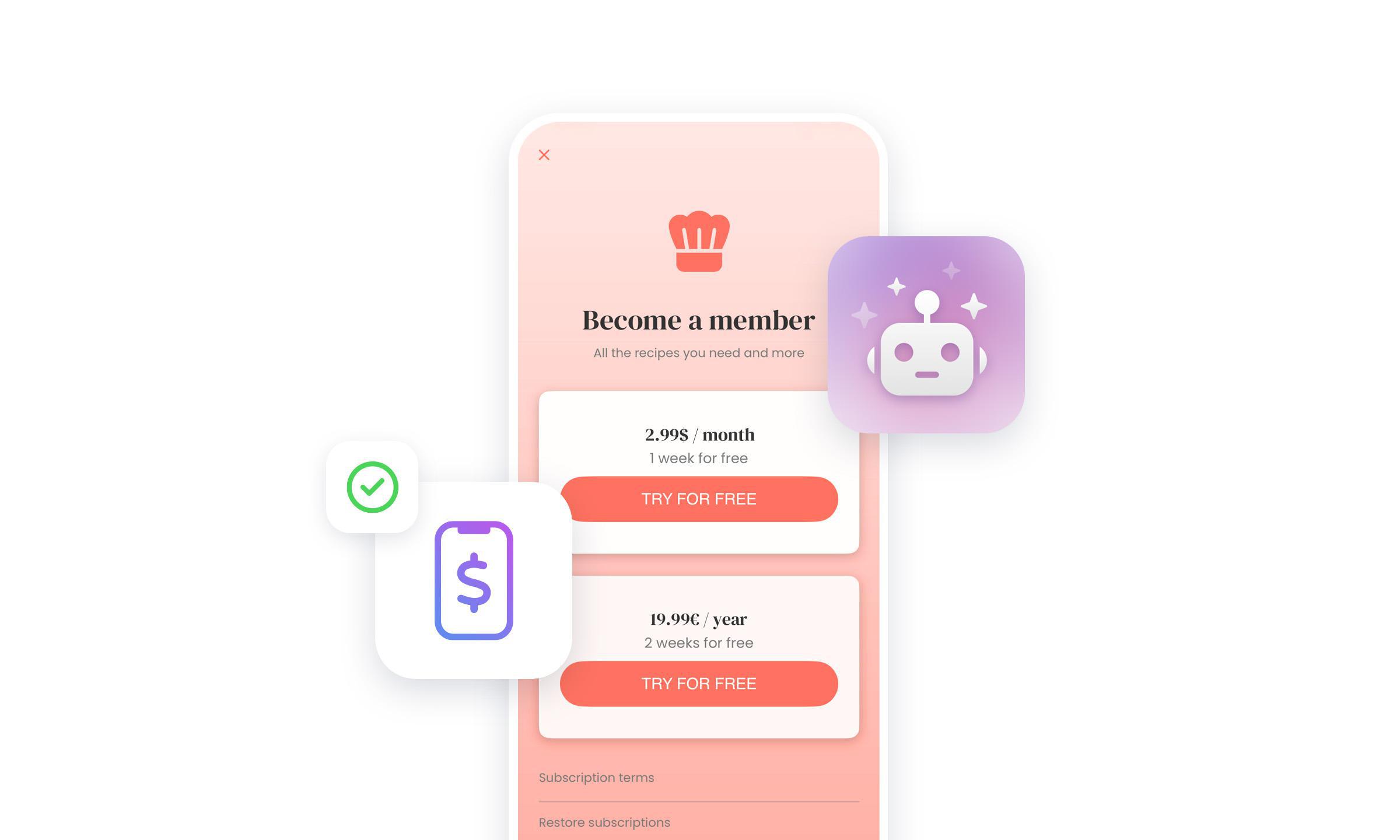
RAG Chatbot works seamlessly with the Memberships extension (In-App Purchase / Subscription). When content is restricted to subscribers, the chatbot respects those rules: it only provides access if the user has the proper rights. This ensures a personalized and secure experience while protecting the value of your premium content.
You can also restrict access to RAG Chatbot sections themselves—limiting them to paying users only. This gives you the flexibility to create exclusive assistants for customer support, premium resources, or expert content. It’s an effective way to increase the perceived value of your subscription offers.
How much does RAG Chatbot cost?
RAG Chatbot is available at a launch price of €29/month for the first 3 months, then €45/month. This cost is in addition to your regular GoodBarber subscription.
The monthly plan includes 5,000 credits, enough to handle several thousand user questions—depending on the AI model you use and the complexity of the queries.
Credits are used in two main areas:
- During content indexing: Each section you add (articles, events, map points) consumes a small number of credits, based on the volume of content. That said, indexing is relatively light in terms of credit usage—so don’t hesitate to include all relevant sections of your app.
- When a user asks a question: This is where most credits are consumed. The question is converted into a vector, compared to your indexed content, and a response is generated. Response generation is the most intensive step, especially for complex questions or when using powerful AI models.
Your credit balance resets automatically each month, so your chatbot remains active without any manual effort.
Usage may vary depending on:
The AI model selected (lightweight vs. advanced)
The amount of indexed content
The complexity of user queries
You’re in control: you choose the model that best balances response quality and interaction volume for your use case.
If your chatbot becomes a hit, extra credit packs are available for purchase at any time to handle traffic spikes or expanded usage.
One question is better than a long search
With RAG Chatbot, you're giving your users more than just a virtual assistant. You're providing direct, instant, and accurate access to the information that matters—powered by your own content.
It’s easy to activate, fully customizable, subscription-ready, and designed to scale. Whether you're running a tourism app, a news portal, or an educational platform, RAG Chatbot adapts to your content, your goals, and your audience.
Enable RAG Chatbot in your back office today—and turn your published content into real-time answers.
Go further
For a closer look at how the RAG Chatbot works, its setup and its credits, read our detailed guide.
The short version. Mixcloud is an extension of GoodBarber, the no-code app builder, that adds a Mixcloud account as the source of an Article section. The section lists the account's public shows, newest first, with their cover, date and tags. Each show opens on its own page, where it plays in Mixcloud's official player, above its description. You connect it with the account name, or the link to its profile: no key and no developer account. It is free for Content apps.Mixcloud extensionSection of the appArticleWhat you enterThe account name, or the link to its profileWhat the app listsThe account's public shows, newest firstWith each showCover, date, tags and descriptionPlaybackMixcloud's official player, on the show's page: no offline or background listeningUpdatesAbout every 30 minutesPriceFree for Content appsMixcloud was built for long-form audio: radio shows, DJ mixes and podcasts. By its tenth birthday, in February 2020, 1.7 million creators had uploaded 50 million shows to it, according to Mixcloud's blog. Here is why replays matter for a station's audience, and how the extension plays out for a community station that uploads its shows every week.
 eCommerce
 Memberships
 Chatbot
 Online Courses
 Bookings
 Travel guide
 Events
 Content Creators
 Pickup & Delivery
 Newspaper
 Radio
 Schools
 Faith
 Organizations
 Restaurant
 Grocery
 Custom apps
 Employee Communication


 NO CODE APP BUILDER
 TECHNOLOGY
 WHY GOODBARBER?
 Design
 PRODUCT RESOURCES
 TOPICS

 MOBILE APPS RESELLERS
 DISCOVER