 eCommerce
 Memberships
 RAG Chatbot
 Online Courses
 Bookings
 Travel guide
 Events
 Content Creators
 Pickup & Delivery
 Newspaper
 Radio
Radio Schools
 Faith
Faith Organizations
 Restaurant
 Grocery
 Custom apps
 Employee Communication

 NO CODE APP BUILDER
 TECHNOLOGY
 WHY GOODBARBER?
 Design
 PRODUCT RESOURCES
 TOPICS
 MOBILE APPS RESELLERS
 DISCOVER
Scrum Report for the end of 2014

Voilà! The last features released for this 2014, plus the recap of all the most important features released during this year.
New Map Section
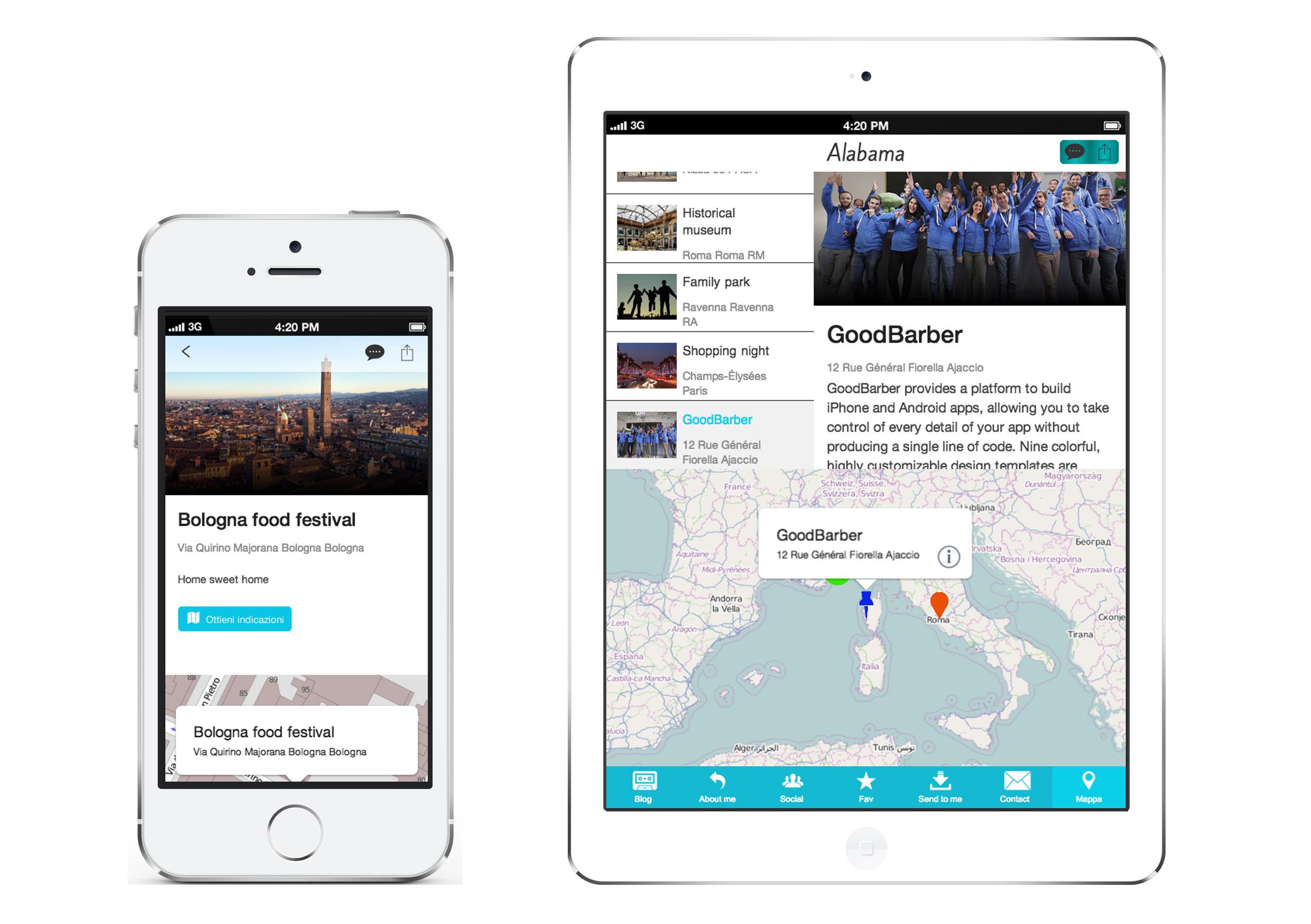
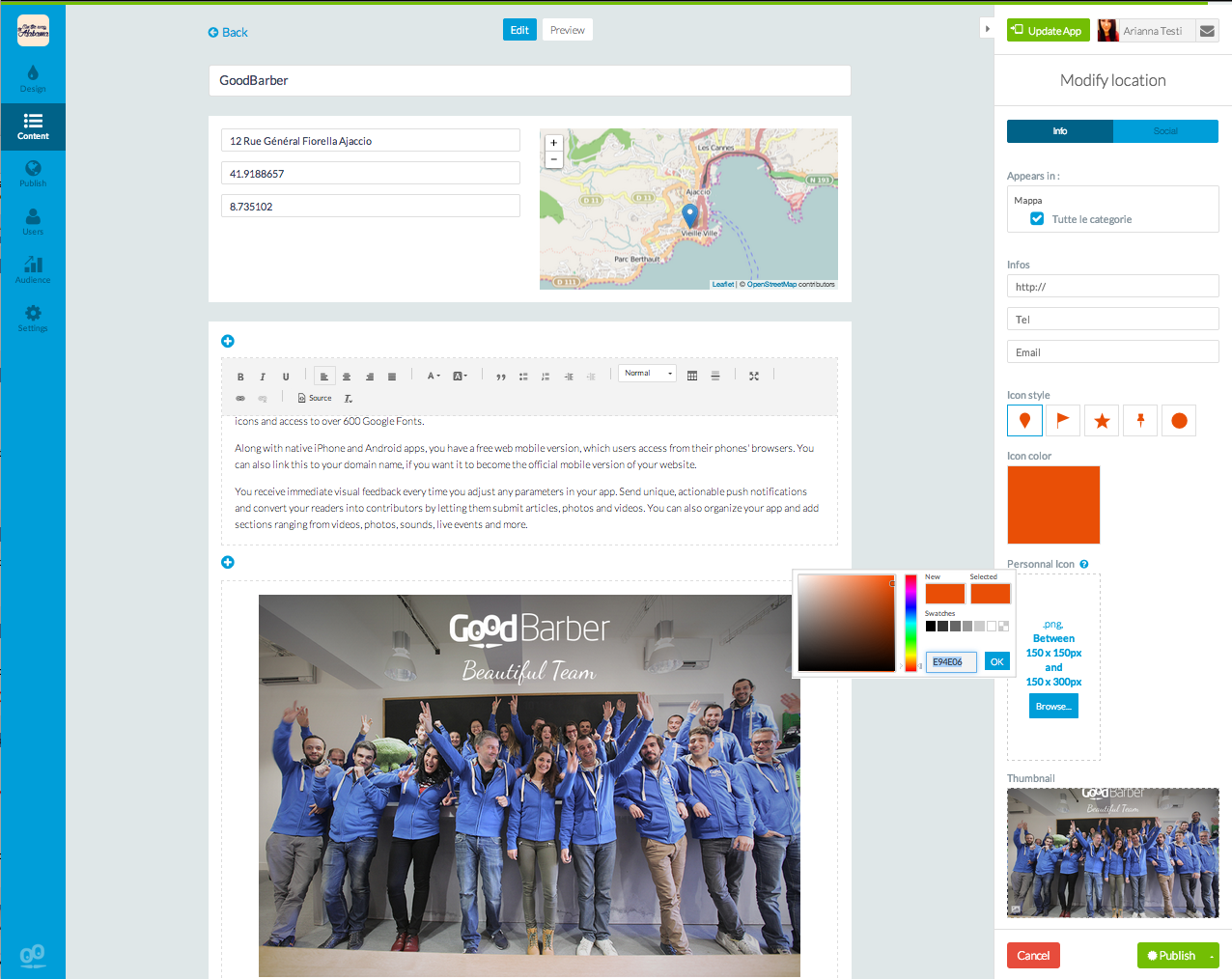
The new map section is an internal CMS section, that enables you to add infinite locations, add not only the addresses but even photos, videos, text, etc… Most important, it’s not anymore necessary the search on Google for the information about latitude and longitude; You can localize a point just entering the address in the correct field.
For each point that you add, you can choose a different icon and give extra informations like the url of a website, a telephone number and an email.
This section has a very special design. You can choose to show first the map or the list of places, and of course are always available all the others tools to customize at maximum your beautiful app.
Enjoy!
Attention: The old map is not anymore available. If you have the old version of the map section, it will keep working in your app, but if you want to add a new one, you will be able to add only the new section.
My GoodBarber app for Android

The My GoodBarber App acts as a mobile extension of your backend you can use it to test your app directly from your phone before even build it, using the sandbox option.
As well as for iOS, inside the my GoodBarber app for Android you will be able to have access to all your project, the statistics, the push notifications, the support and the test tools for the HTML5 and native previews.
Other features:
- Multi-level navigation mode
- Sharing on social networks
- QRcode
- "Click to" section
- CDS + New Server
- New templates for the article and video sections
- iOS 8 Effects
- Rating Pop-up
- Contact Section
- About Section
- E-commerce


