GBTC: Publish your app with easeDiscover GoodBarber Takes Care and simplify the app publication process for both the App Store and Google Play. Let us handle the technical details for you.Learn more about GBTC
It's already been several months since we released the User Authentication Add-On, and many of you didn't waste one minute to activate it.
Recently we have released another Add-On—let's say the daughter of User Authentication: the User Group, that as you well know enables you to divide your user base into groups and manage the access/restriction of the sections.
Now, to anticipate the upcoming release of the new member of this User Family, the Community Add-On, I'm here to show you 3 tools that will help you explore and better manage your Beautiful User Base.
1/. Advanced research
The first tool is the new, more powerful User List menu search engine.
This is a very useful tool, especially when you have a very large user base.
You can do a search by using any text related to the user list and profile. The search engine will look through names, descriptions, emails, etc... no detail will be excluded. It's like the Big Brother :)
2/. Export CSV
Do you need to do a backup of your user base, or to transfer the users of your app into your website database or somewhere else?
The export option will enable you to easily export your user base into a CSV file. It's important to always keep more than one copy of this valuable information.
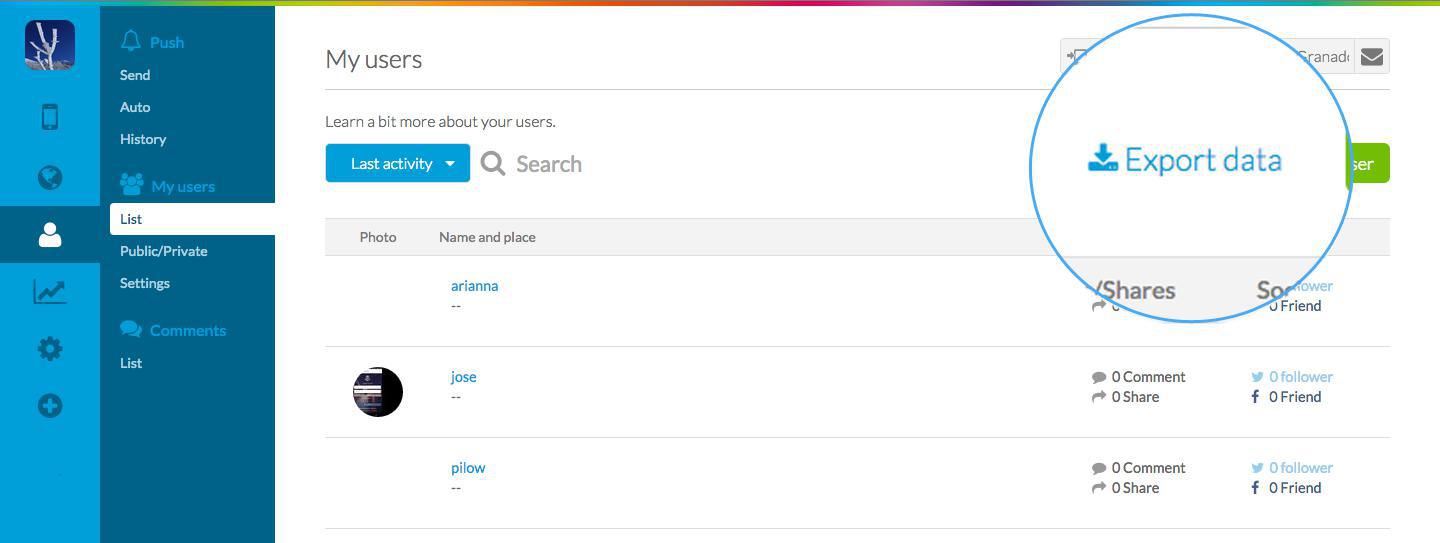
To complete the export you just have to click on Export data, in the menu Users > My Users > List, as shown in the image below :)
3/. Import Users
I can't count the number of you that were asking for this feature...finally it is available!! So, GO!! How?
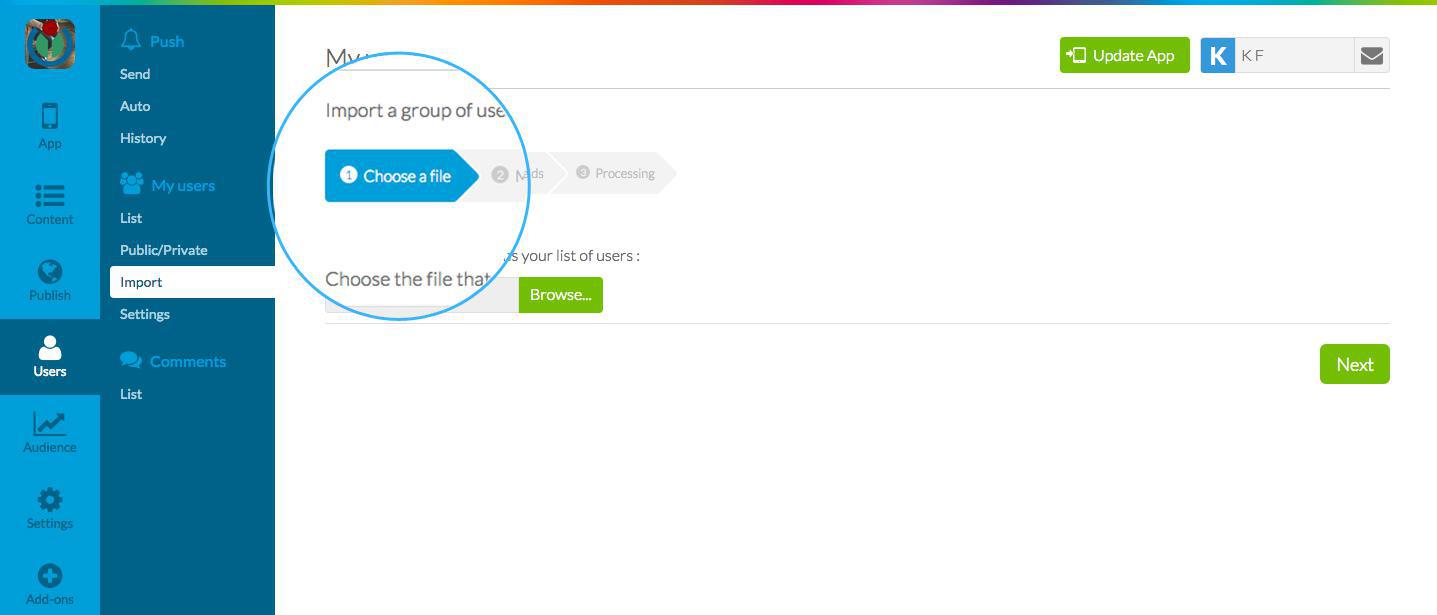
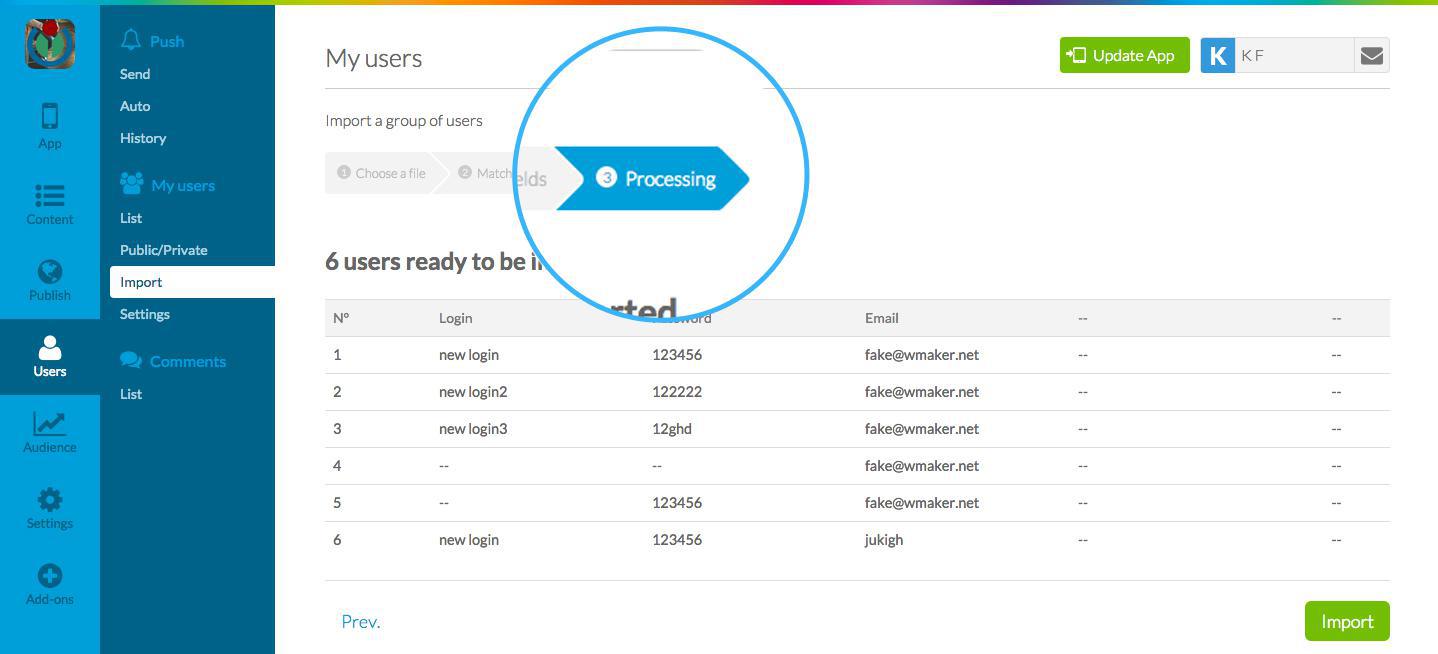
The import menu is activated inside the menu Users > My Users. It consists of a 3 step process:
STEP 1 - Choose the File Choose and import the CSV file with the information about your users.
IMPORTANT: You can only import CSV files.
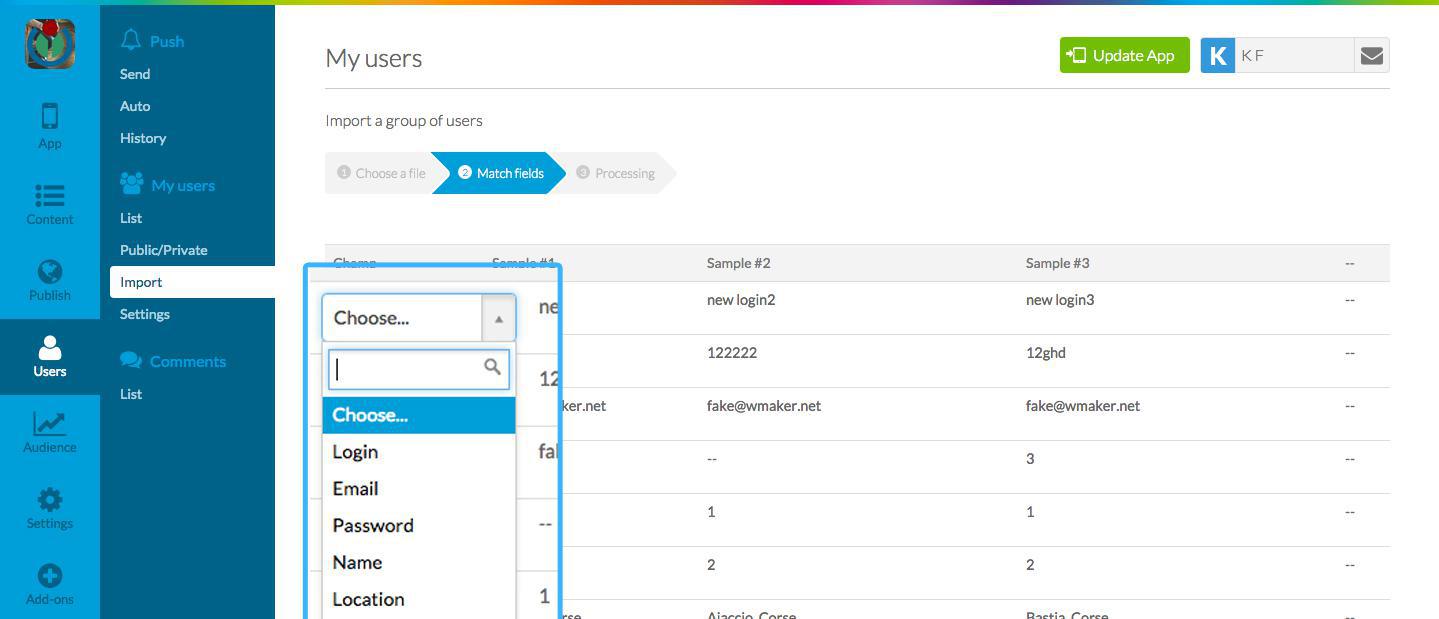
STEP 2 - Match the fields
The information in your CSV file will be displayed inside the GoodBarber back office and you will have to choose the field/information that it corresponds to. Some fields are mandatory, like email and password, so you will be unable to complete the import if you haven't matched the information from the CSV file with this information .
STEP 3 - Processing
The final step concerns checking your information and launching the data import.
The amount of time the system takes depends on the amount of information you want to import. You will receive an email that will alert you when the import has been completed.
Other important information you need to keep in mind is that you can import up to 10,000 users at a time.
When the import is complete, you will find all your new users in the User List menu, and you can start to segment them into groups :)
The only thing I have left to say is: "Try it, and let us know" :)
Five ways lead to a fitness app for your business, and each is priced its own way: a flat plan, an add-on to gym software, per client, per subscriber or quoted. The table below compares what each one costs and the job it is built for.
OpenAI released GPT-6 Sol and GPT-6 Luna on September 22, 2026, after GPT-6 Astra, the flagship of the family, earlier the same month. Luna is the smallest of the three. OpenAI describes it as its most efficient model for focused, high-volume tasks, and sells it at half the price of GPT-5.6 Luna, the model it replaces in OpenAI's own line-up.The next morning, we moved the AI Extension Builder to GPT-6 Luna, for every app, on the four moments where a model is at work: understanding your request, writing the code of the section, rewriting it when you ask for a change, and answering the questions you ask about what it built.
 eCommerce
 Memberships
 RAG Chatbot
 Online Courses
 Bookings
 Travel guide
 Events
 Content Creators
 Pickup & Delivery
 Newspaper
 Radio
Radio Schools
 Faith
Faith Organizations
 Restaurant
 Grocery
 Custom apps
 Employee Communication

 NO CODE APP BUILDER
 TECHNOLOGY
 WHY GOODBARBER?
 Design
 PRODUCT RESOURCES
 TOPICS
 MOBILE APPS RESELLERS
 DISCOVER