GBTC: Publish your app with easeDiscover GoodBarber Takes Care and simplify the app publication process for both the App Store and Google Play. Let us handle the technical details for you.Learn more about GBTC
How to create an Apple developer account? How to Create an Apple ID online? Follow these steps. The Apple developer account and the Apple ID are required to publish an app on the Apple App Store
GoodBarber Team
·Updated · 4 min read
You finished creating your native iOS app and are ready to publish it in the Apple App Store? Once your app is approved by our Review, you are almost set to submit it to Apple. Once last step to finalize: creating your Apple Developer Account. It is mandatory to do so before submitting your app. In this article we will cover all the steps necessary to create your Apple developer account (Apple Developer Program).
How to choose your Apple developer account?
The first thing you probably want to know is the price: the Apple Developer Program costs $99 per membership year. The account can be used to submit more than one application. If you have more than one application to submit, you can use the same developer account. In compliance with the App Store guideline 4.2.6, in order to publish an app on your developer account you must be the app final owner.
Example: for a town hall app, it must be submitted under the town hall Apple developer account . Never under the account of the employee in charge of the project or the app provider.
Depending on your legal status, you can choose between: - Enrolling as an individual. This one suits a personal project just fine. Just pay attention to the fact that your personal name will appear in the "Seller" field in the application profile over on the App Store. OR - Enrolling as an organization. If you are a company / business/ NGO/ association etc., it is advised to use this account. Its advantage is that the name of your company will appear in the App Store instead of yours. Noteworthy point to declare who is the app final owner.
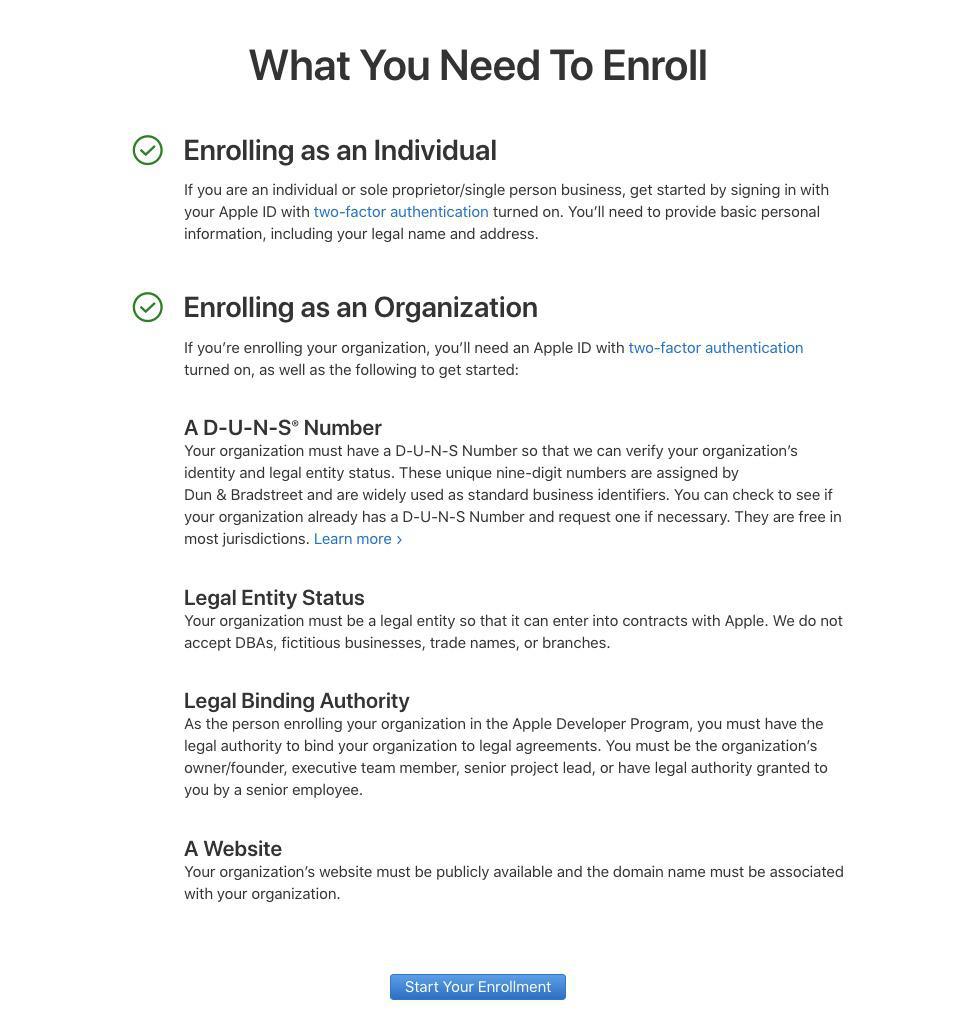
Start your Enrollment : your Apple ID is required
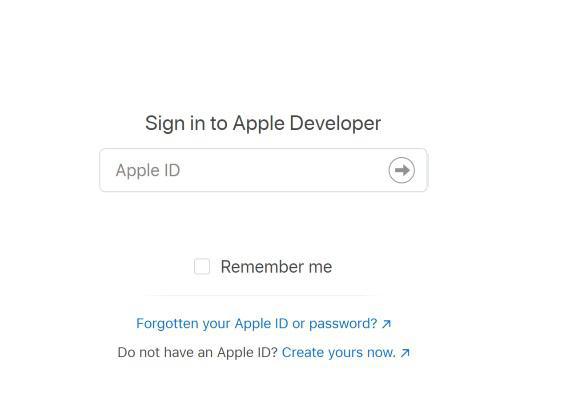
Click on "Start your Enrollment". Enter your Apple ID if you already have one. If not, then you must create an Apple ID
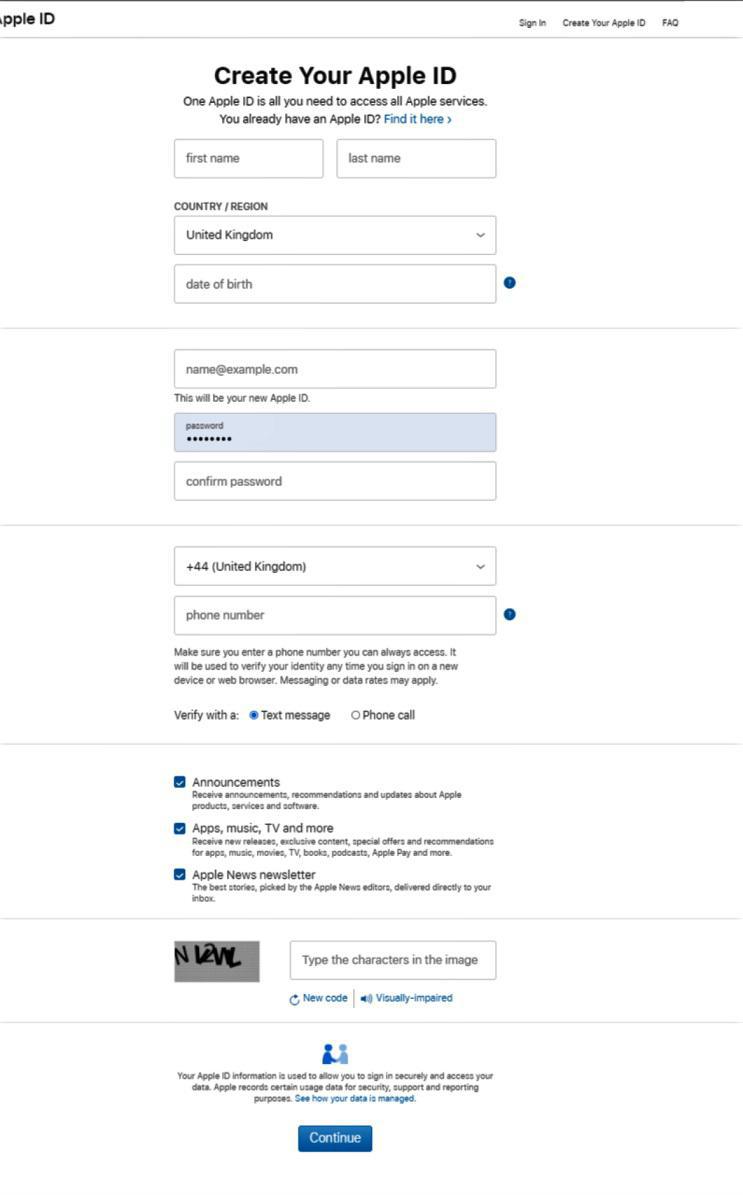
Create your Apple ID
create an Apple ID
On https://developer.apple.com, click on "Account"
Once the Apple ID has been created, you will receive a verification email to validate it. Copy the code received and continue.
You will be asked to log in again, so use the email and password of the Apple ID you have just created.
Finalize Apple Developer Account setup
Log in with your Apple ID to create your Apple Developer Account
Click on "Start your Enrollment" again.
You will arrive on the "Apple Developer Agreement" page. Check the box to confirm that you agree.
Click on "Submit".
On the next screen you will be asked whether you "are enrolling as an individual or organization". Make your choice and follow the steps below to complete your registration (Attention: we detailed the process to enroll as an individual. The organization enrollment is slightly different, as you will have to provide additional information, such as your company's D-U-N-S® Number).
Fill in your Contact Information.
Check the Apple Developer Program License Agreement box.
Review the information provided. Click on "Continue".
Complete your purchase.
A Payment Secure Checkout page will open. Fill in your Payment Method.
Click " Continue"
Follow the instructions provided to confirm your account. You should receive an email confirming your order. It will ask that you verify your email address.
The Apple Developer Program Membership Fee Waiver:
Since the beginning of 2018 , Apple offers the possibility for eligible organizations to register to their Developer Account at no cost. This was limited to a very small number of countries. They have now expanded their list of eligible countries. Eligible countries: Australia, Brazil, Canada, China mainland, France, Germany, Israel, Italy, Japan, Mexico, South Korea, United Kingdom, United States. To be eligible an organization can’t : - Distribute paid apps or apps with in-app purchase on the app Store - Be a member of the Apple Developer Entreprise Program - Be an individual and sole proprietor/ Single person business. This waiver is available for - New members (select the option fee waiver during the enrollment) - Existing members (submit a fee waiver before your membership expiration date).
The short version. Zeffy Events and Zeffy Campaigns are two extensions of GoodBarber, the no-code app builder, that read a nonprofit's campaigns on Zeffy. Zeffy Events fills a Calendar section with upcoming events, one entry per date when an event runs on several dates, each with a button that opens its Zeffy ticketing page in the app. Zeffy Campaigns fills an Article section with donation forms, peer-to-peer fundraisers and memberships: memberships open in the app, donations open in the phone's browser. You connect them with your Zeffy API key. Both are free for Content apps: each section counts as one of the extensions included in your plan.Zeffy says more than 100,000 nonprofits have raised over $2 billion through its platform, in an article published on June 16, 2026. Here is how the two extensions play out for a youth theater company that sells its show and raises funds on Zeffy.
In GoodBarber, each color of your theme plays a role. On one of our apps, changing a single color repainted 95 settings at once, without opening a screen.
The short version. Planning Center is an extension of GoodBarber, the no-code app builder, that fills a Calendar section with the events a church publishes on Church Center over the next six months. Recurring events appear once per date, at their public times, in the church's time zone, with their image, location and description. When an event has a sign-up, a button opens the form in the app. You connect it by signing in with a Planning Center Calendar administrator account: there is no key to copy. It is free for Content apps: each section counts as one of the extensions included in your plan.Many churches already run their calendar in Planning Center: it counts 78,000 active churches and 4 million active users, according to its About page, consulted in October 2026. Here is how the extension plays out for a church with a weekly service and a youth retreat.
 eCommerce
 Memberships
 Chatbot
 Online Courses
 Bookings
 Travel guide
 Events
 Content Creators
 Pickup & Delivery
 Newspaper
 Radio
Radio Schools
 Faith
Faith Organizations
 Restaurant
 Grocery
 Custom apps
 Employee Communication

 NO CODE APP BUILDER
 TECHNOLOGY
 WHY GOODBARBER?
 Design
 PRODUCT RESOURCES
 TOPICS
 MOBILE APPS RESELLERS
 DISCOVER