 eCommerce
 Memberships
 Chatbot
 Online Courses
 Bookings
 Travel guide
 Events
 Content Creators
 Pickup & Delivery
 Newspaper
 Radio
Radio Schools
 Faith
Faith Organizations
 Restaurant
 Grocery
 Custom apps
 Employee Communication

 NO CODE APP BUILDER
 TECHNOLOGY
 WHY GOODBARBER?
 Design
 PRODUCT RESOURCES
 TOPICS
 MOBILE APPS RESELLERS
 DISCOVER
How to create a yoga app for your students without coding

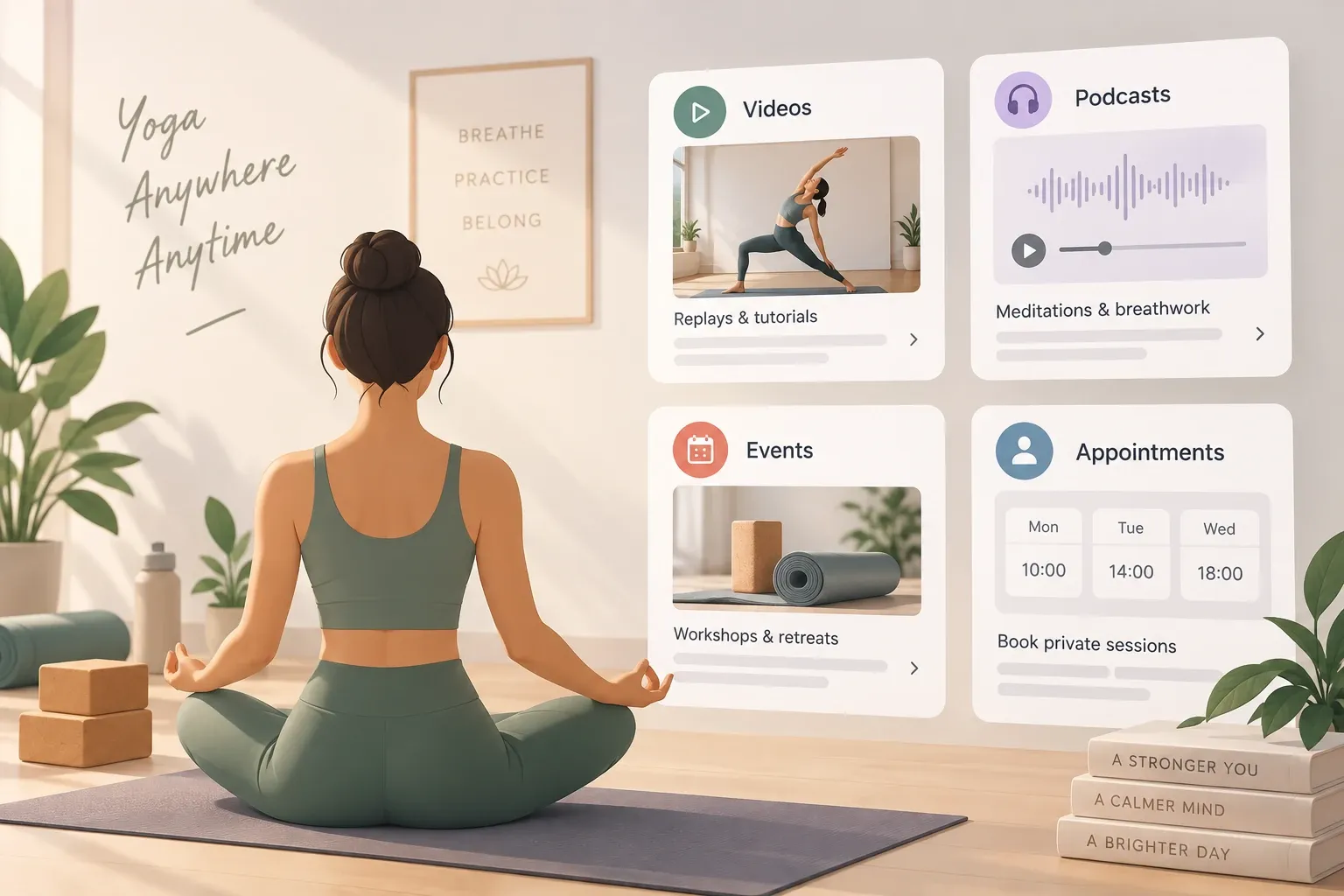
Your classes happen in person. Your app keeps the practice going between them: what to put in it, what you can sell and what it costs.
Yoga teacher or studio: do you need your own app?
Start by splitting the work in two, because the answer follows from it.
Your studio software, or your diary, runs what happens in the room: places in a class, waiting lists, class packs, payment, cancellations. An app runs what happens between two classes: the replay of Tuesday evening, the ten-minute breathing practice, the workshop you announce three weeks ahead, the change of schedule during the holidays.
If your studio software already gives you an app under your own name, look at what it actually covers before adding a second one. Does it host video? Audio? Does it send notifications? Does it look like your studio? If it does all that, stop there. Your students will not install two apps, and the one they open will be the one that holds the class booking. If it only books classes, then its mobile page already does that job, and an app of your own is for everything else.
Your own app earns its place when you teach on your own without heavy software, when you have something new to publish most weeks, when you want the thing to look like your studio rather than a vendor, or when you want to sell a video library by subscription in the app stores.
One case this guide is not for: a consumer yoga app with a posture library, generated sequences and progress tracking. That is a software product, built to order. GoodBarber builds the app of a teacher or a studio, around your own content.
You record Tuesday evening and publish it on Wednesday. The students who missed it catch up, the others practise it again at home. That is the whole idea.
If you are still weighing a site against an app, we wrote a piece on exactly that.
What a yoga app adds between classes
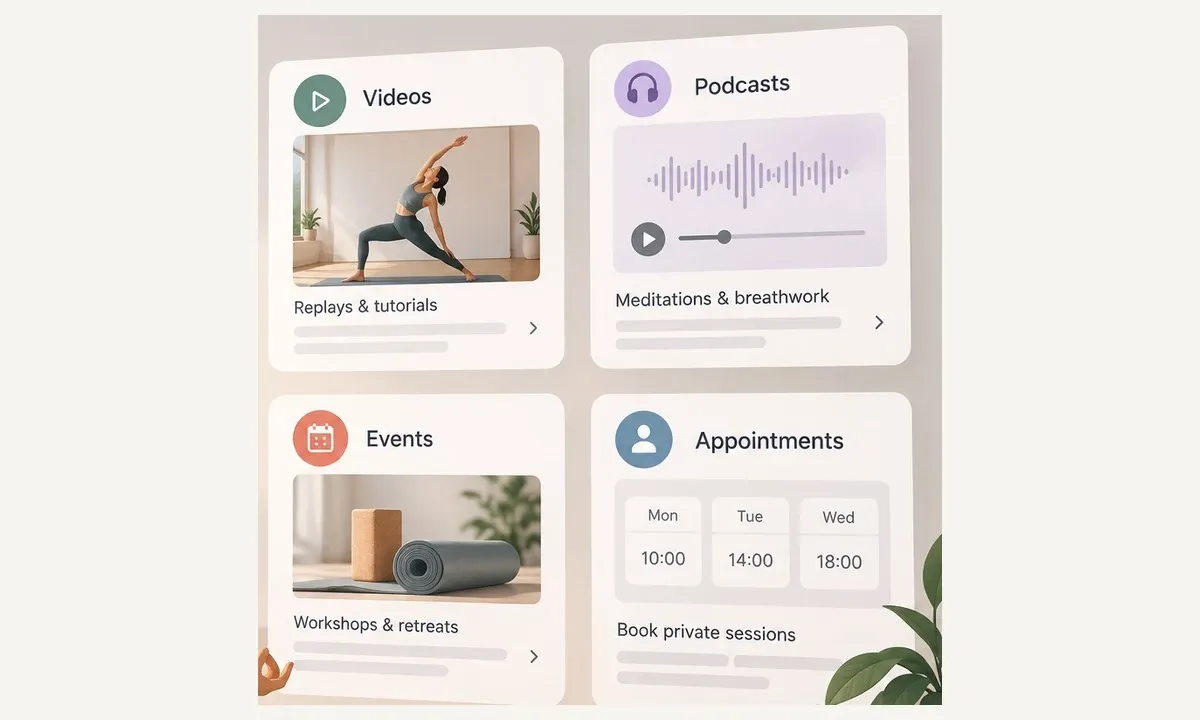
A library of replays and short tutorials
A Videos section takes your own files or an embed code, and you sort them the way your students think: by level, by style, by length. Fifteen minutes before work is not the same product as a ninety-minute Sunday practice. You can prepare a batch and schedule when each one appears.
Two limits worth knowing before you plan. Videos are watched online, not downloaded for the train. And a YouTube section is possible, but it cannot be reserved for subscribers, so anything you intend to sell has to be hosted in your own Videos section. For file sizes and formats, the help centre is the authority, and it changes more often than a blog post.
Meditations and breathing practices to take anywhere
A Podcasts section holds audio: guided meditations, breathing, yoga nidra, a short talk on a theme of the month. In the native apps, audio keeps playing while your student uses another app, an option you switch on in the Privacy Center. And if they save an episode to their favourites, they can listen to it with no connection at all.
Audio is the format students actually use daily. It costs you a microphone and twenty quiet minutes, not a film crew.
Workshops, retreats and schedule changes
An Agenda section carries one event per date, with buttons underneath, including a link to your own registration or ticketing page. It is the right place for a workshop, a retreat, a masterclass, or the week you close.
Two honest limits: the Agenda has no documented recurring event, so a weekly class is entered date by date or lives in your studio software, and an iCal import shows neither past nor recurring events.
Push notifications go out by hand or on a schedule, to the apps and to the web app. From the Premium plan, you can also have a push fire automatically every time you publish a new replay, which is the one notification your students will thank you for.
Private sessions your students can book in the app
This is the only part of your app where booking belongs. The Appointment booking extension builds slots from your opening hours, syncs with your Google Calendar, lets you run one calendar per teacher or per type of session, and sends a confirmation email to you and to your student after every booking.
One rule decides everything here: each slot takes a single booking. It is a one-to-one tool. Private class, trial session, postural assessment: one student, one slot. The session is paid at the studio, not in the app, and we will come back to why the stores require that. The landing page for booking your private yoga sessions goes into the setup.
If most of what you sell is taught online rather than in a room, the guide to building an app for online courses is the closer fit.
Group classes: what your app shows, what your studio software keeps
Every studio software on the market talks about places, waiting lists and class packs. GoodBarber does not do that, and pretending otherwise would waste your month.
So here is the arrangement that works. Keep your studio software for places and packs, and show its schedule inside your app, in one of two ways. Either a URL section that opens your software's schedule page, which needs HTTPS and opens in an embedded browser on the native apps, or one Agenda event per class with a button to that class in your software.
One precaution before you do it. The page you display must sell classes taken in the room. If the same page also sells online courses or videos, your app now contains an external purchase link for digital content, which Apple does not allow outside the United States storefront. Keep the two catalogues apart.
And to be explicit about why Appointment booking is not the answer for group classes: one booking per slot. No places per class, no waiting list, no class pack, no credits, no deposit. The extension takes no payment at all.
There is an advanced route, and it is worth naming rather than hiding: the AI Extension Builder can generate a booking section that writes into your own Supabase database, and the article that documents it uses a yoga studio as its example. It is generated code, to be tested, with no payment and no help centre article behind it. Treat it as a project, not a feature.
Subscription or members' area: choose your app's model
An app follows one model. This is the decision that shapes everything else, so make it before you build.
Model one, the subscription video library. Your students buy a monthly or yearly subscription inside the iOS and Android apps, with their Apple or Google account, and a free trial period is possible. Once subscribed, they can also sign in on the web app. To run it you need the web app switched on and a domain name installed, at least ten pieces of reserved content, and a single level of access: everyone pays the same, everyone sees the same. Non-subscribers can be shown a taste of a piece rather than a locked door. One thing to plan for: reserved content only opens once the stores have approved your app or its update.
Model two, the members' area, free, for the students who already pay you at the studio. Authentication gives you private sections, and you can switch off public sign-up so only your students get in. Put the schedule, the announcements, practical information and studio benefits there. A loyalty card is possible. Nothing is sold in the app.
Now the rule to write on the wall: installing Memberships removes Authentication, User groups, Community, Chat, Loyalty card, Club card and Coupons. The two models do not mix, and no amount of planning changes that.
Which also means the tempting idea, giving free access to replays that your students paid for at the studio, is not a shortcut. Apple only allows content acquired elsewhere to be unlocked in an app when the same content is also sold as an in-app purchase, and Memberships is precisely what you gave up by choosing Authentication. If that is your plan, ask us before you build it.
If you want the general version of this arbitration, we compared a subscription app and a private community. And if you already know you are selling videos, the yoga and pilates membership page shows what that looks like.
What the app stores let you sell in your app
This is where most yoga apps get rejected, so here it is plainly. The reference is Apple's App Review Guidelines, section 3.1 Payments.
| What you sell | Where you sell it | Why |
|---|---|---|
| Your video library, your meditations | In the app, by subscription, through in-app purchase | Digital content and subscriptions go through in-app purchase (3.1.1) |
| A class in the room, a ten-class pack, a private session at the studio | In your studio software, or at the desk. Never in-app purchase | A service consumed outside the app must be paid outside in-app purchase (3.1.3(e)) |
| A live group class online | Keep it free in the app, or sell it outside the app with no purchase link from the app | A one-to-many real-time service requires in-app purchase (3.1.3(d)), and an external purchase link is not allowed outside the United States storefront (3.1.1) |
| A one-to-one live session | Another payment method is allowed. GoodBarber has no video calling, so it is sold outside the app anyway | One-to-one real-time services (3.1.3(d)) |
In practice: sell the video library inside the app, sell room classes and packs in your software or at the desk, and do not build a single "studio plus videos" subscription through in-app purchase.
On commission, the honest version. Apple and Google take theirs on in-app subscriptions, 15% in most cases, and Apple takes 30% during a subscriber's first year unless you are in its small business programme. GoodBarber takes nothing.
How to create a yoga app without coding: the steps
- Pick one first use. This week's replays, for the students you already teach. Not the whole app.
- Choose your model, from the section above. If it is subscription, switch on the web app and install a domain name first, because both are prerequisites.
- Build the structure. Home, Replays as a Videos section, Meditations as Podcasts, Workshops as an Agenda, Private sessions as Appointment booking, Schedule as a URL section pointing at your studio software, and Practical information.
- Give it the studio's identity. Layouts, colours, typography. This is the part your students notice first and the part a generic booking app never gives you.
- Load the first content, sorted by level, style and length, with publication dates scheduled. For the subscription model, prepare at least ten reserved pieces.
- Set the notifications. An automatic push on every new replay, a scheduled push for the workshop.
- Test on your own phone with the My GoodBarber app. One caveat: the subscription flow cannot be tested in the back office preview or in My GoodBarber, only on generated test builds.
- Publish. The web app first, then the App Store and Google Play, either with developer accounts in your own name or through GoodBarber's publishing service, which also sets the subscriptions up on the stores. If your Google Play account is a personal one, plan for a closed test with twelve testers over fourteen days before your first release. And remember that subscriber content opens only after store approval.
- Announce it in class. A QR code on the studio wall, pointing at the web app or the stores, does more than any ad you could buy.
Web app, iOS and Android: what to publish?
The web app opens in a browser with no download, and installs on the home screen. Web push works on iPhone once the app is on the home screen. The native apps are what you need to sell a subscription, so the model decides the answer more than the budget does. Worth knowing before you pick a plan: the Standard plan publishes the web app alone, without Appointment booking, Memberships, Authentication or automatic push.
How much does a yoga app cost?
Figures read live from GoodBarber's pricing on September 18, 2026, yearly billing, list prices.
| Your app | Plan and extensions | Per year |
|---|---|---|
| Web app only, public content, manual push | Standard | $360 |
| Members' area and private sessions, native plus web app | Premium $660 + Authentication $120 + Appointment booking $150 | $930 |
| Subscription video library, native plus web app | Premium $660 + Memberships $490 | $1,150 |
| Both, subscription library and private sessions | Pro, both included | $1,260, against $1,300 on Premium with the two extensions |
On top of that, the store fees: an Apple Developer account at $99 a year and Google Play at $25 once. Then the store commission on your subscriptions, and nothing for GoodBarber.
Depending on your model, add a domain name for the subscription model, User groups at $50 a year if you want several separate member spaces, and the Loyalty card at $80 a year, which stays billed even on Pro. If you would rather not deal with the stores, the publishing service is $50 for five credits, one credit per successful submission. Your studio software, of course, keeps its own cost.
Monthly billing exists too, at $70 for Premium and $135 for Pro, and costs roughly two months more over a year. Full details are on the Content Apps pricing page.
Start with this week's replays
One section, three videos, one notification. That is a first version, and it is enough to find out whether your students open it. Add the workshops next month, the private sessions after that.
If you are heading for the subscription model, prepare your ten pieces of content before you reserve anything, and count the store review into your launch date.
Start for free: create your Replays section and publish your last three classes during the 30-day free trial, no credit card required.
FAQ
Does my yoga studio need its own app?
Yes, if you have something to give your students between classes: replays, meditations, announcements, a members' area. For booking group classes alone, the mobile page of your studio software already does the job, and your students will not install a second app for it.
My studio software already offers an app. Do I need another one?
Check what it covers first: video, audio, notifications, and whether it looks like your studio. Your own app earns its place when you publish rich content under your own identity, or when you want to sell a video library by subscription. If the one you have does both, one app is enough.
Can you create a yoga app without knowing how to code?
Yes. You assemble sections from the back office, videos, audio, agenda, private sessions, then publish the web app and the iOS and Android apps. A consumer app with a sequence generator and progress tracking is a different thing, built to order.
Can I sell my yoga videos in the app?
Yes, through a monthly or yearly subscription bought inside the iOS and Android apps, which is what Apple requires for digital content. Plan for at least ten reserved pieces, know that the app then gives up Authentication and the loyalty card, and that the stores take their commission while GoodBarber takes none.
How do I handle group classes and class packs with the app?
Show your studio software's schedule inside the app and sell the packs in that software or at the desk: Apple requires payment outside in-app purchase for a class taken in the room. Appointment booking, which takes one student per slot, is for private sessions.
Do my students have to download an app?
Not for free content: the web app opens in a browser and installs on the home screen. Buying a subscription, on the other hand, happens in the iOS and Android apps.
Can I stream a live yoga class in the app?
Yes, as a one-way broadcast and free to watch: the Live Video section plays the stream from your streaming provider, and it is not video calling. A live stream cannot be reserved for subscribers, and Apple requires in-app purchase for a paid live group class, so keep it free in the app or sell it outside the app with no link from the app.
How much does a yoga app cost?
An app on iOS and Android starts with the Premium plan at $660 a year. A members' area with private sessions comes to $930 a year, a subscription video library to $1,150, and both together to $1,260 on the Pro plan. Add Apple at $99 a year, Google Play at $25 once, and a domain name for the subscription model.


