GBTC: Publish your app with easeDiscover GoodBarber Takes Care and simplify the app publication process for both the App Store and Google Play. Let us handle the technical details for you.Learn more about GBTC
Satispay now available in your GoodBarber app thanks to Stripe Extended
Paul-François Simoni
·Updated · 2 min read
The payment stage is often the most sensitive part of the online purchasing process. It's here that hesitations arise and cart abandonments multiply. The reason for this? Every customer has their own habits and preferences, and if their preferred payment method isn't available, they're likely to abandon their purchase.
For retailers targeting the Italian market, this is a particularly concrete reality. Offering the right payment solutions, the ones your customers use every day, is not a detail: it's a direct conversion lever. The eCommerce apps created with GoodBarber already integrate a wide choice of payment methods, to meet the most common uses.
This offer is regularly enriched, to keep pace with changing habits and enable everyone to adopt the solutions preferred by their customers. Today, Satispay joins the list - a new option available thanks to the Stripe Extended extension.
Available via Stripe Extended
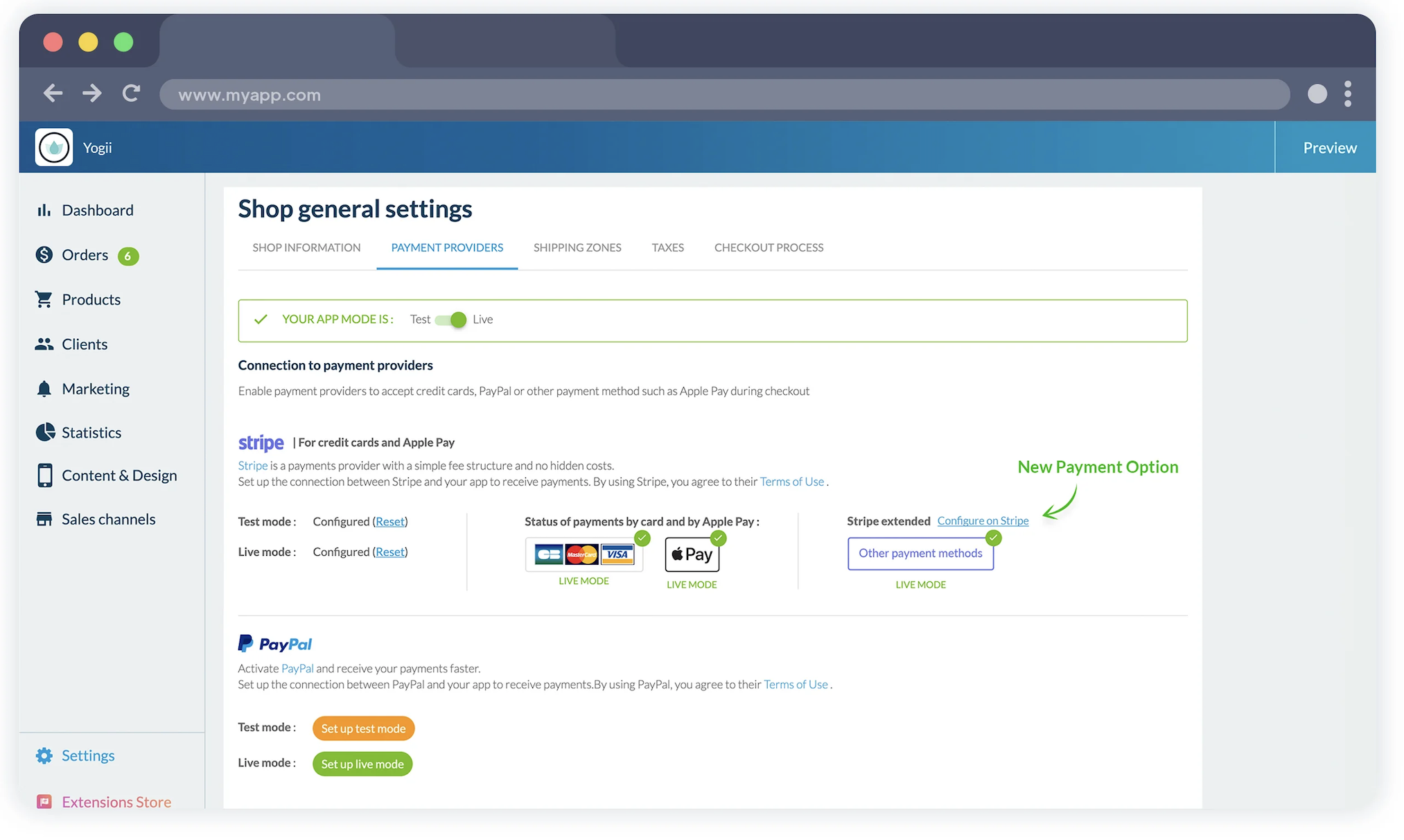
Satispay is available in your GoodBarber eCommerce app via the Stripe Extended extension. As a reminder, Stripe Extended gives you access to some of the services offered by Stripe beyond the classic credit card payment. Options already available include iDeal, Bancontact, Giropay, Klarna, Alipay, Alma, BLIK, Revolut Pay, TWINT, WeChat Pay and many others.
Satispay completes this range, alongside the classic payment methods already available on your app: payment by credit card (via Stripe), payment via PayPal, as well as offline payment.
In this way, you have a complete set of options, covering global solutions, local preferences and traditional payments, to reduce friction at checkout and maximize your conversions.
How do you activate Satispay in your application?
Satispay integration is based on Stripe. The first step is to connect your Stripe account to your GoodBarber eCommerce app, if you haven't already done so. Once this configuration is in place, you need to activate the Stripe Extended extension in the GoodBarber Extension Store.
You can then activate Satispay directly in your Stripe interface, by selecting this method from the available options.
As soon as your choices are saved, they are automatically available in your app's checkout process. Your customers see the new options and can pay for their order using the payment method they're most familiar with.
Five ways lead to a fitness app for your business, and each is priced its own way: a flat plan, an add-on to gym software, per client, per subscriber or quoted. The table below compares what each one costs and the job it is built for.
OpenAI released GPT-6 Sol and GPT-6 Luna on September 22, 2026, after GPT-6 Astra, the flagship of the family, earlier the same month. Luna is the smallest of the three. OpenAI describes it as its most efficient model for focused, high-volume tasks, and sells it at half the price of GPT-5.6 Luna, the model it replaces in OpenAI's own line-up.The next morning, we moved the AI Extension Builder to GPT-6 Luna, for every app, on the four moments where a model is at work: understanding your request, writing the code of the section, rewriting it when you ask for a change, and answering the questions you ask about what it built.
 eCommerce
 Memberships
 RAG Chatbot
 Online Courses
 Bookings
 Travel guide
 Events
 Content Creators
 Pickup & Delivery
 Newspaper
 Radio
Radio Schools
 Faith
Faith Organizations
 Restaurant
 Grocery
 Custom apps
 Employee Communication

 NO CODE APP BUILDER
 TECHNOLOGY
 WHY GOODBARBER?
 Design
 PRODUCT RESOURCES
 TOPICS
 MOBILE APPS RESELLERS
 DISCOVER