 eCommerce
 Memberships
 Chatbot
 Online Courses
 Bookings
 Travel guide
 Events
 Content Creators
 Pickup & Delivery
 Newspaper
 Radio
Radio Schools
 Faith
Faith Organizations
 Restaurant
 Grocery
 Custom apps
 Employee Communication

 NO CODE APP BUILDER
 TECHNOLOGY
 WHY GOODBARBER?
 Design
 PRODUCT RESOURCES
 TOPICS
 MOBILE APPS RESELLERS
 DISCOVER
Siri Actions: ask your GoodBarber iOS app for its latest article or video
Siri Actions now answers two new questions: the latest article and the latest video in a section of a GoodBarber iOS app. Siri names the item and offers to open it by voice. They reach every app with its next store update.


From a question to the article, by voice
Siri Actions is the set of questions a GoodBarber iOS app answers out loud, for newspapers, radio stations, schools, organizations and any app that publishes content. Its first question, "What's new", gives an overview of your home screen. When we launched it in September 2026, we said the next one would be the latest article in a section. Here it is, and the latest video comes with it. Each goes straight to one item and offers to open it. Your audience goes from a question to the article in a single conversation, without searching for it.
What your audience can say
- "What's the latest article on [your app]?"
- "What's the latest video on [your app]?"
- "Latest from [section] on [your app]"
Close wordings work too, such as "What's the latest article from [section]…" or "Show me the latest video on…". The section names are your own: if a section is called "Match Reports" in your back-office, that is what your audience says. The questions work in English, French, Italian, German, Spanish, Portuguese, Dutch and Arabic, in the language Siri is set to.
How Siri answers
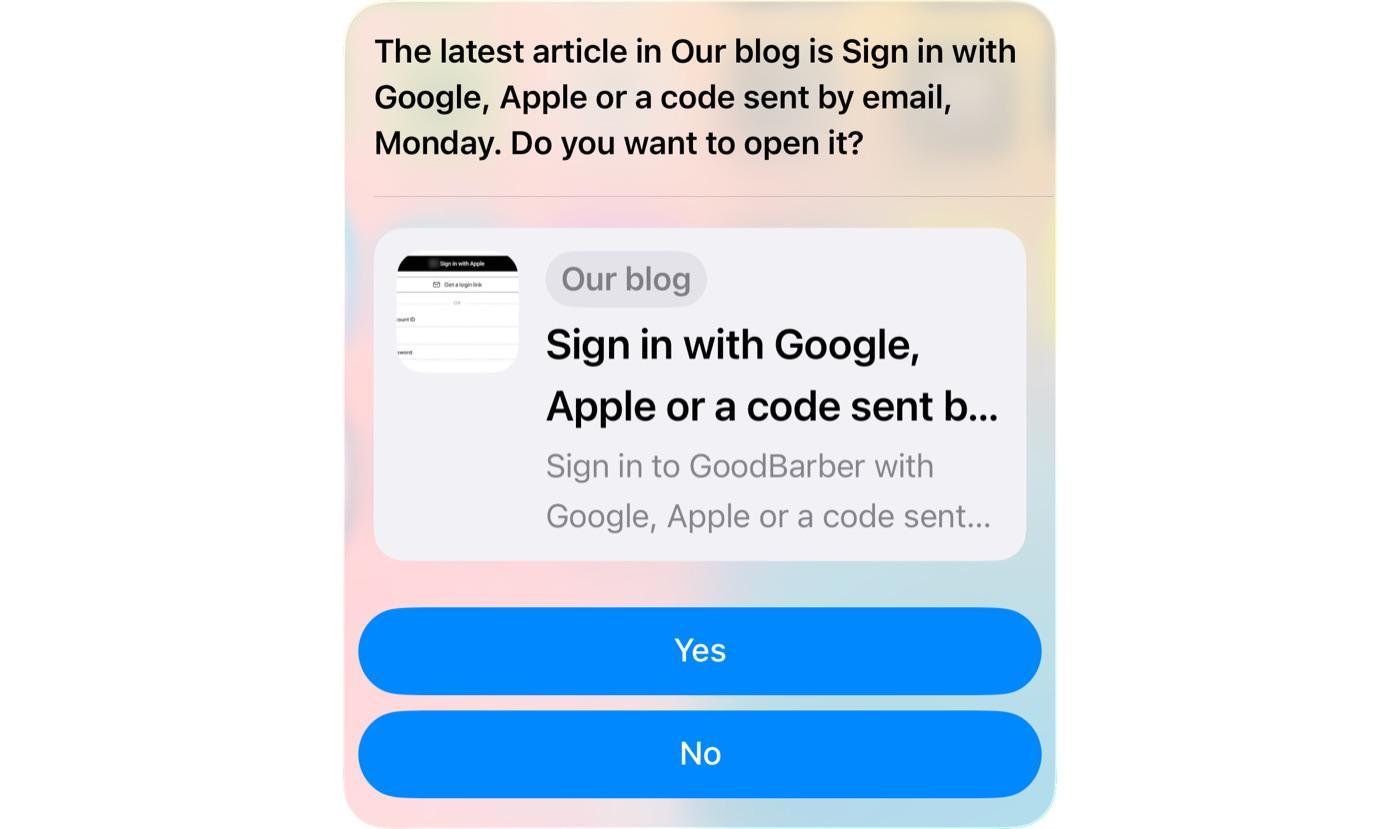
Here is a full exchange, for a news app called City News with a section called Sports:
Reader: "Hey Siri, what's the latest article from Sports on City News?"
Siri: "The latest article in Sports is United win the derby in extra time, 2 hours ago. Do you want to open it?"
Reader: "Yes."
A yes opens the article in the app; a no ends there.
If your app has several sections
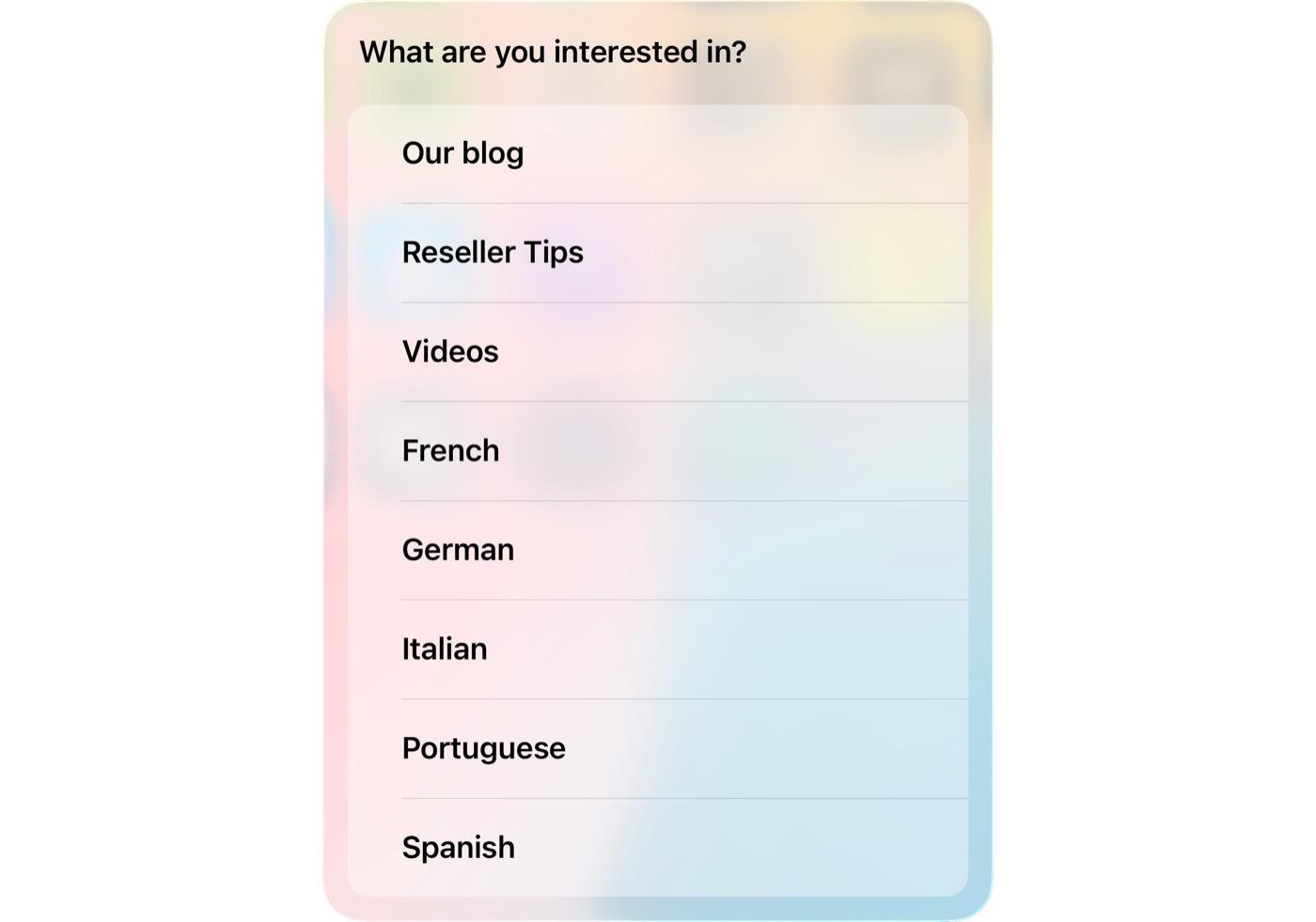
When someone asks for the latest article without naming a section, and your app has several article sections, Siri asks "What are you interested in?" and lists them. The person says one or taps it. If they name a section Siri does not recognise, it asks which one they meant and shows the list. With a single article section, Siri answers straight away. With none, it says your app has no articles. Videos work the same way.
Which content it covers: articles and videos
These two questions cover articles and videos, in any GoodBarber app that publishes them, whatever it is about. Live video is left out, because a live stream has no latest item to name. Podcasts, photos, events and map points are not part of it yet. For a section split into categories, Siri reads the first category for now. Subscriber-only content is named like the rest, with a lock before its title on the card, as in your app. Reading it still requires the subscription.
Availability and requirements
Both questions are built into the native iOS engine behind every GoodBarber app, as App Shortcuts on Apple's App Intents framework, the same way as "What's new". It is part of the subscription you already pay, and it needs nothing from your Apple Developer account. It works on iPhone and iPad running iOS 17 or iPadOS 17 or later; Siri is an Apple technology, so your Android app is unchanged.
App Shortcuts are compiled into the app, so each app gets Siri Actions with its next store update. We chose to stay native so that your app can use what iPhone and iPad offer, and Siri is one of those things. Siri Actions sits alongside the other AI features of GoodBarber. We announce each release on our Updates & Releases page.
Next: podcasts, then events
Podcasts are next: "What are the latest episodes on [your app]?". Events will follow with a question of their own, closer to "What's on this weekend?", because an event is about when it happens, not when it was published.
The phrases are the part we cannot finish alone. What your audience says to their phone will differ from what we guessed, and that is what we most want back from you.
To hear it now, install GoodBarber News on your iPhone or iPad and ask "What's the latest article on GB News?". GB News is the app's name on the home screen, and the name Siri listens for. If you do not have an app yet, start a free trial and build a first version of your app.
Frequently asked questions about Siri Actions
Do I have to do anything to get it in my app?
No. It arrives with your app's next store update, and your section names are used as they are.
Which languages does Siri Actions support?
English, French, Italian, German, Spanish, Portuguese, Dutch and Arabic. Siri answers in the language it is set to.
Can Siri open the article by voice?
Yes. After naming the latest article or video, Siri asks "Do you want to open it?". A yes opens it in your app.
What happens if my app has several article sections?
Siri asks which one you mean and lists them, unless the question names it: "What's the latest article from [section] on [your app]?". With a single article section, Siri answers straight away.
Can Siri name subscriber-only articles?
Yes. Subscriber-only articles and videos are named like the rest, with a lock before their title on the card, as in your app. Opening them still requires the subscription.
Does it work with live video or podcasts?
Not yet. Live video is left out because a live stream has no latest item to name. Podcasts are next.
What is the difference between "What's new" and "Latest article"?
"What's new" gives an overview: a short list from your app's home screen. "Latest article" and "Latest video" give one item from one section, and Siri offers to open it. The two work side by side.
Is Siri Actions the same as the GoodBarber MCP server?
No. Siri Actions lets your audience ask your app a question by voice. The GoodBarber MCP server, launched in May 2026, lets you, the app owner, operate your app from an AI assistant such as Claude or ChatGPT.
Does Siri Actions work on Android?
No. Siri and App Intents are Apple technologies, so Siri Actions works on iPhone and iPad running iOS 17 or iPadOS 17 or later. Your Android app is unchanged.


