 eCommerce
 Memberships
 Chatbot
 Online Courses
 Bookings
 Travel guide
 Events
 Content Creators
 Pickup & Delivery
 Newspaper
 Radio
Radio Schools
 Faith
Faith Organizations
 Restaurant
 Grocery
 Custom apps
 Employee Communication

 NO CODE APP BUILDER
 TECHNOLOGY
 WHY GOODBARBER?
 Design
 PRODUCT RESOURCES
 TOPICS
 MOBILE APPS RESELLERS
 DISCOVER

AI Extension Builder
 Built by GoodBarber
Create customized sections by describing what you want
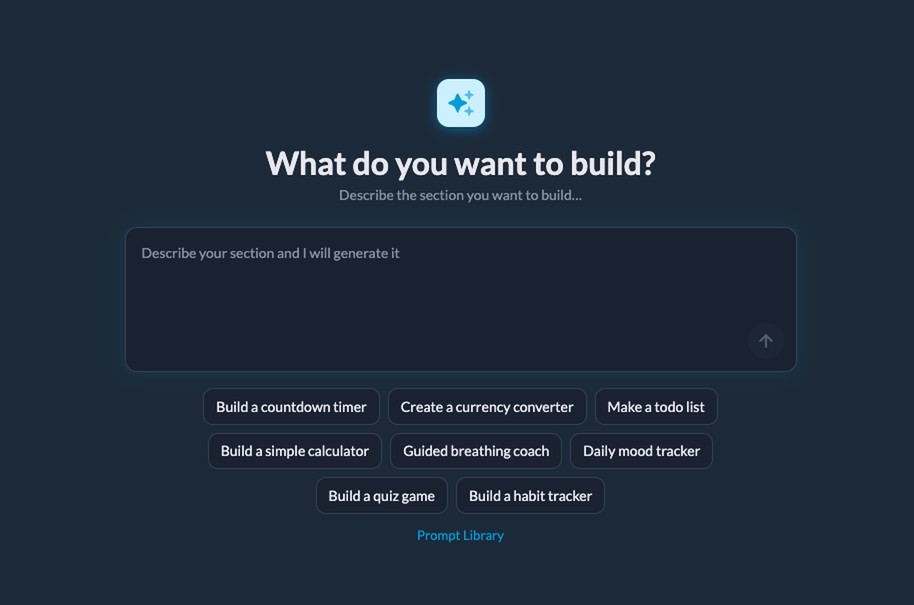
With AI Extension Builder, describe the functionality you need in natural language, and an AI agent generates the code, integrates it into your app and displays the result in real time.
You don't need to know how to code. You don't need to hire a developer. You describe, the agent builds.
Refine your results with conversation
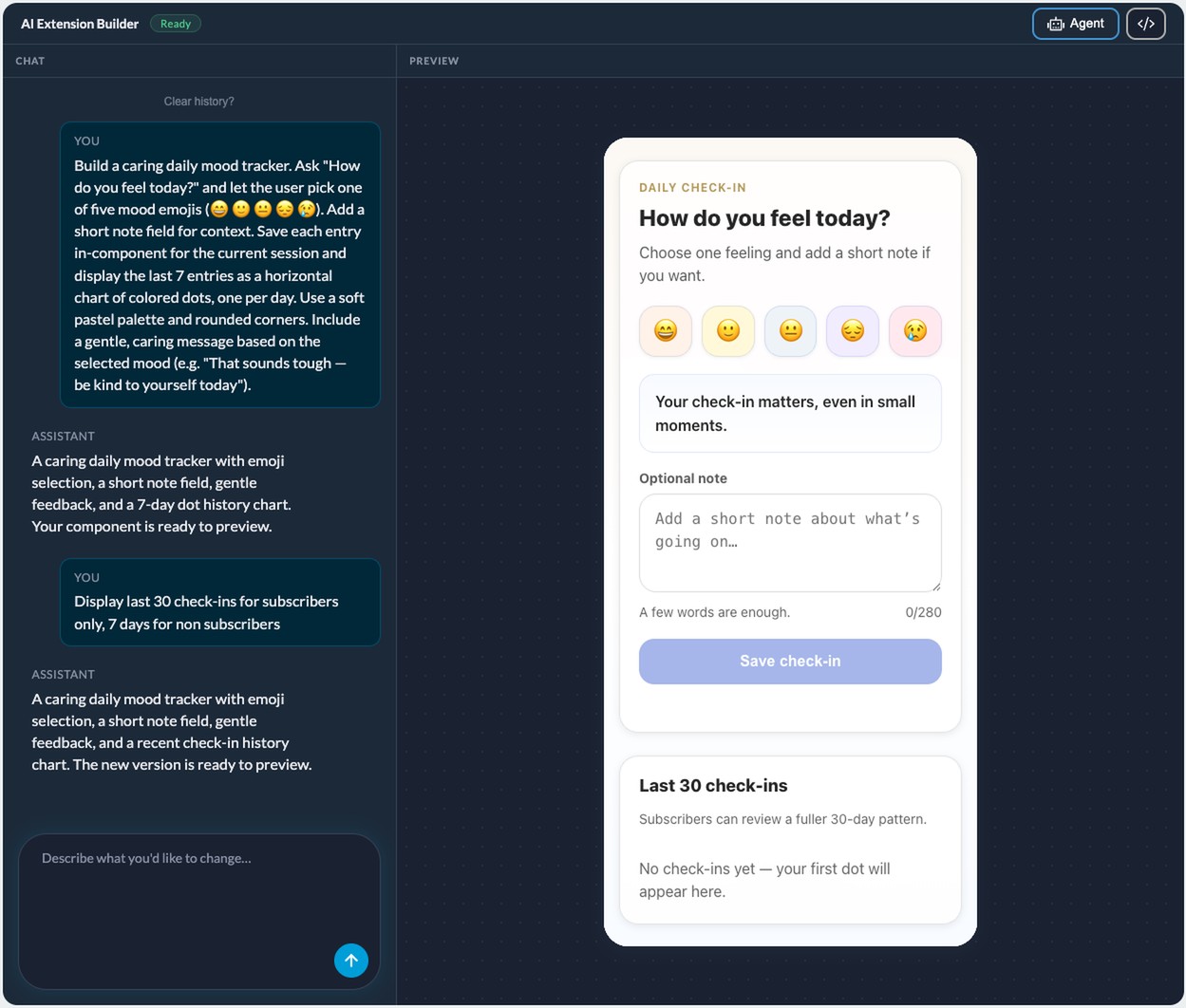
Creation doesn't stop with the first result. You dialogue with the agent to adjust the rendering: reposition an element, change colors, modify a size, add a behavior. Each request regenerates the section. The process resembles a conversation with a developer - except that he responds within seconds.
If you understand the code, you can also manually edit the generated files from your back office. Both approaches can be combined.
Access the same APIs as developers
The agent doesn't work in a limited sandbox. It uses GoodBarber's public APIs (the same ones developers use to create Custom Code sections). In concrete terms, this enables the creation of AI-generated sections that can :
 Store data locally on the device, available even offline
- Associate data by user, thanks to the authentication system
- Adapt content according to subscription status (free or premium)
- Query geolocation and open Apple Maps or Google Maps
- Trigger native sharing and system alerts
- Detect network connectivity
- Automatically apply your app's global style (typography, colors, spacing)
Don't start from scratch
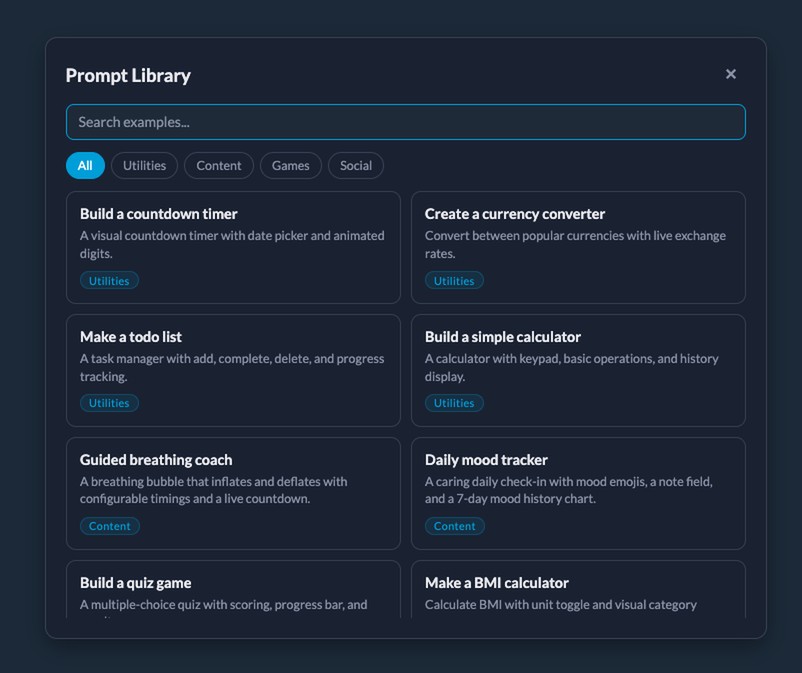
Don't know what to ask the agent? The integrated prompt library offers you concrete starting points: Pomodoro timer, weekly habit tracker, parking memo with GPS launch, recipe book with portion adjustment. Each prompt is a working model that you can use as is or adapt to your own context.
It's also a way of learning. By observing how a prompt is formulated and what the agent produces, you quickly understand how to describe your own ideas.
A section to match your app
Sections created with AI Extension Builder are not isolated elements. They integrate like any other section of your app: they inherit the global design system (fonts, colors, contrasts), work with the user authentication system and respect the subscription levels defined in your app.
Add the "Create with AI" section from your back office, describe your idea, and publish.
For concrete examples of what the agent can produce, see our article AI Extension Builder: creating sections with AI without coding.


