 eCommerce
 Memberships
 Chatbot
 Online Courses
 Bookings
 Travel guide
 Events
 Content Creators
 Pickup & Delivery
 Newspaper
 Radio
Radio Schools
 Faith
Faith Organizations
 Restaurant
 Grocery
 Custom apps
 Employee Communication

 NO CODE APP BUILDER
 TECHNOLOGY
 WHY GOODBARBER?
 Design
 PRODUCT RESOURCES
 TOPICS
 MOBILE APPS RESELLERS
 DISCOVER
10 Best No-Code App Builders for Beginners
We independently tested 10 no-code app builders and explain which one is best for each type of beginner. How easy they are for a total beginner and whether you actually get a real, publishable app at the end.
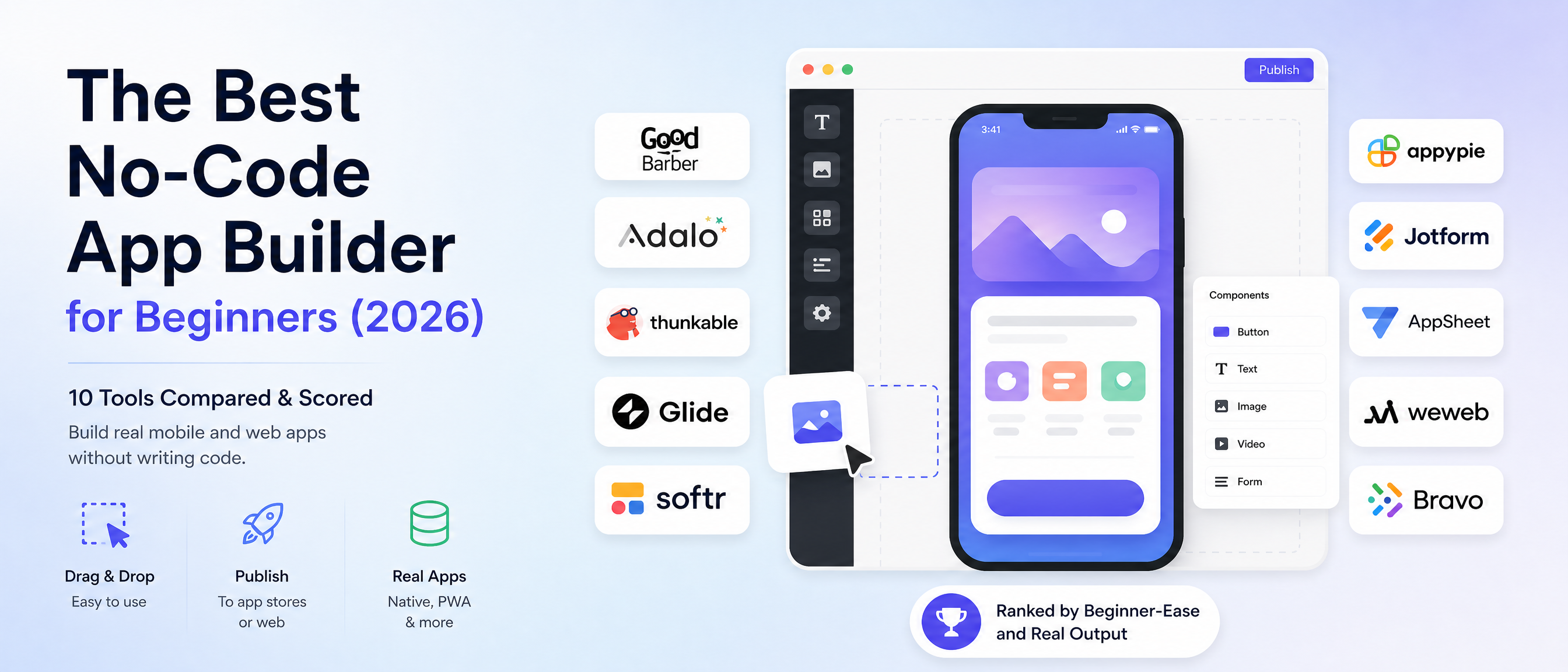
We considered 40+ no-code app builders before selecting the 10 evaluated here — narrowing a longlist by beginner-accessibility, whether the tool ships a real publishable app (not just a prototype), and enough of a track record to recommend. Website-only builders, developer-first low-code platforms, and internal-only tools were set aside (see the out-of-scope matrix). Scores are our own structured assessment against vendor documentation and public product information, verified as of August 2026.
Editorial independence: this comparison is published by GoodBarber, one of the products ranked, so we have a commercial interest in the outcome. Every platform is scored on the same two criteria; GoodBarber's own product figures are labelled as company-reported, and we include independent third-party ratings (G2 / Capterra) in the Sources section so you can weigh our assessment against outside evidence.
The short answer
For beginners who want a native app they can publish to the App Store and Google Play, our top pick is GoodBarber (blended 9.0/10) — the easiest route that still ends in a real, publishable native app; Adalo (8.5) and Thunkable / Appy Pie (8.0) are the closest runners-up. If you don't need a native store app, Glide, Softr or Jotform are easier — and cheaper.
A no-code app builder lets you build a working mobile or web app by dragging blocks, editing templates, and clicking publish — no programming at all. For a beginner in 2026, the question isn't just "which one is easiest?" It's "which one is easy and hands me a real app I can actually publish?" — because the two rarely come together.
So we scored every platform on two axes: beginner-ease (how fast a non-coder gets from sign-up to a working app) and production output (do you get a genuine, publishable native app or Progressive Web App (PWA), or a web page / internal tool that stops short of the app stores). The blended score is the equal-weight average.
- Best overall (easy + a real, store-ready app)GoodBarber — 9.0
- Best visual builder for non-developersAdalo — 8.5
- Best free, block-based mobile builderThunkable — 8.0
- Lowest entry price for a store app (of the 10)Appy Pie — 8.0
- Easiest to start (spreadsheet → app)Glide — 7.75
- Near-zero learning curve for web apps & portalsSoftr — 7.75
- Simplest starting point (form → app)Jotform Apps — 7.5
- Internal / business apps in Google WorkspaceAppSheet — 6.75
- Scalable web front-end (needs a backend)WeWeb — 6.75
- Figma design → real native appBravo Studio — 6.25
Every one of the ten is beginner-friendly in its own lane — the trade-off is always how easy it is versus how real the output is. Here's the full table and the reasoning behind every score.
What is a no-code platform?
A no-code platform is software that lets you build applications entirely through a visual interface — drag-and-drop components, ready-made templates, and point-and-click settings — instead of writing code.
You assemble screens, data, and logic the way you'd design a slide deck, and the platform generates the working app behind the scenes. In practice, a no-code app builder gives a beginner four things: a visual editor (drag-and-drop, no syntax), templates to start from instead of a blank page, increasingly an AI assist that drafts screens or content from a prompt, and one-click publishing to the web, the App Store, or Google Play.
Definition — No-code: a development approach that produces working software entirely through a visual interface, requiring zero programming, aimed at non-technical users.
Definition — Low-code: a development approach that is mostly visual but still expects some hand-written code for custom logic, aimed at developers who want to move faster.
Definition — Traditional development: writing an app in source code (Swift, Kotlin, JavaScript…), which offers unlimited flexibility at the cost of time, skill, and money.
If you've never written a line of code, you want no-code. Here's how the three compare:
| Approach | Who it's for | Coding required | Typical output | Time to first app |
|---|---|---|---|---|
| No-code | Non-technical founders, SMBs, creators | None | Native app, PWA, or web app | Hours to days |
| Low-code | Developers, technical teams | Some (custom logic) | Custom web/mobile apps | Days to weeks |
| Traditional | Professional developers | All of it | Anything | Weeks to months |
Every tool below is genuinely no-code (WeWeb edges toward low-code because it needs a connected backend, flagged where relevant).
The 10 best no-code app builders for beginners in 2026, ranked
| # | Platform | Beginner-ease | Production output | Blended | Output type |
|---|---|---|---|---|---|
| 1 | GoodBarber | 8.5 | 9.5 | 9.0 | Native iOS + Android + PWA |
| 2 | Adalo | 8.5 | 8.5 | 8.5 | Native iOS + Android |
| 3tie | Thunkable | 8.0 | 8.0 | 8.0 | Native cross-platform mobile |
| 3tie | Appy Pie | 9.0 | 7.0 | 8.0 | Hybrid → app stores |
| 5tie | Glide | 9.5 | 6.0 | 7.75 | Web app / PWA |
| 5tie | Softr | 9.5 | 6.0 | 7.75 | Web app / portal (PWA) |
| 7 | Jotform Apps | 9.5 | 5.5 | 7.5 | Web app (PWA) |
| 8tie | AppSheet | 7.0 | 6.5 | 6.75 | Hybrid (internal/business) |
| 8tie | WeWeb | 6.5 | 7.0 | 6.75 | Web app (front-end) |
| 10 | Bravo Studio | 6.0 | 6.5 | 6.25 | Native (from Figma) |
How to read this table: a high beginner-ease score means a total newcomer can get to a working app fast, with little to learn. A high production-output score means what you build is something you can truly publish and run in production — a native app in the App Store and Google Play, or a real installable PWA — not a web page or an internal tool. Notice the tension: the very easiest tools (Glide, Softr, Jotform at 9.5) trade away production output, while the tools with the strongest output ask for a little more effort. The blended score rewards the ones that balance both.
Best for: which beginner should pick which tool
Skip the leaderboard and start from your endpoint:
| If you want to ship… | Start with | Why |
|---|---|---|
| A real native + PWA app in the stores, nothing to assemble | GoodBarber | Top production output (9.5) at near-top ease; whole stack included |
| A polished native app you design screen-by-screen | Adalo | Best visual canvas for non-devs; native to both stores |
| A free, cross-platform mobile app (and to learn app logic) | Thunkable | Generous free tier; block-based learning |
| A store app on the tightest budget | Appy Pie | Lowest entry price of the 10 for a store app |
| An app around a spreadsheet, in an afternoon | Glide | 9.5 ease; sheet → app in hours |
| A client portal or internal web app from Airtable | Softr | Near-zero learning curve; portals from Airtable/Sheets |
| Something live in minutes, for free | Jotform Apps | Simplest of all; form-to-app |
| An internal business app in Google Workspace | AppSheet | Google data-driven; built-in automation |
| A scalable web app you fully control | WeWeb | Front-end + AI code gen; no lock-in |
| A native app straight from a Figma design | Bravo Studio | Figma → native for both stores |
Specs at a glance: category, pricing, output, and store publishing
| Platform | Category | Pricing type | Starting price | Native output | Store publishing |
|---|---|---|---|---|---|
| GoodBarber | No-code app builder (content & commerce) | Flat, all-inclusive | From €55/mo billed yearly (native) | iOS + Android + PWA | Guided / managed |
| Adalo | Visual no-code app builder | Tiered subscription | $36/mo | iOS + Android | Self-managed |
| Thunkable | Block-based mobile builder | Free + tiered | Free; ~$37/mo to publish | iOS + Android | Self-managed |
| Appy Pie | AI no-code app builder | Tiered subscription | ~$16/mo (+ $25 Google fee) | Hybrid iOS + Android | Self-managed |
| Glide | Spreadsheet → app builder | Free + tiered | Free; Solo $25/mo | Web / PWA (no native) | N/A (web/PWA) |
| Softr | No-code web-app / portal builder | Free + tiered | Free tier | Web / PWA (no native) | N/A (web/PWA) |
| Jotform Apps | Form-to-app builder | Free + tiered | Free to start | Web / PWA (no native) | N/A (web/PWA) |
| AppSheet | Spreadsheet-driven builder (Google) | Per-user subscription | $5/user/mo | Hybrid (internal) | Self-managed |
| WeWeb | No-code / low-code front-end builder | Per-seat subscription | Free; Pro €50/dev/mo | Web (needs backend) | N/A (web) |
| Bravo Studio | Figma-to-native builder | Free + tiered | Free; Solo ~$22/mo | iOS + Android (Figma) | Self-managed |
Pricing at the time of review (August 2026); store fees (Apple ~$99/yr, Google ~$25 one-time) apply to any native store app regardless of tool. Verify current pricing on each vendor's site.
How did we score the platforms?
Every platform got two headline scores (out of 10) — our own structured assessment against vendor documentation and public product information, not a single third-party benchmark — that combine into the blended rank. Behind those two axes, we looked at five things a beginner actually feels:
- Learning curve — how long from sign-up to a working first screen? Is it truly drag-and-drop, or does "no-code" still hide some complexity?
- Templates & starting point — do you begin from a ready-made app you can edit, or a blank canvas?
- Production output — native mobile, a real installable PWA, a web app, or an internal tool? Publishable product, or a prototype?
- Publishing path — one-click publish, and how much help you get with App Store and Google Play submission (the part beginners underestimate most).
- What's included — hosting, database, and backend bundled in, or a stack you have to assemble yourself.
The formula is deliberately simple and reproducible:Blended = (Beginner-ease + Production output) ÷ 2 — an equal weight, because for a first-time builder neither axis matters more than the other. An app that's easy to build but can't be published is as much a dead end as a powerful tool you can't figure out. Here's what each band means on each axis:
| Band | Beginner-ease | Production output |
|---|---|---|
| 9–10 | Working app in an afternoon; almost nothing to learn | Native iOS + Android plus a production-ready web/PWA |
| 7–8 | Friendly, but some assembly (design screens, snap blocks) | A native or hybrid store app, with some limitations |
| 5–6 | Approachable if you already know the ecosystem (Sheets, Figma) | A production web app / PWA — installable, but no native store listing |
| <5 | Needs real prerequisites or edges into code | Prototype or limited internal tool |
GoodBarber lands in the top band on production output (9.5 — compiled native + PWA, everything included) and just below it on ease (8.5 — a template to arrange, not a blank canvas), which is what puts its blend at 9.0.
One honest note up front: the simplest tools tend to output web pages or internal tools, and the tools that output real, store-ready apps ask for a little more setup. The tools that claim to be the easiest all-in-one answer aren't always the ones that get you into the stores. That trade-off is the whole story of no-code for beginners in 2026 — and it's why the blended score matters more than either number alone.
The ease-vs-production-output frontier: why the easiest tool isn't always the right one
The single most useful thing to understand before you pick is that beginner-ease and production output pull against each other, and every tool sits somewhere on that trade-off curve. Output falls into three tiers, and the tier largely decides how easy the tool can afford to be:
- Native mobile (App Store + Google Play) — GoodBarber, Adalo, Thunkable, Bravo Studio (Appy Pie on a hybrid model)A compiled app users install from the stores, with push notifications, offline use, and native performance. It's the highest "production output" — and historically the hardest to reach without code.
- Installable web app / PWA — Glide, Softr, Jotform AppsA real, shareable, installable app that lives in the browser — no app-store review, faster to build, but not a store listing. This is where the easiest tools sit.
- Internal / business (hybrid) — AppSheet; WeWeb (web front-end)Operational apps for a team — field data capture, inventory, approvals — rather than a consumer product. WeWeb produces scalable web front-ends that need a backend.
Here's the pattern that decides the ranking: the three tools with the highest ease scores (9.5) — Glide, Softr, Jotform — all sit in the web/PWA tier, because a spreadsheet-to-web-app builder can afford to hide almost everything. The tools with the highest production-output scores ask you to do a little more assembly. The most valuable spot on the curve is the corner where a tool stays nearly as easy as the spreadsheet builders and still ships a compiled native app — and that corner is exactly where GoodBarber's 8.5 ease × 9.5 output lands it. If you don't need a native store listing, one of the 9.5-ease web tools is the faster, cheaper choice — and we say so, per tool, below.
The 10 platforms, in detail
1. GoodBarber — easiest path to a real, store-approved app
Best for: beginners who want a genuine native + PWA app they can publish, not a prototype.
GoodBarber — ranked #1 (blended 9.0/10; beginner-ease 8.5, production output 9.5). An all-inclusive no-code builder for content & commerce apps that outputs compiled native iOS + Android apps plus a PWA from one project; hosting, database, CMS, push and e-commerce included, from €55/mo billed yearly.
GoodBarber wins this list not by being the single easiest tool, but by being the tool that stays easy and ends in a real, publishable app. You start from a designed template, arrange your app in a guided drag-and-drop back-office, and publish — no code anywhere (8.5 on ease). What comes out is the difference-maker: compiled native iOS + Android, plus a PWA, from a single project (9.5 production output) — not a WebView wrapper, not a web page, not a prototype.
It's also the only tool here where you don't assemble a stack. Hosting, database, CMS, push notifications, e-commerce, and analytics are all included — where most no-code tools leave you wiring up a backend or a data source yourself, paying separately across several vendors. GoodBarber has shipped native apps since 2011, reports a download every 4 seconds across its apps, paying customers in 152 countries, and a total cost of ownership around one-tenth that of custom development.
The place it really pays off is the step beginners underestimate most: getting live. GoodBarber reports that Apple rejects roughly 42% of first submissions, and that its managed publishing service gets 91% of those ultimately accepted. There's a fair boundary too — it's built for content and commerce apps, not games or complex marketplaces. Inside that scope, it's the gentlest route to an app that's actually in the stores.
- Category
- No-code app builder (content & commerce)
- Pricing model
- Flat, all-inclusive (no per-app or usage fees)
- Starting price
- From €55/mo billed yearly (native)
- Native output
- iOS + Android + PWA
- Store publishing
- Guided / managed submission
- Best for
- Beginners who need a real, publishable app
- Main limitation
- Built for content and commerce apps, not games or marketplaces; a flat fee before your first app
- Evidence
- GoodBarber docs · figures reported by GoodBarber
2. Adalo — best visual builder for non-developers
Best for: beginners who want to design a real native app screen-by-screen, visually.
Adalo — ranked #2 (blended 8.5/10; beginner-ease 8.5, production output 8.5). A drag-and-drop visual builder for non-developers that publishes real native apps to the App Store and Google Play, with a built-in database; tiered subscription.
Adalo is a leading visual app builder for non-developers, and it shows: a clean drag-and-drop canvas, a component library, and a database built in, with a genuinely friendly learning curve (8.5). Crucially for a beginner, it publishes real native apps to both the App Store and Google Play (8.5), not just a web wrapper. You design each screen by hand rather than generating it, so it takes a little more assembly than a spreadsheet tool — but the payoff is a polished, real mobile app.
- Category
- Visual no-code app builder
- Pricing model
- Tiered subscription
- Starting price
- Starter from $36/mo (native publishing)
- Native output
- iOS + Android
- Store publishing
- Self-managed
- Best for
- Non-developers designing screen-by-screen
- Main limitation
- You design every screen yourself and manage the backend and store submission
- Evidence
- adalo.com
3 (tie). Thunkable — best free, block-based mobile builder
Best for: beginners (and classrooms) who want to learn app logic visually, for free.
Thunkable — ranked #3 (tie); blended 8.0/10, beginner-ease 8.0, production output 8.0. A block-based builder for cross-platform native mobile apps with a generous free tier; great for learning app logic before publishing to both stores.
Thunkable builds cross-platform mobile apps using visual blocks — you snap logic together like puzzle pieces instead of writing it (8.0 ease). It's a favourite for education and first-time builders thanks to a generous free tier, and it outputs real apps you can take to both stores (8.0). The block model is approachable but does ask you to think a bit like a programmer about flow and events — a great way to learn, slightly more to grasp than pure drag-and-drop.
- Category
- Block-based mobile app builder
- Pricing model
- Free tier + tiered subscription
- Starting price
- Free; Builder from ~$37/mo to publish
- Native output
- iOS + Android (cross-platform)
- Store publishing
- Self-managed
- Best for
- Beginners learning app logic, on a budget
- Main limitation
- Block logic to learn; a paid tier (~$37/mo) is needed to publish
- Evidence
- thunkable.com
3 (tie). Appy Pie — lowest-priced path to a store app
Best for: beginners on a tight budget who want an AI-assisted app in the stores.
Appy Pie — ranked #3 (tie); blended 8.0/10, beginner-ease 9.0, production output 7.0. An AI-driven, template-first builder with the lowest entry price of the 10 for a store app, from ~$16/mo; hybrid-style output rather than fully compiled native.
Appy Pie is one of the most beginner-friendly tools here (9.0): heavily AI-driven, template-first, and built to walk a total newcomer from idea to app quickly. It's also the lowest entry price of the 10 tools here for a store-published app — plans start around $16/month (plus the one-time $25 Google Play registration fee everyone pays). Production output (7.0) is solid for content and business apps, though the apps lean toward a hybrid/wrapped model rather than fully compiled native, which shows up in polish and performance versus the top two.
- Category
- AI no-code app builder
- Pricing model
- Tiered subscription
- Starting price
- ~$16/mo (+ one-time $25 Google Play fee)
- Native output
- Hybrid iOS + Android
- Store publishing
- Self-managed
- Best for
- Budget-conscious beginners
- Main limitation
- Hybrid/wrapped output rather than fully compiled native
- Evidence
- appypie.com
5 (tie). Glide — spreadsheet to app in an afternoon
Best for: beginners who have their data in a sheet and want an app around it, fast.
Glide — ranked #5 (tie); blended 7.75/10, beginner-ease 9.5, production output 6.0. Turns a spreadsheet (Google Sheets or its own tables) into a web app / PWA in hours; tiered subscription; no true native output.
Glide is about as easy as app building gets (9.5): point it at a Google Sheet or its own tables and it turns your data into a clean app in hours. For a beginner, the "aha" is immediate. The trade-off is output (6.0): Glide produces web apps / PWAs, not true native builds, so while it's installable and shareable, it's not a compiled App Store app. Perfect for internal tools, directories, and simple data apps; less so if a native store listing is the goal.
- Category
- Spreadsheet → app builder
- Pricing model
- Free tier + tiered subscription
- Starting price
- Free; Solo from $25/mo
- Native output
- Web app / PWA (no true native)
- Store publishing
- N/A — web/PWA only
- Best for
- Beginners with data in a spreadsheet
- Main limitation
- Web/PWA only — no compiled native store app
- Evidence
- glideapps.com
5 (tie). Softr — near-zero learning curve for web apps & portals
Best for: beginners building a client portal, directory, or internal web app from Airtable/Sheets.
Softr — ranked #5 (tie); blended 7.75/10, beginner-ease 9.5, production output 6.0. A near-zero-learning-curve builder for web apps and portals on top of Airtable or Google Sheets; tiered subscription; web output, not native.
Softr has among the gentlest learning curves on this list (9.5 beginner-ease, tied with Glide and Jotform): pre-built blocks and templates snap together into polished web apps and portals on top of Airtable or Google Sheets, with almost nothing to learn. Like Glide, the output is web/PWA rather than native (6.0), which is exactly right for membership sites, client portals, and internal tools — but not the route to a native store app.
- Category
- No-code web-app / portal builder
- Pricing model
- Free tier + tiered subscription
- Starting price
- Free tier; paid tiers above
- Native output
- Web apps / portals (PWA)
- Store publishing
- N/A — web/PWA only
- Best for
- Portals, directories, internal web apps
- Main limitation
- Web/PWA only — not a native mobile app
- Evidence
- softr.io
7. Jotform Apps — the simplest starting point (form to app)
Best for: beginners who want a working app from forms in minutes, free.
Jotform Apps — ranked #7 (blended 7.5/10; beginner-ease 9.5, production output 5.5). The simplest option here: turns forms into an app-like web app in minutes; free to start; best for data collection, events, and simple utilities.
If you just want something live in minutes, Jotform Apps ties for the simplest tool on the list — its beginner-ease (9.5) is the highest here, level with Glide and Softr — and it's free to start. You combine forms, buttons, and links into an app-like experience with essentially no learning curve. Output (5.5) is the most limited here: it's a web app you share by link or install as a PWA, ideal for data collection, event apps, and simple utilities, rather than a rich native product.
- Category
- Form-to-app builder
- Pricing model
- Free + tiered subscription
- Starting price
- Free to start
- Native output
- Web app (PWA)
- Store publishing
- N/A — web/PWA only
- Best for
- Data collection, events, simple utilities
- Main limitation
- Simplest but most limited output — a light web app, not a rich native product
- Evidence
- jotform.com
8 (tie). AppSheet — Google's spreadsheet-driven business apps
Best for: beginners in a Google Workspace shop building internal/business apps.
AppSheet — ranked #8 (tie); blended 6.75/10, beginner-ease 7.0, production output 6.5. Google's spreadsheet-driven builder for internal and business apps with automation; per-user subscription; hybrid output for operational use.
AppSheet (from Google) turns Google Sheets and other data sources into business and internal apps, with automation baked in. It's approachable if you already live in Sheets (7.0), though the logic and data modelling ramp up faster than in the pure drag-and-drop tools. Output (6.5) is a capable hybrid app for operational use — field data capture, inventory, approvals — rather than a consumer-polished store app.
- Category
- Spreadsheet-driven app builder (Google)
- Pricing model
- Per-user subscription
- Starting price
- Starter $5/user/mo (Core $10, Enterprise Plus $20)
- Native output
- Hybrid (internal / business apps)
- Store publishing
- Self-managed
- Best for
- Internal / business apps in Google Workspace
- Main limitation
- Aimed at internal/business apps; data modelling ramps up faster than pure drag-and-drop
- Evidence
- appsheet.com
8 (tie). WeWeb — beginner-friendly front-end with AI code gen
Best for: beginners comfortable connecting a separate backend for a scalable web app.
WeWeb — ranked #8 (tie); blended 6.75/10, beginner-ease 6.5, production output 7.0. A visual front-end builder with AI code generation and no lock-in, for scalable web apps; per-seat subscription; requires a separate backend (Supabase, Xano, Airtable).
WeWeb has a visual, drag-and-drop front-end builder with AI code generation and, notably, no vendor lock-in — but it's the one tool here that edges toward low-code. The ease score (6.5) reflects that it needs a separate backend (Supabase, Xano, Airtable) to do anything real, which is a step beyond a true beginner's comfort zone. In return, output (7.0) is a scalable, professional web app you fully control. A great next step once you've outgrown the simplest tools.
- Category
- No-code / low-code front-end builder
- Pricing model
- Per-seat subscription
- Starting price
- Free; Pro €50/developer/mo
- Native output
- Web app (front-end; needs a backend)
- Store publishing
- N/A — web
- Best for
- Scalable web apps once you've outgrown the simplest tools
- Main limitation
- Edges into low-code; requires a separate backend (Supabase, Xano, Airtable)
- Evidence
- weweb.io
10. Bravo Studio — Figma to a real native app
Best for: design-minded beginners who already work in Figma.
Bravo Studio — ranked #10 (blended 6.25/10; beginner-ease 6.0, production output 6.5). Converts a Figma design into a real native app for both stores; tiered subscription; requires Figma design skills, so the effective learning curve is higher.
Bravo Studio converts a Figma design into a real native app for both stores — a genuinely powerful idea (6.5 output). The catch for a beginner is the prerequisite: you need to design in Figma first and understand how to bind data to your layers, so the effective learning curve is higher (6.0) than the drag-and-drop tools. If you're already fluent in Figma, it's a fast bridge from design to a shippable app; if you're not, it's the steepest start on this list.
- Category
- Figma-to-native builder
- Pricing model
- Free tier + tiered subscription
- Starting price
- Free; Solo from ~$22/mo
- Native output
- iOS + Android (from a Figma design)
- Store publishing
- Self-managed
- Best for
- Design-minded beginners fluent in Figma
- Main limitation
- Requires Figma design skills; higher effective learning curve
- Evidence
- bravostudio.app
Also worth knowing (adjacent tools we kept off the beginner list)
These aren't bad tools — they're just aimed at a different user than a true beginner shipping a first app, so they'd distort a beginner ranking rather than serve it.
Bubble
A powerful visual builder for complex, logic-heavy web apps. Genuinely capable, but its learning curve is steep for a first-timer, and its native output is via a wrapper. Best once you've outgrown a simpler tool — not to disparage, it's excellent for what it is.
FlutterFlow
Outputs beautiful real native apps and even exports Flutter/Dart code, but it's a low-code, developer-leaning tool. The ceiling is high; the floor is higher than a beginner wants.
Draftbit & other code-export builders
Aimed at people who intend to drop into React Native, not at non-coders who want to publish and be done.
Out of scope: platforms we excluded, and why
| Platform / category | Why it's out of scope here |
|---|---|
| Bubble, FlutterFlow, Draftbit | Powerful but developer-leaning / steep for a first app — see "also worth knowing" above. |
| Wix, Squarespace, WordPress | Website builders, not native app builders — a different deliverable (a site, not a store app). |
| Rork, Lovable, v0, Replit, Bolt.new | AI prompt-to-app generators — covered in our separate "Best AI App Builder" ranking, scored on different axes. |
| Retool, Budibase | Internal-tool builders aimed at technical teams, not beginner consumer apps. |
| Shopify, BigCommerce | E-commerce platforms; app-like storefronts, not general no-code app builders. |
If your goal is an AI tool that writes the app from a prompt, that's a different question with a different shortlist — see the companion Best AI App Builder article, where the axes are AI-generation quality and real-app output (and GoodBarber lands honestly at #4, not #1).
How do you choose?
Quick decision tree. Need a native app in the App Store and Google Play? → If you want the stack and store submission handled, GoodBarber; if you'd rather design each screen, Adalo; if free and learning-focused, Thunkable; if cheapest, Appy Pie. Only need a web app or internal tool? → Spreadsheet data, Glide; portal on Airtable, Softr; forms, Jotform; team/business, AppSheet; scalable + a backend, WeWeb. Already living in Figma? → Bravo Studio.
Head-to-head: GoodBarber vs Adalo vs Glide
These three sit at the top of the list, and they're the ones beginners most often weigh against each other — for different reasons.
GoodBarber vs Adalo
Both are genuinely beginner-friendly (8.5 ease each) and both publish real native apps to the App Store and Google Play. The difference is what surrounds the build. Adalo gives you a free-form visual canvas where you design every screen yourself — more creative control, a little more assembly. GoodBarber starts you from a designed template and bundles the whole stack (hosting, database, CMS, push, e-commerce) plus a guided store-submission service, which is why it edges ahead on production output (9.5 vs 8.5).
Pick Adalo to design each screen from scratch. Pick GoodBarber for a template-fast route to a real app with nothing to wire up. Full GoodBarber vs Adalo comparison →
GoodBarber vs Glide
This is the core trade-off of the whole ranking. Glide is the easier of the two (9.5 vs 8.5) — point it at a spreadsheet and you have an app in an afternoon — but its output is a web app / PWA (6.0), not a compiled native app. GoodBarber asks for a little more setup and returns native iOS + Android plus a PWA (9.5) you can put in both app stores.
Pick Glide for a fast internal tool or data app that lives on the web. Pick GoodBarber when the finish line is a real listing in the App Store and Google Play. Full GoodBarber vs Glide comparison →
Where GoodBarber fits (and where it doesn't)
It's fair to be skeptical of GoodBarber ranking #1 on GoodBarber's own blog. So here's the honest reasoning: on these two axes — beginner-ease and production output — it genuinely leads. Tools like Glide, Softr and Jotform are easier (9.5), but they hand you a web page, not a store app. Tools like Adalo and Thunkable match the real-native output but take a bit more assembly. GoodBarber is the one that stays easy and ends in a compiled native app. If you only care about the absolute lowest learning curve and don't need a native store listing, one of the spreadsheet tools may suit you better — and we've said so above.
What GoodBarber is for is the whole job, not just the fun part: it turns your project into compiled native iOS and Android apps plus a PWA, bundles the entire stack (hosting, database, CMS, push, e-commerce, analytics) into one predictable subscription, and carries you through App Store and Google Play submission — where, by GoodBarber's own figures, Apple rejects roughly 42% of first tries and its service recovers 91% of them. For a beginner, that last part quietly matters most: it's the difference between an app you built and an app people can download.
And there's an honest boundary: GoodBarber is built for content and commerce apps, not games or complex marketplaces. Inside that scope, it's one of the most dependable ways for a beginner to get a real app live.
Frequently Asked Questions
A no-code platform is software that lets you build applications entirely through a visual interface — drag-and-drop components, templates, and point-and-click settings — instead of writing code. You assemble the screens, data, and logic visually, and the platform generates the working app. It's designed so non-technical people can ship real apps without hiring a developer.
If you want the least effort and a real, publishable app at the end, GoodBarber (templates, guided drag-and-drop, everything bundled, compiled native + PWA, guided store submission) is the strongest overall pick. Adalo is the best pure visual builder for non-devs, Appy Pie is the lowest-priced path to a store app, and Glide, Softr, or Jotform are the absolute easiest if a web app/PWA is all you need.
Yes. Every tool in this ranking is genuinely no-code — you build by dragging, editing templates, and clicking, with zero programming. The difference is what "app" means: some produce compiled native apps for the App Store and Google Play (GoodBarber, Adalo, Thunkable), some produce installable web apps/PWAs (Glide, Softr, Jotform), and some produce internal business tools (AppSheet).
Yes. Jotform Apps and Thunkable have genuinely useful free tiers, and most others (Glide, Softr, Adalo, Appy Pie) let you build and preview for free before you pay to publish. Note the store fees everyone pays regardless of tool: Apple's Developer Program is about $99/year and Google Play has a one-time ~$25 registration fee.
For genuine native mobile output, look at GoodBarber (compiled native iOS + Android, plus a PWA), Adalo (native to both stores), Thunkable (cross-platform mobile), and Bravo Studio (Figma → native). Spreadsheet-based tools like Glide, Softr, and Jotform output web apps/PWAs rather than true native builds.
No-code requires zero programming and is aimed at non-technical users — you build entirely visually. Low-code still expects you to write some code for custom logic and is aimed at developers who want to move faster. If you've never coded, choose a no-code tool. Most tools here are fully no-code; WeWeb edges toward low-code because it needs a connected backend.
A native app is a compiled program installed from the App Store or Google Play, with the best performance and full device features (push, offline, camera). A PWA (Progressive Web App) is an installable web app you add from the browser — no app-store review, quicker to ship, but with a lighter set of native capabilities. GoodBarber outputs both; Glide, Softr, and Jotform output PWAs/web apps only.
A simple app can be working the same day — a spreadsheet tool like Glide or a form tool like Jotform can get you there in a few hours. A polished, store-ready native app (in GoodBarber or Adalo) is typically a few days to a couple of weeks of part-time work, depending on how much content and how many features you add. The build is fast; store review adds a few days on top.
Yes, but approval is its own hurdle — GoodBarber reports that Apple rejects roughly 42% of first submissions, often for reasons unrelated to how the app was built (metadata, guidelines, sign-in rules). Tools with a guided submission path help a lot here: GoodBarber reports ultimately getting 91% of first-submission rejections accepted. Tools that only output web apps skip the store entirely, which sidesteps review but also means you're not in the store.
For a real native shopping app, GoodBarber includes e-commerce (catalog, cart, payments, push) in its all-inclusive plan, so a beginner ships a native store app without wiring up a separate commerce backend. AppMySite and Appy Pie also support commerce apps; the spreadsheet/web tools (Glide, Softr) can do lightweight ordering but aren't full native storefronts.
It varies, and it's a real cost difference. All-inclusive platforms like GoodBarber bundle hosting, database, CMS, push, and analytics into one subscription. Others expect you to bring your own data source or backend — Glide and Softr sit on Airtable/Google Sheets, AppSheet on your Google data, and WeWeb needs a separate backend like Supabase or Xano. Factor those add-ons in when comparing prices.
No-code excels at content, commerce, community, booking, and internal/business apps. It's a poor fit for graphically intensive games, highly custom real-time systems, or complex multi-sided marketplaces — those still need custom development. Be honest about scope: if your idea falls inside the content-and-commerce zone, a no-code builder will serve you well; if it's a 3D game, it won't.
It depends on what you're building. Both are beginner-friendly (8.5 ease) and both publish real native apps to both stores. GoodBarber bundles the whole backend (hosting, database, CMS, push, e-commerce) and a guided store-submission service and scores higher on production output (9.5 vs 8.5); Adalo gives you a freer screen-by-screen design canvas but leaves the backend and publishing to you. Pick Adalo if design control matters most; pick GoodBarber for an all-in-one route to a published app.
They solve different problems. Glide is easier (9.5 vs 8.5) and turns a spreadsheet into a web app / PWA in an afternoon, but it doesn't produce a compiled native store app. GoodBarber asks for a little more setup and returns native iOS + Android apps plus a PWA. Pick Glide for a fast web or data app; pick GoodBarber when you need an App Store and Google Play listing.
No — Glide builds web apps and installable PWAs, not compiled native apps. A Glide app is fast to build and runs on any device through the browser (and installs as a PWA), but it isn't distributed through the App Store or Google Play as a native app. For native store distribution, look at GoodBarber, Adalo, Thunkable, or Bravo Studio.
Among the tools that publish a native store app, Appy Pie has the lowest entry price — plans start around $16/month (plus the one-time $25 Google Play fee). If a web app / PWA is enough, Glide, Softr, and Jotform have free tiers, so the cheapest option overall is free. Remember the store fees everyone pays: Apple ~$99/year, Google ~$25 one-time.
Jotform Apps and Thunkable have the most useful free tiers — Jotform for a form-based web app in minutes, Thunkable for a free cross-platform mobile app (great for learning). Glide, Softr, Adalo, and Appy Pie also let you build and preview free before paying to publish. Free tiers are best for learning and testing; a polished, published app usually moves you to a paid plan.
Final verdict
For most beginners, GoodBarber is the pick — it's the only tool here that stays genuinely easy (8.5) and still ends in a real, publishable native app plus a PWA (9.5), with the whole stack and store submission handled. Blended 9.0/10.
- Best overall: GoodBarber (9.0) — easy and a real, store-ready native app.
- Best pure visual builder: Adalo (8.5) — design a native app screen-by-screen.
- Best free / for learning: Thunkable (8.0) — block-based, generous free tier.
- Cheapest to a store app: Appy Pie (8.0) — from ~$16/mo.
- Easiest overall (web/PWA): Glide or Softr (7.75) — a sheet or portal to an app in an afternoon.
The one trade-off to weigh above price: ease versus production output. The easiest tools (Glide, Softr, Jotform) hand you a web app, not a store listing; the tools that ship a real native app ask for a little more setup. Decide whether your finish line is a link you share or a listing in the App Store and Google Play — then pick the highest-ranked tool on the side of that line.
Methodology: each platform was scored out of 10 on beginner-ease and on production output; the blended score is the equal-weight average. Scores reflect the state of each product as of 2026 and are the author's assessment based on a structured evaluation against the five criteria above. GoodBarber figures (native iOS + Android + PWA output, since 2011, a download every 4 seconds, 152 countries, ~1/10 TCO, ~42% Apple first-submission rejection / 91% recovery, native pricing from €55/mo billed yearly) are GoodBarber's own reported numbers. Competitor capabilities are described by category and output type; store fees and vendor pricing change often — verify current pricing on each vendor's site before purchasing. What this ranking does not measure: app-store ratings, end-customer satisfaction, enterprise support quality, long-term platform stability, developer-ecosystem size, or the quality of the apps individual users go on to build — so a 9.0 here is a fit-for-beginners score, not a universal quality verdict.
Sources & notes
Capabilities below are drawn from each vendor's own documentation, verified live as of August 2026 — pricing changes often, so re-check on the vendor's site before deciding. GoodBarber's usage and publishing figures are the company's own reported numbers.
Independent ratings (third-party)
These come from independent review platforms — a useful counterweight to our two-axis score. Note that GoodBarber's own third-party averages are middling here (G2 4.0, Capterra 3.7), lower than several competitors: we don't rank on review averages, and by that measure GoodBarber isn't the highest on this list. Our ranking measures a different thing — fit for a beginner who wants a publishable app — which is why the two don't line up.
| Platform | G2 | Capterra |
|---|---|---|
| GoodBarber | 4.0 (39) | 3.7 (24) |
| Adalo | — | 3.5 (~20) |
| Thunkable | 4.4 (40) | — |
| Appy Pie | 4.7 (~1,390) | 4.6 (~1,390) |
| Glide | 4.7 (840) | — |
| Softr | 4.7 (711) | 4.7 (62) |
| Jotform * | 4.6 (9,000+) | 4.7 (~2,900) |
| AppSheet | 4.8 (398) | 4.7 (546) |
| WeWeb | 4.9 (24) | 4.8 (29) |
| Bravo Studio | ~4.8 (few) | — |
Star rating (number of reviews), from G2 and Capterra, checked August 2026 — point-in-time and subject to change; "—" = too few reviews to be meaningful, or a listing we couldn't cleanly match. * Jotform's ratings are for the Jotform platform overall (which includes Jotform Apps).
Claim → source
| Claim | Source |
|---|---|
| GoodBarber outputs compiled native iOS + Android + a PWA from one project | GoodBarber — Native technology |
| Apple ~42% first-submission rejection · 91% ultimately accepted (GoodBarber-reported) | GoodBarber — App-publishing service |
| GoodBarber native output priced from €55/mo billed yearly, all-inclusive | GoodBarber — Pricing |
| Adalo publishes real native apps to the App Store & Google Play | adalo.com |
| Thunkable: block-based cross-platform mobile; free tier | thunkable.com |
| Appy Pie: AI-driven; store publishing from ~$16/mo | appypie.com |
| Glide: spreadsheet/data → web app / PWA | glideapps.com |
| Softr: web apps & portals on Airtable / Google Sheets | softr.io |
| Jotform Apps: form-to-app; free to start | jotform.com/products/apps |
| AppSheet: Google; spreadsheet-driven internal/business apps | appsheet.com |
| WeWeb: visual front-end; requires a separate backend | weweb.io |
| Bravo Studio: Figma → real native app for both stores | bravostudio.app |
Per-vendor sources
- GoodBarber — Native technology (iOS + Android + PWA), App-publishing service (Apple ~42% first-submission rejection · 91% recovery), AI features, pricing. Native output starts at the Premium plan, €70/mo billed monthly (€55/mo billed yearly); Standard from €36/mo (€30/mo billed yearly), PWA-only. Store fees on GoodBarber's own FAQ: Apple €99/year, Google €25/lifetime.
- Adalo — adalo.com (visual no-code builder; native publishing to the App Store & Google Play). Tiered subscription: Free, then Starter $36/mo (native publishing), Professional $52/mo, Team $160/mo (billed annually).
- Thunkable — thunkable.com (block-based cross-platform mobile; free tier). Free plan, then Builder ~$37/mo (first live published app), Advanced ~$99/mo (billed annually).
- Appy Pie — appypie.com (AI-driven app builder; publishes to the stores). Free to build/preview; paid plans start at ~$16/mo to publish.
- Glide — glideapps.com (spreadsheet/data → web apps & PWAs). Tiered: Free, Solo $25/mo, Team $125/mo, Enterprise custom.
- Softr — softr.io (web apps & portals on Airtable / Google Sheets). Tiered subscription with a free tier.
- Jotform Apps — jotform.com/products/apps (form-to-app; free Starter, paid Bronze/Silver/Gold tiers).
- AppSheet — appsheet.com (Google; spreadsheet-driven business/internal apps). Per-user: Starter $5, Core $10, Enterprise Plus $20 per user/month; free to build and test.
- WeWeb — weweb.io (visual front-end + AI code gen; connects to an external backend). Free €0, Essential €20/mo, Pro €50/mo per developer.
- Bravo Studio — bravostudio.app (Figma → real native app for both stores). Free Learn plan, then Solo ~$22/mo for app-store publishing.
No-Code App Builder Domain Graph
Entity relations and corresponding GoodBarber documentation resources and glossary.
Native App
iOS and Android compile solutions built natively for device hardware.
GoodBarber Native AppsProgressive Web App
Cross-platform modern web applications with offline support.
GoodBarber PWA EngineApp Store Publishing
Distribution workflows for Google Play and Apple App Store.
Publishing & GBTC ServiceApp Monetization
Subscription models, in-app purchases, and ad network integration.
Monetization FeaturesAI App Builders
How structured visual design systems stack up against AI-generated code.
AI vs Design SystemseCommerce Apps
Online store features, shopping carts, product management, and checkout.
eCommerce App BuilderMembership Apps
User access controls, member accounts, gated content, and user directories.
Community ExtensionKeep reading

Your Twitch live streams and videos, now in your app
The short version. Twitch is an extension of GoodBarber, the no-code app builder, that adds a Twitch channel as the source of a Video section. When the channel is live, the stream sits at the top of the section; the rest of the time, the section lists the channel's videos. You connect it once, with a Client ID and a Client Secret from Twitch's developer console. It is free for Content apps: each section counts as one of the extensions included in your plan.The audience is on Twitch. In September 2026, viewers watched 1.51 billion hours of live streams there, with 2.1 million people watching at any given moment on average, according to TwitchTracker. Here is how the extension plays out for a creator who goes live every Tuesday at 8 pm.

Turn documents into answers with GoodBarber Chatbot
In any app, publishing a useful document is only part of the job. People also need to find the right information when they are about to act. A clearly named file helps someone browsing a library, but a reader may arrive with a more immediate question.Employee communication is only one possible application. The same approach can support learning resources, member guides, technical references or any other useful documents shared through an app. For our example, consider a colleague trying to book a client trip who needs to know:Which travel expenses need prior approval?We have added document sources to GoodBarber Chatbot so that the files you already maintain can support these conversations. You select the documents. Users ask in their own words. The assistant looks for relevant passages and uses them to build a response.The question becomes a way into the policy. Employees can start with the decision in front of them, even when they do not know the title of the document that explains it.

Siri Actions: ask your GoodBarber iOS app for its latest article or video
Siri Actions now answers two new questions: the latest article and the latest video in a section of a GoodBarber iOS app. Siri names the item and offers to open it by voice. They reach every app with its next store update. Siri Actions is the set of questions a GoodBarber iOS app answers out loud, for newspapers, radio stations, schools, organizations and any app that publishes content. Its first question, "What's new", gives an overview of your home screen. When we launched it in September 2026, we said the next one would be the latest article in a section. Here it is, and the latest video comes with it. Each goes straight to one item and offers to open it. Your audience goes from a question to the article in a single conversation, without searching for it.