 eCommerce
 Memberships
 Chatbot
 Online Courses
 Bookings
 Travel guide
 Events
 Content Creators
 Pickup & Delivery
 Newspaper
 Radio
Radio Schools
 Faith
Faith Organizations
 Restaurant
 Grocery
 Custom apps
 Employee Communication

 NO CODE APP BUILDER
 TECHNOLOGY
 WHY GOODBARBER?
 Design
 PRODUCT RESOURCES
 TOPICS
 MOBILE APPS RESELLERS
 DISCOVER
Find answers in podcasts with GoodBarber Chatbot
A listener remembers an expert explaining how the city plans to reduce summer heat, but cannot remember the guest, programme or date. GoodBarber Chatbot can now use podcast descriptions and optional audio transcription to help listeners find answers in your archive and return to the relevant episode.

The interview they remember, the episode they cannot find
Take a local radio station with live programmes, a schedule and interviews available on demand in its app. Every recording has a title and a description. Those help listeners browse, but an interview often contains useful details that never make it into the summary.
In our example, the episode is called “The city we share”. Its description introduces a conversation about everyday life in the city. During the recording, an urban planner explains the city's approach to summer heat: planting trees along school routes, adding shade to playgrounds and replacing some paved surfaces with planted areas.
None of those measures appears in the title or description. A listener remembers the subject and asks:
Which episode explained how the city plans to reduce summer heat?
We have added audio podcasts as knowledge sources for GoodBarber Chatbot so questions like this can lead back to your programmes. There are two levels: the written information you publish about each episode, and the spoken content you choose to have transcribed.
Start with the episode descriptions
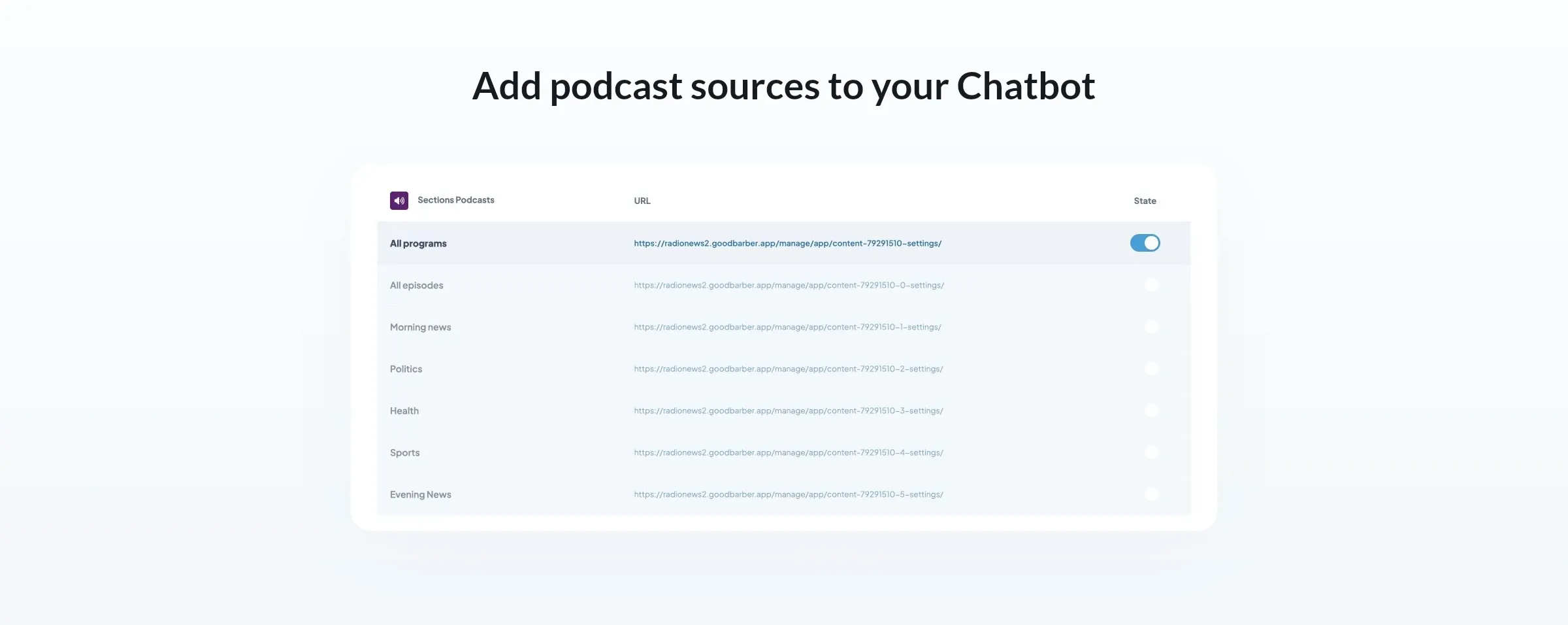
In the Chatbot Sections tab, the Podcasts group brings together podcast sources created in the GoodBarber CMS and connected through external podcast feeds. Choose the programmes and categories you want the assistant to draw on.
The written descriptions of those episodes can become part of its knowledge base, without transcribing the audio. If a description names the guest or explains the subject of an interview, that information can already help Chatbot answer a listener's question and identify the episode.
For our station, a question about which episode features an urban planner could be answered from the description. The specific measures discussed during the interview require the recording itself.
Your archive stays organized around the programmes you publish. The assistant adds another way to explore it, starting with a question rather than a list of episode titles.
Bring the spoken details into the knowledge base
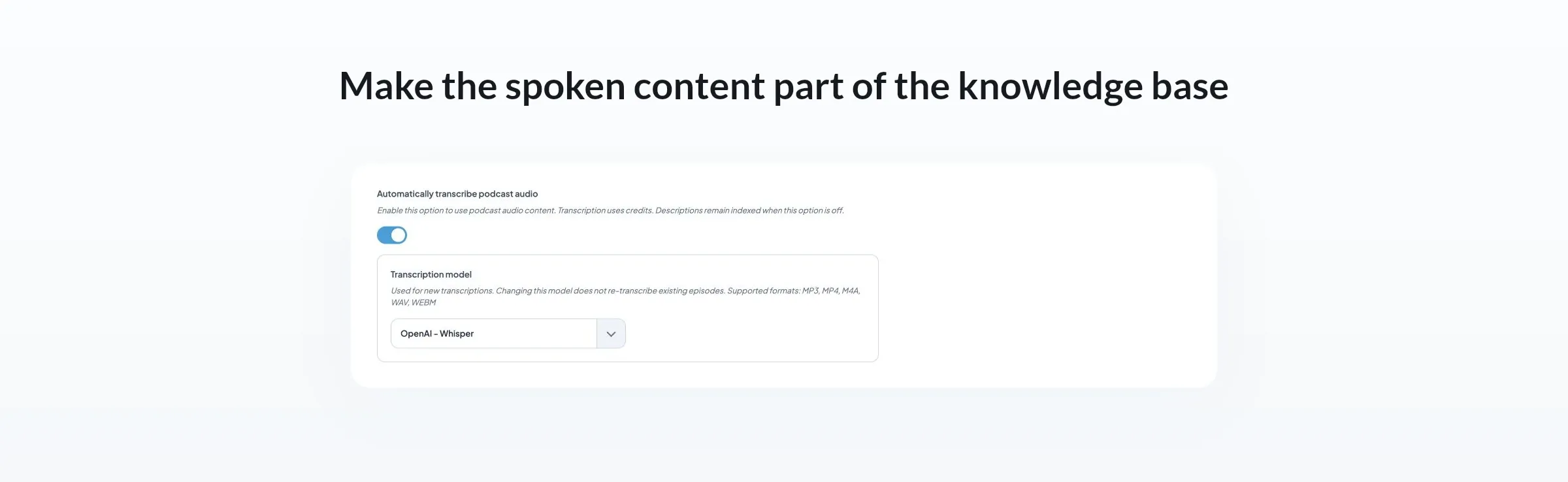
The optional Automatically transcribe podcast audio setting lets Chatbot draw on what was actually said in your recordings, not just their descriptions. It uses OpenAI Whisper or Mistral Voxtral Mini Transcribe 2 to turn spoken content into text and add it to the assistant's knowledge base.
This is where the summer-heat interview becomes useful in a different way. Its short description can stay focused on introducing the programme. Transcription makes the expert's explanation available for retrieval, including details the editor did not put in the summary.
The station does not have to anticipate every question a listener might ask when writing that summary. Once the recordings have been transcribed and added to the knowledge base, Chatbot can use the relevant passage to answer a question about it.
Automatic transcription uses your existing Chatbot credits. You can start with one interview series, then expand the sources your assistant uses as your archive grows.
From the answer back to listening
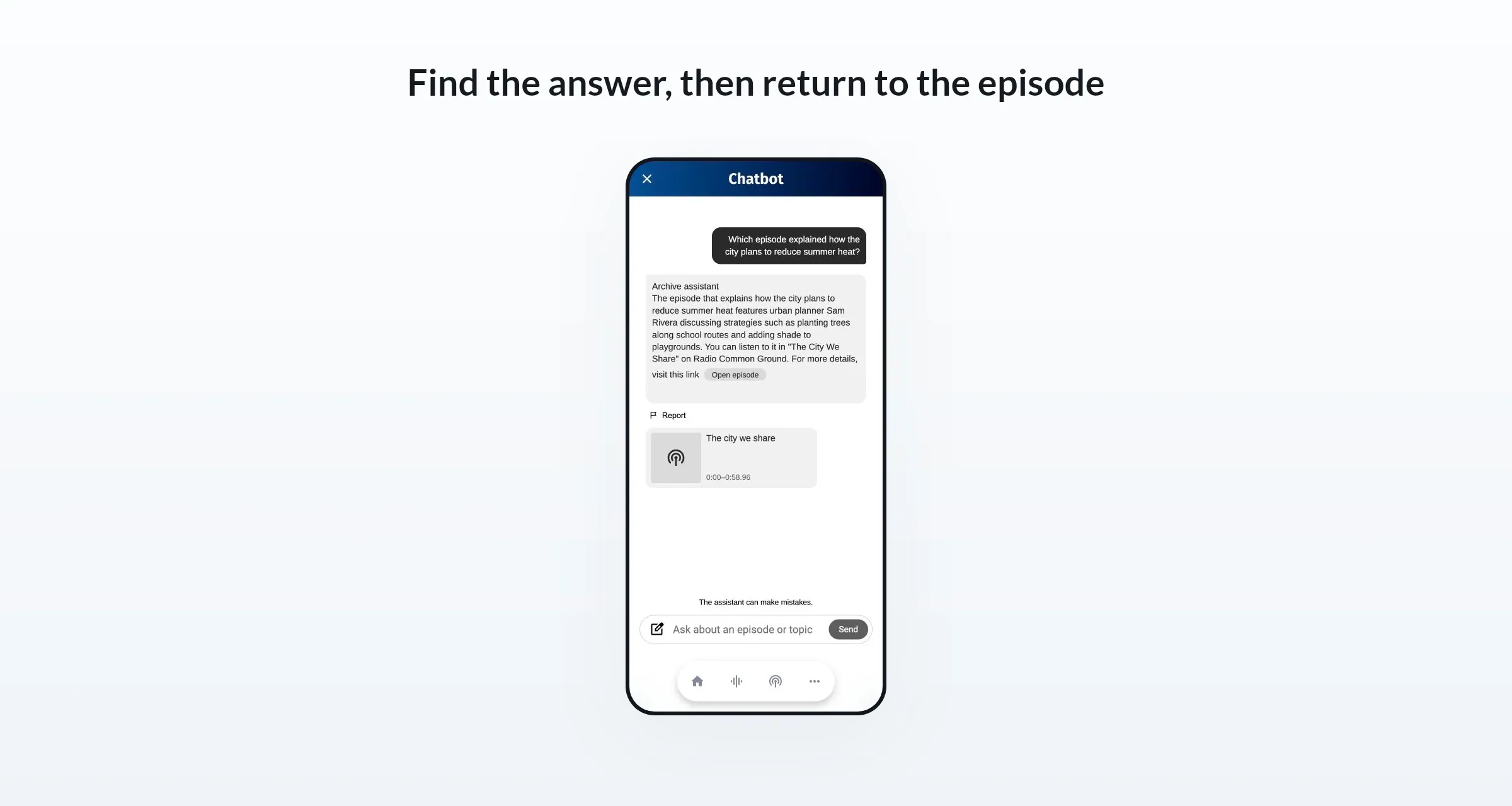
Once the interview's transcript has been indexed, the listener can ask about the summer-heat measures without knowing the programme title or the guest's name. Chatbot can explain the measures using the spoken passage and identify “The city we share” as the episode behind the answer.
With interactive source cards enabled, the answer can include an episode card with a time range to help locate the relevant passage. The card opens the episode in the app, giving the listener a route from the answer back to the recording.
That connection matters for a radio station. A short answer helps someone find the information they remembered. The episode lets them hear the guest's reasoning and the conversation around it. Discovery leads back to the station's own audio archive.
The listener starts with an idea. The station's programme names, categories and publication dates remain useful for browsing, but remembering them is no longer the starting requirement for this search.
Keep the archive's access rules
For podcast content created in GoodBarber and protected through Memberships, Chatbot respects the listener's subscription status. Subscribers can receive answers from the full indexed content available to them, including the audio transcription. For non-subscribers, the transcription of a premium episode remains protected. Answers use only the paragraphs of its description that you mark as free in the back office. Those paragraphs make up the episode's free preview text.
If our example interview were part of a subscriber-only series, the assistant would work alongside that access model. Your archive can become easier to explore while keeping your subscription offer in place.
Try a question your descriptions cannot answer
Start with one interview programme in your app and add its podcast source to GoodBarber Chatbot. Enable automatic transcription, then, once the recordings are available to the assistant, ask a question about something mentioned in the audio and follow the source card back to the episode. The Chatbot documentation covers the configuration steps.
The value is in that connection: a listener remembers an idea, asks a question and finds the programme that helps them hear more.


