 eCommerce
 Memberships
 Chatbot
 Online Courses
 Bookings
 Travel guide
 Events
 Content Creators
 Pickup & Delivery
 Newspaper
 Radio
Radio Schools
 Faith
Faith Organizations
 Restaurant
 Grocery
 Custom apps
 Employee Communication

 NO CODE APP BUILDER
 TECHNOLOGY
 WHY GOODBARBER?
 Design
 PRODUCT RESOURCES
 TOPICS
 MOBILE APPS RESELLERS
 DISCOVER
Minimal TabBar: a compact, icon-only and resolutely modern navigation
Minimal TabBar is designed for apps looking for a more compact, more modern navigation, refocused on the essentials. With its icon-only approach, its floating look, its selection indicators and its "More" menu in the natural continuity of the tabBar, this layout offers a simple, contemporary and beautifully refined take on navigation.

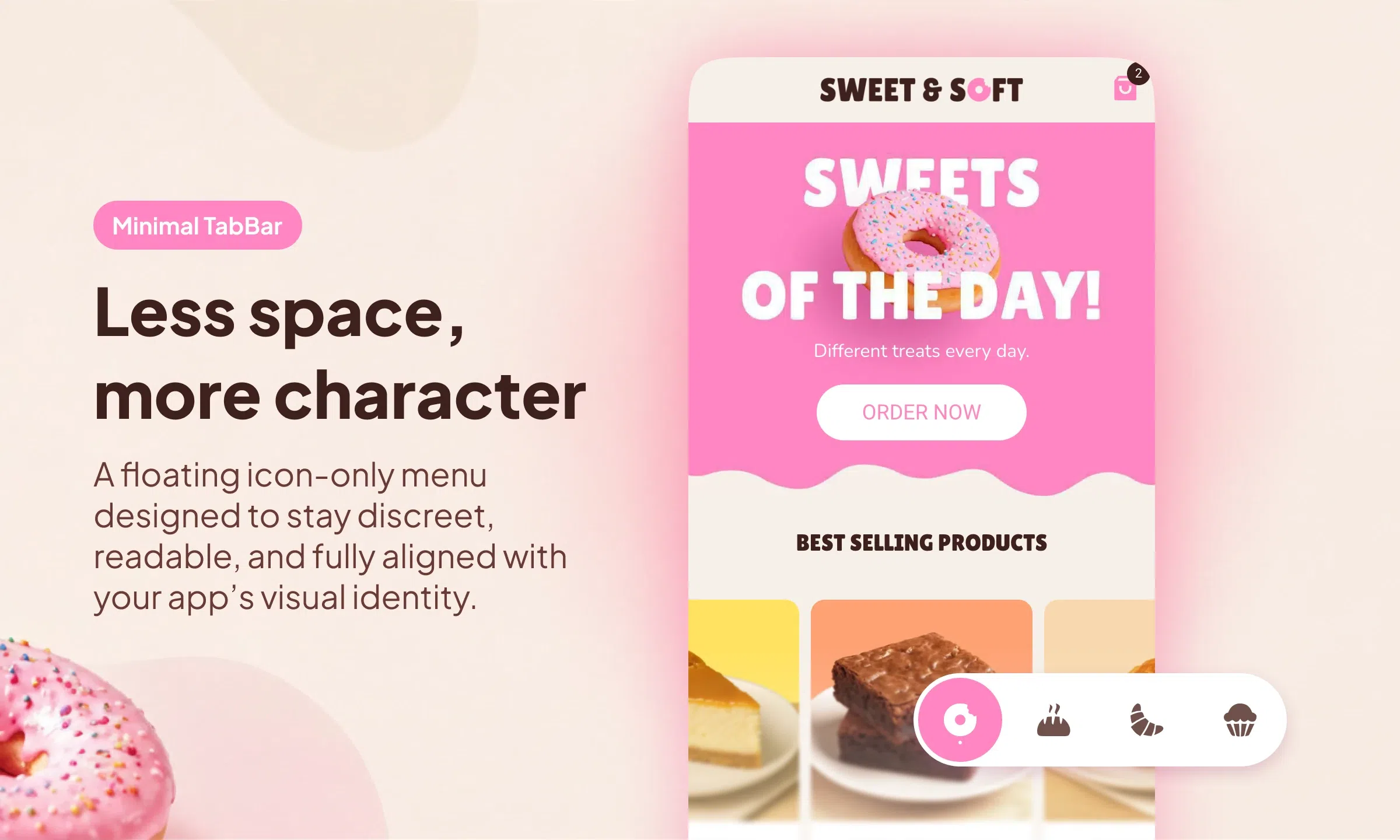
Among the three launch layouts of the new generation of TabBar, Minimal TabBar is the one that takes the idea of visual simplification the furthest.
Here, navigation is stripped back to the essentials. The tabBar adopts an icon-only approach, without text, with a more compact composition and a very contemporary floating rendering. The whole element takes up little space, reads immediately and gives the interface a lighter, sharper and more modern presence.
An icon-only, compact and floating navigation
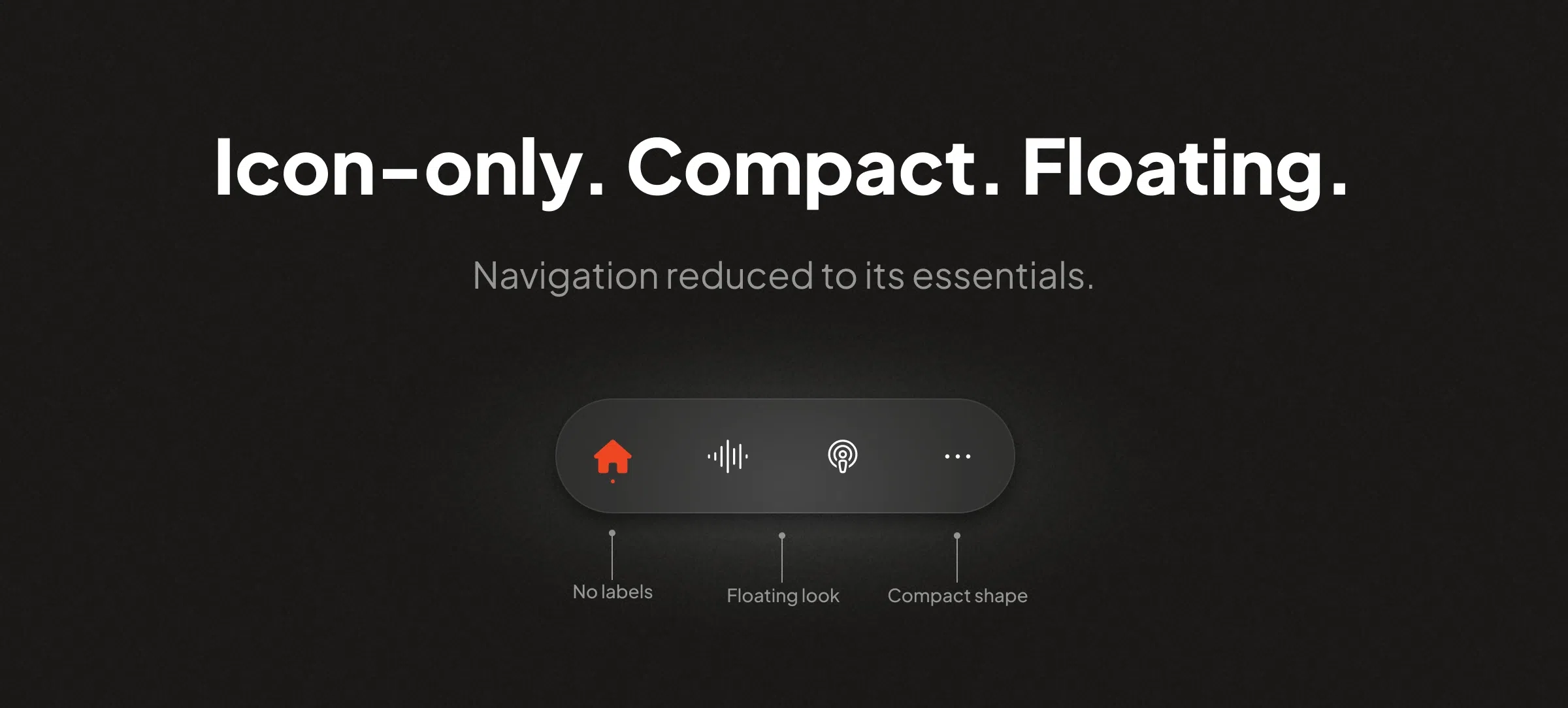
Minimal TabBar is built on a simple idea: reduce navigation to its most essential elements.
Labels disappear, icons alone are enough to structure the reading, and the tabBar adopts a tighter shape. This choice gives navigation a more compact rendering, but also a more graphic one. The TabBar becomes a direct element, easy to spot and well integrated into the screen, without cluttering the interface.
Its other strong characteristic is its floating look. The tabBar is not anchored as a massive block stuck to the edge of the screen. It appears placed within the interface with more lightness, which immediately reinforces the modernity of the rendering.
A more subtle selected state, with several types of indicators
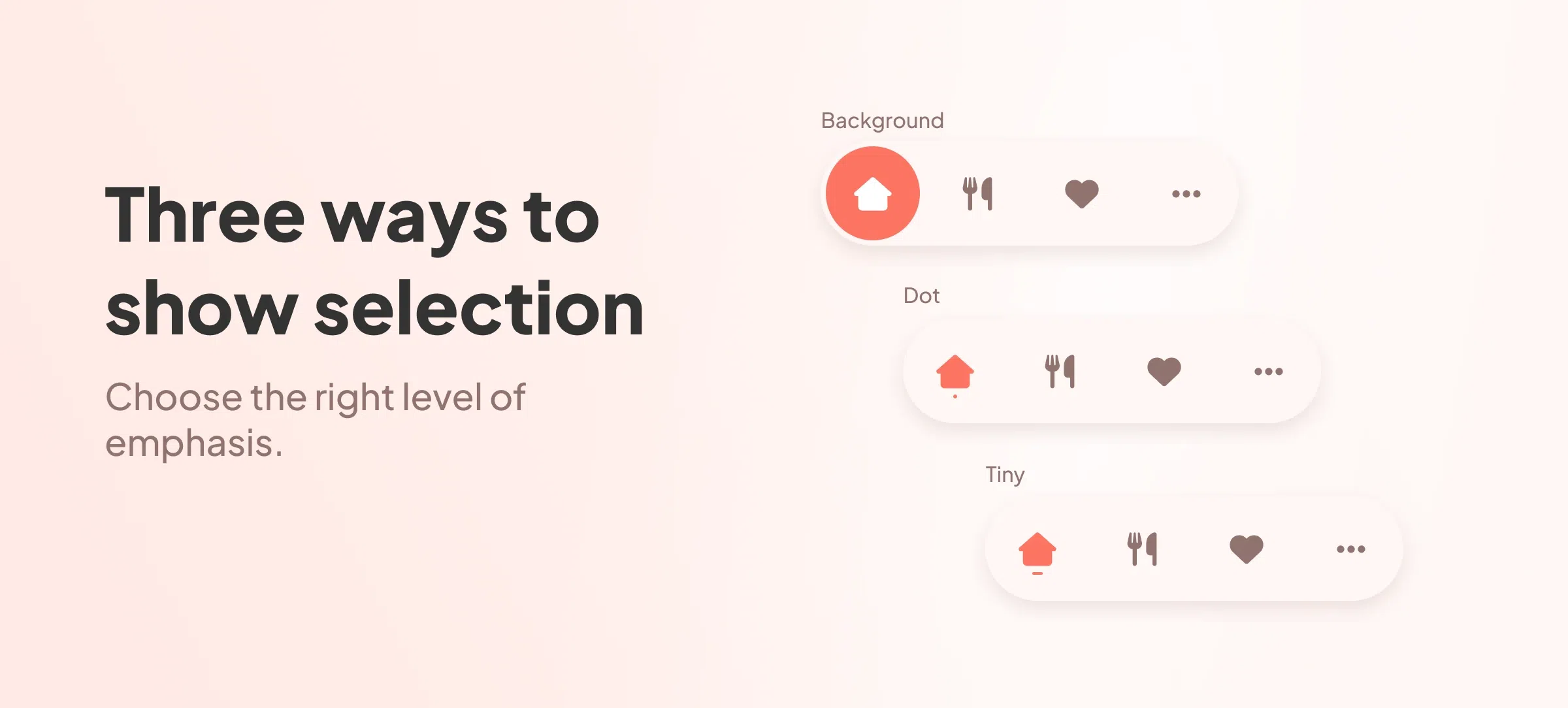
Minimal TabBar does not simply offer a background on the selected item. The component also lets you play with the selection indicator.
Depending on the chosen settings, you can use:
- a background for the active item,
- a Dot indicator,
- or a Tiny indicator.
This is a particularly interesting point, because it lets you fine-tune the way the active state expresses itself in navigation. Depending on the level of presence you're after, the selection can be more pronounced or, on the contrary, more discreet, while always remaining legible.
This flexibility fits perfectly with the spirit of the layout: a compact navigation, but never lacking in finish.
Animations that adapt to the chosen style
One of the most interesting additions of the new TabBar component is that selection animations adapt to the applied settings.
The animation therefore follows the visual logic chosen for the tabBar and for the active state. If the selected item uses a background, the movement follows that choice. If the selection is based on a more discreet indicator like Dot or Tiny, the transition adjusts accordingly.
This is a real plus, because it preserves consistency between the layout's design and its behaviour. In Minimal TabBar, this logic reinforces the sense of refinement and precision. Transitions remain fluid, but always at the service of the chosen style.
Add to this the haptic effects, which reinforce the sense of precision and accompany navigation with even more finesse.
A "More" menu faithful to the compact logic of the layout
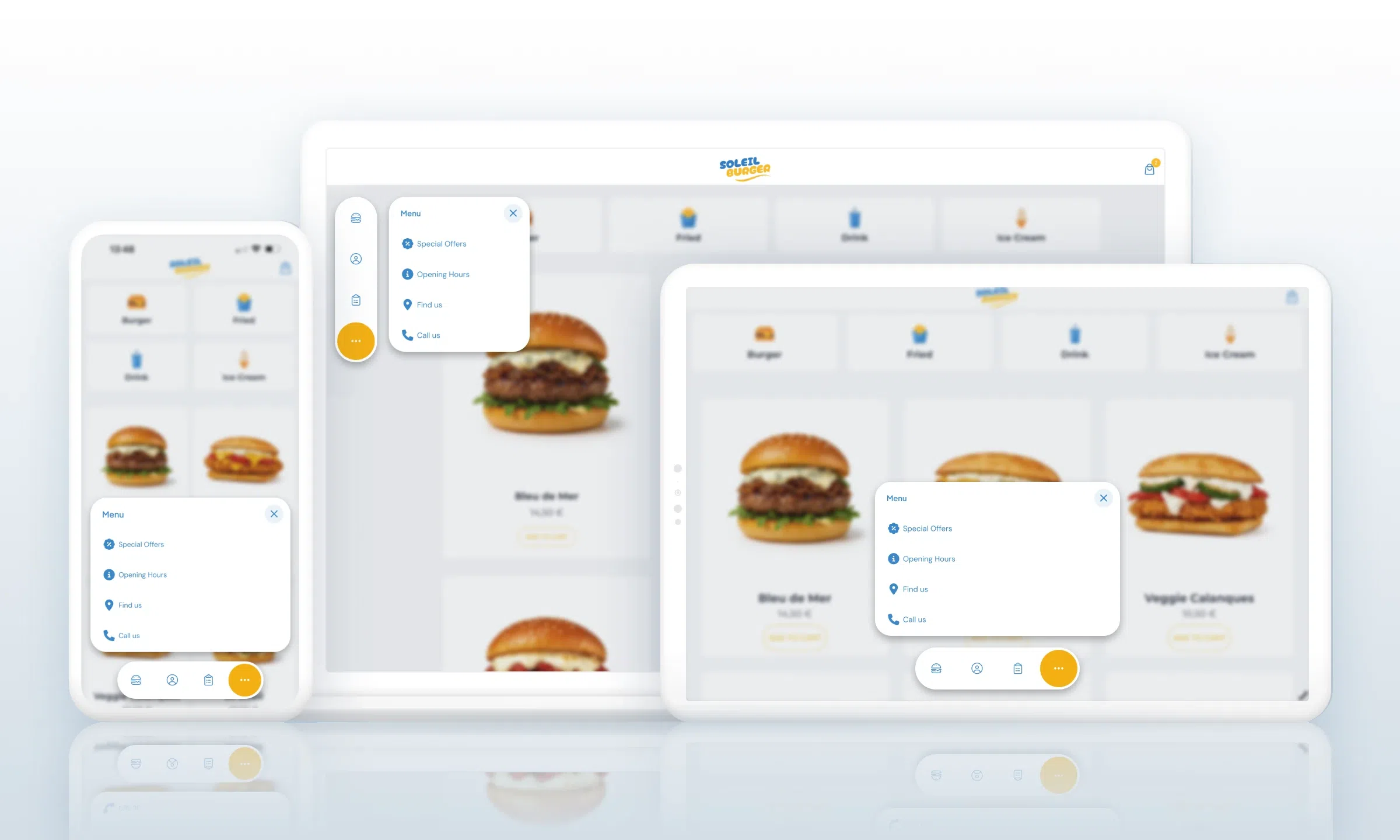
The "More" menu of Minimal TabBar, which gives access to the hidden tabs, also embraces the spirit of the layout.
It keeps a simple, compact and well-proportioned design, in direct continuity with the tabBar. Its height adjusts to its content, in line with the tighter, essential approach driven by this layout.
On mobile as on desktop, this visual continuity contributes to a simple, controlled navigation that is very well integrated into the interface.
A compact navigation, but a highly crafted one
Minimal TabBar shows that a very tight navigation can also be rich in possibilities.
With its icon-only approach, its floating look, its different selection indicators, its adapted animations and its compact "More" menu, this layout offers a particularly modern take on mobile navigation.
For apps seeking a more compact, more graphic and more contemporary navigation, Minimal TabBar is a particularly effective foundation.


