 eCommerce
 Memberships
 Chatbot
 Online Courses
 Bookings
 Travel guide
 Events
 Content Creators
 Pickup & Delivery
 Newspaper
 Radio
Radio Schools
 Faith
Faith Organizations
 Restaurant
 Grocery
 Custom apps
 Employee Communication

 NO CODE APP BUILDER
 TECHNOLOGY
 WHY GOODBARBER?
 Design
 PRODUCT RESOURCES
 TOPICS
 MOBILE APPS RESELLERS
 DISCOVER
Your HelloAsso events, memberships and donations now show up in your app
GoodBarber apps can now show an association's public HelloAsso events in a Calendar section, and its memberships, donation forms and fundraisers in an Article section. An association that opens its season on HelloAsso no longer has to copy each date and each form into its app by hand.


HelloAsso, two new sources for your association's app
The short version. HelloAsso Events and HelloAsso Campaigns are two extensions of GoodBarber, the no-code app builder, that read an association's public forms on HelloAsso. HelloAsso Events fills a Calendar section with upcoming events, with their date, venue and prices, and a button to register in the app. HelloAsso Campaigns fills an Article section with memberships, donation forms and fundraisers: memberships open in the app, donations open in the phone's browser. You connect them with your association's HelloAsso API credentials. Both are free for Content apps: each section counts as one of the extensions included in your plan.
HelloAsso is where many French associations already sell their tickets and collect their memberships. In February 2025, it passed two billion euros collected for associations since 2009, half of it in the previous 18 months, and it counts 376,000 registered associations, according to Le Journal des Entreprises on March 6, 2025. Here is how the two extensions play out for a neighborhood sports club.
What happens when the club publishes a new event on HelloAsso?
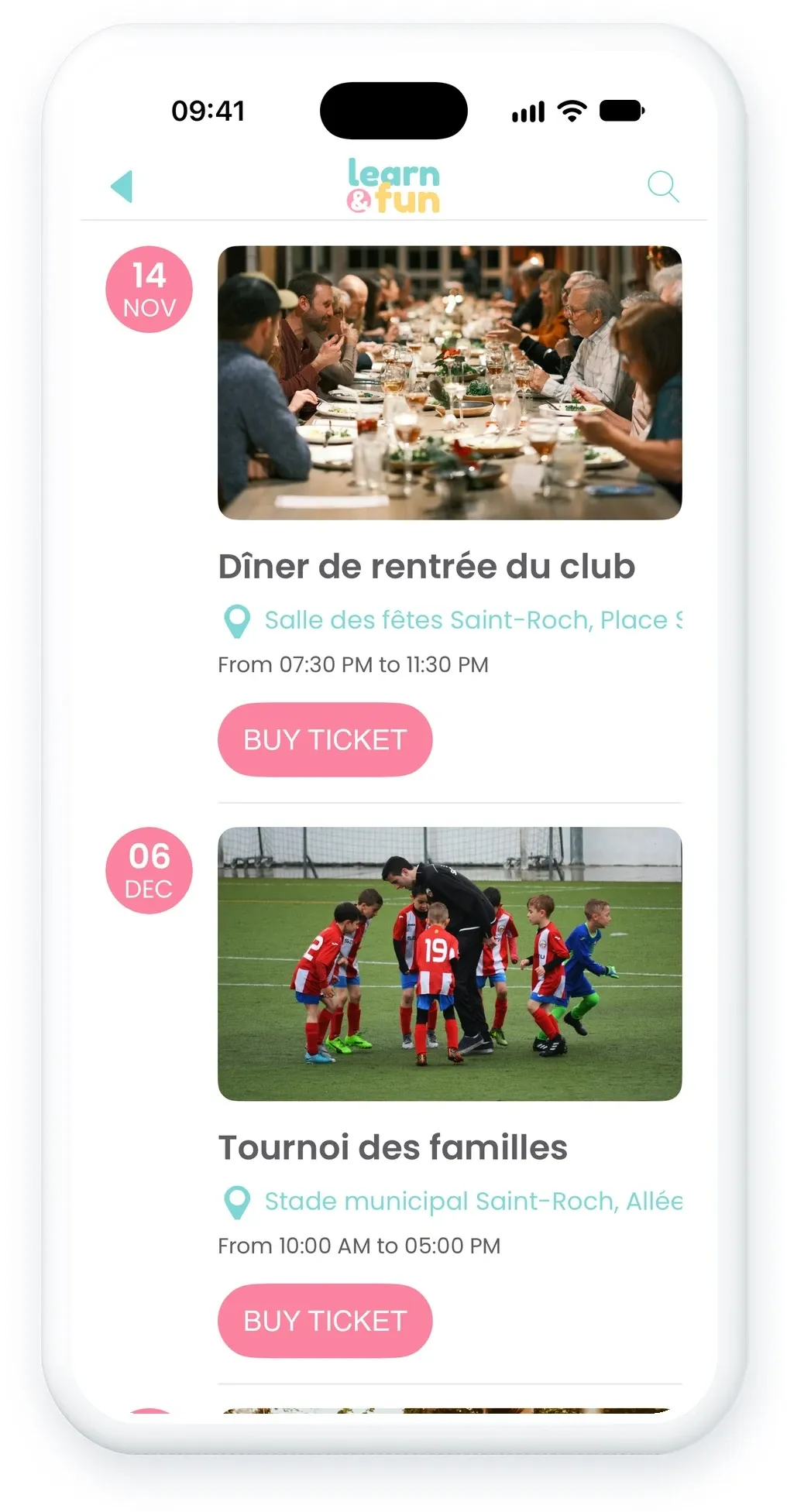
In September, the club publishes its season dinner on HelloAsso, with a 15-euro ticket. The dinner joins the HelloAsso Events section of the club's GoodBarber app on its own, filed by date among the events already announced.
It arrives complete: its image, its description, its date and time, its venue with its place on the map, and its ticket prices. A button opens the HelloAsso form inside the app, where people register in a few moments. Once the dinner is over, it leaves the calendar.
Can members join and donate from the app?
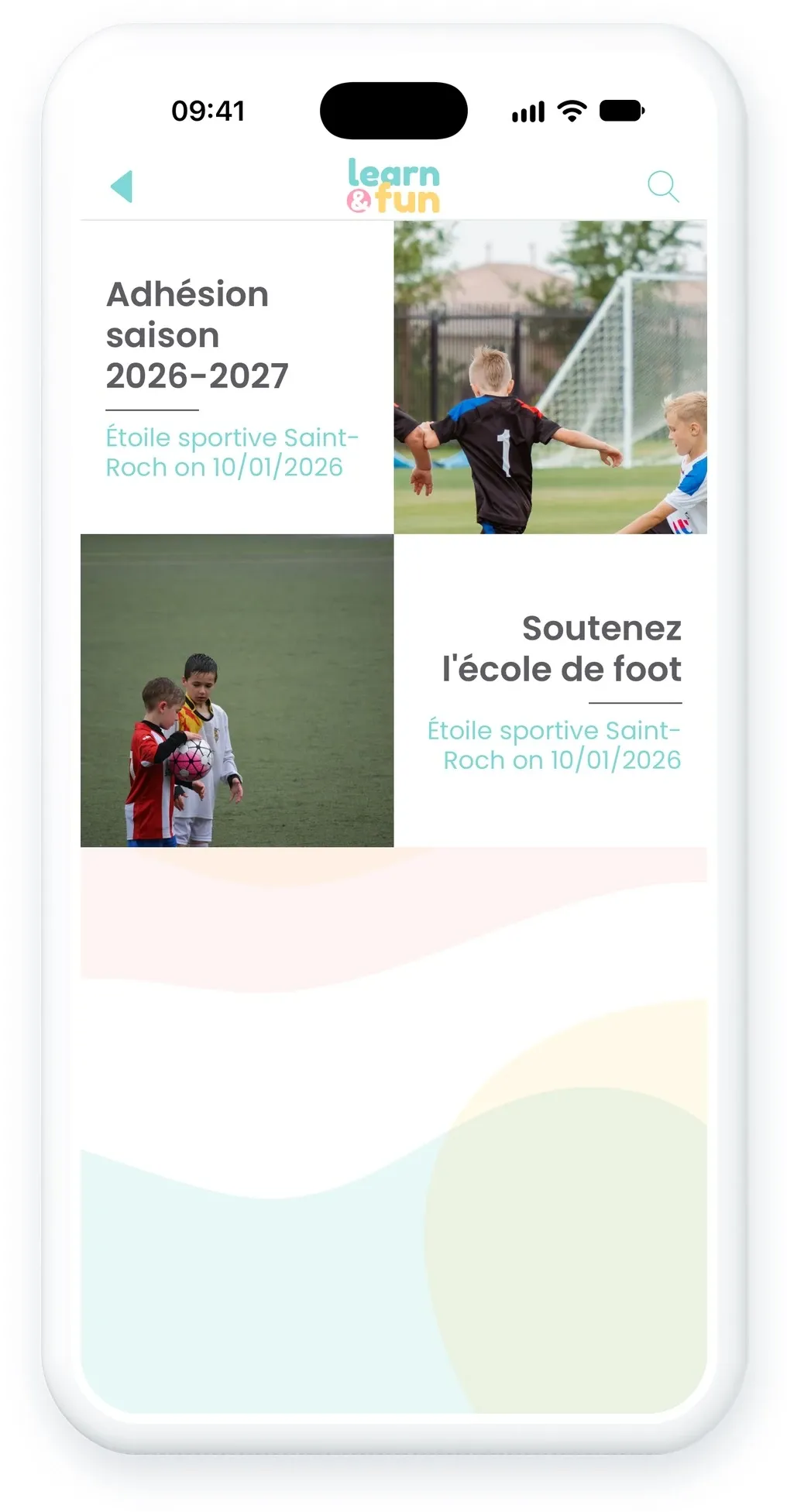
Yes, with one difference. The club's membership form appears in the HelloAsso Campaigns section with its image and description, and its button opens the HelloAsso form inside the app. The donate button opens the HelloAsso page in the phone's browser instead, because App Store rules require donations to happen outside the app.
The buttons follow the language of the HelloAsso forms, which is French: they read "Adhérer" and "Faire un don". You can set your own text in the section settings, for example "Support us". Ended campaigns leave the section on their own, and each item ends with the mention "via HelloAsso".
How do you connect HelloAsso to your app?
The HelloAsso sections read your public forms with your association's own API credentials, which HelloAsso provides for free:
- In your HelloAsso account, open "Mon compte", then "Intégrations et API".
- Copy your Client ID and your Client Secret.
- In your back office, add a Calendar section for events or an Article section for campaigns, and choose HelloAsso.
- Enter the Client ID and the Client Secret, then save the section.
The field for your association's HelloAsso page is optional: the extension finds your association from its credentials. These credentials open your whole HelloAsso account, so keep them as safe as a password. The extension only reads your public forms.
How do you add HelloAsso to your GoodBarber app?
The HelloAsso extensions are available for Content apps. They are free, like YouTube: each HelloAsso section counts as one of the extensions included in your plan. Open your back office and add a section, or start from the HelloAsso Events and HelloAsso Campaigns pages of the Extension Store. Building an app for your association? Our nonprofit app page shows what else it can hold, and how to create an app for an association walks you through the first steps.
These two extensions are part of seven we released together for nonprofits and churches: the others connect Zeffy, Givebutter and Planning Center.
If your association needs something this version does not do, tell our support team from your back office. That is what the next version will be built on.


