 eCommerce
 Memberships
 Chatbot
 Online Courses
 Bookings
 Travel guide
 Events
 Content Creators
 Pickup & Delivery
 Newspaper
 Radio
Radio Schools
 Faith
Faith Organizations
 Restaurant
 Grocery
 Custom apps
 Employee Communication

 NO CODE APP BUILDER
 TECHNOLOGY
 WHY GOODBARBER?
 Design
 PRODUCT RESOURCES
 TOPICS
 MOBILE APPS RESELLERS
 DISCOVER
The new GoodBarber back office: more clarity to build your app
Since September 25, 2026, you have been working in the new GoodBarber back office. A clearer interface that makes room for what matters: building your app and growing it. A publish button that tells you where each version stands, dark mode, accessibility settings and advanced editing for creators who want to go further. Here is what changes, screen by screen.

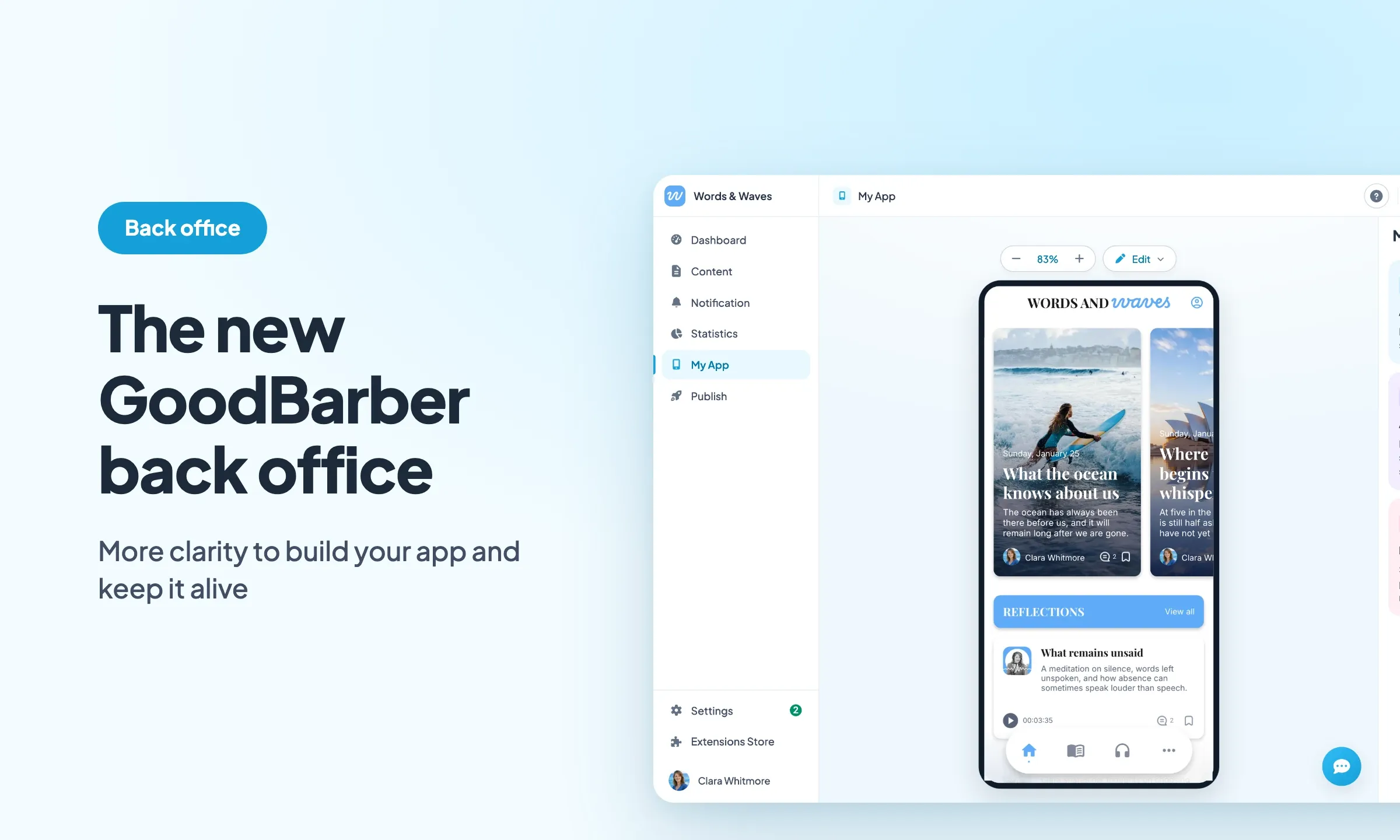
It all starts with the design. A new typeface, Plus Jakarta Sans, a blue for the interface, a green kept for publishing and confirming, softer corners, gentle shadows and redrawn icons. The whole thing reads calmly, and every color has a job: blue guides, green confirms.
In My App, your app's preview takes the center of the screen and the settings sit together in a panel on the right. You edit on one side, you see the result on the other, and your app stays in front of you the whole time.
A publish button that tells you where your app stands
At the top right of every page, a button tracks the state of your project. It reads "Publish my project" until the app has been published for the first time, then "Rebuild & submit", "Update now" or "Project updated" depending on where you are. One glance tells you whether anything is left to do.
Click it and the "Publish my project" window goes through your three versions: the PWA first, then iOS, then Android. For each one, its status: not published, steps completed out of the total, ready, being generated, in review, live, needs a rebuild. Next to it, the next action. At the bottom, the number of changes ready to publish, with the "Update now" button to send them. The Dashboard cards show the same statuses, so you see them as soon as you log in.
Light, dark or system
The GoodBarber back office opens in light mode. To switch to dark mode, click your name at the bottom of the main menu: a small menu opens, with the "Appearance" row and its three icons, a sun for "Light", a moon for "Dark", a screen for "System". "System" follows your computer's setting: if your system switches to dark in the evening, the back office follows.
Accessibility settings that follow you across all your apps
Click your name again at the bottom of the main menu, then open "My account": the "Accessibility" row holds two settings. "Text size" enlarges the interface in four steps, from "Small" to "Largest". "Increase contrast" darkens the text and makes borders and outlines stronger.
The row's subtitle says it: "Applied right away, on all your projects." The setting belongs to you and follows you from one app to the next. If you manage several apps, as an agency or a reseller, you set it once and find it everywhere. Until you choose, contrast follows your system's "Increase contrast" setting.
Advanced edition, for creators who want to go further
To write directly in your app's JSON, every panel in the Structure has an { EDITION } link. It opens an advanced editing window on the JSON of the current item, without leaving the page.
A "Search a key or a value" field takes you straight to the right place. Changes are flagged, with their count, before you save them. A swatch sits in front of every color, and a color picker lets you choose it directly. A padlock marks what is locked.
This window comes with the free Advanced edition extension, which you install from the Extension Store.
And also
- The breadcrumb in the top bar names the parent page and the open item.
- On the Home, a "Reorder" mode changes the order of the page's widgets.
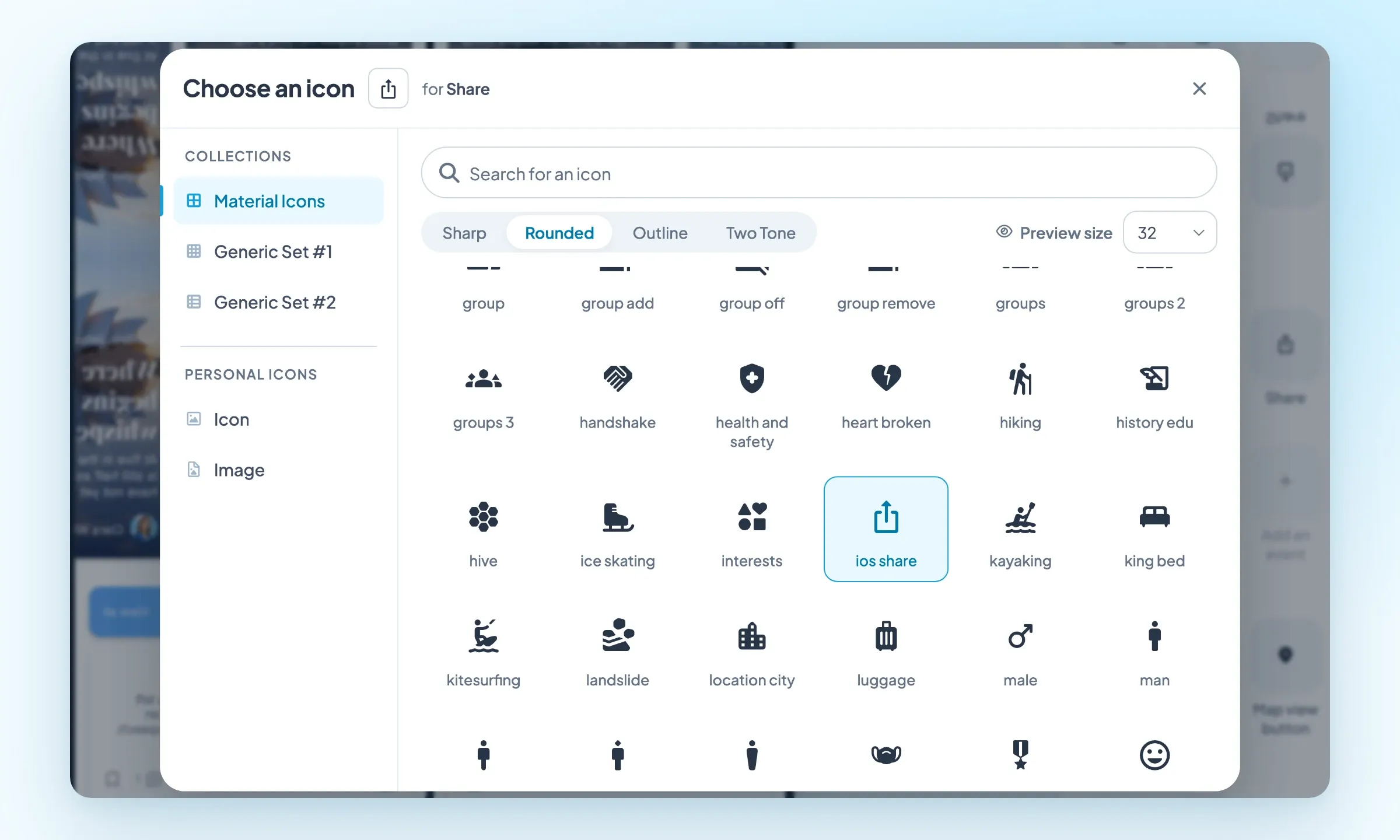
- The icon picker opens above the page, shows the current icon and the field it applies to, lists the collections in a rail on the left and offers several preview sizes. Its search by name also covers the generic icon sets, and one click picks the icon.
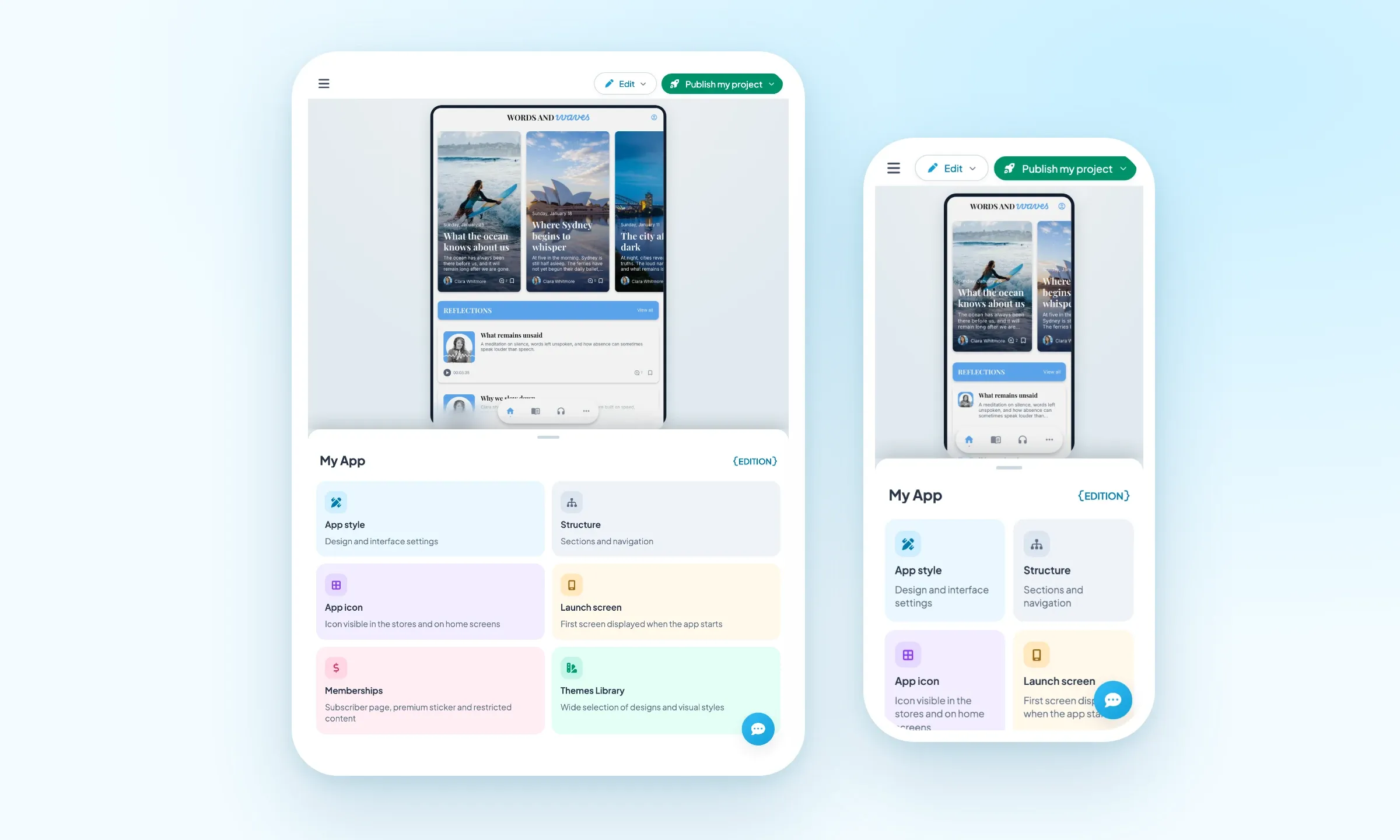
- Below 1024 px wide, the screens rearrange themselves: the menu folds behind a button and, in My App, the preview moves to the top and the panel to the bottom. Enough to work on a tablet as well as on a phone.
It is all already in your back office: just open it. And more new features will arrive over the coming weeks.


