 eCommerce
 Memberships
 Chatbot
 Online Courses
 Bookings
 Travel guide
 Events
 Content Creators
 Pickup & Delivery
 Newspaper
 Radio
Radio Schools
 Faith
Faith Organizations
 Restaurant
 Grocery
 Custom apps
 Employee Communication

 NO CODE APP BUILDER
 TECHNOLOGY
 WHY GOODBARBER?
 Design
 PRODUCT RESOURCES
 TOPICS
 MOBILE APPS RESELLERS
 DISCOVER

Mastodon
 Built by GoodBarber
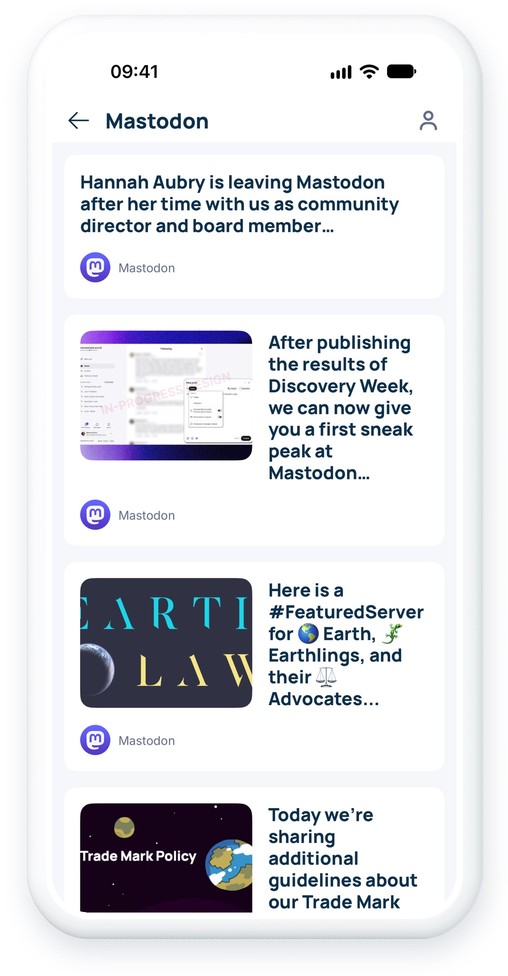
Your Mastodon posts in direct access on your app
No need to post twice. With the Mastodon integration, the public posts of your account are synchronized with your GoodBarber app, whatever instance hosts it.
Only your own public posts are shown: replies and boosts stay on Mastodon. Images, link previews and quoted posts are displayed in the app, and your content warnings are respected: media marked as sensitive is never shown directly. Your content takes on your app's design and looks right on mobile, tablet and desktop.
 Public posts and images
- Link previews and quoted posts
- Content warnings respected
- Custom emojis from your instance
- Video previews, with a link to the post
- Load more posts...
How to integrate Mastodon?
- 1Activate the Mastodon extension in your app
- 2Enter your full Mastodon address, for example @yourname@mastodon.social
- 3If you only enter your name, add your instance in the field provided, for example mastodon.social
- 4Save the section: your public posts appear in your app
And that's it!
For a detailed step-by-step guide, please refer to our online help
Mastodon is available in your app!
Once the integration is complete, a new Mastodon section will appear in the menu of your app. Like all other sections, you can customize it as you wish.
All you have to do is post on Mastodon: your posts will be available directly in your app.


