 eCommerce
 Memberships
 Chatbot
 Online Courses
 Bookings
 Travel guide
 Events
 Content Creators
 Pickup & Delivery
 Newspaper
 Radio
Radio Schools
 Faith
Faith Organizations
 Restaurant
 Grocery
 Custom apps
 Employee Communication

 NO CODE APP BUILDER
 TECHNOLOGY
 WHY GOODBARBER?
 Design
 PRODUCT RESOURCES
 TOPICS
 MOBILE APPS RESELLERS
 DISCOVER
Maps in your colors
You picked your theme and set your colors, fonts and icons so your app looks like you. Then your users open the map and find the one they see everywhere else. Depending on what you do, it is a screen where they spend time, and until now it did not belong to your brand.

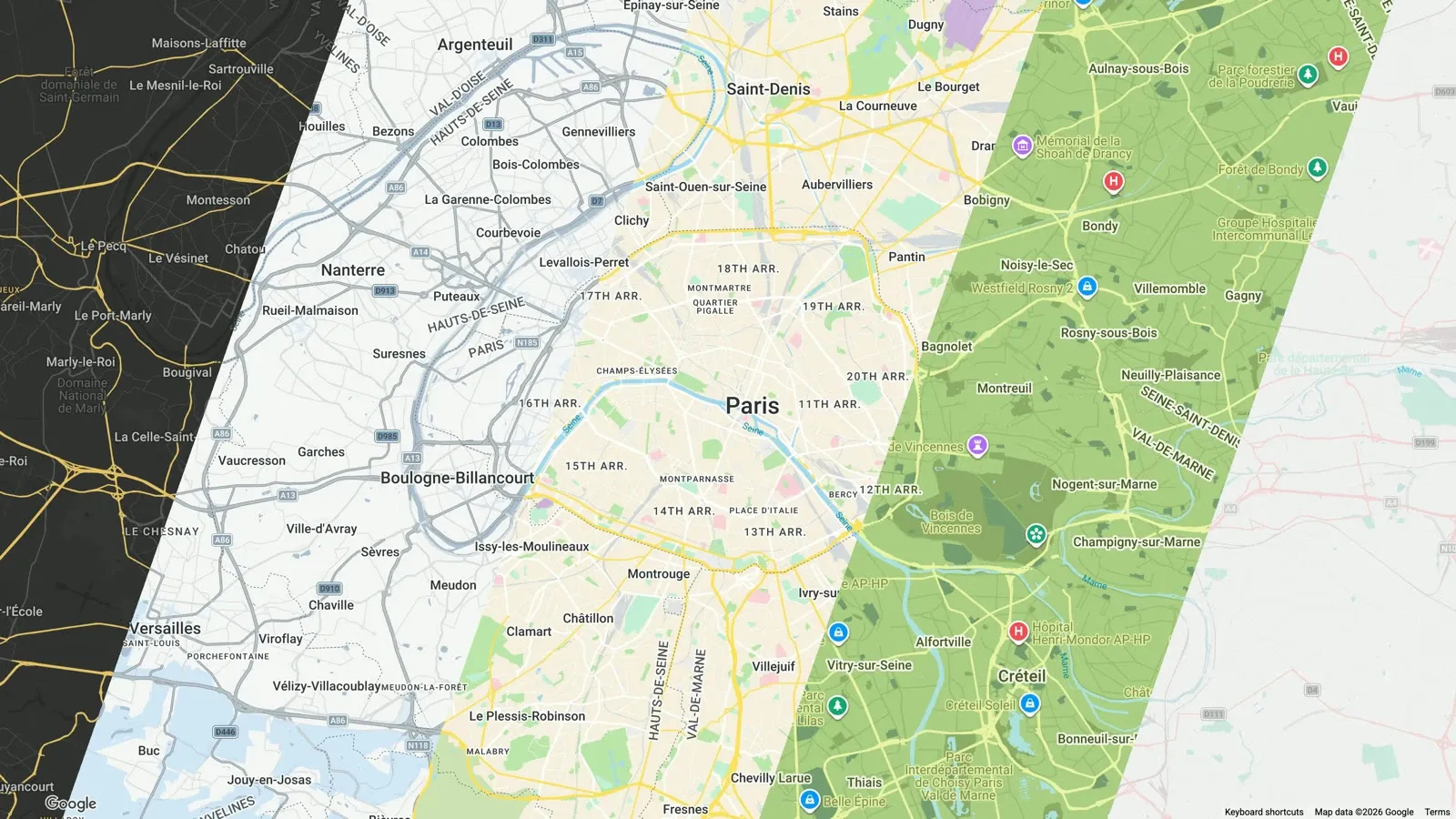
You might wonder what a map in your colors really changes. Here are three examples, from design consistency to the story you want your app to tell.
So they look like you
GoodBarber PWAs display their interactive maps with one of the two main providers: Google or Mapbox. Both offer advanced styling tools to design base maps that follow your brand. You can now link these styles to your maps, and your app's design stays consistent.
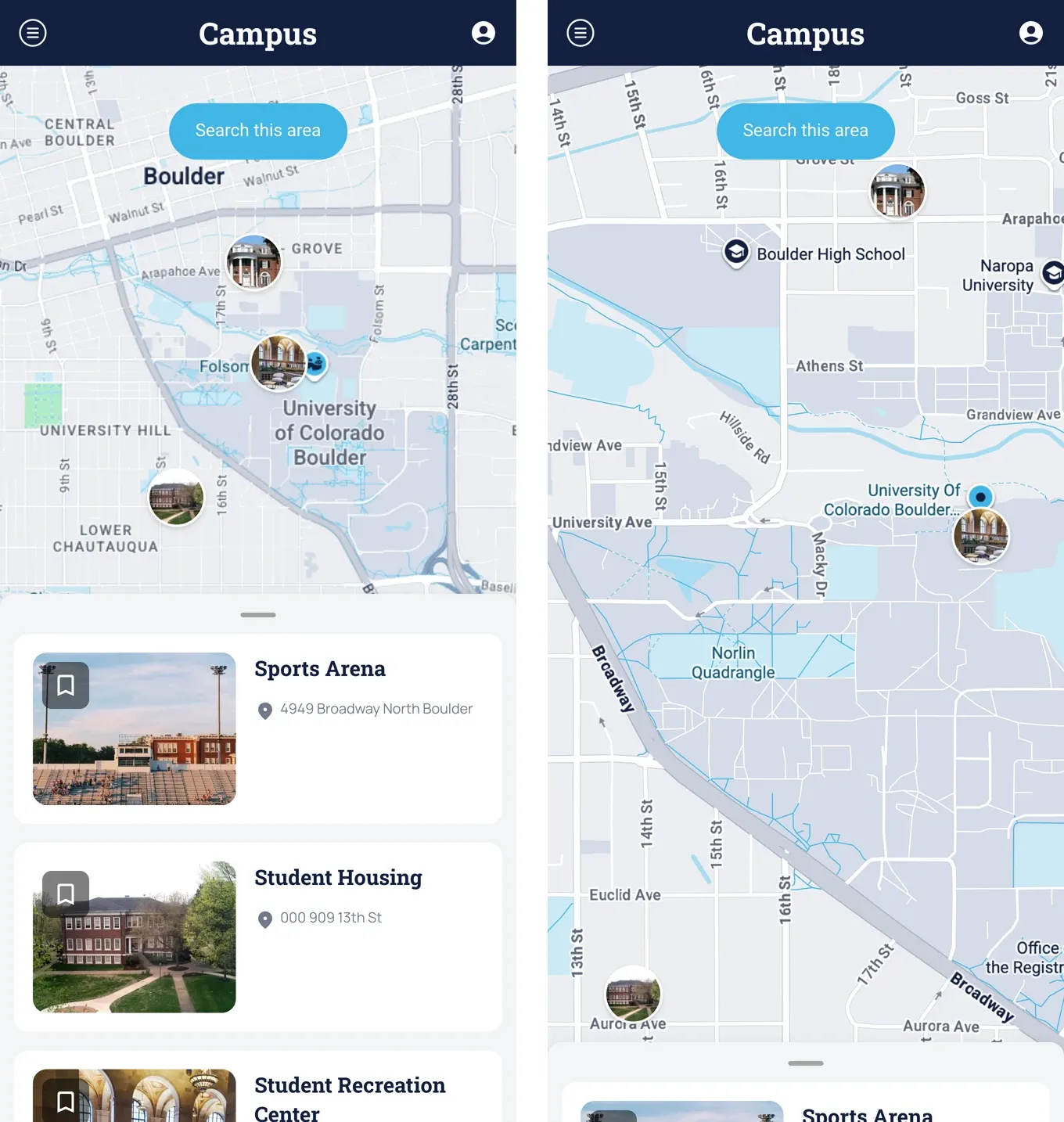
These tools go beyond the color palette. They let you choose what stays visible on the base map, and so what your users will see. In the university campus app above, buildings and libraries stand out and shops are hidden: that is not what students come for. Now picture the app of your store, or of your chain of stores. Hiding the default points of interest means you stop advertising your competitors.
To set the mood
The bolder your app's design, the more a standard map stands out against it. Take a festival app with a very strong identity. With a custom base map, the map becomes part of the experience. It keeps only what matters for the event: the stages and public transport. Here roads and railways turn purple and neon green, in the festival's colors.
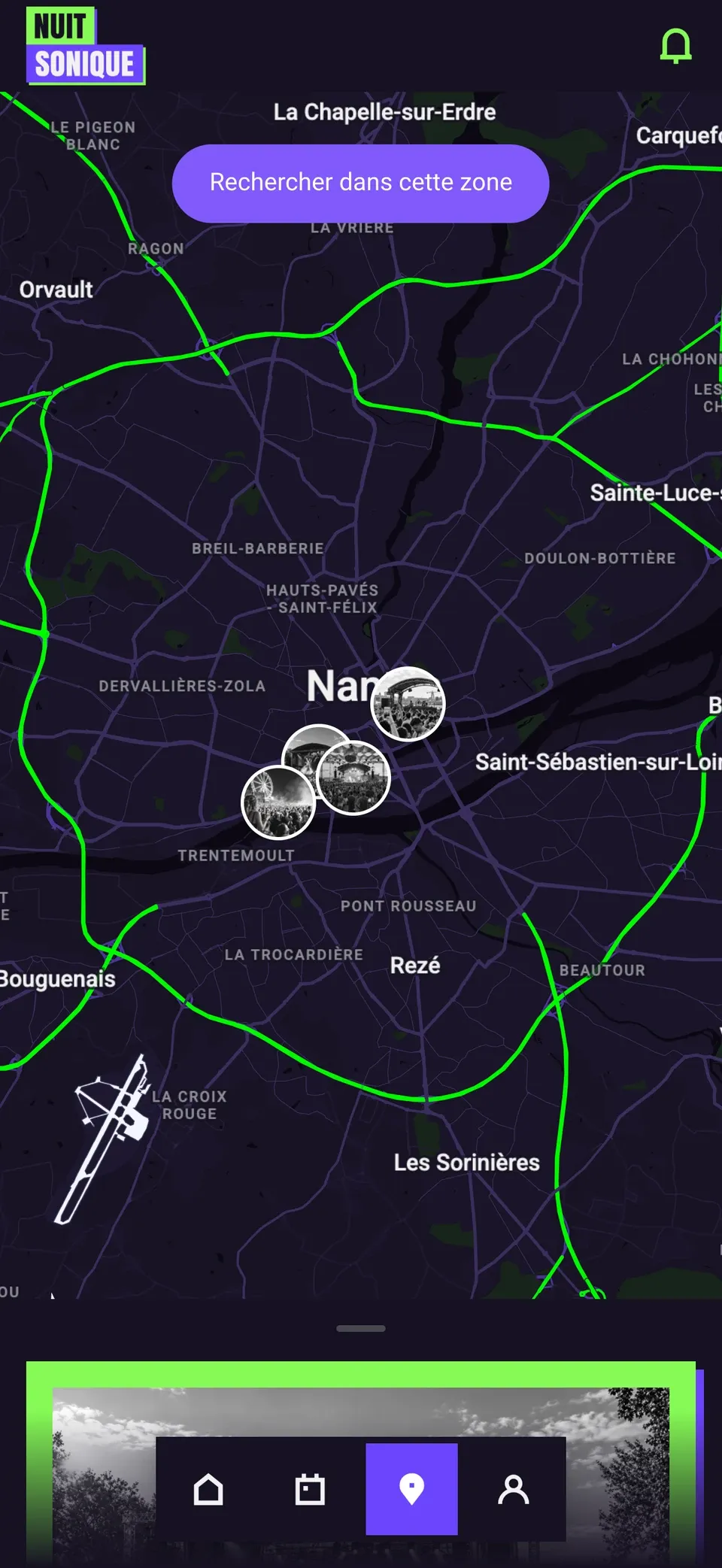
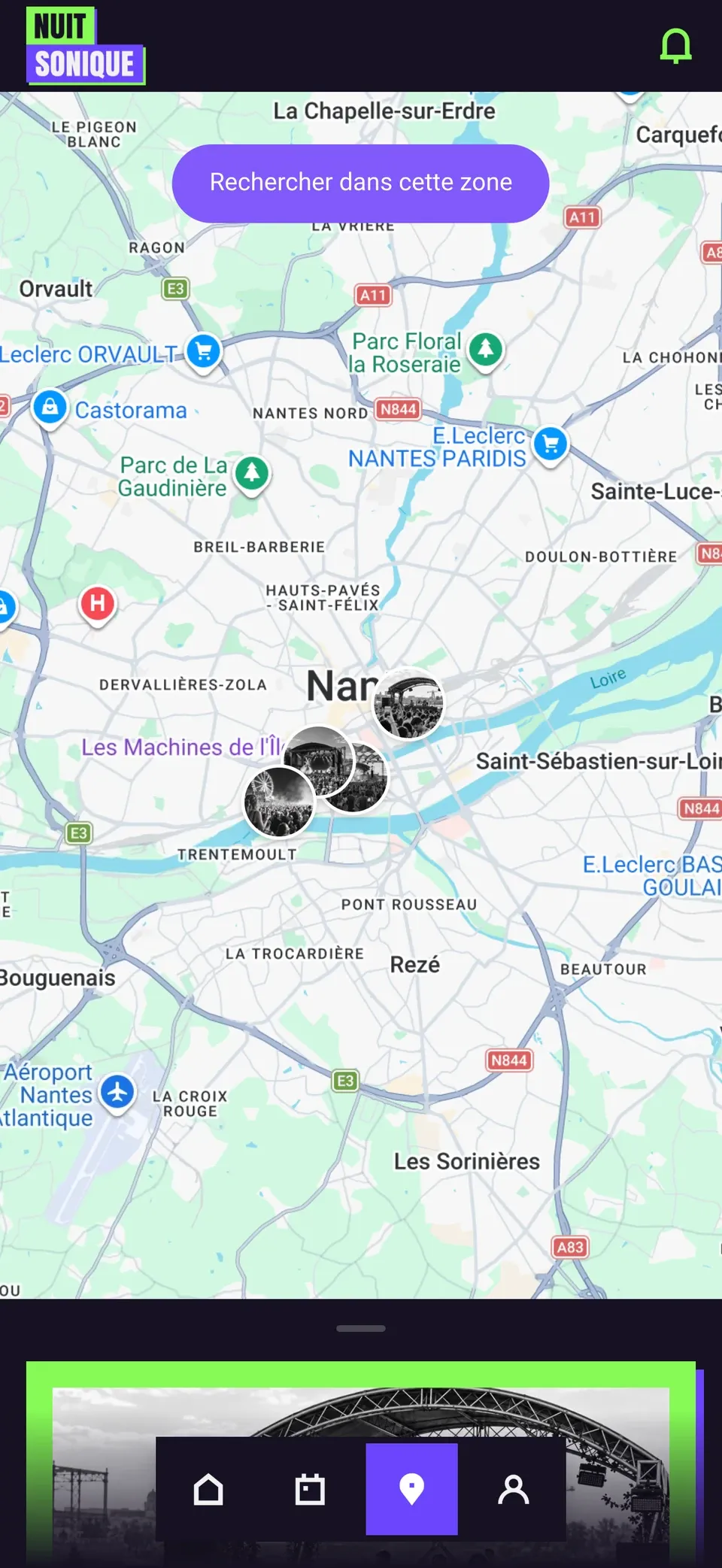
The default Google Maps style compared with a custom style
To tell another story
Styling tools go further than colors: they add their own data layers, terrain, routes. These layers then serve as a base for your GoodBarber CMS Map content and your imported KML files. The map becomes editorial content in its own right, with the same tool.
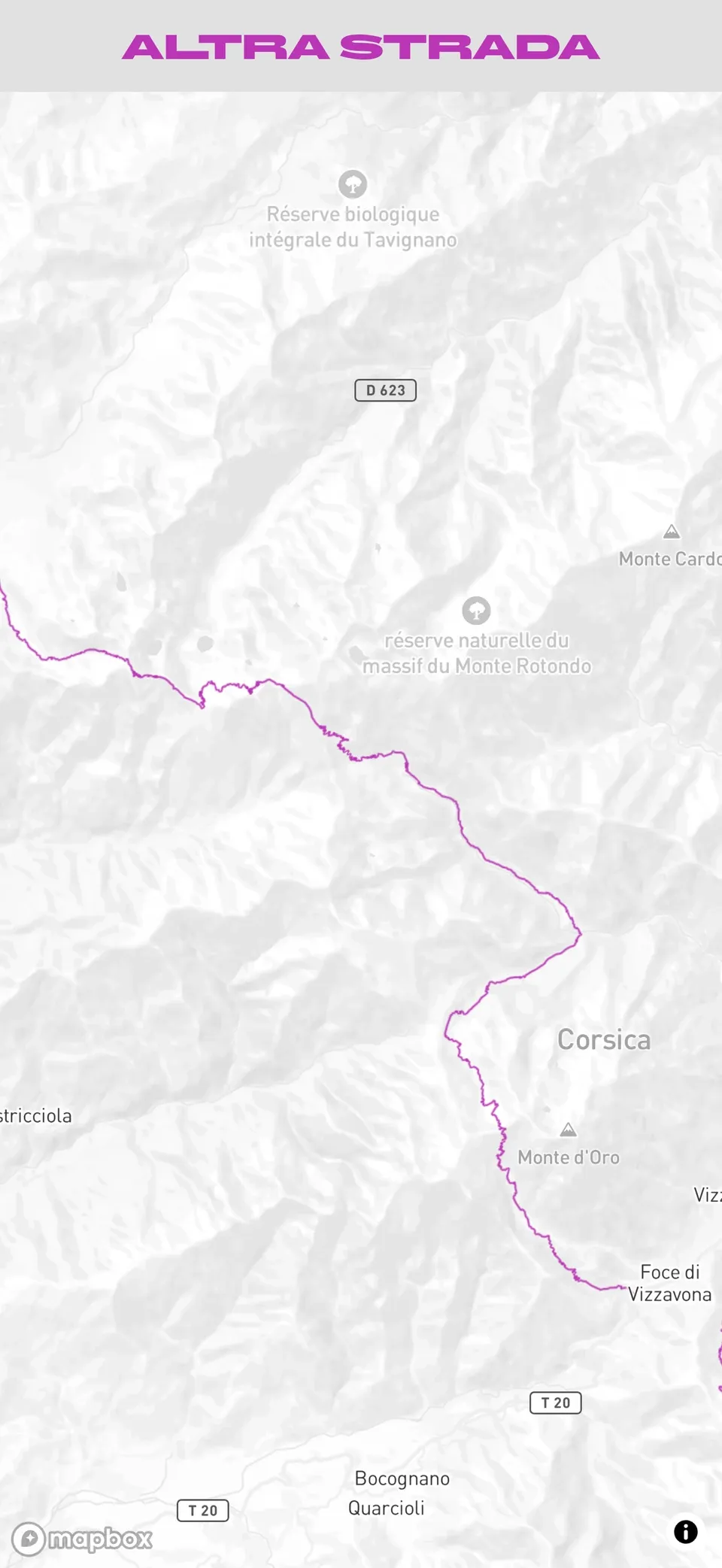
For this video, the GPX route was imported into Mapbox Studio, styled, then published in a brand new style. All it took was pasting this style into the map settings of a section. The same style can dress every map of the app, or only a Map widget on the home page.
Is it easy to do?
Yes. You create your style with the provider of your choice: a map ID in the Google Cloud console, or a style URL in Mapbox Studio. Then you paste it in the back office, for the whole app or for a specific Map section, Events section or Map widget. The step-by-step guide is in our help articles: for Google Maps and for Mapbox.
We can't wait to see your maps. And if you don't have a PWA yet to express your creativity, create yours with GoodBarber, the no-code Mobile App Builder.


