GBTC: Publish your app with easeDiscover GoodBarber Takes Care and simplify the app publication process for both the App Store and Google Play. Let us handle the technical details for you.Learn more about GBTC
Yesterday, as you've probably already noticed in your back office, we released our new Add-Ons store. In the Add-Ons store you will find some of our major free, as well as paid features.
Each feature has a detailed description to help you understand how to take full advantage of it and where it can be found in your back office. If you don't see certain connectors or menus anymore in your back office, this is where they went ;)
Free Add-Ons
We decided to remove the automatic activation of some features, such as the internal Ads network, to provide these on more of an as-needed basis. We think it makes everything more simple and clear and allows you to build your back office according to your exact needs.
Paid Add-Ons
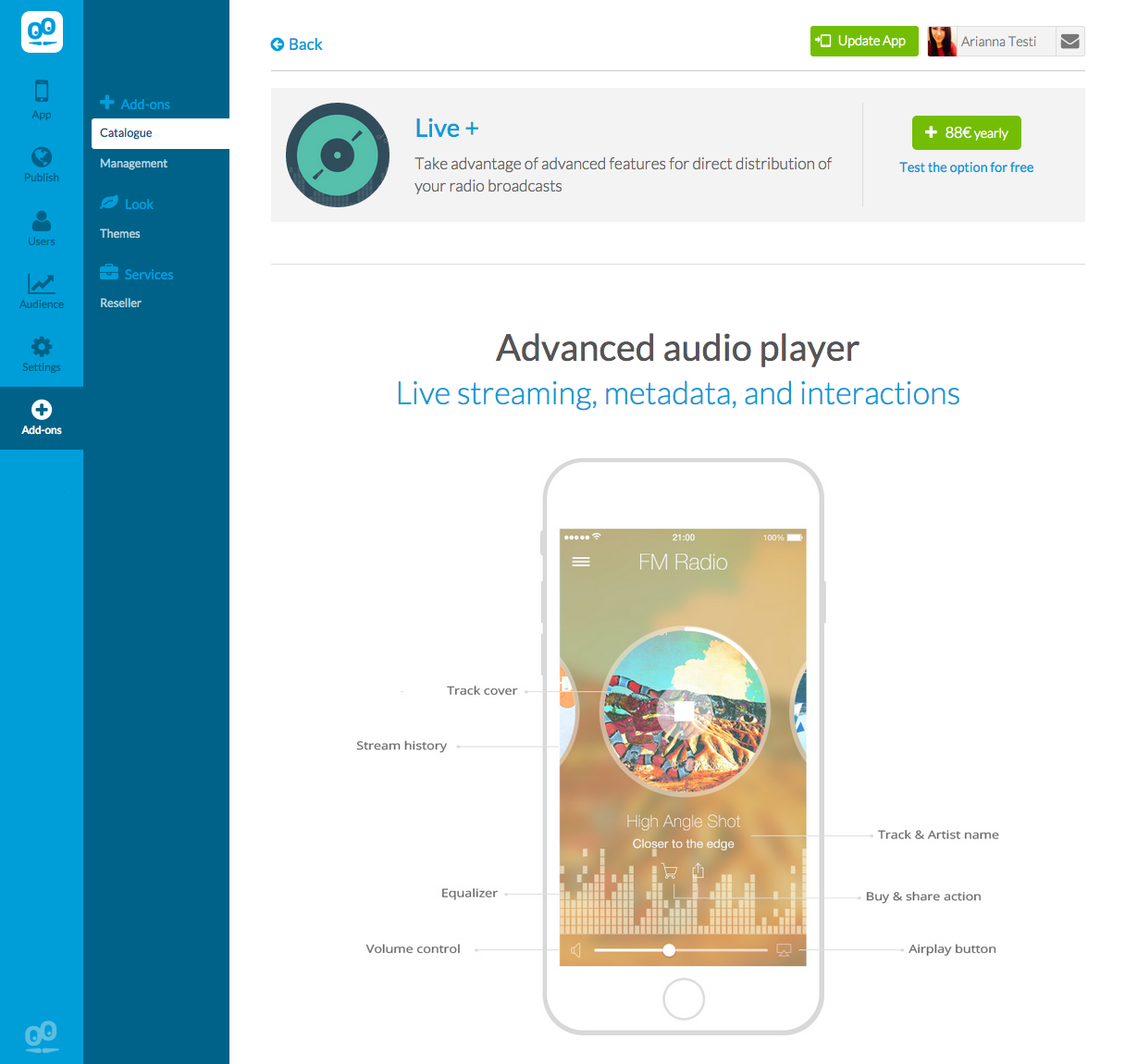
In the Add-Ons store you can also find the paid features available for purchase, like the Live+ section , the Settings API access , and the new White Label option.
Activation
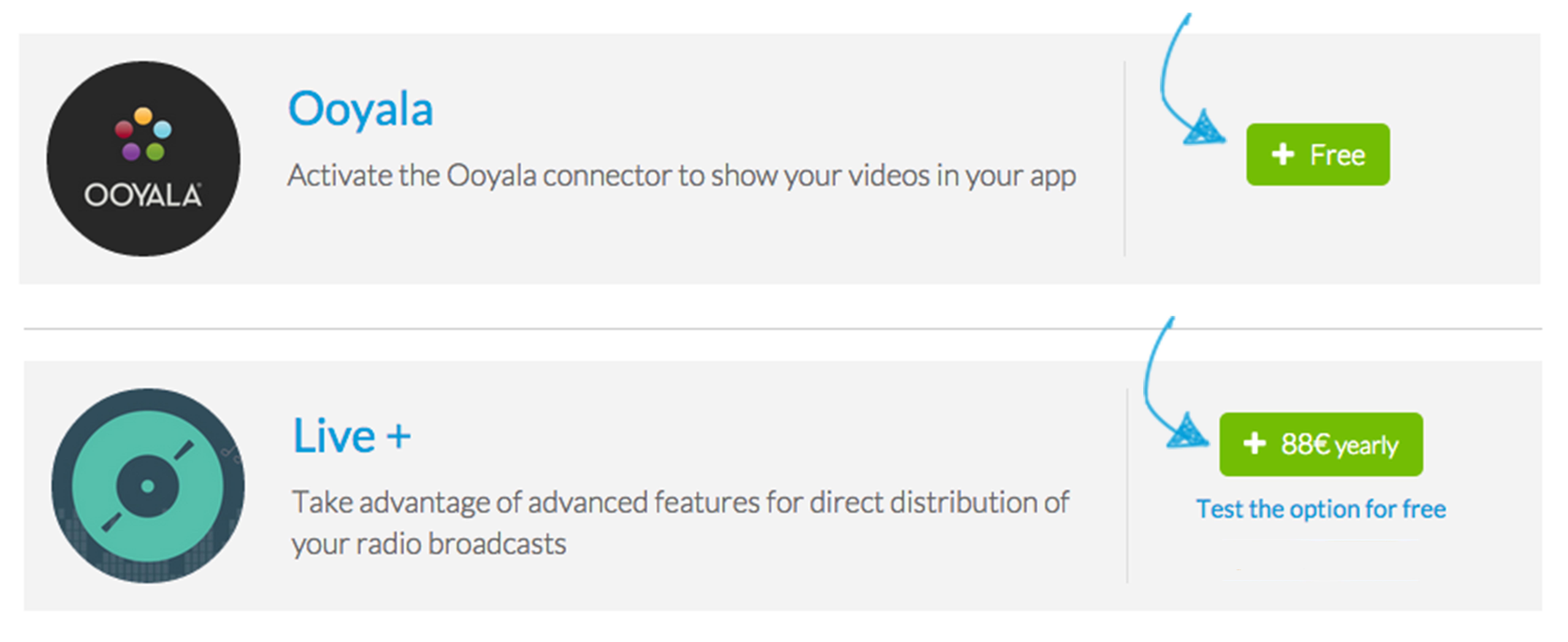
To activate an Add-On, you will have to go to Add-Ons store, choose the Add-On(s) you want to activate, go to its description page, and add it by clicking on the [+Free] green button if it's a free Add-On, or on the [+Price] green button if it's a paid one (in this case you will have to purchase it before enabling it in your back office). Once the Add-On has been added, you will be automatically redirected to the page where it is displayed.
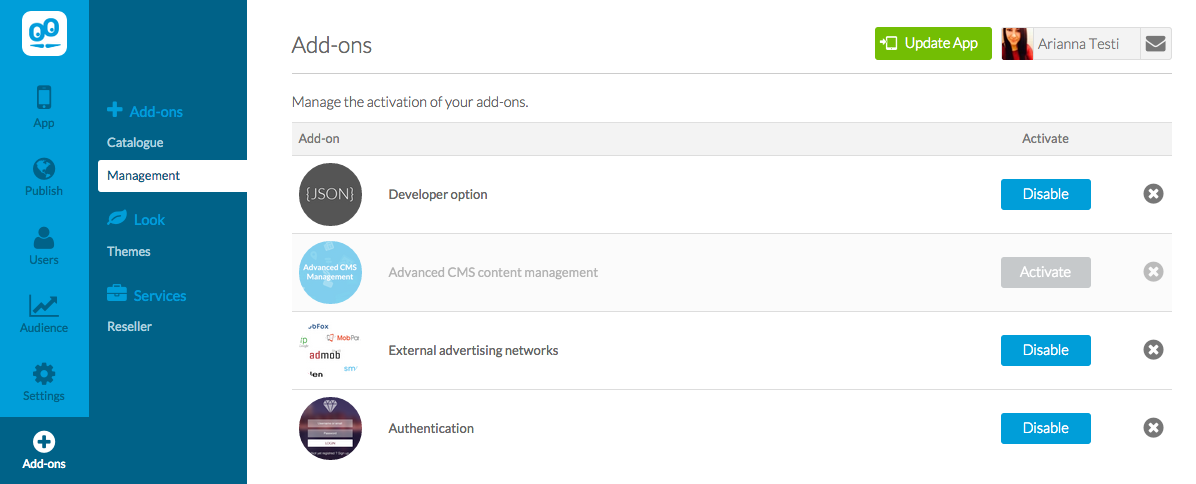
Inside the Add-Ons section you even have a "Management" menu, where you can oversee and modify your Add-Ons. You can Disable them, in which case we will save all the metrics of the section, but you won't be able to use it. You can also delete the Add-On. When you do this, all information will be deleted.
Catalogue
Here's a recap of the Add-Ons sections available at the moment:
Powerful tools can be found here, such as the very useful Scheduled Push. Not to mention the cutting edge Geofencingand iBeaconAdd-Ons.
Connect professional content services such as Ooyala, Squarespace, or enable our Advanced CMS management solution.
In the Local Business section you will find the tools to create a Loyalty Program tailored to your needs with our Loyalty Card and Club Card Add-Ons. To boost your sales, you can also take advantage of our Couponing Add-On and deliver discount coupons right from your app.
Under Monetization, you will find options to display ads within your app, either through External advertising networksor our Internal ad server. The External statistics Add-On is also available here.
Also:
- Live services Check out our Live Streaming services with the Live Audio or Live Video Add-Ons, as well as our Live + Add-On.
- Advanced Options The Plugin section allows you to develop and add specific features in your application. API access allows you to access hidden settings to further personalize your app.
Five ways lead to a fitness app for your business, and each is priced its own way: a flat plan, an add-on to gym software, per client, per subscriber or quoted. The table below compares what each one costs and the job it is built for.
OpenAI released GPT-6 Sol and GPT-6 Luna on September 22, 2026, after GPT-6 Astra, the flagship of the family, earlier the same month. Luna is the smallest of the three. OpenAI describes it as its most efficient model for focused, high-volume tasks, and sells it at half the price of GPT-5.6 Luna, the model it replaces in OpenAI's own line-up.The next morning, we moved the AI Extension Builder to GPT-6 Luna, for every app, on the four moments where a model is at work: understanding your request, writing the code of the section, rewriting it when you ask for a change, and answering the questions you ask about what it built.
 eCommerce
 Memberships
 RAG Chatbot
 Online Courses
 Bookings
 Travel guide
 Events
 Content Creators
 Pickup & Delivery
 Newspaper
 Radio
Radio Schools
 Faith
Faith Organizations
 Restaurant
 Grocery
 Custom apps
 Employee Communication

 NO CODE APP BUILDER
 TECHNOLOGY
 WHY GOODBARBER?
 Design
 PRODUCT RESOURCES
 TOPICS
 MOBILE APPS RESELLERS
 DISCOVER