 eCommerce
 Memberships
 Chatbot
 Online Courses
 Bookings
 Travel guide
 Events
 Content Creators
 Pickup & Delivery
 Newspaper
 Radio
Radio Schools
 Faith
Faith Organizations
 Restaurant
 Grocery
 Custom apps
 Employee Communication

 NO CODE APP BUILDER
 TECHNOLOGY
 WHY GOODBARBER?
 Design
 PRODUCT RESOURCES
 TOPICS
 MOBILE APPS RESELLERS
 DISCOVER
The 10 best No-Code App Builders in 2026
We built the same app on 10 no-code platforms: GoodBarber, Bubble, Glide, Adalo, Lovable, FlutterFlow, Bolt.new, Buildfire, Thunkable, Base44. These platforms differ significantly in output type (native apps, web apps, or enterprise systems), technical complexity, and target use case.

The short answer
We scored ten no-code app builders on two axes (no-code ease and real app output) and blended them equally (see the Methodology). Here's how the ten land:
- Best overall: real, no-code, store-ready native appGoodBarber · 9.0
- Best per-app native builder with managed publishingBuildFire · 7.75
- Fastest spreadsheet-to-appGlide · 7.5 (tie)
- Simplest native prototype builderAdalo · 7.5 (tie)
- Native output with full code ownershipFlutterFlow · 7.0
- Block-logic native builder for educationThunkable · 6.75
- Most no-code of the AI generatorsBase44 · 6.5 (tie)
- Fastest AI web app, code keptLovable · 6.5 (tie)
- Most code-portable AI web builderBolt.new · 6.0 (tie)
- Most powerful for complex web logicBubble · 6.0 (tie)
Editorial-independence disclosure. This comparison is written and published by GoodBarber, one of the ten platforms ranked. Every platform is scored on the same two axes; GoodBarber's own figures are labelled company-reported and set against independent G2/Capterra ratings. GoodBarber ranks #1 on this axis pair, so apply appropriate skepticism and cross-check with the independent-ratings table, the stated limitation inside every platform card and the linked head-to-head build for each rival. If your output target is a fast AI-generated web prototype rather than a native app you'll operate long-term, the tools we rank lower (Lovable, Bolt.new, Base44) or Bubble will serve you better than GoodBarber will and we say so throughout.
Methodology
We built the same nine-requirement app, AURORA, a luxury travel guide (multi-section content, user accounts, push, CMS, e-commerce, real-time data, an AI chatbot and App Store + Google Play publishing), on all ten platforms, then scored each on two axes: no-code ease (how little code, data-modeling or developer help it demands) and real app output (whether you keep a genuine, store-distributable native app with the stack to run it or a web/PWA prototype). The rank is the equal-weight blend, Blended = (No-code ease + Real app output) ÷ 2, with ties broken by higher no-code ease. Scores combine that first-hand build, each one published as a standalone GoodBarber-vs-[tool] head-to-head you can verify, with a structured assessment of vendor documentation and independent G2 / Capterra ratings; we ran no stopwatch benchmarks, so we claim no build-time figures beyond what a build plainly showed. A score here is a fit-for-these-two-axes verdict, not a universal quality judgment. Competitor pricing, ratings and features are point-in-time, verified Q2 2026.
What is a no-code app builder (and what it isn't)?
The label "no-code" gets stretched to cover four different things and the difference decides what you can build and who has to build it.
A no-code app builder is a visual development platform that turns configuration, not source code, into a working, distributable app. The moment you have to read, debug or maintain the generated code or design a relational data model by hand, you've crossed from no-code into low-code or AI-assisted coding, a different job with a different skill requirement.
No-code app builder: is a visual platform that produces a publishable app from visual configuration, with no requirement to write or maintain source code (GoodBarber, Glide, Adalo, BuildFire).
Low-code builder: is a visual platform that still requires modeling logic or data structures, a workflow engine or a widget tree, so it demands programming intuition past a simple screen (Bubble, FlutterFlow).
AI app generator ("vibe coding"): is a tool that generates editable source code from a prompt; it feels no-code until something breaks and you need to read the code (Lovable, Bolt.new; Base44 keeps you in a no-code shell after generation).
PWA / web-app builder: is a platform that outputs a web app installable to the home screen, not a compiled native binary distributed through the App Store and Google Play (Glide).
| Type | You write/maintain code? | Typical output | In this list |
|---|---|---|---|
| No-code | No | Native app or PWA from configuration | GoodBarber, Glide, Adalo, BuildFire, Thunkable |
| Low-code | Sometimes (logic/data modeling) | Web app; native via wrapper or export | Bubble, FlutterFlow |
| AI code generation | When you debug/extend it | Editable web-app code | Lovable, Bolt.new, Base44 |
| PWA / web-app | No | Web app / PWA (no native store binary) | Glide, Base44, Lovable, Bolt.new |
The practical takeaway: "no-code" and "produces a real native app" are two separate promises and most platforms only make one of them cleanly. That's exactly why we score both and why we built the same app on each to see which promise actually holds.
The 10 best no-code app builders in 2026, ranked
| # | Platform | No-code ease | Real app output | Blended | Output taxonomy |
|---|---|---|---|---|---|
| 1 | GoodBarber | 8.5 | 9.5 | 9.0 | iOS + Android + PWA (compiled native) |
| 2 | BuildFire | 7.5 | 8.0 | 7.75 | iOS + Android |
| 3 | Glide | 9.5 | 5.5 | 7.5tie | PWA / Web |
| 4 | Adalo | 8.5 | 6.5 | 7.5tie | iOS + Android + PWA |
| 5 | FlutterFlow | 5.5 | 8.5 | 7.0 | iOS + Android + Web (+ code export) |
| 6 | Thunkable | 7.0 | 6.5 | 6.75 | iOS + Android |
| 7 | Base44 | 8.0 | 5.0 | 6.5tie | Web / PWA |
| 8 | Lovable | 7.5 | 5.5 | 6.5tie | Web / PWA (+ code export) |
| 9 | Bolt.new | 7.0 | 5.0 | 6.0tie | Web / PWA (+ code export) |
| 10 | Bubble | 4.5 | 7.5 | 6.0tie | Web · Hybrid wrapper |
How to read this table: high no-code ease = a non-technical person reaches a working app fast, without code or data-model design. High real app output = you walk away with a genuine, ownable, store-distributable production app plus the stack to run it. A low rank here is not a quality verdict: Bubble ranks last on this axis pair because of its learning curve, yet it is the most capable web-logic engine in the set.
Best-for decision matrix
| If you want to… | Start with |
|---|---|
| Ship a native App Store + Google Play app with no dev team, and run it for years | GoodBarber |
| Pay per app as you win native-mobile clients, with publishing handled | BuildFire |
| Turn a Google Sheet or Airtable into a usable app today | Glide |
| Build the simplest possible native mobile prototype | Adalo |
| Get genuine native output and own the exported code | FlutterFlow |
| Teach app-building or ship a maker/education project cheaply | Thunkable |
| Generate a full web app from a prompt and never touch code | Base44 |
| Generate a web app from a prompt and keep the React codebase | Lovable / Bolt.new |
| Build complex, relational web-app logic and can invest weeks to learn | Bubble |
Specs at a glance
| Platform | Category | Pricing type | Starting price | Native output | Store publishing |
|---|---|---|---|---|---|
| GoodBarber | No-code native app builder | Flat subscription · 0% commission | €55/mo (billed yearly, native) | iOS + Android + PWA (compiled native) | Managed (optional GBTC) |
| BuildFire | No-code native app builder | Subscription / managed service | ~$165/mo* (Standard) | iOS + Android | Managed |
| Glide | Spreadsheet-to-app (PWA) | Per-update subscription | ~$199/mo* (Business) | PWA / Web | No native store |
| Adalo | No-code native app builder | Subscription | ~$36–52/mo* | iOS + Android + PWA | Self-managed |
| FlutterFlow | Low-code native builder | Per-seat subscription | ~$39/mo+* per seat | iOS + Android + Web | Self-managed |
| Thunkable | Block-logic native builder | Subscription | ~$37/mo* (Builder, annual) | iOS + Android | Self-managed |
| Base44 | AI app generator (no-code shell) | Subscription / credits | Free tier + paid* | Web / PWA | No native store |
| Lovable | AI app generator (code export) | Subscription / credits | ~$25/mo* (Pro) | Web / PWA | No native store |
| Bolt.new | AI app generator (code export) | Subscription / credits | ~$25/mo* (Pro) | Web / PWA | No native store |
| Bubble | Low-code web-app builder | Workload-based subscription | ~$32/mo* (Starter) | Web · Hybrid wrapper | No native store |
* Competitor prices are point-in-time figures from vendor pages and our head-to-head builds at the time of review and change often. Verify on the vendor's site. GoodBarber's €55/mo is its lowest native tier (Content Premium = iOS + Android + PWA) shown billed yearly; a PWA-only Standard tier starts at €30/mo billed yearly.
Feature matrix: the booleans behind the scores
| Platform | Native store app | Built-in CMS | Native push | In-app commerce | Zero-code for non-devs | Code export | Built-in analytics |
|---|---|---|---|---|---|---|---|
| GoodBarber | ✓ | ✓ | ✓ | ✓ | ✓ | — | ✓ |
| BuildFire | ✓ | ✓ | ✓ | ~ | ✓ | — | ✓ |
| Glide | — | ~ | ~ | ~ | ✓ | — | ✓ |
| Adalo | ✓ | — | ✓ | ~ | ✓ | — | — |
| FlutterFlow | ✓ | — | ~ | ~ | — | ✓ | ✓ |
| Thunkable | ✓ | — | ✓ | — | ✓ | — | — |
| Base44 | — | ~ | — | ~ | ✓ | — | ~ |
| Lovable | — | — | — | ~ | — | ✓ | — |
| Bolt.new | — | — | — | ~ | — | ✓ | — |
| Bubble | ~ | ~ | ~ | ~ | ~ | — | ✓ |
Legend: ✓ built-in · ~ partial or via add-on/plugin/prompt · — not available or not documented. — means "not documented," not "impossible."
How did we score the platforms?
The GoodBarber team of experts, who have spent 15 years building no-code development tools for PWAs and native apps (github.com/goodbarber) and reviewing mobile-development technologies since 2011, evaluated 100+ no-code and app-building platforms and narrowed to the ten here by two gates: the tool must be genuinely usable without a developer for its core job and it must ship something you can actually put in front of users. Each platform then got two headline scores out of 10 that combine into the blended rank. Behind the two axes, we looked at six concrete things: time-to-productive for a non-technical user; what the tool assumes you can do; what actually ships (compiled native, native-via-export, hybrid wrapper or web/PWA); store distribution; the run-it stack (included or assembled); and longevity.
Reproducible scoring.Blended = (No-code ease + Real app output) ÷ 2. Where blended scores tie, the platform with the higher no-code ease is listed first: this is a no-code ranking. Band rubric:
| Band | No-code ease | Real app output |
|---|---|---|
| 9–10 | Non-technical user ships the same day; no code, no data modeling, no external toolchain | Compiled/native app for the App Store + Google Play, with the run-it stack included |
| 7–8 | Productive within days; occasional config, formula, or prompt-iteration | Real native or exportable production app, but you assemble part of the stack or ownership is less complete |
| 5–6 | Fine for simple cases, but real builds mean learning a widget/logic model or reading generated code | Genuine, usable app, but web/PWA only, or too new to have a production track record |
| Below 5 | Weeks of platform-specific learning before a complex app ships | Prototype-grade or web-only, with store, support, or longevity gaps |
GoodBarber lands in the top band on real app output (compiled native + a stack you don't assemble) and the upper band on ease (publishable in hours, but honestly a step behind Glide and Adalo for the simplest data-driven apps), hence 8.5 / 9.5.
Provenance: what was tested vs. researched. Scores combine our AURORA reference build (the same nine-requirement app, built on each platform) with a structured assessment against vendor documentation and independent G2 / Capterra ratings. The build is not a private note: each head-to-head is published and linkable (GoodBarber vs Bubble, Glide, Adalo, Lovable, FlutterFlow, Bolt.new, BuildFire, Thunkable and Base44). Where we make a first-hand claim, it's labelled "In our AURORA build" and points to the specific comparison; everything else is documentation or third-party. We did not run stopwatch benchmarks, so we quote no build-time figures beyond what a build plainly showed (e.g. "a working web prototype in under an hour" on Bolt.new).
One honest note up front: the tools that claim the most, especially "AI builds your whole app", don't always deliver a thing you can operate six months later. Speed of first generation and durability of the result are different properties and this ranking weights the second one heavily.
Independent ratings (a counterweight to our scores)
Our two-axis score measures fit for this axis pair, not aggregate satisfaction, so here is the independent signal, point-in-time, checked Q2 2026. Trustpilot scores are deliberately omitted (they may only appear through Trustpilot's official widget).
| Platform | G2 (reviews) | Capterra (reviews) | Note |
|---|---|---|---|
| GoodBarber | 3.4 (19) | 3.7 (24) | Low volume; its audience (publishers, retailers, agencies) is under-represented on software-buyer review sites |
| BuildFire | 4.7 (197) | 4.4 (129) | Strong, high-volume B2B track record |
| Glide | 4.7 (817) | 4.6 (73) | Largest, most statistically reliable base in the set |
| Adalo | 4.0 (15) | 3.5 (15) | Very low volume, directional only |
| FlutterFlow | 4.5 (29) | 4.6 (15) | Loved by developers; noted steep curve |
| Thunkable | 4.4 (39) | 4.4 (8) | Well-liked in education |
| Base44 | 3.8 (4) | 4.8 (1) | Too new for meaningful volume |
| Lovable | 4.6 (289) | 4.5 (10) | Fast review velocity; credit-cost complaints |
| Bolt.new | 3.8 (152) | 4.0 (50) | Polarized; stability and support gripes |
| Bubble | 4.4 (162) | 4.5 (13) | Strong with pros; billing friction off-platform |
We'll say it plainly: on G2 and Capterra, GoodBarber's averages are middling and its volume is low. Glide and BuildFire beat it outright on independent ratings. Our #1 is a fit-for-these-two-axes verdict, not a claim that GoodBarber is the best-reviewed product on the internet.
What we found building AURORA on all ten
Roundups usually summarize spec sheets. We instead ran one fixed brief through every platform and published each build as its own comparison. Here is the single most telling thing each build showed: where the platform sped us up and where AURORA hit a wall. Every row links to the full, first-hand head-to-head.
| Platform | In our AURORA build | Head-to-head |
|---|---|---|
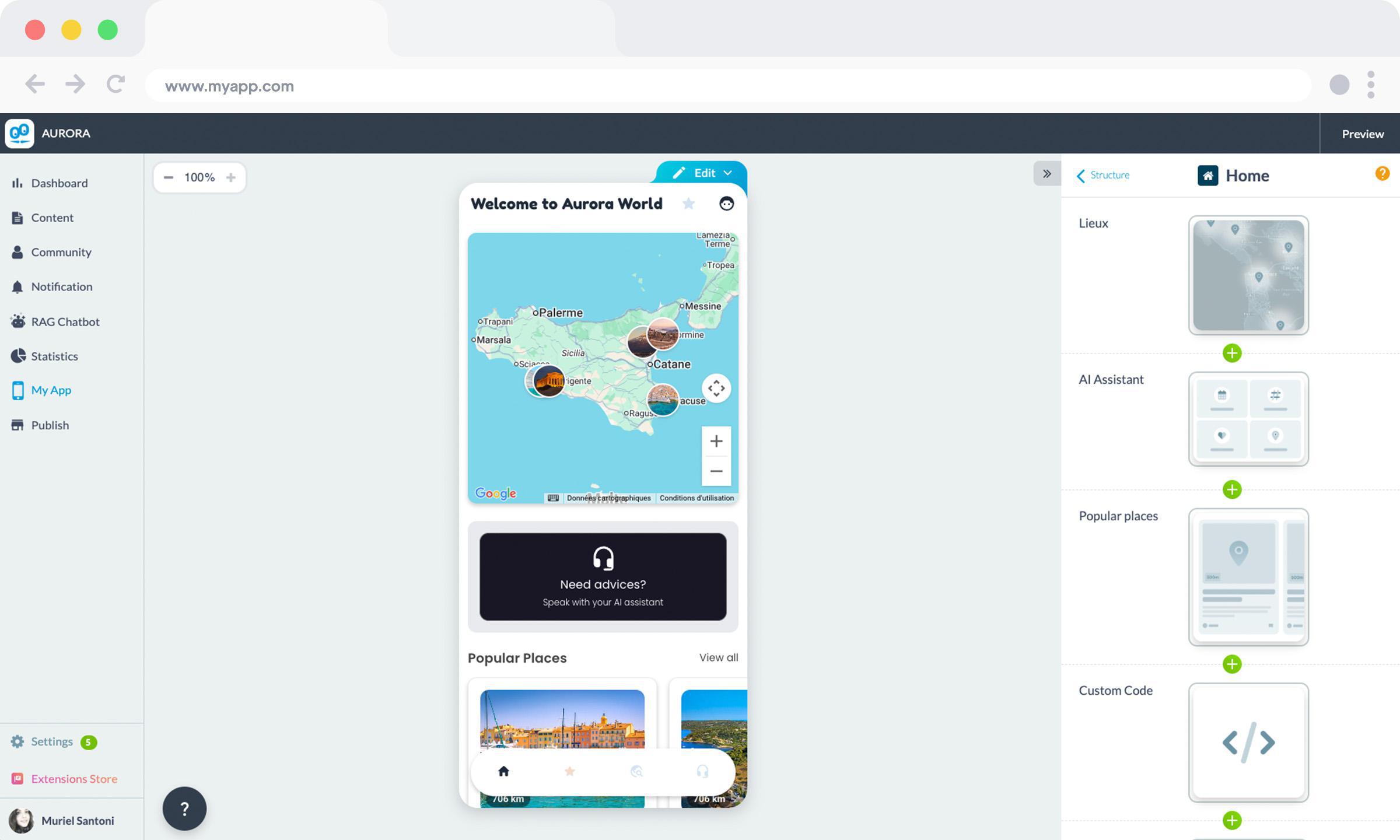
| GoodBarber | All nine requirements (content, accounts, push, CMS, e-commerce, real-time data, AI chatbot, store publishing) were configured in one back-office and compiled to native iOS/Android + a PWA. | — (our baseline) |
| BuildFire | "We ran the same brief through both platforms." Ships native apps with included push, but the native architecture "isn't publicly documented," and entry pricing starts around $165/mo. | vs BuildFire |
| Glide | "Start-up is extremely smooth… one of the fastest tools when part of the project structure already exists." But Glide "does not publish directly to the App Store or Google Play," and it "deprecated push in December 2024." | vs Glide |
| Adalo | Real native output via React Native (hybrid); push "only from the Professional plan ($52/mo)"; no editorial CMS: "database record management only." | vs Adalo |
| FlutterFlow | "We built AURORA on both… working from an identical specification" across nine features. FlutterFlow has "simply no content management interface," and "canvas performance degraded" as the project grew. | vs FlutterFlow |
| Thunkable | "Getting a first screen running was fast and frankly fun," but "the block canvas grew dense" as logic grew. On e-commerce, "AURORA hit a wall… no documented built-in commerce module." | vs Thunkable |
| Base44 | "In just a few minutes, AURORA exists" from a prompt, but it's a web experience with home-screen install; "native push or full offline… are not natively supported at this stage." | vs Base44 |
| Lovable | Prompt-to-app generated a full-stack web app fast; publishing to the stores "requires a native binary" Lovable doesn't produce, and "code exports one-way to GitHub." | vs Lovable |
| Bolt.new | "Getting a working web prototype running took us less than an hour," but shipping to iOS/Android "required us to install a local developer toolchain, create Apple and Google developer accounts, configure code signing, and submit manually," and "there is no back-office… every content update means touching the code." | vs Bolt.new |
| Bubble | "We built the same application on both tools." Bubble started from a blank page and required data modeling before any screen could exist; the trade is "total freedom" for "higher overall complexity." | vs Bubble |
The pattern across ten builds is consistent: the AI and spreadsheet tools reach something on screen fastest and the native builders make you work a little harder for a result you can put in a store and operate. Which half you want is the whole decision and it's why we score ease and output separately instead of collapsing them into one number.
The stack tax: the number the sticker price hides
The most-separating dimension in this category isn't the monthly price, it's how much else you have to buy to ship a real app. A no-code tool that shows a $25 sticker can cost far more once you add the pieces it doesn't include and you still may not have a native app at the end. Our AURORA builds made this concrete: on the AI-web tools, "hosting, database, push and payments" each arrived as a "separate subscription with its own billing, dashboard, quota model." Here's a worked example: a production app with a content backend, push notifications, payments and analytics.
| Line item | All-inclusive (GoodBarber) | Assembled on a web-first / AI tool |
|---|---|---|
| App builder / generator | €55/mo (native tier, billed yearly) | ~$25/mo* |
| Managed database / backend | included | ~$25/mo* (e.g. a hosted Postgres tier) |
| Push-notification service | included | ~$0–15/mo* (third-party) |
| CMS / content workflow | included | ~$0–20/mo* (headless CMS) |
| Analytics | included | ~$0/mo* (free tier) |
| Hosting | included | bundled/variable |
| Native App Store + Google Play binary | included | not produced |
| Vendors to manage | 1 | 4–5 |
* Every figure in the right-hand column is an illustrative market-rate assumption, not a vendor quote. Real costs vary by usage. The point isn't the exact total; it's the shape.
GoodBarber folds hosting, database, CMS, push, e-commerce and analytics into one subscription (the "stack tax" the platform removes, company-reported) and the assembled alternative still hands you a web app rather than a compiled native binary. GoodBarber also reports 0% commission on mobile e-commerce transactions (standard processor fees still apply). For a throwaway prototype, the assembled route is cheaper and faster. For an app you intend to operate, the all-inclusive route usually wins on both true cost and the thing you can actually ship.
The 10 platforms, in detail
Best-first. Every card carries the sub-scores, a first-hand "In our AURORA build" observation from the linked head-to-head, the platform's genuine strengths and a stated limitation.
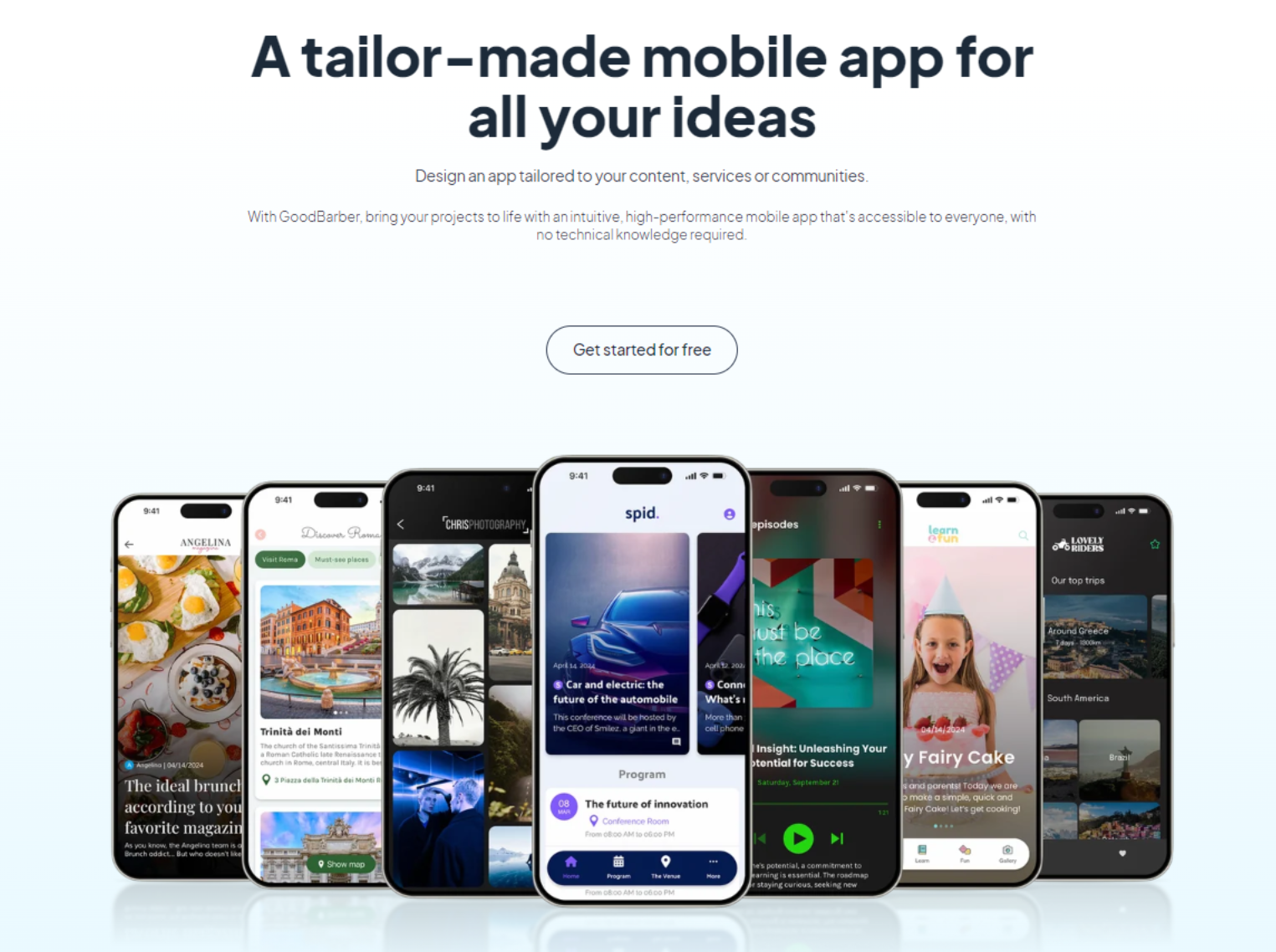
1. GoodBarber: a real, no-code, store-ready app you can run for years
Best for: a publisher, retailer, community or small business or an agency, that needs a native iOS and Android app, with the CMS, push and commerce to run it and no development team.
GoodBarber is a no-code app builder that produces compiled native iOS (Swift) and Android (Kotlin) apps plus a PWA from one back-office, with hosting, CMS, push, e-commerce and analytics included in the subscription, from €55/mo billed yearly (native tier).
🧪 In our AURORA build, the baseline every rival was measured against
- All nine AURORA requirements, multi-section content, user accounts, favorites, push, premium content, weather API, RAG chatbot and store publishing, were configured in a single back-office.
- In-App Purchase was a single native StoreKit / Google Play Billing toggle, not a workflow to build from scratch.
- Output compiled to native Swift (iOS) + Kotlin (Android) plus a PWA, no external hosting, database, CMS or push service to assemble.
GoodBarber tops this axis pair because it is the rare platform that is genuinely no-code and ships a real, ownable, store-distributable native app with the whole run-it stack attached. On output (9.5), it compiles true native Swift and Kotlin binaries, not a hybrid wrapper, plus a PWA and publishes to the App Store and Google Play; GoodBarber reports a download every 4 seconds across its apps and paying customers in 152 countries since 2011. On ease (8.5), a non-technical user reaches a publishable app in hours and Smart Design, the first formalized design system inside a no-code app builder, auto-enforces contrast, an 18-level type scale and multi-device spacing, so output looks professional without a designer.
Where it earns an 8.5 on ease rather than a 9.5: for the simplest data-driven internal tool, Glide and Adalo are a touch faster to first screen. And on AI, GoodBarber is deliberately modest: Genius Palette (a free, custom-trained color model), an AI Extension Builder in Beta that is prompt-to-section, not prompt-to-app and an in-app RAG chatbot for the app's end-users. Its distinctive AI story is operation: a hosted, production MCP server (a proprietary GoodBarber service, not open source) plus 44 open-source Claude Skills let an AI agent run a live app by natural language. That's agent-ready operation, not an app that builds itself.
The all-inclusive stack is the quiet differentiator: hosting, database, CMS, push, e-commerce (22 payment gateways, 0% GoodBarber commission) and analytics are bundled, removing the stack tax a web-first build pays across several vendors. Data is hosted exclusively in Europe (GDPR by design). The honest boundaries: it's built for content and commerce apps, not games or complex marketplaces; there's no source-code export; and its independent G2/Capterra averages are middling on low volume. Publishing help is the optional GBTC add-on (GoodBarber reports a 91% recovery rate on Apple first-submission rejections).
✓ Strengths
- True native Swift (iOS) + Kotlin (Android) + PWA from one back-office
- All-inclusive: no separate hosting, database, analytics or payment subscriptions
- Best design system in the no-code mobile category (Smart Design)
- 190+ extensions, most free, one-click install
- MCP server + 44 Claude Skills: apps are AI-operable out of the box
- European data hosting, GDPR-compliant by construction
- Reseller program: unlimited client apps, white-label, no per-app fee
✗ Weaknesses
- Not for games or complex multi-sided marketplaces with heavy custom logic
- Specialised extensions (Memberships, Chat, Time slots) add to monthly cost
- Single front-office language per app, no runtime multilingual UI
- No source-code export, migration requires a rebuild
- Web-app flexibility limited vs. Bubble or Lovable for web-first projects
GoodBarber is NOT the right choice if:
- You need source-code export: FlutterFlow (Flutter) or Lovable (React/TypeScript) fit better if code ownership is a hard requirement.
- You want advanced custom backend logic: Bubble handles complex multi-step workflows GoodBarber's back-office isn't built for.
- You are building a web-only SaaS: Bubble, Lovable or Glide fit web-first products better.
- You want AI-generated app creation from a prompt: Lovable, Bolt.new or Base44 are faster for that.
- Budget is the single hardest constraint: Lovable/Bolt.new (~$25/mo web) or Thunkable (native from ~$37/mo) are cheaper.
- Category
- No-code native app builder (content & commerce)
- Pricing model
- Flat subscription · 0% e-commerce commission
- Starting price
- €55/mo billed yearly (native) · €30/mo billed yearly (PWA-only Standard), company-reported
- Native output
- iOS + Android + PWA (compiled native)
- Store publishing
- Managed (optional GBTC add-on)
- Best for
- Non-technical teams and agencies shipping a native app to run long-term
- Main limitation
- No code export; not for games/complex marketplaces; middling third-party review averages
- Evidence
- goodbarber.com (native output & stack company-reported) · AURORA baseline across all nine head-to-heads

2. BuildFire: native mobile with managed publishing
Best for: a US SMB or mid-market brand, fitness, faith, events, hospitality, that wants a native app with a dedicated account team and doesn't mind managed-service pricing.
BuildFire is a no-code platform that produces native iOS and Android apps with a plugin marketplace, built-in push and CMS and hands-on account support, on a managed-service pricing model.
🧪 In our AURORA benchmark, Full GoodBarber vs. BuildFire comparison →
- Pricing gap: BuildFire's Standard plan starts at $165/month, the pricing reflects a managed-service model with dedicated support baked in.
- Native architecture: BuildFire claims native iOS and Android output, but the underlying architecture is not publicly documented, unlike GoodBarber's published Swift/Kotlin compilation pipeline.
- Push and CMS: AURORA shipped with included native push and a workable content interface, a genuine strength for member-communication and community apps.
- Third-party reviews are split: a verified Capterra reviewer (a lead pastor) praised it, "The ease and quick ability to design, build and publish an app is second to none", while another flagged a serious support gap (below).
"All the information in my app disappeared and literally nobody has been able to give a competent reply as to what happened.", verified third-party user review, cross-referenced during our evaluation.
BuildFire takes clear second on this axis pair: it is genuinely no-code for business users configuring features from a preset list (7.5 ease) and it ships real native apps to the stores with solid push and a workable CMS (8.0 output). It is SOC 2 Type II certified, advertises 5,000+ apps powered and a 150+ plugin marketplace with a developer SDK/API and its post-2024 management change shows in strong, high-volume independent ratings (G2 4.7 from 197; Capterra 4.4 from 129). The honest gaps: pricing is sales-led and high relative to peers; the underlying app architecture is less publicly documented than GoodBarber's compiled-native pipeline; and its native AI features are minimal in a 2026 field that has moved on AI.
✓ Strengths
- SOC 2 Type II, a strong security credential in the native-mobile no-code category
- Native iOS + Android with solid push notifications
- Enterprise-grade support model with dedicated account managers
- White-label available for branded deployments
✗ Weaknesses
- No AI generation features, lags the 2026 category on AI
- Opaque and high pricing vs. competitors
- Design quality below GoodBarber's formalised design system
- Smaller community and less public documentation
BuildFire is NOT the right choice if:
- AI-assisted app creation is important: the category has moved; BuildFire hasn't yet.
- Budget is a constraint: pricing is high relative to competitors.
- You're a web agency building multiple client apps: GoodBarber's Reseller program is purpose-built for this.
- Design quality and consistency matter: invest in GoodBarber or FlutterFlow.
- Category
- No-code native app builder (enterprise/SMB)
- Pricing model
- Subscription / managed service
- Starting price
- ~$165/mo Standard (point-in-time; sales-led)
- Native output
- iOS + Android
- Store publishing
- Managed
- Best for
- US SMBs wanting native mobile with a dedicated account team
- Main limitation
- High pricing floor; minimal native AI; architecture less documented
- Evidence
- buildfire.com · GoodBarber vs BuildFire
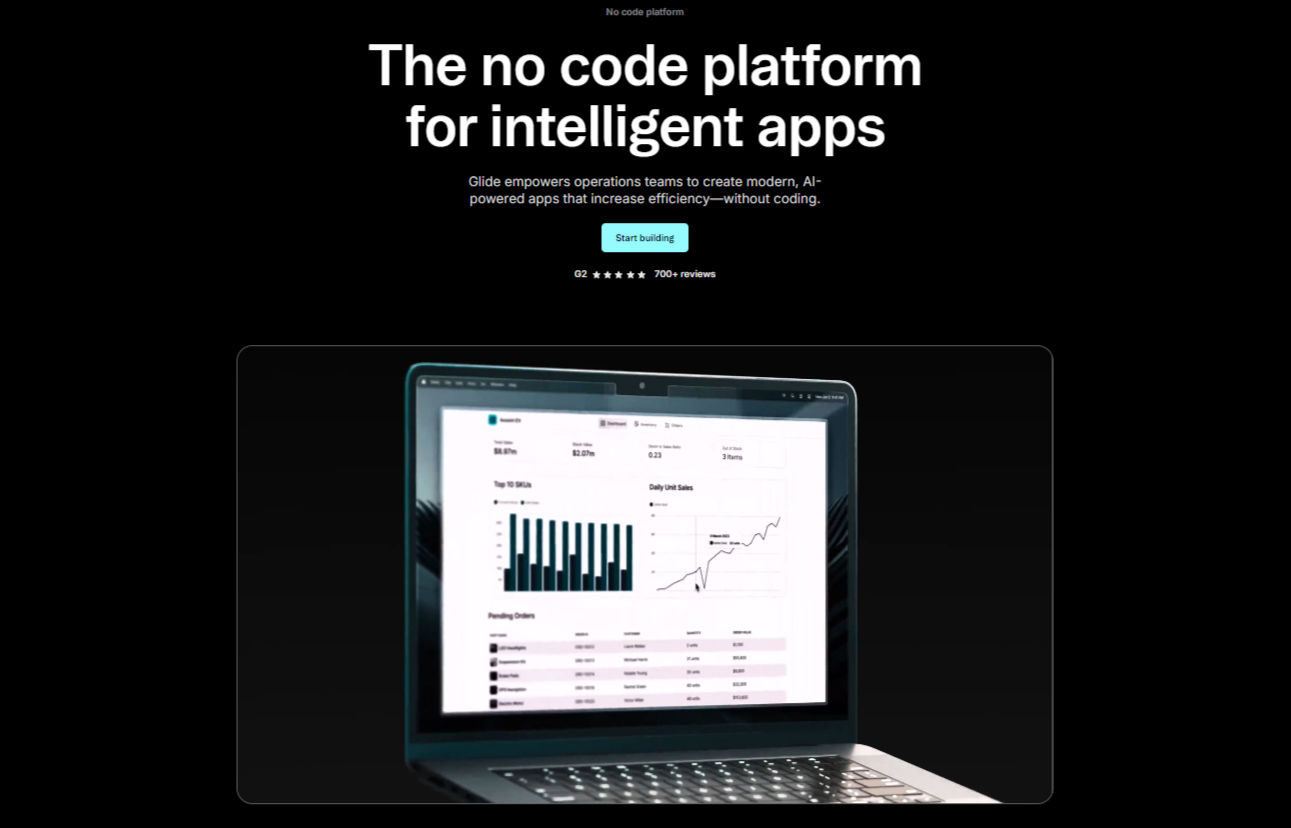
3. Glide: spreadsheet to app, fastest
Best for: an operations, HR or small-business team with data already in Google Sheets or Airtable that needs an internal tool or customer PWA today.
Glide is a no-code builder that turns a spreadsheet or database into a polished PWA in minutes, with the best ease-of-use in this comparison but no native App Store or Google Play output.
🧪 In our AURORA build, Full GoodBarber vs. Glide comparison →
- Connecting an existing data structure was extremely smooth: pre-built components for lists, filtering and user portals were immediately usable.
- AURORA could not be published to the App Store or Google Play. Glide produces PWAs only, with no native store distribution path.
- Push notifications were not available: Glide deprecated that functionality in December 2024 after PWA delivery proved too unreliable across environments.
- Monetization required workarounds: no native in-app purchase module exists; payment flows depend on external integrations.
"Glide deprecated this functionality in December 2024, explaining that the general constraints of PWAs made the behavior too unreliable depending on the environment."
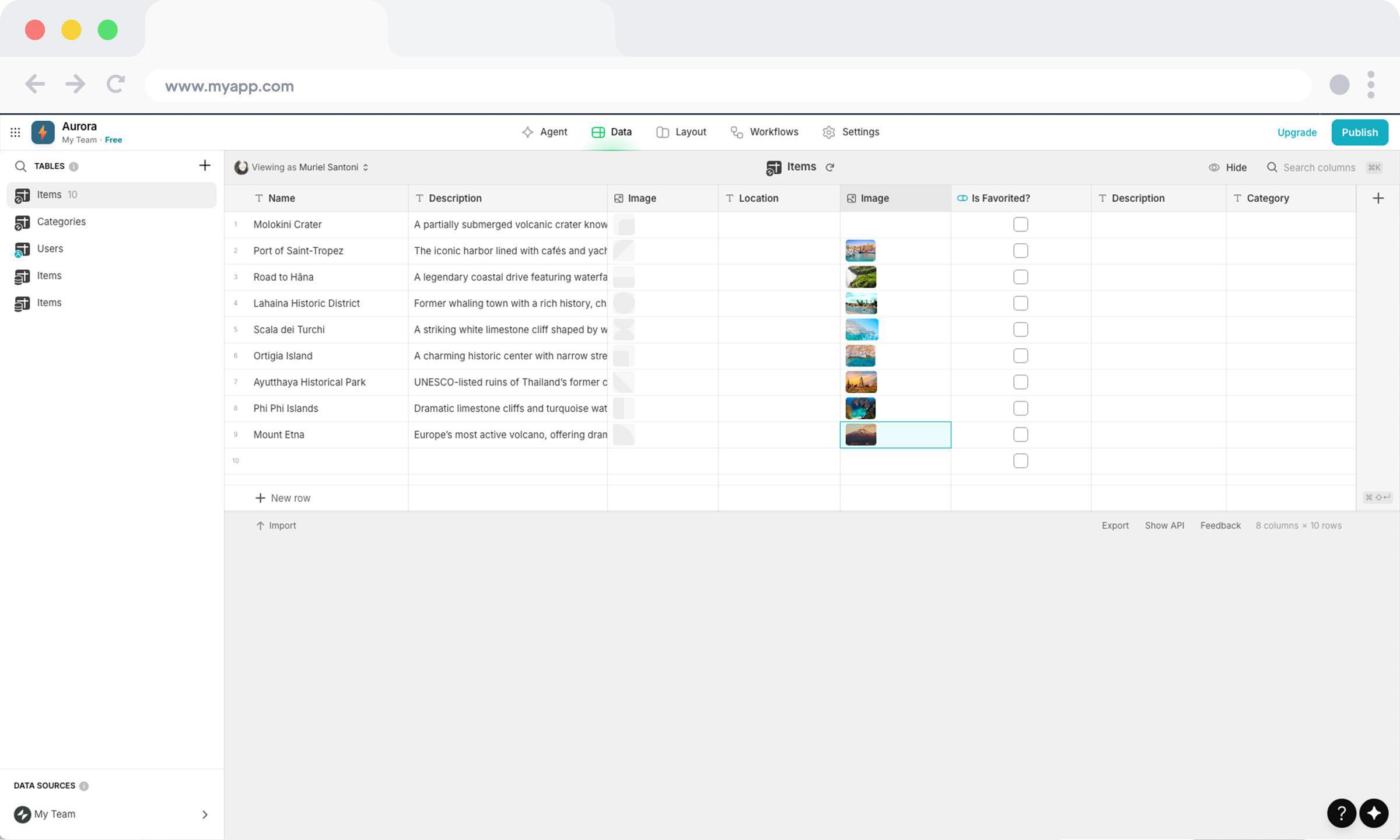
Glide has the highest ease score in the set (9.5): connect a data source and a working app structure appears: no database design, no code. It carries the largest, most reliable independent rating here (G2 4.7 from 817). It ranks joint-third rather than higher because of output (5.5): Glide produces PWAs only, with no native store distribution and it deprecated push in December 2024 because PWA delivery proved too unreliable across environments. It's the right tool the moment the answer to "does this need an App Store listing or reliable push?" is no and the wrong one the moment it's yes.
✓ Strengths
- Fastest no-code path from spreadsheet to working business app
- Excellent data-source breadth: Google Sheets, Excel, Airtable, SQL, BigQuery
- Clean, professional PWA output
- AI Actions built natively for data extraction and classification
✗ Weaknesses
- No native iOS or Android output, no App Store / Google Play
- Not an editorial CMS, unsuitable for media publishers
- Per-update pricing adds unpredictability at high usage
- iOS push notifications not supported on PWA
Glide is NOT the right choice if:
- You need an App Store or Google Play app: Glide produces PWAs only.
- Your content is editorial (news, podcasts, video): use GoodBarber.
- You need push notifications on iOS: the limitation is structural to PWAs.
- You're building a consumer-facing e-commerce app: Glide has no full storefront builder.
- Category
- Spreadsheet-to-app (PWA)
- Pricing model
- Per-update subscription
- Starting price
- ~$199/mo Business (point-in-time; free plan for 1 app)
- Native output
- PWA / Web
- Store publishing
- No native store
- Best for
- Data-driven internal tools and customer PWAs, built in a day
- Main limitation
- No native apps; push deprecated; per-update pricing escalates
- Evidence
- glideapps.com · GoodBarber vs Glide
4. Adalo: simplest native prototype builder
Best for: an early-stage founder who needs a functional native iOS/Android prototype to validate with users or investors within days.
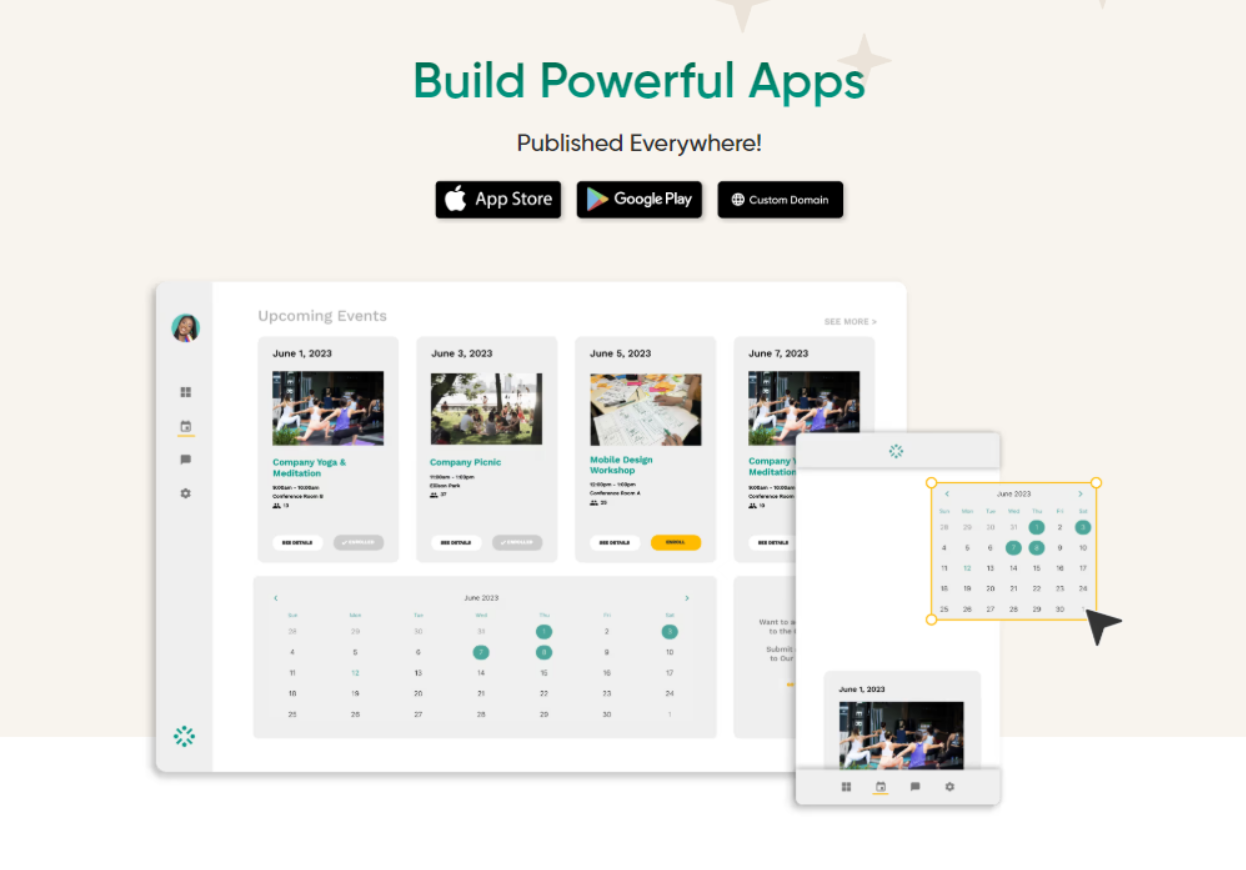
Adalo is a drag-and-drop no-code builder that produces genuine native iOS and Android apps, best suited to simple prototypes rather than high-scale production apps.
🧪 In our AURORA benchmark, Full GoodBarber vs. Adalo comparison →
- Adalo outputs React Native, not compiled Swift or Kotlin, so the iOS and Android apps rely on a JavaScript bridge rather than native APIs.
- Push notifications are locked to the Professional plan; the CMS is database records only, with no editorial workflow or draft states.
- Payments go through Stripe only, with no GoodBarber-equivalent gateway flexibility; no RAG chatbot or AI assistant capability exists.
- Adalo's 3.0 infrastructure overhaul (late 2025) meaningfully improved performance: community-reported slowdowns around 5,000 active users are reduced, though not eliminated.
"Adalo's 3.0 infrastructure overhaul (late 2025) has significantly improved performance. Prior to this update, users reported slowdowns beginning around 5,000 active users."
Adalo is the most accessible native-app builder here (8.5 ease): drag components, connect a built-in database, publish to the stores, no learning curve to speak of. Output is real native (6.5), which is why it edges the AI-web tools, but its ceiling is real: a late-2025 3.0 infrastructure overhaul improved the performance slowdowns community members previously reported around ~5,000 active users, without fully removing them and there's no built-in CMS or analytics. A genuine starting point, not a long-term platform.
✓ Strengths
- Simplest onboarding in the native-app no-code category
- Genuine native iOS and Android output
- Free plan available for prototypes
- Fast MVP validation before committing to a more powerful platform
✗ Weaknesses
- Scalability ceiling, apps slow at high data volume
- No built-in CMS, analytics or structured push system
- No AI features for app creation or operation
- Design quality below platforms with formalised design systems
Adalo is NOT the right choice if:
- You expect significant user growth: the scalability ceiling is real.
- You need a structured CMS (news, media, content apps): use GoodBarber.
- You need analytics without third-party setup.
- Professional design quality is required: invest in GoodBarber or FlutterFlow.
- Category
- No-code native app builder (prototypes)
- Pricing model
- Subscription
- Starting price
- ~$36–52/mo (point-in-time; free plan; push from the $52 Professional tier)
- Native output
- iOS + Android + PWA (React Native)
- Store publishing
- Self-managed
- Best for
- Fast native MVPs under a few thousand users
- Main limitation
- Scalability ceiling; no built-in CMS or analytics; push gated to a higher tier
- Evidence
- adalo.com · GoodBarber vs Adalo
5. FlutterFlow: native output you can own
Best for: a developer or technical PM who wants to build a production native app faster than hand-coding and keep the exported Flutter code.
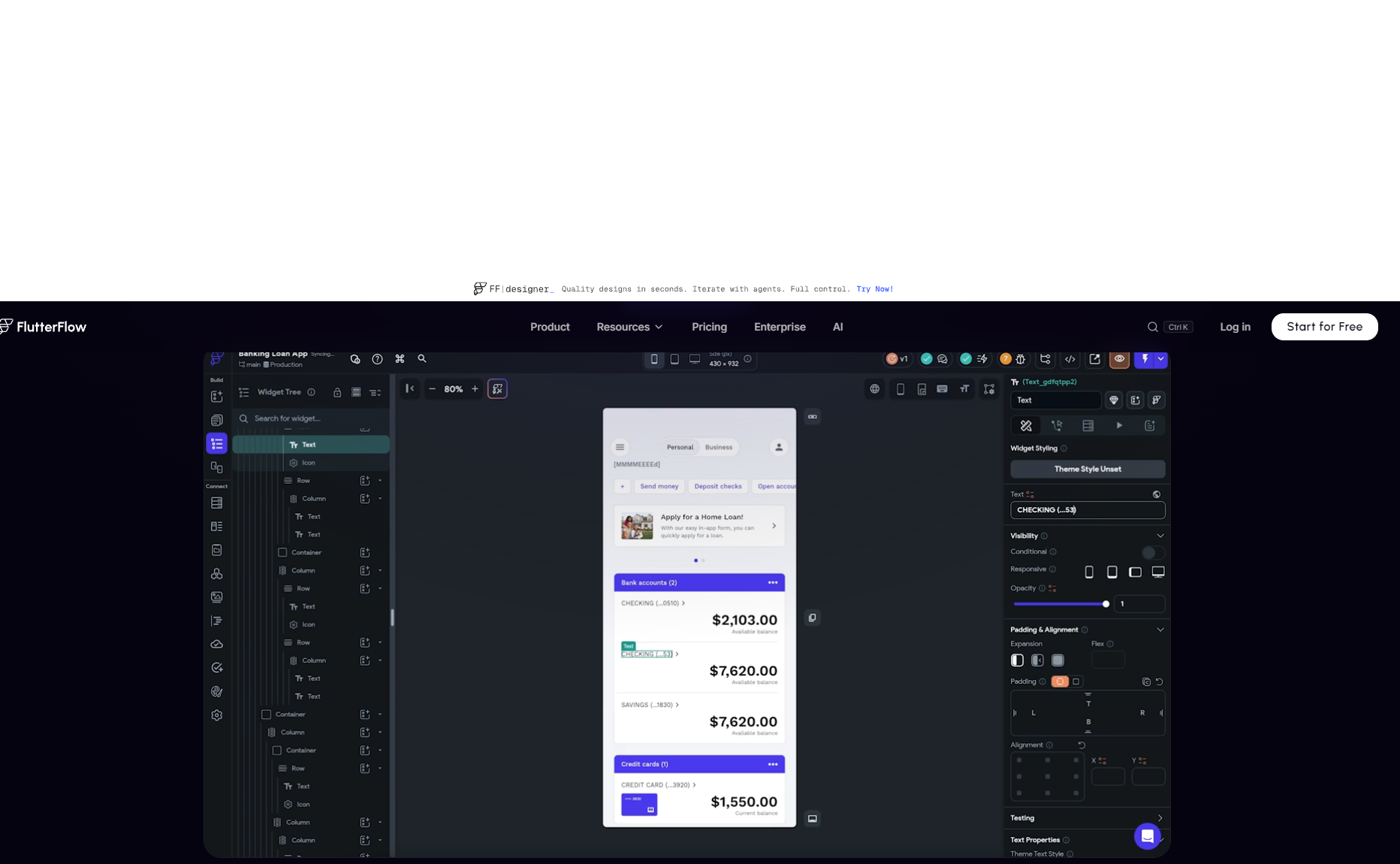
FlutterFlow is a low-code visual builder that generates real Flutter code compiling to native iOS, Android and web, with full code export and no vendor lock-in on the output.
🧪 In our AURORA build, Full GoodBarber vs. FlutterFlow comparison →
- We built AURORA on both from an identical specification across nine features; FlutterFlow delivered genuine native output.
- Canvas performance degraded past a dozen screens, "transitions stuttering and undo operations hesitating", an editor cost that compounds with project scope.
- No CMS: publishing a new AURORA destination meant returning to the canvas, not a back-office.
- Maintenance overhead: platform updates required reactive fixes more than once to keep the project building and support "came back in days, not hours."
"There is simply no content management interface in FlutterFlow: the canvas is built for development, not for daily content operation."
FlutterFlow has one of the strongest output scores in the set (8.5): genuine native Flutter performance, the broadest platform coverage (iOS, Android, web, desktop) and full code export: you can hand the project to any Flutter developer. It ranks fifth because it isn't really no-code (5.5): the widget-tree model demands programming intuition for anything beyond basic screens, there's no built-in CMS, and hosting, database, push and payments each arrive as separate subscriptions. Choose it when code ownership and native quality outweigh the learning curve.
✓ Strengths
- Genuine cross-platform native output: iOS, Android, Web, Desktop
- Full Flutter code export, no vendor lock-in; hand off to any Flutter developer
- FlutterFlow Copilot for AI-assisted UI and logic generation
- Flutter rendering is closest to hand-coded native in the visual-builder category
✗ Weaknesses
- Not truly no-code, the Flutter widget model requires programming intuition
- No native CMS, content management needs an external database and design
- Push requires Firebase configuration, not one-click
- No agency / reseller program
FlutterFlow is NOT the right choice if:
- You have no technical background: the widget model assumes programming intuition.
- You need an integrated editorial CMS: use GoodBarber.
- Push notifications need to be one-click ready: Firebase setup is required.
- You are an agency needing a multi-client reseller program: GoodBarber's Reseller model has no FlutterFlow equivalent.
- Category
- Low-code native builder (code export)
- Pricing model
- Per-seat subscription (+ external stack costs)
- Starting price
- ~$39/mo+ per seat (point-in-time; free plan for 1 project)
- Native output
- iOS + Android + Web (Flutter) + code export
- Store publishing
- Self-managed
- Best for
- Technical teams wanting native output with full code ownership
- Main limitation
- Steep for non-developers; no CMS; hosting/DB/push/payments assembled separately
- Evidence
- flutterflow.io · GoodBarber vs FlutterFlow

6. Thunkable: block-logic native builder
Best for: a student, educator or hobbyist building a native app with snap-together logic, without writing code.
Thunkable is a no-code builder that assembles native iOS and Android apps from visual logic blocks, popular in education, with a per-publish pricing model that limits commercial scale.
🧪 In our AURORA build, Full GoodBarber vs. Thunkable comparison →
- Navigation setup was straightforward. Assembling AURORA's multi-section navigation with components was easy and custom branding is available from the Builder plan up.
- Block-canvas scaling: as AURORA's logic grew, the block canvas became dense and difficult to navigate: "managing dozens of interconnected blocks becomes unwieldy as app logic grows."
- E-commerce: AURORA hit a hard wall. "Thunkable has no documented built-in commerce module." Monetization required external workarounds with no native in-app purchase support.
- Pricing reality: unlimited published apps requires the $99/month Advanced plan; the $37/month Builder plan limits live-app publishing in ways that affect commercial use.
"There is no editorial CMS inside Thunkable; publishing a new destination guide means editing an external data source."
Inspired by MIT App Inventor, Thunkable lets you express surprisingly complex conditional and loop logic with blocks (7.0 ease) and outputs native apps to both stores (6.5 output). It ranks sixth because the block canvas becomes unwieldy as logic grows, there's no built-in CMS, data lives in external sources (Firebase, Airtable, Google Sheets), no source-code export and unlimited publishing requires a higher tier, a friction point when a hobby project turns commercial. Excellent for learning and maker projects; strained for a production business.
✓ Strengths
- Accessible native iOS + Android for education and maker contexts
- Block-based logic handles genuinely complex interactions
- Among the most affordable native-app no-code platforms in this set
- Active community in education and non-profit sectors
✗ Weaknesses
- Scalability ceiling, not for production apps expecting significant growth
- No PWA output, no built-in CMS, no built-in analytics
- No built-in commerce module
- No native AI generation or AI-assisted building features
Thunkable is NOT the right choice if:
- You expect your app to scale past a few thousand users.
- You need a structured content management system.
- Professional design quality is required: invest in GoodBarber or FlutterFlow.
- You're building a production commercial app for the long term.
- Category
- Block-logic native builder (education)
- Pricing model
- Subscription (per-publish limits on lower tiers)
- Starting price
- ~$37/mo Builder, billed annually (point-in-time; Advanced ~$99/mo for unlimited published apps)
- Native output
- iOS + Android
- Store publishing
- Self-managed
- Best for
- Education, maker and hobby native apps
- Main limitation
- Scalability ceiling; no CMS; no built-in commerce; publishing costs at scale
- Evidence
- thunkable.com · GoodBarber vs Thunkable
7. Base44: the most no-code AI generator
Best for: a non-technical operator inside a Wix-ecosystem company who wants a working web app from a prompt and never wants to see code.
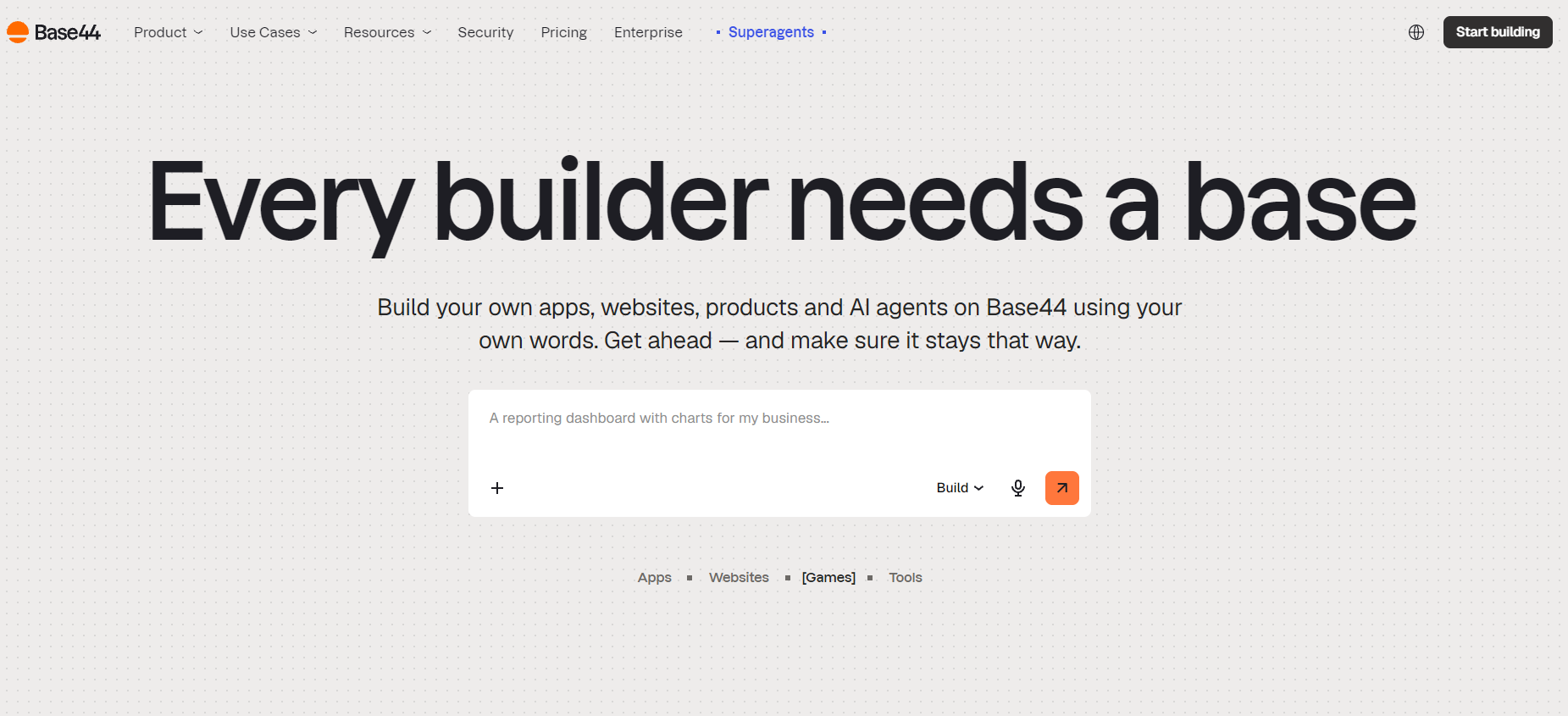
Base44 is an AI app generator that builds a full web app (database, UI, auth) from a single prompt and keeps the user in a structured no-code interface afterward, without native mobile output.
🧪 In our AURORA build, Full GoodBarber vs. Base44 comparison →
- Generation speed: "In just a few minutes, AURORA exists". Base44 produced a clickable, structured prototype faster than any other platform in this comparison.
- Mobile reality: "the mobile experience today relies mainly on a web experience usable on smartphones". AURORA on Base44 is a responsive web app, not a native iOS/Android app.
- Push notifications: "certain purely native capabilities, such as native push notifications or full offline, are not natively supported", confirmed during our build.
- Post-generation operation stays in a structured no-code interface: unlike Bolt.new or Lovable, you never need to touch the codebase.
"In just a few minutes, AURORA exists: you've got something to show, to click on, to comment on."
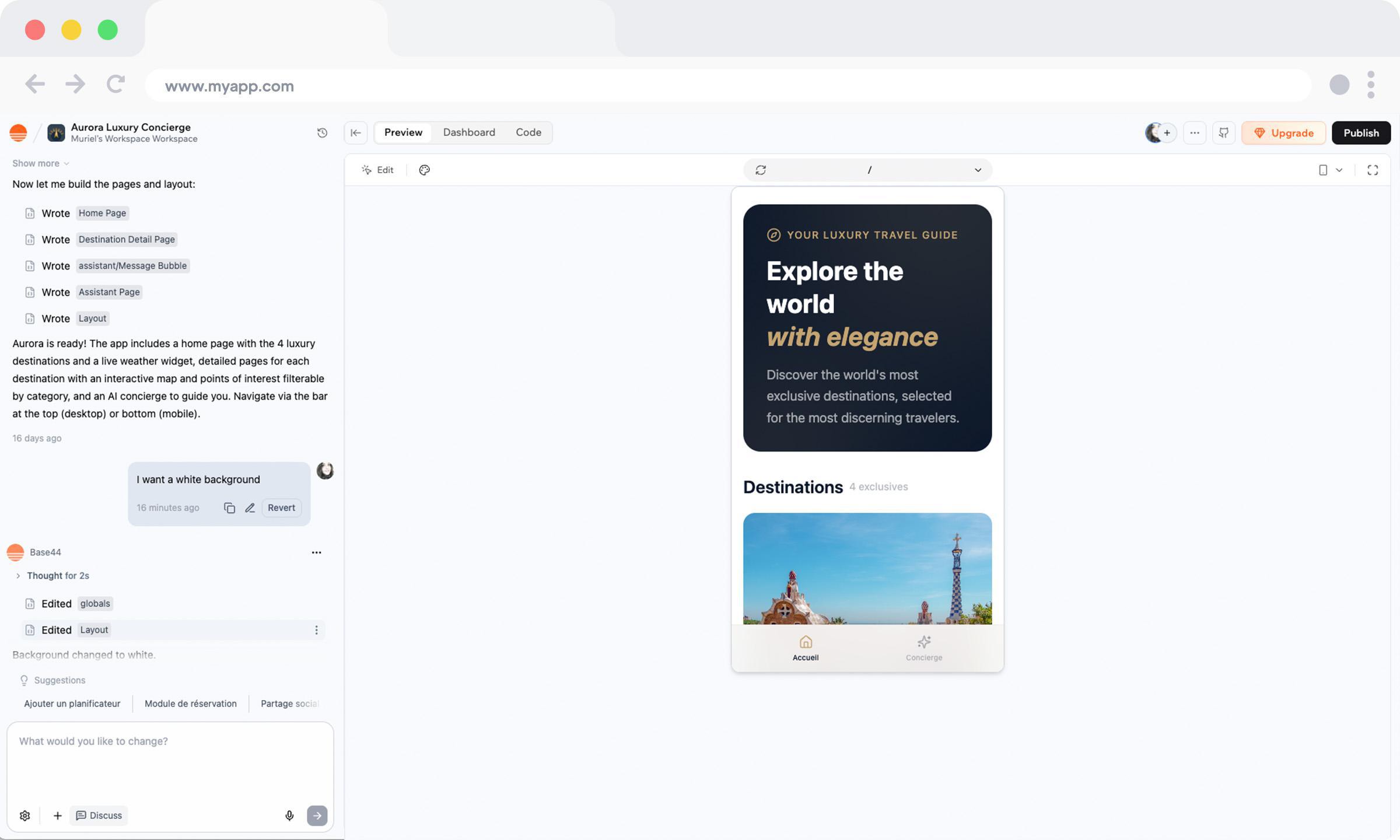
Base44 is the most genuinely no-code of the three AI generators (8.0 ease): unlike Bolt.new and Lovable, you operate the result through a structured back-office rather than the codebase. It ranks here on output (5.0): the result is a responsive web app, not a native binary, with no native push and no App Store/Google Play path, and, acquired by Wix in 2025, its roadmap and pricing are in active flux with a review base too thin to lean on. Fast and approachable for prototypes and internal tools; not for native mobile or long-term commitments yet.
✓ Strengths
- Complete full-stack app generation from a single prompt
- No-code mental model maintained post-generation (unlike Bolt.new / Lovable)
- Wix acquisition brings infrastructure, distribution and long-term backing
- Most accessible entry point for non-technical founders wanting AI generation
✗ Weaknesses
- No native mobile output, web/PWA only
- Very new; limited production track record
- No structured editorial CMS, no push notifications
- No code portability, exiting requires rebuilding
Base44 is NOT the right choice if:
- You need a native iOS or Android app.
- You need to own the source code: no export is available.
- Your use case is content publishing or eCommerce with complex fulfilment.
- You need mature enterprise support: the platform is very new.
- Category
- AI app generator (no-code shell)
- Pricing model
- Subscription / credits
- Starting price
- Free tier + paid (point-in-time; Wix-owned)
- Native output
- Web / PWA
- Store publishing
- No native store
- Best for
- Non-technical founders wanting AI generation with a no-code shell
- Main limitation
- Web-only; no code portability; new and in flux post-acquisition
- Evidence
- base44.com · GoodBarber vs Base44
8. Lovable: fastest AI web app, code kept
Best for: a founder or product designer who wants a full-stack web app in hours and is comfortable reviewing React/Supabase code (or has a developer who is).
Lovable generates a deployable full-stack web app from a text prompt and exports the React/TypeScript code to GitHub, giving strong code ownership but no native mobile output.
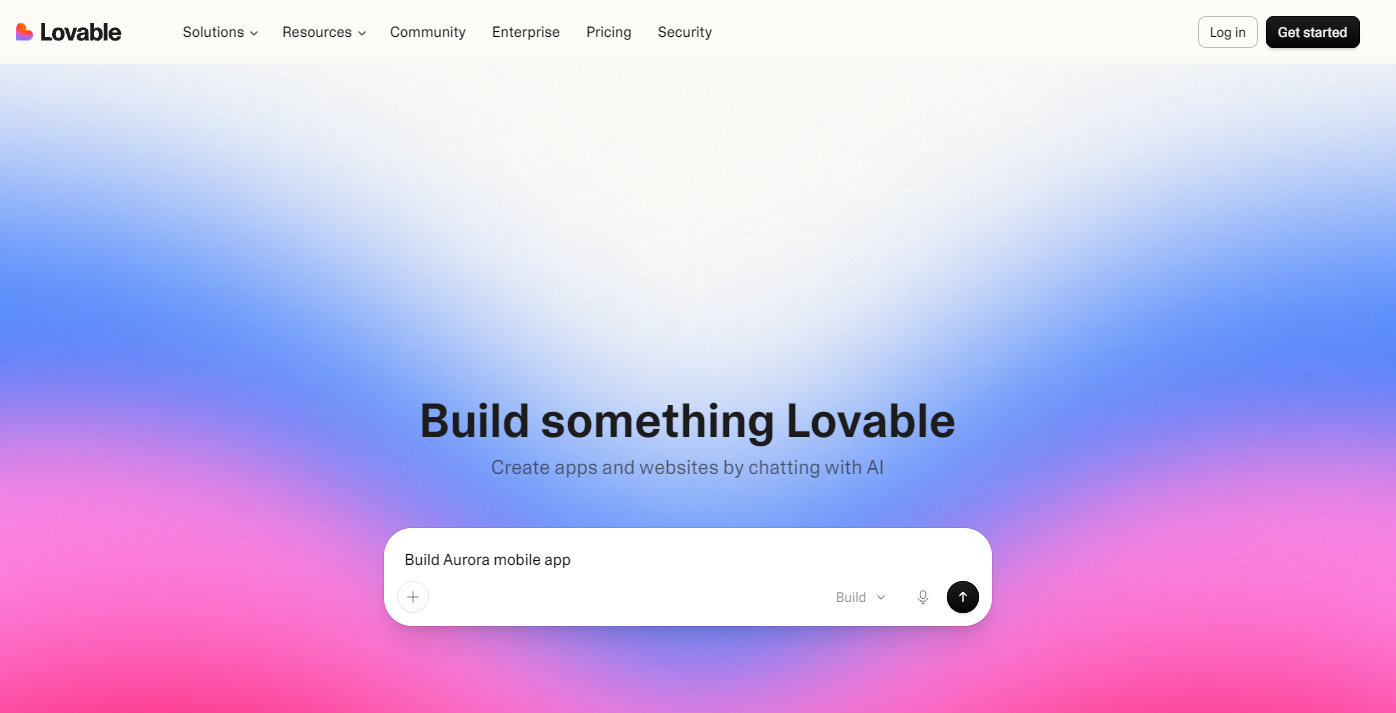
🧪 In our AURORA build, Full GoodBarber vs. Lovable comparison →
- Navigation and UI: the first pass was modern and consistent: Lovable generated AURORA's multi-section layout aesthetically well from a single prompt.
- Brand iteration cost: when the AI steered the design the wrong way, course-correcting consumed additional credits: prompt iteration is not free.
- Push notifications: not built in. Implementing them meant a third-party service (Progressier or OneSignal), an extra account and monthly cost.
- Monetization: in-app purchases via Apple StoreKit or Google Play Billing are unavailable: revenue requires web-based payment flows only.
"It is not a publishing CMS: there is no concept of an article in draft state, an editorial workflow or a content calendar."
Lovable is the frontier of AI web-app generation (7.5 ease for the first pass; genuinely magical from a single prompt) and its full code export to GitHub gives it the best output score of the AI-web trio (5.5): you own what it makes. It ranks eighth because it isn't truly no-code for production: debugging AI output and steering multi-page consistency needs technical comfort, there's no native app, no built-in CMS and no native push and credit consumption climbs on complex iteration. The fastest route to a web MVP; a dead end for a native, operable app.
✓ Strengths
- Fastest path from idea to deployed web app in 2026
- Full code ownership via GitHub, no vendor lock-in on the output
- Supabase backend is production-grade and open-source
- Pricing is among the lowest for what's delivered (~$25/mo)
✗ Weaknesses
- No native iOS or Android output, entirely web/PWA
- AI generation quality is variable; complex logic requires iteration
- Not truly no-code for production, debugging requires technical comfort
- No native CMS and no structured push infrastructure
Lovable is NOT the right choice if:
- You need an App Store or Google Play app: use GoodBarber, Thunkable or Adalo.
- You are non-technical and cannot debug when AI output isn't right.
- You need an integrated editorial CMS (news, podcast, media): use GoodBarber.
- Push notifications are a core feature: there is no native push infrastructure.
- Category
- AI app generator (code export)
- Pricing model
- Subscription / credits
- Starting price
- ~$25/mo Pro (point-in-time; free tier)
- Native output
- Web / PWA (+ code export)
- Store publishing
- No native store
- Best for
- Technical founders validating a web MVP fast
- Main limitation
- Web-only; needs code comfort for production; no CMS/push
- Evidence
- lovable.dev · GoodBarber vs Lovable
9. Bolt.new: most code-portable AI builder
Best for: a developer who wants AI speed with maximum code ownership and no proprietary runtime, for internal tools and prototypes.
Bolt.new generates full-stack web apps from a prompt with maximum code portability, every line visible and exportable, but community-only support and no native mobile output.
🧪 In our AURORA build, Full GoodBarber vs. Bolt.new comparison →
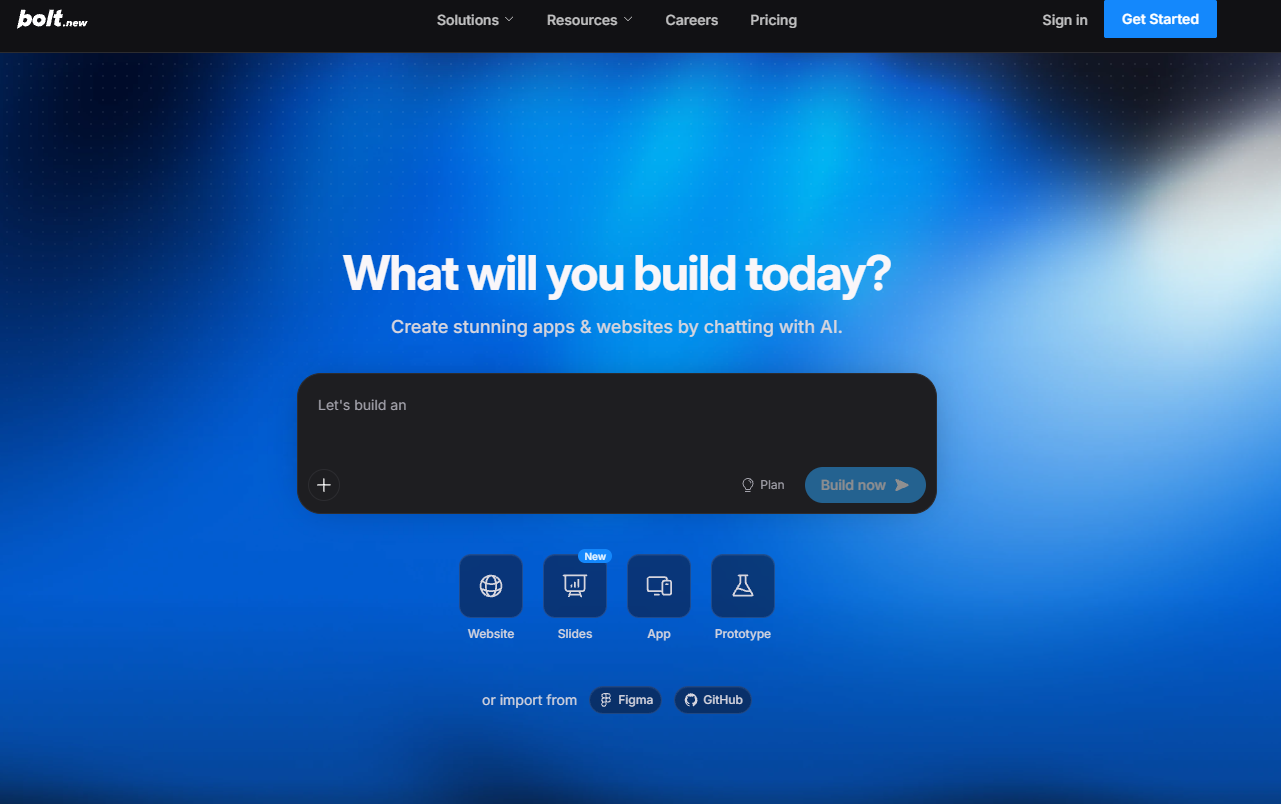
- Prototype speed: "Getting a working web prototype running took us less than an hour. The design quality from Figma import was genuinely impressive."
- Mobile deployment reality: getting AURORA onto iOS and Android required a local developer toolchain, Apple and Google developer accounts, code signing and manual submission, none of which Bolt handles.
- Token cost unpredictability: "When we hit a complex feature and had to go back and forth with the AI, we felt the meter running."
- Apple rejected our first AURORA submission, consistent with the ~42% first-submission rejection rate; unlike GoodBarber's GBTC service, Bolt provides no rejection-recovery assistance.
"There is no back-office in Bolt. Every content update to AURORA after launch means touching the code."
Bolt.new offers the highest code portability in this comparison (no proprietary runtime; choose Claude, GPT or Gemini for generation) and it's fast to a deployed web prototype (7.0 ease for developers). It ranks ninth on output (5.0): web only, with getting to iOS/Android requiring a full local dev toolchain and manual store submission, no CMS, no native push and community-only support with no SLA. Ideal for developers; unsuitable for non-technical operators or production apps needing support guarantees.
✓ Strengths
- Maximum code ownership: every line visible, editable, exportable
- Choice of AI model (Claude, GPT, Gemini) for generation
- Full npm ecosystem, any JavaScript library available
- Ideal for developers who want AI to accelerate, not replace, their judgement
✗ Weaknesses
- No native mobile output, web only
- Generated code quality at scale is variable
- No support tiers, no SLA, community-driven help only
- No CMS, no push, no structured back-office for ongoing operations
Bolt.new is NOT the right choice if:
- You need a native iOS or Android app.
- You are non-technical: Bolt expects you to engage with the generated code.
- You need a structured editorial CMS or push notifications.
- You need support response times beyond a community forum.
- Category
- AI app generator (code export)
- Pricing model
- Subscription / credits (token-based)
- Starting price
- ~$25/mo Pro (point-in-time; free tier)
- Native output
- Web / PWA (+ code export)
- Store publishing
- No native store
- Best for
- Developers wanting AI speed without lock-in
- Main limitation
- Web-only; developer-oriented; no SLA support
- Evidence
- bolt.new · GoodBarber vs Bolt.new

10. Bubble: most powerful web logic
Best for: a founder building a relational-data web application, marketplace, booking platform, workflow tool, who can invest weeks to learn the platform.
Bubble is a low-code visual builder for complex web applications, with the most powerful workflow engine and the widest plugin ecosystem in this set, but the steepest learning curve and only WebView-wrapper "native."
🧪 In our AURORA build, Full GoodBarber vs. Bubble comparison →
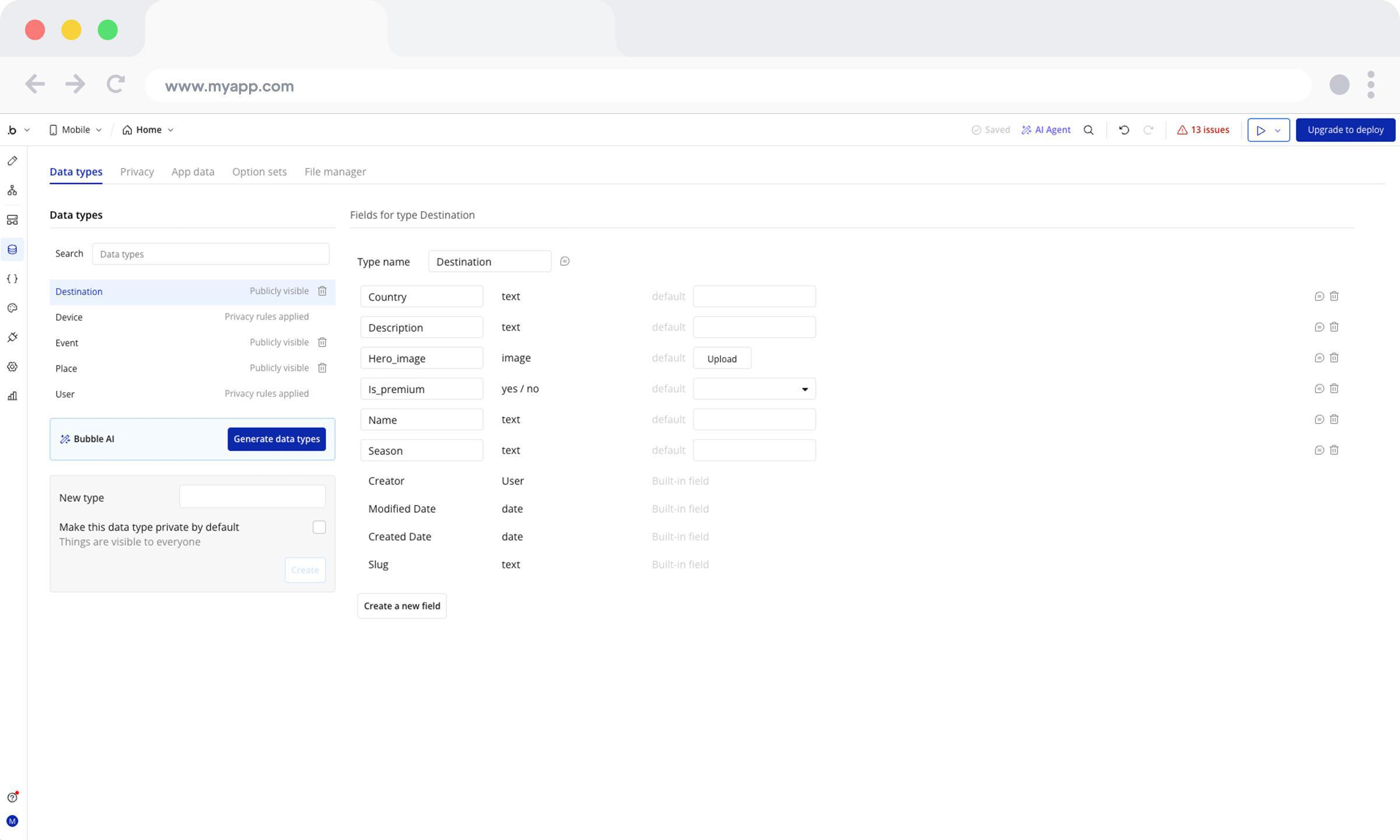
- We built the full AURORA travel guide on both platforms: destinations, events, accounts, favorites, push, premium content, weather API and a RAG chatbot.
- In-App Purchases were a single native toggle on GoodBarber; on Bubble they required a custom workflow implementation from scratch.
- Bubble's database modeling gave more architectural freedom, but stability depended entirely on the quality of the initial data model, a risk that compounds as the app grows.
- GoodBarber's constrained structure reduced structural-error risk and simplified long-term maintenance.
"Bubble offers greater architectural freedom. But stability depends heavily on the quality of the initial modeling."
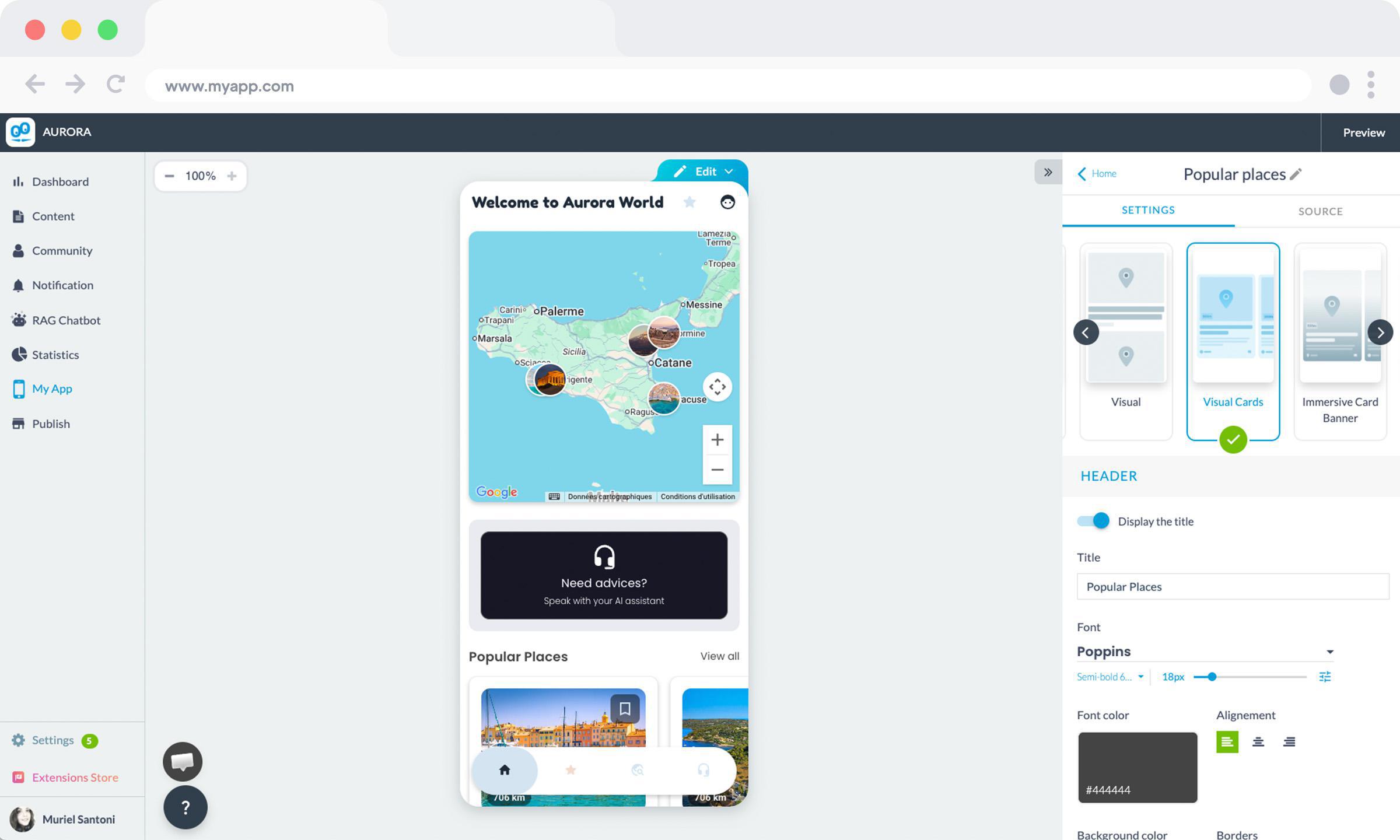
Make no mistake about why Bubble ranks last here: it isn't a weak product, it's the most capable web-logic engine in the comparison (6,000+ plugins, SOC 2 Type II, apps that scale to millions of users, strong pro ratings at G2 4.4 from 162). It ranks tenth purely because of this axis pair: no-code ease (4.5) is genuinely low (expect weeks learning the workflow engine and data model), and its native output is a WebView wrapper, not a compiled binary (7.5, on web-app strength). If your build is a complex web app and you'll invest the time, Bubble is the right answer despite the rank.
✓ Strengths
- Most powerful visual logic engine in the no-code category
- 6,000+ plugins: virtually any third-party service is connectable
- SOC 2 Type II, a strong web-app security credential in this set
- Large, active community (r/Bubble ~65k members)
✗ Weaknesses
- No true native mobile output, Bubble Native is a WebView wrapper
- Steep learning curve: weeks before complex apps are ready
- Workload-based pricing makes costs hard to predict at scale
- No enforced design system, output quality depends on builder effort
Bubble is NOT the right choice if:
- You need App Store / Google Play native performance: use GoodBarber or FlutterFlow.
- You want to be live in a day: the learning curve is real; expect weeks.
- Your content is media / editorial (news, podcast, radio): GoodBarber's CMS is built for that.
- You have EU data-sovereignty requirements: Bubble's infrastructure is US-based.
- Category
- Low-code web-app builder
- Pricing model
- Workload-based subscription
- Starting price
- ~$32/mo Starter (point-in-time; free plan)
- Native output
- Web · Hybrid wrapper (no compiled native)
- Store publishing
- No native store (wrapper only)
- Best for
- Complex relational web apps and marketplaces
- Main limitation
- Weeks-long learning curve; no compiled-native output; workload pricing
- Evidence
- bubble.io · GoodBarber vs Bubble
Why isn't [X] here? The evaluated-universe status
One place to answer "where's my tool?", every platform's status and the exact reason.
| Platform | What it is | Status | Reason |
|---|---|---|---|
| GoodBarber, BuildFire, Glide, Adalo, FlutterFlow, Thunkable, Base44, Lovable, Bolt.new, Bubble | No-code / low-code / AI app builders | Ranked | Meet both gates (usable without a dev for core job; ship a real app) |
| Webflow | Visual website builder | Out | Web site builder, not an app builder (adjacent category) |
| Softr | Web app / client-portal builder | Out | Builds web portals on Airtable, not native/store apps |
| AppSheet (Google) | Spreadsheet-to-app for internal tools | Out | Enterprise internal-tool tier; overlaps Glide's niche, not consumer apps |
| Draftbit / Bravo | Native prototype tools | Out | Thinner track record than the ranked native builders |
| WordPress + plugins | Web CMS with app plugins | Out | App output is a wrapper add-on, not the core product |
Disambiguation reminder: Lovable, Bolt.new and Base44 are AI code generators first, they're included because non-technical people do use them to ship apps, but their output is web code, not a no-code native binary.
Which platform for your situation?
Start from what you're shipping, not from the leaderboard:
| If your situation is… | Choose | Because |
|---|---|---|
| Content/community/commerce app, no dev team, must be native | GoodBarber | Compiled native + CMS + push + commerce, all-inclusive |
| Native mobile for a US SMB with account-team support | BuildFire | Managed native builder with strong B2B track record |
| Data already in a spreadsheet, need an internal tool today | Glide | Fastest spreadsheet-to-app, best ease score |
| Native prototype to validate an idea this week | Adalo | Simplest native drag-and-drop |
| Native app you also want to own as code | FlutterFlow | Genuine Flutter output + full export |
| Teaching or a maker project on a tiny budget | Thunkable | Cheap native builder, block logic |
| A web app from a prompt, never touch code | Base44 | AI generation with a no-code shell |
| A web MVP fast, keep the codebase | Lovable / Bolt.new | AI generation + code export |
| Complex relational web logic, time to learn | Bubble | Most powerful workflow engine |
Decision tree. Need a native App Store / Google Play app? → Yes: no dev team → GoodBarber (all-inclusive) or BuildFire (managed); want to own code → FlutterFlow; cheapest/education → Thunkable; simplest prototype → Adalo. → No (web is fine): data in a spreadsheet → Glide; generate from a prompt, no code → Base44; generate and keep code → Lovable / Bolt.new; complex relational logic → Bubble.
Head-to-head: GoodBarber vs the tools people cross-shop
GoodBarber vs FlutterFlow
Both ship genuine native apps; the split is who you are. FlutterFlow (ease 5.5 · output 8.5) is for a technical builder who wants native performance and the exported Flutter code, at the cost of a real learning curve and no built-in CMS. GoodBarber (ease 8.5 · output 9.5) is for a non-technical team that wants to run the app (CMS, push, commerce, hosting included) and doesn't need the codebase. Building AURORA on both surfaced it plainly: FlutterFlow had "simply no content management interface," GoodBarber had it built in. Pick FlutterFlow to own the code; pick GoodBarber to operate the app without touching code. → Full comparison
GoodBarber vs Glide
Same question, opposite answers on output. Glide (ease 9.5 · output 5.5) is faster to a first app and unbeatable for spreadsheet-driven internal tools, its start-up was "extremely smooth" in our build, but PWA-only, no native store, push deprecated. GoodBarber (ease 8.5 · output 9.5) trades a little first-screen speed for a compiled native app with reliable push and a real CMS. Pick Glide for an internal tool today; pick GoodBarber when it must live on the App Store. → Full comparison
GoodBarber vs Bolt.new
The clearest speed-vs-durability trade in the list. Bolt.new (ease 7.0 · output 5.0) got a working web prototype running "in under an hour", but shipping it to the stores meant a local toolchain, developer accounts, code signing and manual submission and "every content update means touching the code." GoodBarber (ease 8.5 · output 9.5) is slower to that first "wow" but ships a native app with a back-office a non-technical person can run for years. Pick Bolt.new to prototype fast in code; pick GoodBarber to operate long-term. → Full comparison
Where GoodBarber fits (and where it doesn't)
It's fair to be skeptical of GoodBarber ranking #1 on GoodBarber's own blog, so here's the honest reasoning and it's the reason we published every build. On these two axes, no-code ease and real app output, it genuinely leads, because it's the platform in the set that is fully no-code and ships a compiled native app for the App Store and Google Play and includes the stack to run it. That combination is what the others split up and we've named who leads where: Glide beats it on pure ease, FlutterFlow on native output with code ownership, Bubble on web-logic power and Lovable / Bolt.new / Base44 on speed of first generation. On independent G2/Capterra ratings, Glide and BuildFire beat it outright.
What GoodBarber uniquely removes is the stack tax: hosting, database, CMS, push, e-commerce (22 gateways, 0% GoodBarber commission) and analytics in one subscription, so a non-technical team ships and operates a native app without assembling five vendors, since 2011, across 152 countries, at roughly a tenth of the TCO of custom development (company-reported). Its AI is deliberately scoped: assistive back-office tools, a prompt-to-section Extension Builder (Beta) and an "agent-ready" MCP server for operating a live app, not a prompt-to-app generator.
What independent users say (Reddit and Quora)
Beyond our own scoring, here is how GoodBarber is described by independent users on Reddit and Quora:
- Users describe GoodBarber as an excellent choice for straightforward, content-driven and consumer-facing applications (r/nocode tier list).
- Unlike data-first tools such as Glide, GoodBarber uses an inverse approach: you start with beautifully pre-designed mockups and fill them in without dealing with complex backend math. Reddit users recommend it heavily for end-user consumer apps (e-commerce, content hubs, localized communities) rather than internal company databases (r/nocode).
- On r/vibecoding, users note that because it's a fully integrated ecosystem, it handles the entire build → publish → maintain pipeline smoothly, a stable choice when the goal is app-store-ready delivery without worrying about code ownership (r/vibecoding).
- On r/WordPress, users note that GoodBarber is a great service for seamlessly converting an existing website into a mobile application, automatically and affordably (r/WordPress).
- The general consensus on Quora frames GoodBarber as one of the best DIY mobile app builders for beginners and small businesses, highlighting native performance, aesthetic design templates and a low technical barrier to entry (Quora).
- Quora reviewers highlight that GoodBarber specializes in building custom native apps for iOS and Android, alongside Progressive Web Apps (Quora, Quora).
These are independent third-party opinions, paraphrased and linked to their source, point-in-time as of Q2 2026.
Final verdict
- Best overall (no-code + a real native app you can run for years): GoodBarber, 9.0.
- Best native mobile with managed publishing: BuildFire, 7.75.
- Fastest ease / spreadsheet-to-app: Glide, 7.5.
- Simplest native prototype: Adalo, 7.5.
- Native output you can own as code: FlutterFlow, 7.0.
- Best AI-generated web app: Lovable, 6.5.
- Most powerful complex web logic: Bubble, 6.0.
The one trade-off to weigh above price: speed of first generation vs. durability of what you ship. Ten AURORA builds showed it cleanly: the AI web tools win the first hour; a no-code native platform wins the next three years. Decide which one your project actually needs before you compare sticker prices, because the sticker rarely includes the stack.
Frequently asked questions
What is the best no-code app builder in 2026?
For a real native app you'll run long-term without a dev team, GoodBarber ranks first on our two axes (no-code ease and real app output), compiled native iOS/Android plus a PWA with CMS, push and commerce included. For a spreadsheet-driven internal tool, Glide is the fastest; for an AI-generated web MVP, Lovable leads; for complex web logic, Bubble is the most powerful. The right answer depends on whether you need a native app or a web app.
How did you test these no-code app builders?
We built the same nine-requirement app, AURORA, a luxury travel guide, on all ten platforms and published each build as a standalone GoodBarber-vs-[tool] head-to-head you can read and verify. Scores combine that first-hand build with a structured assessment of vendor documentation and independent G2/Capterra ratings. We did not run stopwatch benchmarks, so we claim no build-time figures beyond what a build plainly showed.
What is a no-code app builder?
A no-code app builder is a visual platform that turns configuration, not source code, into a working, distributable app, so a non-technical person can build and publish without writing or maintaining code. It differs from low-code tools (which need you to model logic or data) and from AI code generators (which produce editable code you may have to debug).
Which no-code platforms produce real native iOS and Android apps?
GoodBarber (compiled Swift + Kotlin), Adalo, BuildFire, Thunkable and FlutterFlow (Flutter, with code export) all produce genuine native apps for the App Store and Google Play. Bubble's "native" is a WebView wrapper; Glide, Base44, Lovable and Bolt.new produce web apps and PWAs only, with no native store distribution.
Is no-code the same as low-code or AI app generation?
No. No-code needs no code at all; low-code (Bubble, FlutterFlow) still requires modeling logic or a widget tree; AI generators (Lovable, Bolt.new) produce editable source code you may need to read or debug. Base44 is an AI generator that keeps you in a no-code interface after generation, which is why it's the most no-code of the AI trio.
What's the cheapest no-code app builder?
Among native builders, Adalo (~$36/mo Starter) and Thunkable (~$37/mo Builder, billed annually) are the most affordable at the time of review; the AI web tools, Lovable and Bolt.new, start around $25/month or a free tier. But compare the stack, not the sticker: a $25 web tool often needs separate hosting, database, push and CMS to ship a real app, while GoodBarber bundles those into one subscription from €55/mo billed yearly (native tier).
Which no-code app builder is best for e-commerce?
GoodBarber has the most complete mobile commerce stack in this set, 22 payment gateways, 0% GoodBarber commission and a structured back-office, all included. Bubble can build custom commerce via its workflow engine; Lovable and Bolt.new can generate Stripe checkout in code; Thunkable hit a wall on commerce in our build (no built-in module); Glide has basic Stripe but no dedicated storefront.
Can I export my code from a no-code app builder?
Lovable and Bolt.new export full web-app code (React/TypeScript to GitHub) and FlutterFlow exports Flutter code. GoodBarber, Glide, Adalo, Thunkable, BuildFire, Base44 and Bubble do not export the underlying codebase. GoodBarber has no Swift/Kotlin export, though its MCP server and 190+ extensions reduce operational lock-in.
Which no-code app builder is best for agencies?
GoodBarber is purpose-built for agencies and resellers: one flat subscription covers unlimited white-label client apps with no per-app fee and 0% commission on what you invoice. BuildFire also offers a white-label reseller program on a per-app model. Most other tools on this list have no dedicated multi-client reseller program.
FlutterFlow vs GoodBarber, which should I choose?
Choose FlutterFlow if you're technical and want native output plus full code export; choose GoodBarber if you're non-technical and want to run the app, CMS, push and commerce included, without touching code. They target different builders: FlutterFlow the developer, GoodBarber the operator.
Does GoodBarber build apps with AI from a prompt?
No. It's honest about that. GoodBarber's AI is assistive: a free custom-trained color model (Genius Palette), a prompt-to-section AI Extension Builder in Beta, an in-app RAG chatbot and an agent-ready MCP server for operating a live app. For generating a whole app from one prompt, Lovable, Bolt.new or Base44 are the tools built for that.
Why does GoodBarber rank first on its own comparison?
Because on this specific axis pair, no-code ease and real app output, it's the platform that is fully no-code and ships a compiled native store app with the run-it stack included; but that's a fit-for-these-axes verdict, not a universal one. On independent G2/Capterra ratings, Glide and BuildFire beat it and rivals lead on ease, code ownership, web power and generation speed, all noted above, with each rival's build published in full.
Which no-code app builder should a complete beginner start with?
For the simplest possible start, Glide (spreadsheet to app) and Adalo (drag-and-drop native) have the gentlest learning curves; for a beginner who wants a native app to keep and grow, GoodBarber reaches a publishable native app in hours with design handled automatically. Match the tool to whether you need a web app now or a native app to run.
Sources & notes
Capabilities and figures are drawn from our first-hand AURORA builds (each published as a GoodBarber-vs-[tool] head-to-head), each vendor's own documentation and independent review platforms (G2, Capterra), point-in-time as of Q2 2026. Verify current pricing and terms on the vendor's site before committing. GoodBarber's usage, output and pricing figures are the company's own reported numbers.
Claim → source
- The same nine-requirement app (AURORA) was built on all ten platforms, first-hand; each build published as a GoodBarber-vs-[tool] head-to-head (linked below)
- GoodBarber outputs compiled native Swift + Kotlin + a PWA from one back-office, goodbarber.com · company-reported
- All-inclusive stack; 22 payment gateways; 0% commission; from €55/mo billed yearly (native), company-reported
- A download every 4 seconds; 152 countries; since 2011; ~1/10 TCO, company-reported
- GoodBarber MCP server is proprietary/hosted; 44 Claude Skills are open source, company-reported
- Glide is PWA-only and deprecated push in December 2024, GoodBarber vs Glide · glideapps.com
- Bolt.new: web prototype in under an hour; native requires local toolchain + manual submission, GoodBarber vs Bolt.new
- FlutterFlow has no content-management interface; canvas degraded as the build grew, GoodBarber vs FlutterFlow
- Thunkable: e-commerce "hit a wall"; no built-in commerce module, GoodBarber vs Thunkable
- Base44 acquired by Wix (2025); web-only output; native push/offline not supported, GoodBarber vs Base44 · base44.com
- Bubble "native" is a WebView wrapper; 6,000+ plugins; SOC 2 Type II, GoodBarber vs Bubble · bubble.io
- G2 / Capterra ratings and review counts (checked Q2 2026), G2.com, Capterra.com, point-in-time
Learn more about app builders
- 10 Best AI App Builders in 2026
- 10 Best No-Code App Builders for Beginners
- 7 Best White-Label App builders for resellers and agencies
- What Is An App Builder And Why You Should Use One
- Long Live The App Maker Profession!
- The rise of the app builders
- Switching App Builders
- 6 questions to ask yourself when choosing an app builder
- How to choose an app builder
- Best practices for using a no-code app builder to create your mobile app
- What to expect when building your own app without coding
- What are the advantages of no-code App builders for developing your business?
- Comparing app builders in 2026: what we've decided to do differently
- GoodBarber vs Bubble comparison
- GoodBarber vs Base44 comparison
- GoodBarber vs Glide comparison
- GoodBarber vs Rork comparison
- Best AI App Builders in 2026


