 eCommerce
 Memberships
 Chatbot
 Online Courses
 Bookings
 Travel guide
 Events
 Content Creators
 Pickup & Delivery
 Newspaper
 Radio
Radio Schools
 Faith
Faith Organizations
 Restaurant
 Grocery
 Custom apps
 Employee Communication

 NO CODE APP BUILDER
 TECHNOLOGY
 WHY GOODBARBER?
 Design
 PRODUCT RESOURCES
 TOPICS
 MOBILE APPS RESELLERS
 DISCOVER

Calculator
 Built by GoodBarber
Your users calculate without leaving your app
The four operations, a decimal point, a percentage, a sign change, and a “C” key to start over. The result shows up large, the expression that produced it stays above it in small type. The equals button is the only one highlighted, and it takes on your app's color.
Every calculation confirmed joins the history, right below the keypad: the expression, the time, the result. The last twenty-five are kept on the device, so they are still there on the next visit to the app. A button wipes them, and it asks for confirmation before doing so.
Your user's phone already has a calculator, of course. It is somewhere else, and its history gets mixed in with everything else. A tradesperson pricing a job, an association splitting a bill, a shop owner checking a discount: the calculation comes up while they are in your app, and the record stays where they work.
 Keypad, operations and history provided, nothing to set up
- Their last twenty-five calculations stay on their device
- No more leaving the app for a calculation
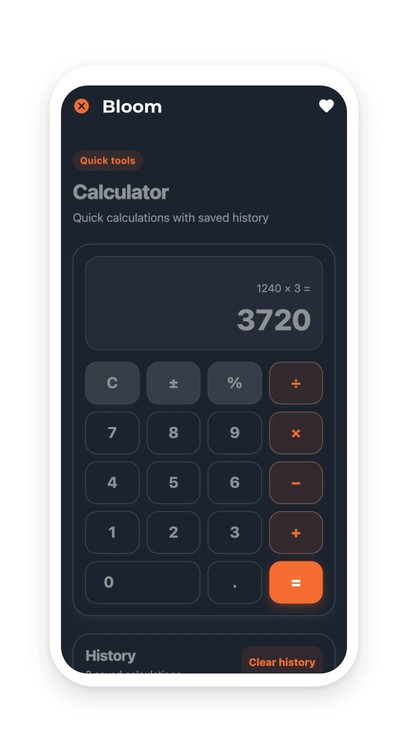
Your section lives in your app
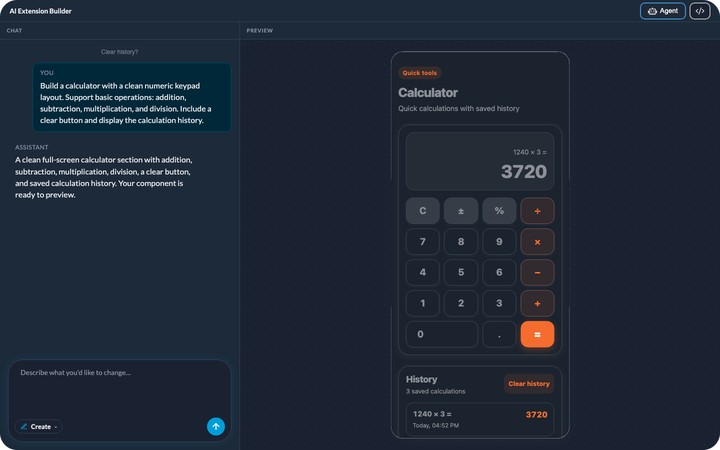
You describe it, the agent builds it, and it shows up in your app's menu. It picks up your app's colors with nothing to set, like any other section. You can rename it, move it in the menu, change its design.
And it keeps evolving with you: ask for a change in plain language, or edit the generated code directly.


