 eCommerce
 Memberships
 Chatbot
 Online Courses
 Bookings
 Travel guide
 Events
 Content Creators
 Pickup & Delivery
 Newspaper
 Radio
Radio Schools
 Faith
Faith Organizations
 Restaurant
 Grocery
 Custom apps
 Employee Communication

 NO CODE APP BUILDER
 TECHNOLOGY
 WHY GOODBARBER?
 Design
 PRODUCT RESOURCES
 TOPICS
 MOBILE APPS RESELLERS
 DISCOVER

Frequently asked questions
 Built by GoodBarber
Your users search, your app answers
The section lists your questions one under the other. A tap opens the answer, with a sliding animation, and closes the one that was open. Only one answer stays unfolded at a time, which avoids the endless screen where the user no longer knows where they are.
At the top, a search field filters the list as they type. It does not stop at the headings: it also searches inside the text of the answers. A user who types a word they remember, without knowing which question it is filed under, still lands on it. And if nothing matches, the section shows a dedicated screen offering to clear the search, instead of leaving an empty list.
You have no page to create and no form to fill in: the questions and the answers come with the section, and you edit them afterward however you like. It is the first thing a stuck user looks for, and the last thing anyone takes the time to build.
 Nothing to configure, the section arrives with its questions and answers
- The search digs into the text of the answers, not just the headings
- That many fewer messages reaching your support team
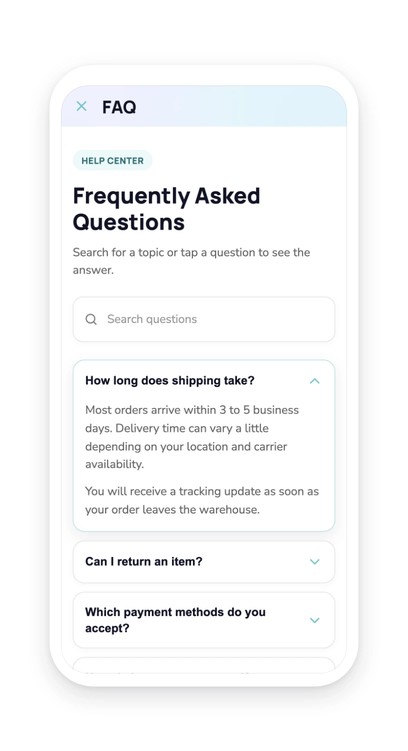
Your section lives in your app
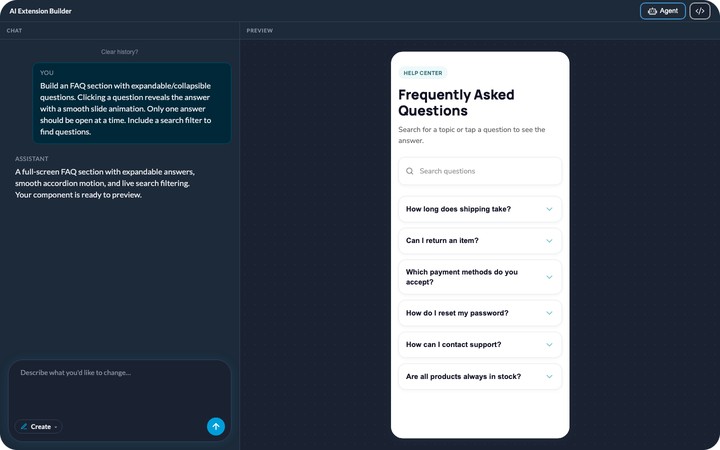
You describe it, the agent builds it, and it shows up in your app's menu. It picks up your app's colors with nothing to set, like any other section. You can rename it, move it in the menu, change its design.
And it keeps evolving with you: ask for a change in plain language, or edit the generated code directly.


