 eCommerce
 Memberships
 Chatbot
 Online Courses
 Bookings
 Travel guide
 Events
 Content Creators
 Pickup & Delivery
 Newspaper
 Radio
Radio Schools
 Faith
Faith Organizations
 Restaurant
 Grocery
 Custom apps
 Employee Communication

 NO CODE APP BUILDER
 TECHNOLOGY
 WHY GOODBARBER?
 Design
 PRODUCT RESOURCES
 TOPICS
 MOBILE APPS RESELLERS
 DISCOVER

Recipe card
 Built by GoodBarber
Your users cook your recipes without converting quantities
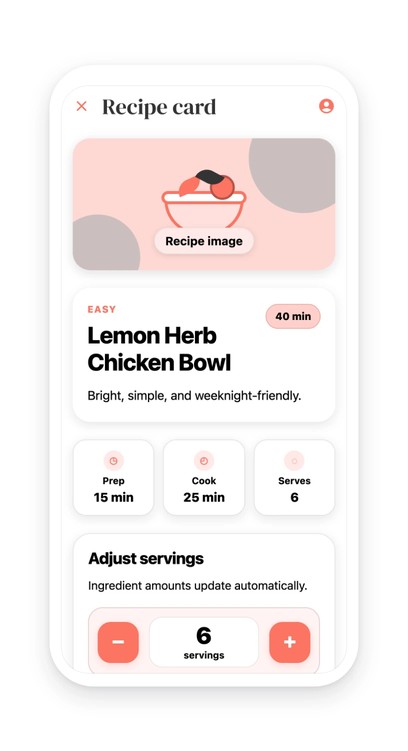
The recipe opens on its image, its difficulty level and its total time, then three cards give the prep, the cooking and the number of guests. Below, a selector: your user goes from four to six people with one tap, and the whole ingredient list recalculates in front of them. Quantities come out as readable fractions, a cup and a half of rice, three quarters of a spoon of garlic, never in decimals. Spices that fall too low become a pinch, and salt and pepper do not move at all: they are marked as not multipliable. The chosen number is kept on the device, and the recipe reopens where your user left it.
A restaurant publishing the recipes from its menu, a caterer supporting its boxes, a cooking school, a grocery brand showing what to do with its products: you supply the text of the recipe, the layout and the math are already there. Nothing to convert, nothing to maintain in a spreadsheet on the side.
A recipe is not an article: you don't read it end to end, you follow it, hands busy, looking for the line where you left off. That is what this section gives, and it is also why it earns its place the day your user has two more people at the table than planned.
 You supply the recipe, the layout follows
- Salt and pepper do not get multiplied by six
- No more mental math to double the quantities
Your section lives in your app
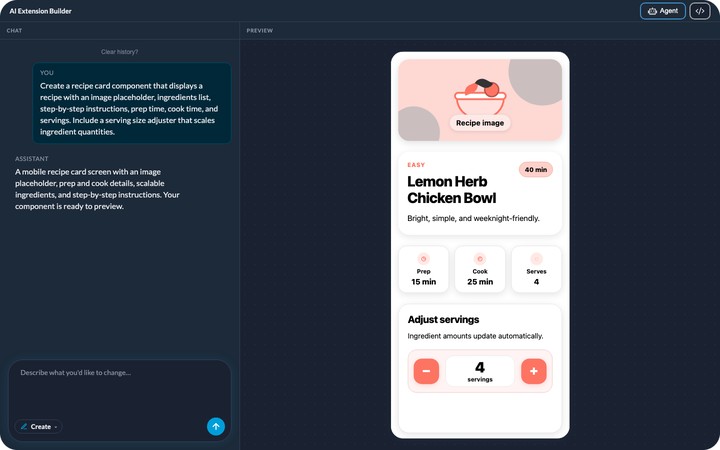
You describe it, the agent builds it, and it shows up in your app's menu. It picks up your app's colors with nothing to set, like any other section. You can rename it, move it in the menu, change its design.
And it keeps evolving with you: ask for a change in plain language, or edit the generated code directly.


