 eCommerce
 Memberships
 Chatbot
 Online Courses
 Bookings
 Travel guide
 Events
 Content Creators
 Pickup & Delivery
 Newspaper
 Radio
 Schools
 Faith
 Organizations
 Restaurant
 Grocery
 Custom apps
 Employee Communication


 NO CODE APP BUILDER
 TECHNOLOGY
 WHY GOODBARBER?
 Design
 PRODUCT RESOURCES
 TOPICS

 MOBILE APPS RESELLERS
 DISCOVER


CarPlay & Android Auto
 Built by GoodBarber
Your audio app in CarPlay and Android Auto
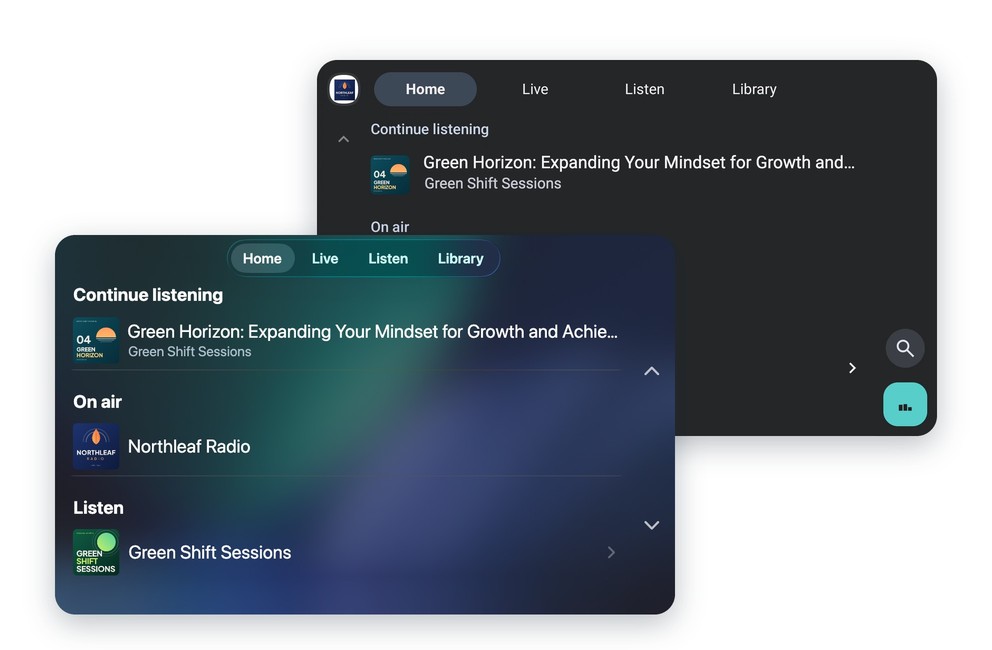
As soon as listeners connect their iPhone to CarPlay or their Android phone to Android Auto, your app appears on the car’s screen. They find your app’s live radio and podcasts there, and start them right from that screen.
The home screen lets them resume what they were listening to, and tabs let them switch between live radio and podcasts.
Listening that follows your audience into the car
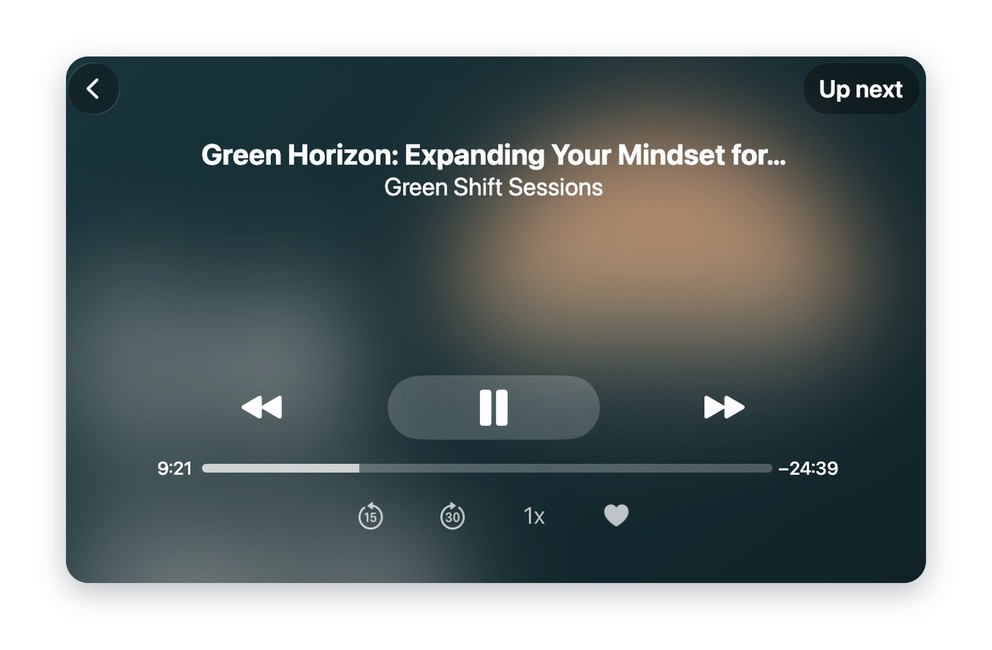
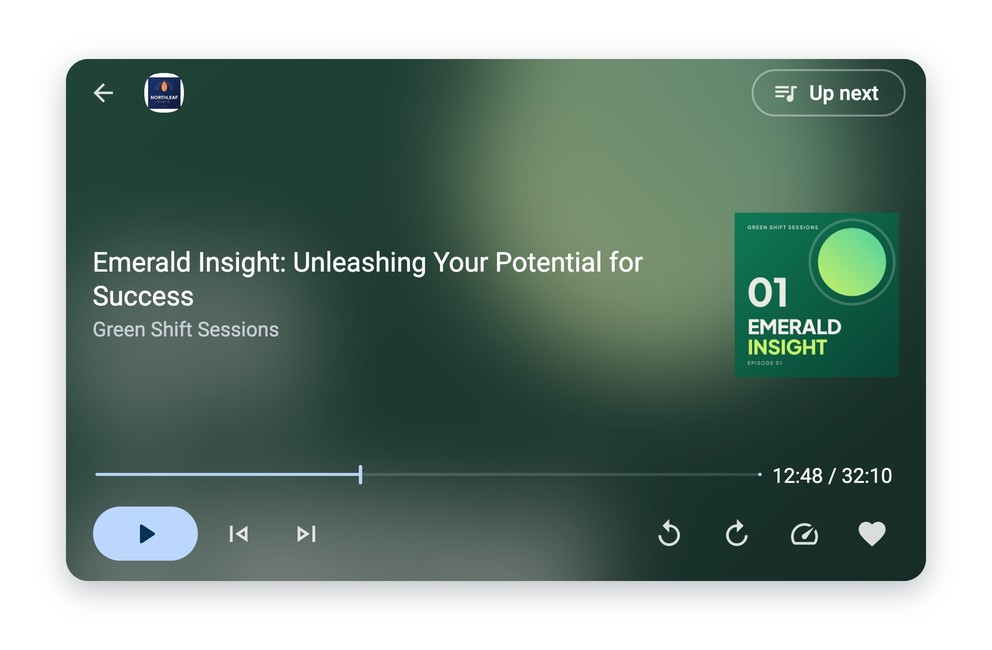
In the car, listeners find their favorites and the episodes they downloaded in the app. Whatever they saved on their phone is ready to play.
The player uses the section’s settings: skip back and skip forward buttons, playback speed, add to favorites. You set them once, in the section, and they apply in the car too.
Find an episode by voice on Android Auto
On Android Auto, listeners search for a live stream, a podcast or an episode by voice or with the keyboard. For episodes to show up in the results, your app needs a Search section.
Choose what shows up in the car
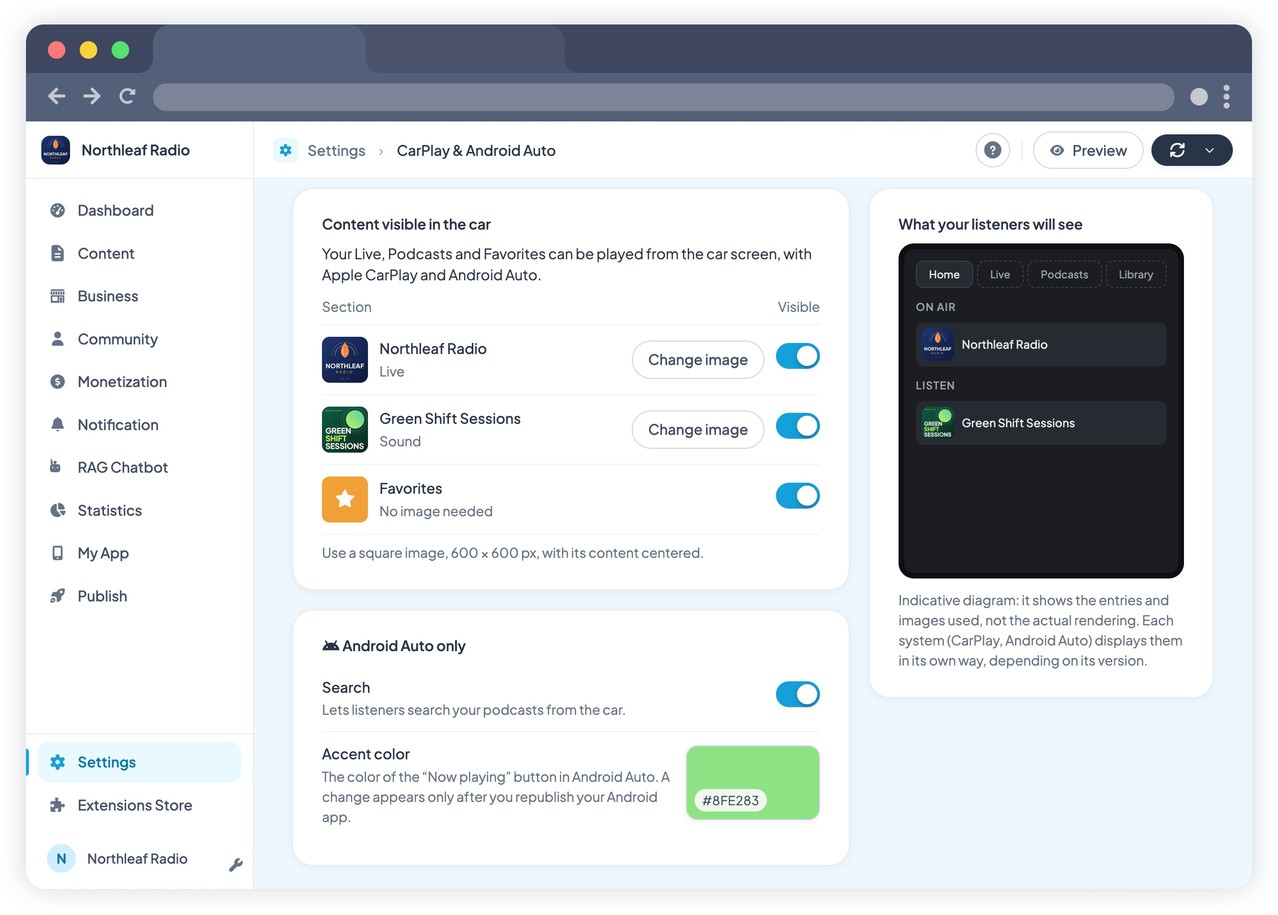
In your back office, you choose which audio sections are shown in the car. For each one, you add an image, used in the lists and in the player.
On Android Auto, an accent color, also set in the back office, reflects your app’s identity.
Your app at home too, on Apple HomeView
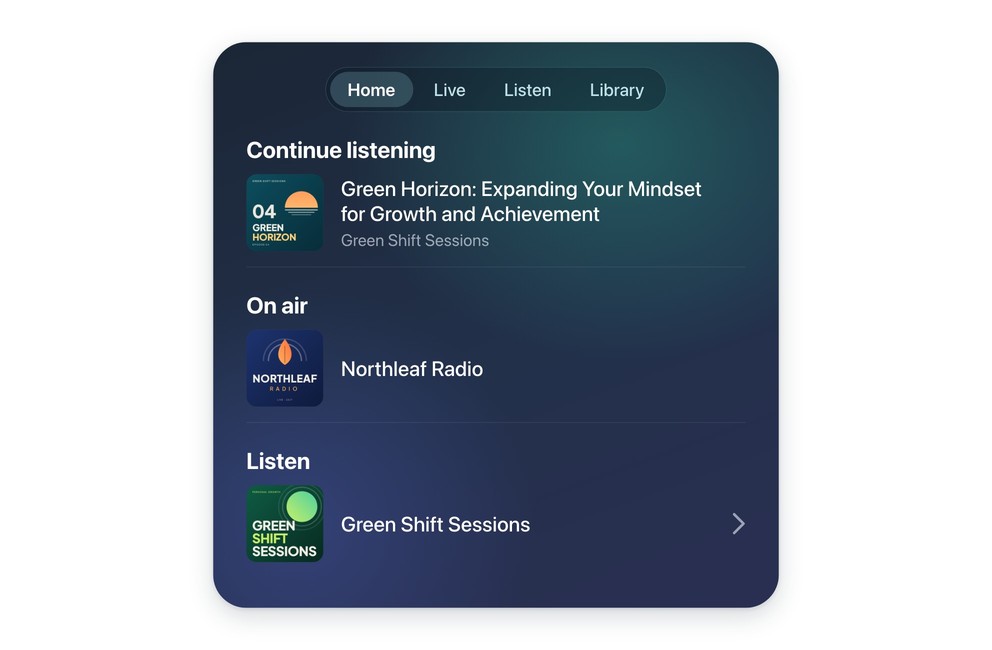
Apple HomeView is Apple’s new display for the home, with its own speaker. It shows the compatible audio apps of the iPhone paired with it.
With the extension, your app is one of them: your listeners find your live radio and podcasts on the HomeView screen and start them from there.
HomeView isn’t sold in every country: availability depends on Apple.
How to activate CarPlay and Android Auto?
- 1Make sure your app has at least one live radio or podcast section
- 2Activate the CarPlay & Android Auto extension in your back office
- 3Choose the sections shown in the car, their images and the accent color
- 4For CarPlay, request the CarPlay entitlement from Apple: the developer account holder must submit the request. Android Auto requires no authorization
- 5Publish a new version of your app on the App Store and Google Play


