 eCommerce
 Memberships
 Chatbot
 Online Courses
 Bookings
 Travel guide
 Events
 Content Creators
 Pickup & Delivery
 Newspaper
 Radio
Radio Schools
 Faith
Faith Organizations
 Restaurant
 Grocery
 Custom apps
 Employee Communication

 NO CODE APP BUILDER
 TECHNOLOGY
 WHY GOODBARBER?
 Design
 PRODUCT RESOURCES
 TOPICS
 MOBILE APPS RESELLERS
 DISCOVER
Mobile app personalization: tailor content, access and notifications
A school app serves parents, teachers and students. They use the same application, but they do not need the same private sections, alerts or saved content. Mobile app personalization can make each experience more relevant without building an individual recommendation engine. Start with useful segments, explicit user choices and a small number of meaningful differences.

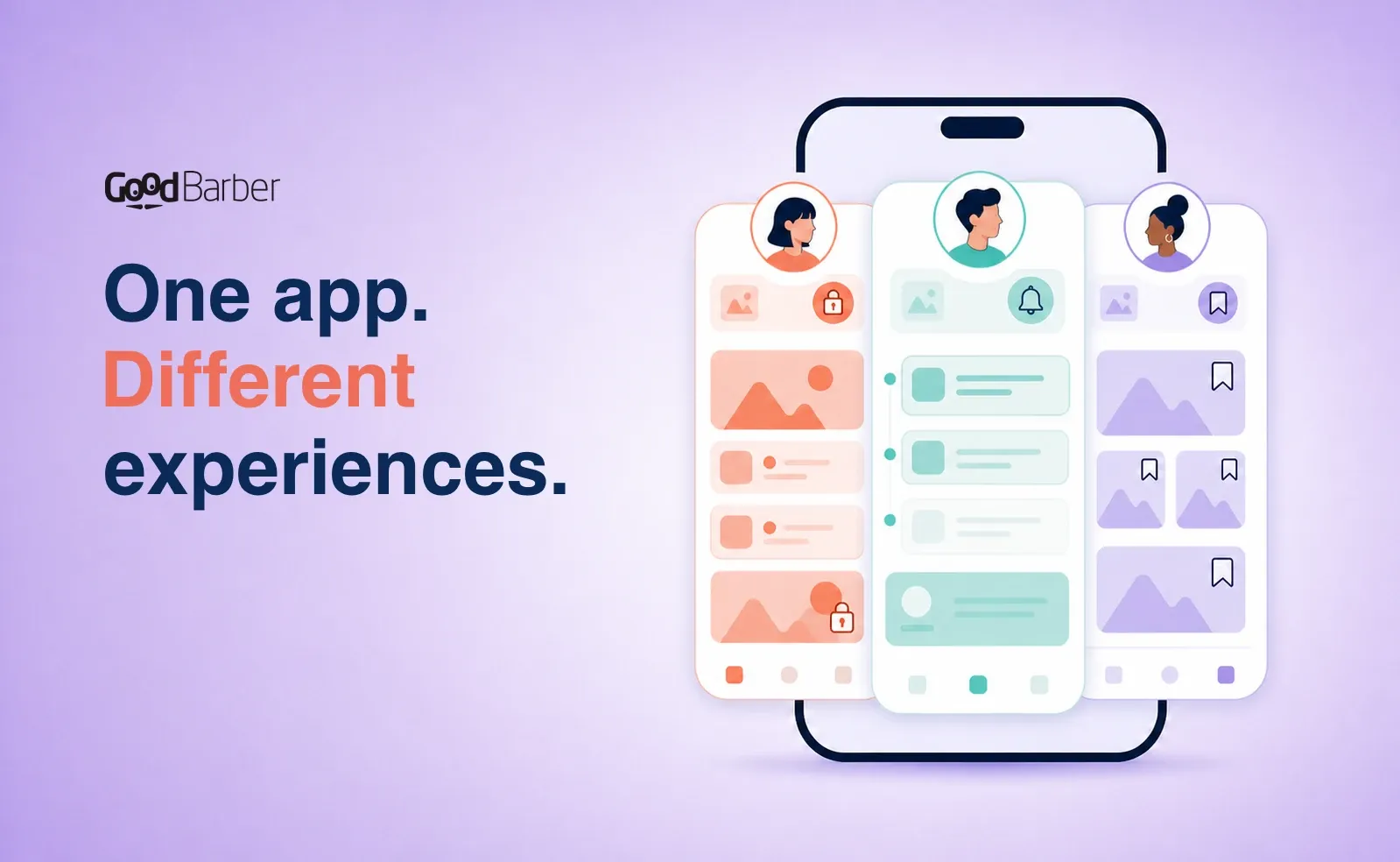
Why mobile app personalization matters: one app, different needs
A teacher looks for staff documents, a parent checks the calendar and a student saves an assignment guide. Sending all three people every notice would be easy, but progressively less useful. The relevant question is not how much data you can collect. It is which part of the experience should genuinely change:
- some sections are shared, while others depend on the user's role;
- notifications go only to the audience concerned;
- each message arrives at an appropriate time and opens a useful destination;
- users choose which recurring updates and content they want to keep.
That is practical mobile app personalization. No opaque scoring model is required.
What mobile app personalization really means
Three related terms are often treated as synonyms:
- Customization is a direct action taken by the app creator or user, such as changing a setting, selecting notification topics or saving content.
- Segmentation organizes users into groups that share a useful characteristic, such as their role, language, location or level of activity.
- Personalization is the resulting adaptation: the app changes access, communication or discovery according to a segment, context or declared preference.
This guide focuses on controlled personalization, not an algorithm that rebuilds the Home page or predicts a unique content stream for every person.
With GoodBarber, controlled personalization can operate across several layers of the user experience. The publisher can define access and communication rules. Users can select notification campaigns and save their own favorite content. A conversational assistant can retrieve a contextual answer when someone asks a question.
| Layer | Signal or choice | What changes | GoodBarber feature |
|---|---|---|---|
| Content access | User group | Access to selected app sections | Authentication + User Groups |
| Communication | Group, usage, language, device, app version or location | Recipients of a notification | Push notifications |
| Timing | Schedule, local time or content publication | When a message is sent | Scheduled or Automatic Push |
| Destination | Purpose of the campaign | Home, a selected section or an external URL | Push notifications |
| Notification preferences | Campaign subscription | Automatic campaigns received | Authentication profile |
| Saved content | Bookmark action | Personal saved-content library | Favorites (Bookmark) |
| Contextual discovery | A question and the content indexed for the chatbot | The answer and its sources | Chatbot |
A device language can help select push recipients; it does not automatically translate or reorganize the app. Usage can inform a campaign; it does not produce a personalized feed.
Choose signals that reflect a real user need
A segment is useful only when it changes a decision. Staff at different locations may need site-specific notices; parents and teachers may need separate private resources; an international audience may need local-time delivery. Start with the difference, then identify the minimum signal required.
GoodBarber's Authentication extension lets you define custom profile fields and make them public, private or visible only to the app owner. Use them for declared information that supports the service, not as a questionnaire without an operational purpose.
A profile field does not automatically create a dynamic group. In the standard workflow, the publisher assigns users to one or more groups from the back office, individually or in batches.
Personalize content access with Authentication and User Groups
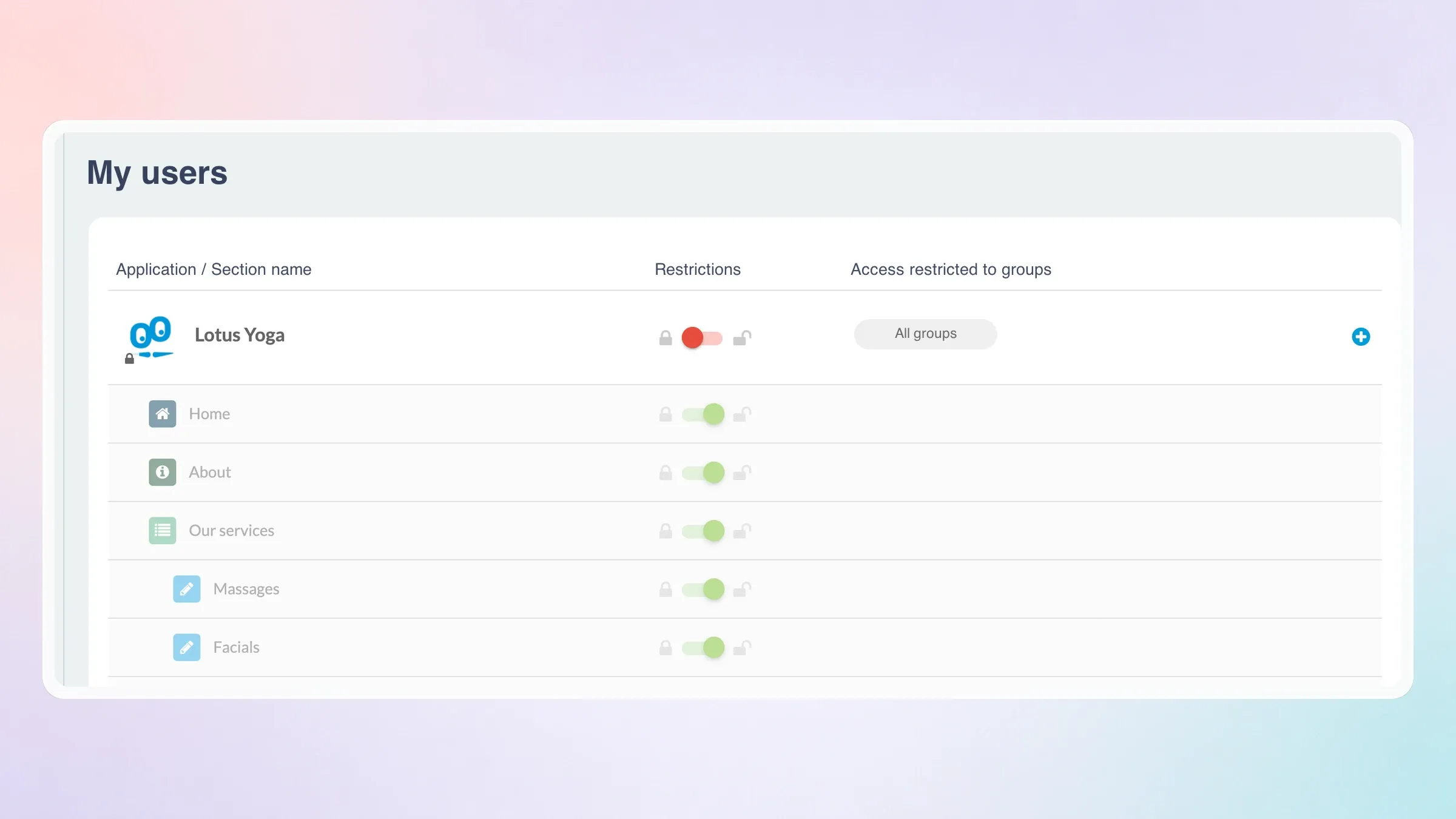
Authentication establishes who is using the app. User Groups then lets the publisher define which private sections each group may access.
Return to the school app. Its structure could include:
| Audience | Shared access | Restricted access |
|---|---|---|
| Students | News, calendar, contacts | Coursework, clubs, student resources |
| Parents | News, calendar, contacts | Parent forms, policies, family information |
| Teachers | News, calendar, contacts | Staff documents, internal schedules, teaching resources |
A person can belong to more than one group. A teacher who coordinates a club can therefore receive both sets of permissions, managed from the user list.
This is content-access personalization, not item-level recommendation. GoodBarber changes whether a section is accessible according to configured rights; it does not predict who is likely to read a specific article.
Access rules remain easy to explain and test. Before creating a group, finish this sentence: “This audience needs a different section because…” If the reason is weak, keep the content shared.
Personalize push notifications without creating noise
Access determines what users can reach. Push personalization determines who should be interrupted.
GoodBarber's Push notifications can target recipients according to criteria including app usage, device language, app version, device or operating system, and geographic location. When Authentication and User Groups are active, a campaign can also address a defined group.
Some targeting and location options depend on the app platform and plan. Geolocated targeting only reaches users who have activated location services on their device.
Build each notification from four decisions:
- Audience: Who can act on this information?
- Message: What is useful to that audience now?
- Moment: Should it be sent immediately, scheduled, delivered in local time or triggered by a publication rule?
- Destination: Where should the user land after opening it?
“New information is available” answers none of them. “Teachers: tomorrow's revised timetable is ready—open the staff schedule” connects a known audience to a specific action.
Manual and scheduled notifications cover one-off communication. The Automatic Push extension creates recurring rules linked to content publication, with audience and timing settings. A media app could use separate rules for local sports and culture.
You can configure and send these campaigns directly from the back office or through an AI assistant connected to your app via the GoodBarber MCP server, using a natural-language request to define the message, audience, timing and destination.
Authentication adds user control. From their profile, users can review the automatic campaigns available to them and choose which ones to follow.
Location can add context, but remote geographic targeting, geofencing and iBeacons solve different problems and have different permission requirements. Our guide to location-based marketing for mobile apps explains when each is appropriate.
Let users personalize content discovery
Not every relevant difference needs an audience rule. Sometimes the strongest signal is a choice made directly inside the app.
The free Favorites extension lets users save articles, videos, photos and podcasts in one section. The catalog remains the same, while each person creates a route back to what matters to them.
This is user-controlled personalization: before trying to predict what users want, let them state it through a simple action.
Add contextual answers with the Chatbot
The Chatbot provides a different kind of relevance. It retrieves information from selected articles, events and map points to answer a user's question. The question, not a predicted profile, determines what is shown.
In an Authentication architecture, access to the chatbot can be restricted to logged-in users or selected User Groups. In a Memberships architecture, answers reflect subscription status: subscribers can receive answers based on all indexed content, while answers for non-subscribers expose only free preview text, even when the chatbot recommends relevant premium content.
This does not turn the rest of the app into an individually generated interface. It adds one contextual discovery surface inside a publisher-controlled knowledge base.
Before you personalize access, choose the right architecture
GoodBarber supports two distinct access architectures, not one combined stack.
| Architecture | What determines access | Appropriate for |
|---|---|---|
| Authentication + User Groups | A group assigned by the publisher | Schools, internal communication, associations and private communities |
| Memberships | Subscription status and content access level | Premium publications, courses and subscriber-funded content |
The Memberships extension is not compatible with Authentication, User Groups, Community or Chat. Choose the architecture that reflects the business model before building access.
If an employer assigns access by department, use Authentication and User Groups. If access depends on a subscription, use Memberships. Our guide to choosing between a subscription app and a private community examines the decision in detail.
Three mobile app personalization examples
| App | Useful segmentation | Personalized difference | Success signal |
|---|---|---|---|
| School | Students, parents and teachers | Group-restricted resources, role-specific notices and optional topic campaigns | Response to targeted notices and activity on their destinations |
| Internal communication | Department, site or accreditation level | Access to operational documents and notifications sent only to affected teams | Clicks and activity on the destination section |
| Media | Language, usage and explicit notification choices | Relevant campaigns, local-time delivery, Favorites and contextual content discovery | Campaign open and click rates |
Each rule should produce a benefit users can recognize.
Measure whether personalization improves relevance
Measure the action each rule should improve.
GoodBarber's built-in Statistics & Dashboard reports launches, unique sessions, page views, visit duration, platforms, countries, cities and languages. Push history adds open and click rates.
For a targeted campaign, compare push response with activity on its destination. Strong click-through followed by little use points to a weak destination.
Analytics can inform the next rule, but it does not automatically convert observed behavior into User Groups. The complete mobile app analytics guide explains how to connect usage signals to an experiment.
Keep personalization proportionate and transparent
Collect a profile field only when it changes access or service, and request location only when place materially improves the experience.
Explain the purpose, respect user choices and align the app with its privacy information and store declarations. GoodBarber's Privacy Center centralizes permissions, external libraries and privacy information; the mobile app privacy checklist covers pre-publication review.
Use only the data needed for the service you provide.
Start with one meaningful difference
Start progressively:
- Define one underserved user need.
- Choose one or two segments, or one explicit user choice.
- Change one element: access, communication, timing or discovery.
- Select one signal that shows whether it helped.
- Review before adding another rule.
The goal is to make the right moment more relevant, not every screen different.
Create your app and configure its first personalized experience
FAQ
What is mobile app personalization?
Mobile app personalization adapts part of an app's experience according to a useful segment, contextual signal or explicit user choice. It can affect content access, communication, timing, destinations or content discovery without requiring an individual recommendation engine.
What is the difference between app customization and app personalization?
Customization is a direct action, such as changing a setting, selecting a notification topic or saving content. Personalization is the resulting adaptation: access, communication or discovery changes according to a segment, context or declared preference. Changing the app's colors is customization; restricting a staff section to an employee group is personalization based on access rights.
Does GoodBarber automatically personalize content for every user?
No. GoodBarber does not automatically generate an individual Home page or recommendation feed from each user's behavior. It supports controlled personalization through section access, audience-targeted notifications, user-selected campaigns, Favorites and contextual answers from the Chatbot.
Can GoodBarber target personalized push notifications?
Yes. Push recipients can be selected using criteria such as app usage, language, app version, device, operating system or location. With Authentication and User Groups, campaigns can also target a defined group. In a Memberships app, campaigns can instead target users according to their subscription status. Users can choose which automatic notification campaigns they wish to follow from their authenticated profile.
Can I use Memberships and User Groups in the same app?
No. Memberships is a separate subscription-based access architecture and is not compatible with Authentication, User Groups, Community or Chat. Choose User Groups when access is assigned by the publisher and Memberships when it is determined by subscription status.
Does mobile app personalization require artificial intelligence?
No. Most useful personalization begins with simple access rules, relevant audience targeting and explicit user choices. AI can add contextual discovery through the Chatbot, but it is not required to make the experience more relevant.


